1. Introduction
Thank you for choosing the MAGNUSSEN M25 Audio Earbuds. These earbuds are designed to provide an exceptional audio experience with hybrid Active Noise Cancellation (ANC) and Environmental Noise Cancellation (ENC) technology, powered by Bluetooth 5.3 and the advanced JL7016G8 chipset. Enjoy clear sound, versatile connectivity, and a comfortable fit.
What's in the Box
- MAGNUSSEN M25 Earbuds
- Charging Case
- Quick Guide
- Carrying / Storage Case
- USB Charging Cable (not explicitly listed but standard)
2. Product Overview
Familiarize yourself with the components of your MAGNUSSEN M25 earbuds and charging case.
Earbuds and Charging Case
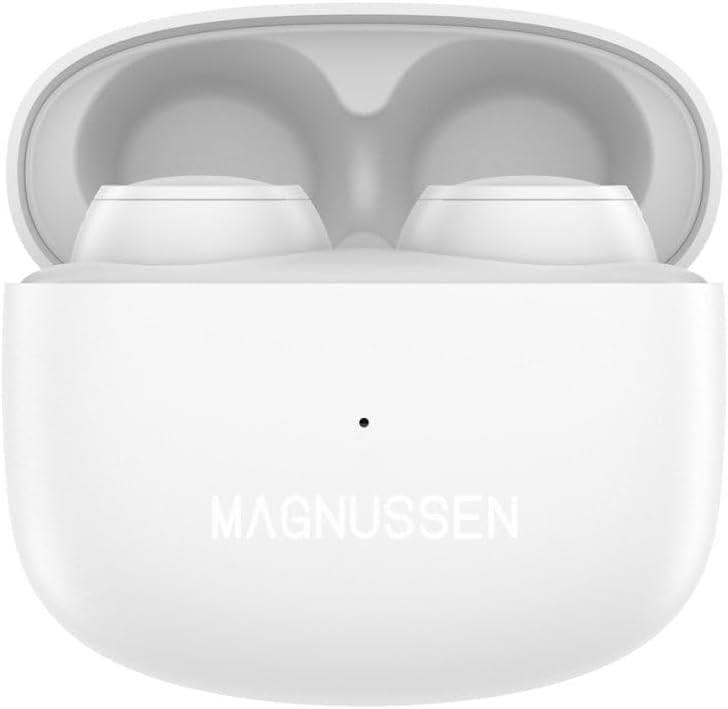
Image 1: The MAGNUSSEN M25 earbuds resting inside their open white charging case, showcasing their compact design.

Image 2: The MAGNUSSEN M25 white charging case in its closed state, displaying the 'MAGNUSSEN' logo on the front.
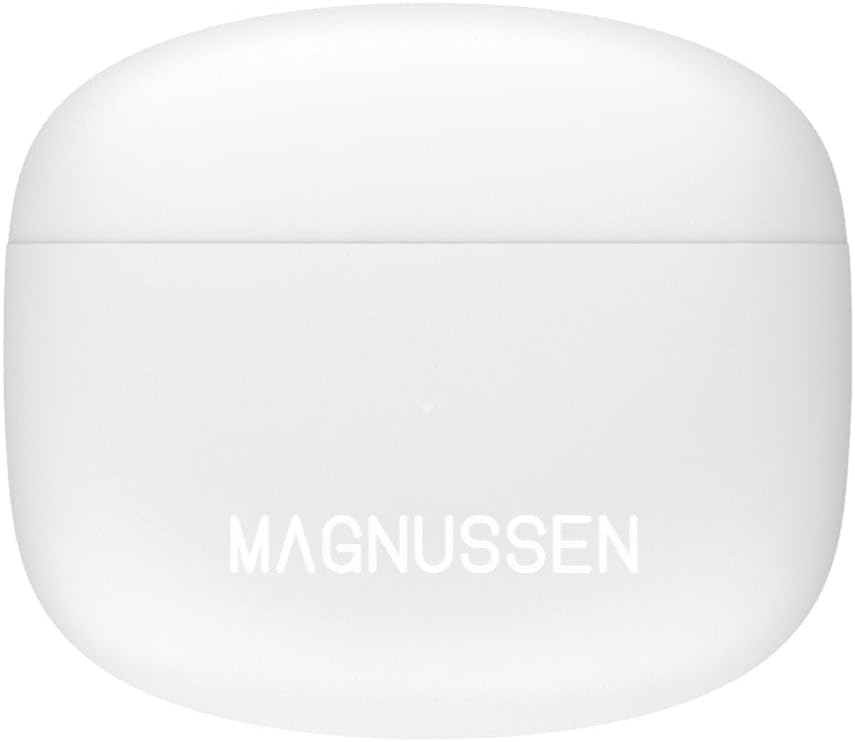
Image 3: A pair of MAGNUSSEN M25 earbuds, white in color, shown outside their charging case, highlighting their individual design.
Key Components:
- Earbuds: Left (L) and Right (R) earbuds with touch control areas and microphones.
- Charging Case: Houses and charges the earbuds, features a charging port and LED indicator.
- LED Indicator: Displays charging status and battery level.
- Charging Port: USB-C port for charging the case.
3. Setup
3.1 Charging the Earbuds and Case
- Initial Charge: Before first use, fully charge the earbuds and charging case. Place the earbuds into the charging case and close the lid.
- Charging the Case: Connect the provided USB charging cable to the charging port on the case and to a USB power adapter (not included). The LED indicator on the case will show charging status.
- Charging the Earbuds: When the earbuds are placed in the charging case, they will automatically begin charging. The LED indicators on the earbuds (if present) or case will confirm charging.
A full charge typically takes approximately 1-2 hours for the earbuds and 2-3 hours for the case.
3.2 Bluetooth Pairing
- Power On: Open the charging case. The earbuds will automatically power on and enter pairing mode. The LED indicator on one earbud will flash, indicating it's ready to pair.
- Activate Bluetooth: On your device (smartphone, tablet, computer), enable Bluetooth.
- Select Device: In your device's Bluetooth settings, look for "MAGNUSSEN M25" in the list of available devices and select it.
- Confirmation: Once successfully paired, you will hear an audible confirmation from the earbuds, and the LED indicator will stop flashing.
The earbuds will automatically reconnect to the last paired device when taken out of the case, if Bluetooth is enabled on the device.
4. Operating Instructions
The MAGNUSSEN M25 earbuds feature intuitive touch controls for easy management of audio and calls.
4.1 Basic Controls
| Function | Action |
|---|---|
| Play/Pause | Single tap on either earbud |
| Next Track | Double tap on the Right earbud |
| Previous Track | Double tap on the Left earbud |
| Volume Up | Triple tap on the Right earbud |
| Volume Down | Triple tap on the Left earbud |
| Answer/End Call | Single tap on either earbud |
| Reject Call | Press and hold either earbud for 2 seconds |
| Activate Voice Assistant | Press and hold either earbud for 3 seconds (when not on a call) |
4.2 ANC/ENC Modes
The MAGNUSSEN M25 earbuds feature hybrid ANC (Active Noise Cancellation) and ENC (Environmental Noise Cancellation) technology for an optimized listening experience.
- Switching Modes: To cycle through ANC On, Transparency Mode, and ANC Off, press and hold the touch control area on the Left earbud for approximately 2 seconds.
- ANC (Active Noise Cancellation): Reduces ambient noise for immersive audio.
- Transparency Mode: Allows you to hear your surroundings while still enjoying your audio.
- ENC (Environmental Noise Cancellation): Utilizes six microphones to enhance call clarity by reducing background noise during phone calls. This feature is automatically active during calls.
5. Maintenance
Proper care and maintenance will extend the lifespan of your MAGNUSSEN M25 earbuds.
5.1 Cleaning
- Use a soft, dry, lint-free cloth to clean the earbuds and charging case.
- Do not use abrasive cleaners, alcohol, or chemical solvents.
- Gently clean the charging contacts on both the earbuds and inside the case with a dry cotton swab to ensure proper charging.
5.2 Storage and Battery Care
- Always store the earbuds in their charging case when not in use to protect them and keep them charged.
- Avoid exposing the earbuds and case to extreme temperatures, humidity, or liquids.
- To preserve battery life, charge the case regularly, even if the earbuds are not frequently used.
6. Troubleshooting
If you encounter any issues with your MAGNUSSEN M25 earbuds, refer to the following common solutions:
Common Issues and Solutions
- Earbuds not pairing:
- Ensure both earbuds are charged.
- Turn off Bluetooth on your device and turn it back on.
- Forget "MAGNUSSEN M25" from your device's Bluetooth list and try pairing again.
- Place earbuds back in the case, close the lid, wait 10 seconds, then open to re-enter pairing mode.
- No sound from one earbud:
- Ensure both earbuds are charged.
- Try placing both earbuds back in the case, closing it, and then taking them out again.
- Clean the charging contacts on both earbuds and inside the case.
- Charging issues:
- Check if the charging cable is securely connected to both the case and the power source.
- Try a different USB charging cable and power adapter.
- Ensure the charging contacts on the earbuds and case are clean and free of debris.
- ANC not working effectively:
- Ensure the earbuds are properly seated in your ears to create a good seal.
- Confirm that ANC mode is activated (press and hold the Left earbud).
7. Specifications
Detailed technical specifications for the MAGNUSSEN M25 Audio Earbuds.
| Feature | Specification |
|---|---|
| Model Name | M25 |
| Item Model Number | EB1000217 |
| Brand | MAGNUSSEN |
| Connectivity | Bluetooth 5.3 |
| Chipset | JL7016G8 |
| Audio Technology | Hybrid ANC+ENC with six microphones |
| Driver Size | 10 mm Dynamic Drivers |
| Supported Profiles | A2DP, AVRCP, H-SP, H-FP |
| Playback Time | Up to 25 hours (with charging case) |
| Battery Type | 1 Lithium-ion (included) |
| Material | Plastic, Aluminum, ABS |
| Color | White |
| Item Weight | 11 Grams |
| Product Features | Lightweight, Wireless |
8. Warranty and Support
MAGNUSSEN products are built with quality and reliability in mind. For specific warranty information, please refer to the warranty card included in your product packaging or visit the official MAGNUSSEN website.
Customer Support
If you require further assistance or have questions not covered in this manual, please contact MAGNUSSEN customer support through their official channels. Details can typically be found on the product packaging or the brand's website.
Spare Parts Availability: Information unavailable.
Software Updates Guaranteed Until: Information not available.