
BINBOND YXC-US-G5663-QJ
BINBOND YXC-US-G5663-QJ Men's Quartz Watch Instruction Manual
Model: YXC-US-G5663-QJ
1. Introduction
This manual provides essential instructions for the proper use, setup, maintenance, and care of your BINBOND YXC-US-G5663-QJ Men's Quartz Watch. Please read this manual thoroughly to ensure optimal performance and longevity of your timepiece.
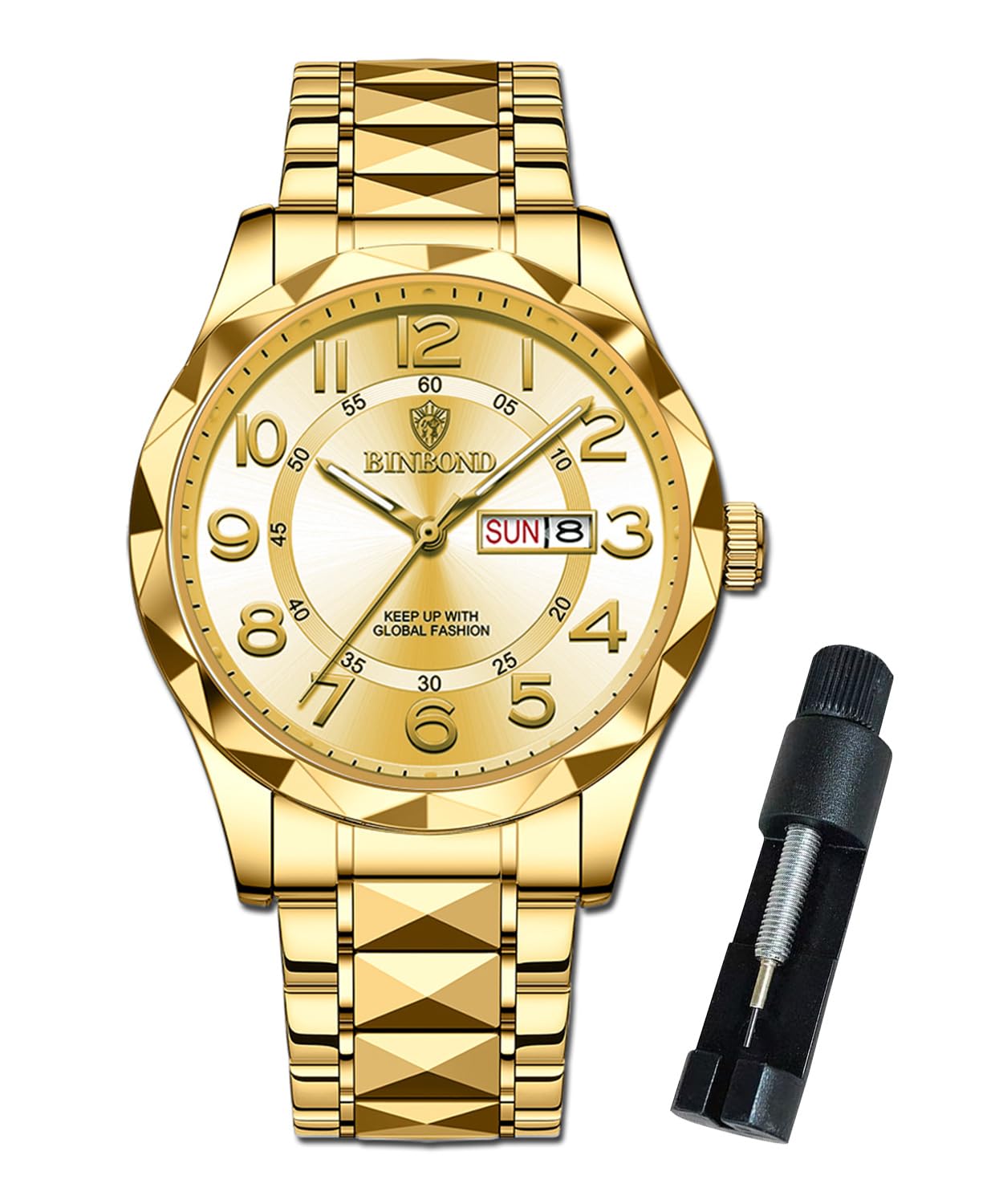
Image 1.1: Front view of the BINBOND YXC-US-G5663-QJ Men's Quartz Watch in Gold.
2. Watch Components
Familiarize yourself with the main components of your watch:
- Crown: Used for setting time and date.
- Dial: The watch face displaying time and date.
- Hands: Hour, minute, and second hands.
- Date Window: Displays the current date and day.
- Stainless Steel Strap: The metal band securing the watch to your wrist.
- Hidden Butterfly Buckle: The clasp mechanism for the strap.

Image 2.1: Key features of the BINBOND watch, including water resistance, mirror type, band material, and luminous function.
3. Initial Setup
3.1 Setting the Time and Date
- Pull the Crown: Gently pull the crown out to the second click position. The second hand will stop.
- Set the Time: Rotate the crown to move the hour and minute hands to the desired time. Ensure you set the correct AM/PM by observing the date change. If the date changes around noon, you are in the PM cycle.
- Set the Date/Day: Push the crown in slightly to the first click position. Rotate the crown to adjust the date and day. Avoid setting the date between 9 PM and 3 AM, as this may interfere with the automatic date change mechanism.
- Push the Crown Back: Once the time and date are set, push the crown fully back into its normal position to start the watch.
3.2 Adjusting the Strap
The watch comes with a tool to adjust the stainless steel strap. To resize the strap, locate the pins on the inside of the links. Use the provided tool to push out the pins in the direction of the arrows on the strap, remove the desired number of links, and then reinsert the pins to secure the strap. If you are unsure, it is recommended to seek professional assistance for strap adjustment.
4. Operating Instructions
4.1 Reading the Time and Date
The watch features an analog display with hour, minute, and second hands. The date and day are displayed in a dedicated window on the dial.
4.2 Luminous Function
The watch hands and markers are equipped with an HD luminous coating. After exposure to light, these elements will glow in dark environments, allowing for easy time reading. The intensity and duration of the glow depend on the exposure time and intensity of light.
4.3 Water Resistance (3ATM)
Your BINBOND watch is rated for 3ATM (30 meters) water resistance. This means it is suitable for daily use, such as handwashing, light rain, and accidental splashes. It is not suitable for showering, bathing, swimming, diving, or any activities involving prolonged water immersion or high-pressure water exposure.
Video 4.1: A brief overview of the BINBOND watch, demonstrating its appearance and features.
5. Care and Maintenance
5.1 Cleaning
To maintain the appearance of your watch, wipe it regularly with a soft, dry cloth. For the stainless steel strap, a slightly damp cloth can be used, followed by immediate drying. Avoid using chemical cleaners, solvents, or abrasive materials, as these can damage the watch's finish.
5.2 Water Resistance Precautions
- Always ensure the crown is fully pushed in before any contact with water.
- Do not operate the crown or pushers when the watch is wet or submerged.
- Avoid exposing the watch to hot water, steam, or extreme temperature changes, as this can compromise the water-resistant seals.
5.3 Battery Replacement
The watch is powered by an original imported quartz movement with an estimated battery life of 2-3 years. When the battery needs replacement, it is recommended to take the watch to a qualified watchmaker or service center to ensure proper handling and sealing, preserving its water resistance.
6. Troubleshooting
If you encounter any issues with your watch, please refer to the following common solutions:
| Problem | Possible Cause | Solution |
|---|---|---|
| Watch not running | Battery depleted; Crown not fully pushed in | Replace battery (professional service recommended); Push crown fully in |
| Date/Day not changing at midnight | Time set incorrectly (AM/PM); Date set during restricted hours | Re-set time, ensuring correct AM/PM; Avoid setting date between 9 PM and 3 AM |
| Condensation inside watch | Water resistance compromised | Immediately seek professional service to prevent further damage. |
7. Product Specifications

Image 7.1: Detailed product parameters and dimensions of the BINBOND watch.
| Feature | Detail |
|---|---|
| Model Number | YXC-US-G5663-QJ |
| Movement | Analog Quartz |
| Dial Diameter | 43 mm |
| Case Thickness | 13 mm |
| Band Width | 21 mm |
| Band Length | 26 cm |
| Watch Weight | 120 g |
| Case Material | Stainless Steel |
| Band Material | 316L Stainless Steel |
| Clasp Type | Double Locking Foldover Clasp |
| Water Resistance | 3 ATM (30 meters) |
| Luminous Function | HD Luminous |
| Calendar | Double Calendar Window (Date & Day) |
8. Warranty Information
BINBOND offers a 2-year warranty service for this men's watch, covering manufacturing defects from the date of purchase. Additionally, a 30-day no-questions-asked exchange and return policy is provided. This warranty does not cover damage resulting from improper use, accidents, unauthorized repairs, or normal wear and tear.
Please retain your proof of purchase for warranty claims.
9. Customer Support
If you encounter any problems during the use of your BINBOND watch or have questions not covered in this manual, please contact BINBOND customer support through the retailer where the product was purchased. Provide your model number (YXC-US-G5663-QJ) and a detailed description of the issue for efficient assistance.
Ask a question about this manual
Ask about setup, troubleshooting, compatibility, parts, safety, or missing instructions. Manuals+ will review the question and use this page’s manual context to help answer it.