
1. Introduction
This manual provides detailed instructions for the proper use, setup, and maintenance of your POGOLAB UHF Wireless Saxophone System and Leather Sax Neck Strap. Please read this manual thoroughly before using the product to ensure optimal performance and longevity. This system is designed to provide clear, stable audio transmission for saxophone performances, complemented by a comfortable and durable neck strap.
2. Product Overview
2.1. Package Contents
- UHF Wireless Transmitter (with built-in microphone)
- UHF Wireless Receiver
- USB Charging Cable
- 3.5mm to 6.35mm Audio Adapter
- Leather Saxophone Neck Strap
- User Manual (this document)
2.2. Key Features
- UHF Wireless Technology: Stable transmission up to 164 feet (50m) in open areas.
- Low Latency: Clear sound with minimal delay.
- Multiple Channels: 4 switchable signal channels to avoid interference.
- High-Sensitivity Condenser Microphone: Built into the transmitter for clear voice capture and ambient noise reduction.
- Secure Transmitter Clip: Rubber-padded clip for firm attachment to the saxophone without damage.
- Bluetooth Connectivity: Allows connection for background music playback.
- Rechargeable Battery: Built-in 600mAh lithium-ion battery for up to 5 hours of operation.
- Comfortable Neck Strap: Microfiber leather with thick padding for reduced neck pressure.
- Durable Construction: Wear-resistant and aging-resistant materials for the neck strap, with a closed swivel hook.
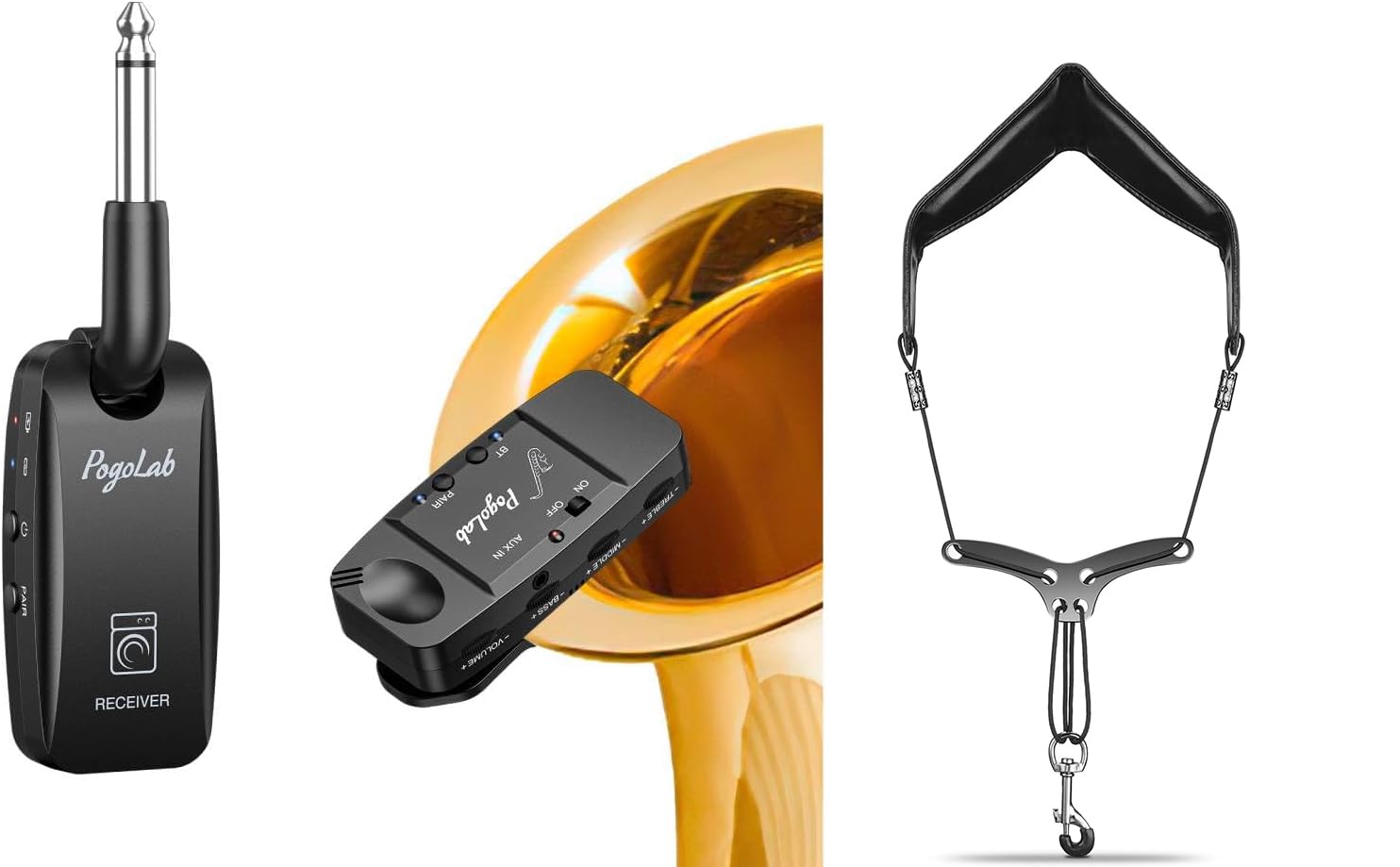
Figure 1: Overview of the POGOLAB UHF Wireless Saxophone System and Neck Strap. This image displays the wireless transmitter, receiver, and the saxophone neck strap, highlighting the main components included in the package.
3. Setup
3.1. Charging the Wireless System
- Connect the USB charging cable to the charging port on both the transmitter and receiver.
- Plug the other end of the USB cable into a standard USB power adapter (not included) or a computer USB port.
- The red indicator light on the device will illuminate during charging.
- The red indicator light will turn off when the device is fully charged. A full charge provides approximately 5 hours of operation.

Figure 2: The wireless transmitter attached to a saxophone, indicating approximately 5 hours of available battery life after a full charge. The image shows the compact size of the transmitter and its placement on the instrument.
3.2. Attaching the Transmitter to the Saxophone
- Gently open the clip on the wireless transmitter.
- Attach the transmitter to the bell of your saxophone. Ensure the rubber pads on the clip make contact with the instrument to prevent scratches and provide a secure fit.
- Position the microphone towards the sound source for optimal audio capture.

Figure 3: The wireless transmitter, featuring a built-in highly sensitive condenser microphone, securely clipped to the bell of a saxophone. An amplifier is visible in the background, illustrating the setup for sound output.
3.3. Connecting the Receiver
- Plug the receiver directly into the input jack of your amplifier, mixer, or audio interface.
- If your input jack is 6.35mm, use the provided 3.5mm to 6.35mm audio adapter.
3.4. Adjusting the Saxophone Neck Strap
- Place the neck strap around your neck.
- Attach the closed swivel hook to the saxophone's strap ring. The hook is designed with a protective sleeve to prevent damage to the saxophone shackle.
- Adjust the length of the strap using the alloy metal beam for a comfortable playing position. Ensure the saxophone is at an appropriate height for your posture.
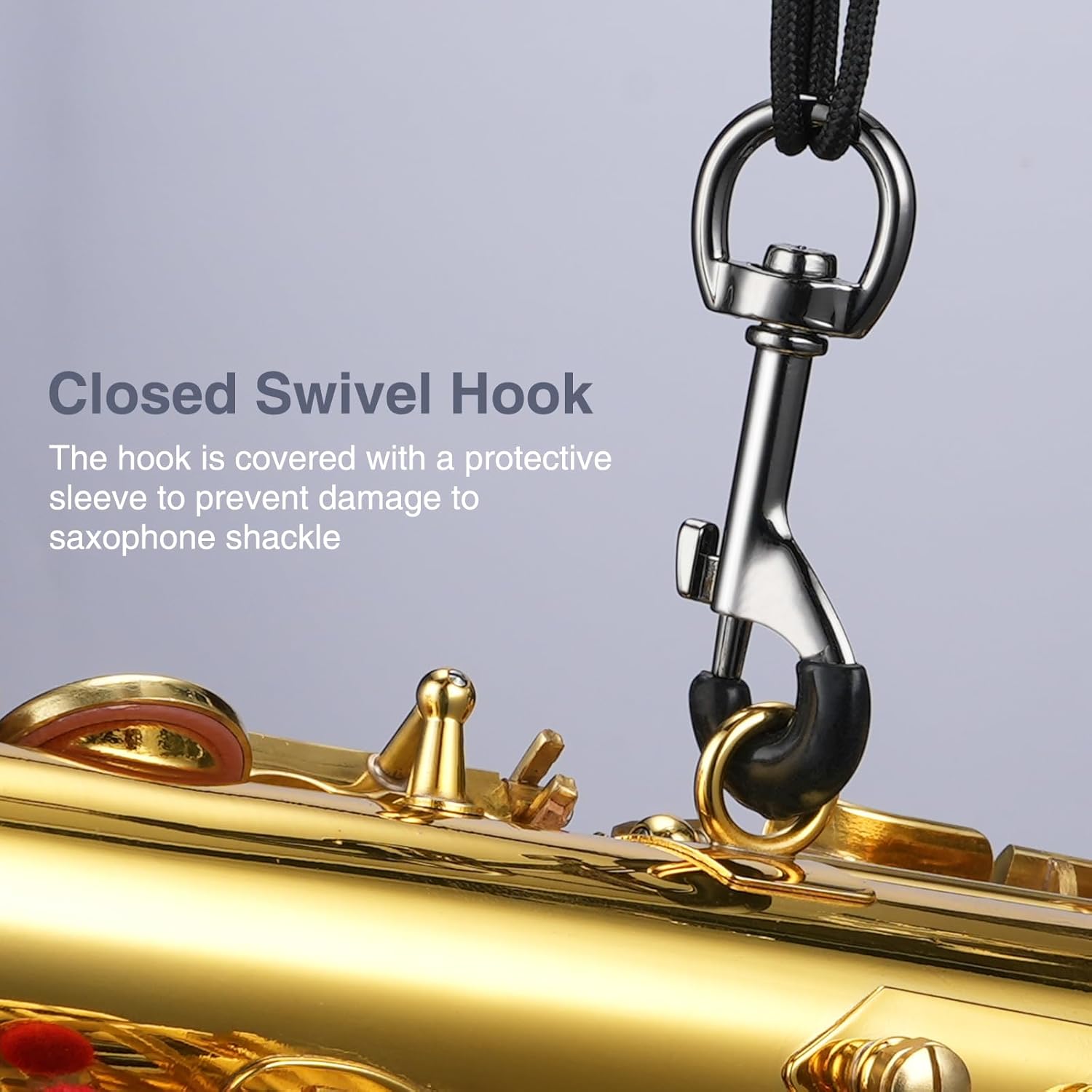
Figure 4: A detailed view of the neck strap's closed swivel hook, demonstrating its attachment to the saxophone. The protective sleeve on the hook is visible, designed to prevent wear on the instrument.

Figure 5: This image illustrates the high-quality microfiber leather of the neck strap and the alloy metal beam used for convenient length adjustment. It shows how the strap sits on the user's neck and the adjustability feature.

Figure 6: A close-up view highlighting the thickened padding of the saxophone neck strap, with a caliper measuring its thickness at 14.59mm. This padding is designed to relieve neck pressure during extended playing.
4. Operating Instructions
4.1. Powering On/Off
- To power on: Press and hold the power button on both the transmitter and receiver until the indicator light illuminates.
- To power off: Press and hold the power button on both devices until the indicator light turns off.
4.2. Pairing and Channel Switching
- The transmitter and receiver should automatically pair upon powering on. If they do not connect, ensure they are within range and try restarting both devices.
- To switch channels: Briefly press the channel button on the transmitter. The receiver will automatically synchronize to the new channel. There are 4 available channels to help avoid interference.
4.3. Using Bluetooth for Background Music
- Ensure the receiver is powered on.
- Activate Bluetooth on your external device (e.g., smartphone, tablet, laptop).
- Search for available Bluetooth devices and select "POGOLAB Wireless System" (or similar name).
- Once connected, you can play background music through your amplifier/mixer while your saxophone audio is also transmitted wirelessly.

Figure 7: A musician playing the saxophone with the wireless system, demonstrating the Bluetooth connection feature. A laptop is shown playing accompanying music, which can be mixed with the saxophone's audio for a richer performance.
5. Maintenance
5.1. Cleaning
- Wireless System: Wipe the transmitter and receiver with a soft, dry cloth. Do not use liquid cleaners or abrasive materials.
- Neck Strap: Wipe the leather strap with a damp cloth and mild soap if necessary. Allow it to air dry completely. Avoid harsh chemicals.
5.2. Storage
- Store the wireless system and neck strap in a cool, dry place away from direct sunlight and extreme temperatures.
- Ensure the devices are fully charged before long-term storage to preserve battery health.
6. Troubleshooting
| Problem | Possible Cause | Solution |
|---|---|---|
| No sound output. |
|
|
| Interference or poor sound quality. |
|
|
| Bluetooth not connecting. |
|
|
| Short battery life. |
|
|
7. Specifications
7.1. Wireless System
- Transmission Type: UHF
- Operating Range: Up to 164 feet (50 meters) in open areas
- Channels: 4 switchable channels
- Microphone Type: Built-in Condenser
- Battery: 600mAh Rechargeable Lithium-ion
- Operating Time: Approximately 5 hours
- Charging Indicator: Red light on (charging), Red light off (fully charged)
- Connectivity: Bluetooth for background music
7.2. Saxophone Neck Strap
- Material: High-quality Microfiber Leather
- Padding: Thickened, soft padding (approx. 14.59mm)
- Hook: Closed Swivel Hook with protective sleeve
- Adjustment: Alloy Metal Beam for length adjustment
- Durability: Wear-resistant and aging-resistant
8. Safety Information
- Do not expose the wireless system to water or excessive moisture.
- Avoid dropping or subjecting the devices to strong impacts.
- Do not attempt to disassemble or repair the devices yourself. Refer to qualified service personnel.
- Keep the product away from high temperatures and open flames.
- Use only the provided charging cable or a certified equivalent.
- Ensure the neck strap is securely attached to the saxophone before playing to prevent accidental drops.
9. Warranty and Support
POGOLAB products are designed for reliability and performance. For any questions, technical support, or warranty inquiries, please contact POGOLAB customer service through the retailer where the product was purchased or visit the official POGOLAB website for contact information. Please retain your proof of purchase for warranty claims.