
FUHAOXUAN WLX-M8
FUHAOXUAN 120W GaN USB C Charger Block User Manual
Model: WLX-M8
1. Product Overview
The FUHAOXUAN 120W GaN USB C Charger Block is a high-performance, multi-port charging station designed for efficient and simultaneous charging of various electronic devices. Utilizing advanced GaN (Gallium Nitride) technology, it offers a compact design with powerful output, real-time LED display, and integrated safety features.
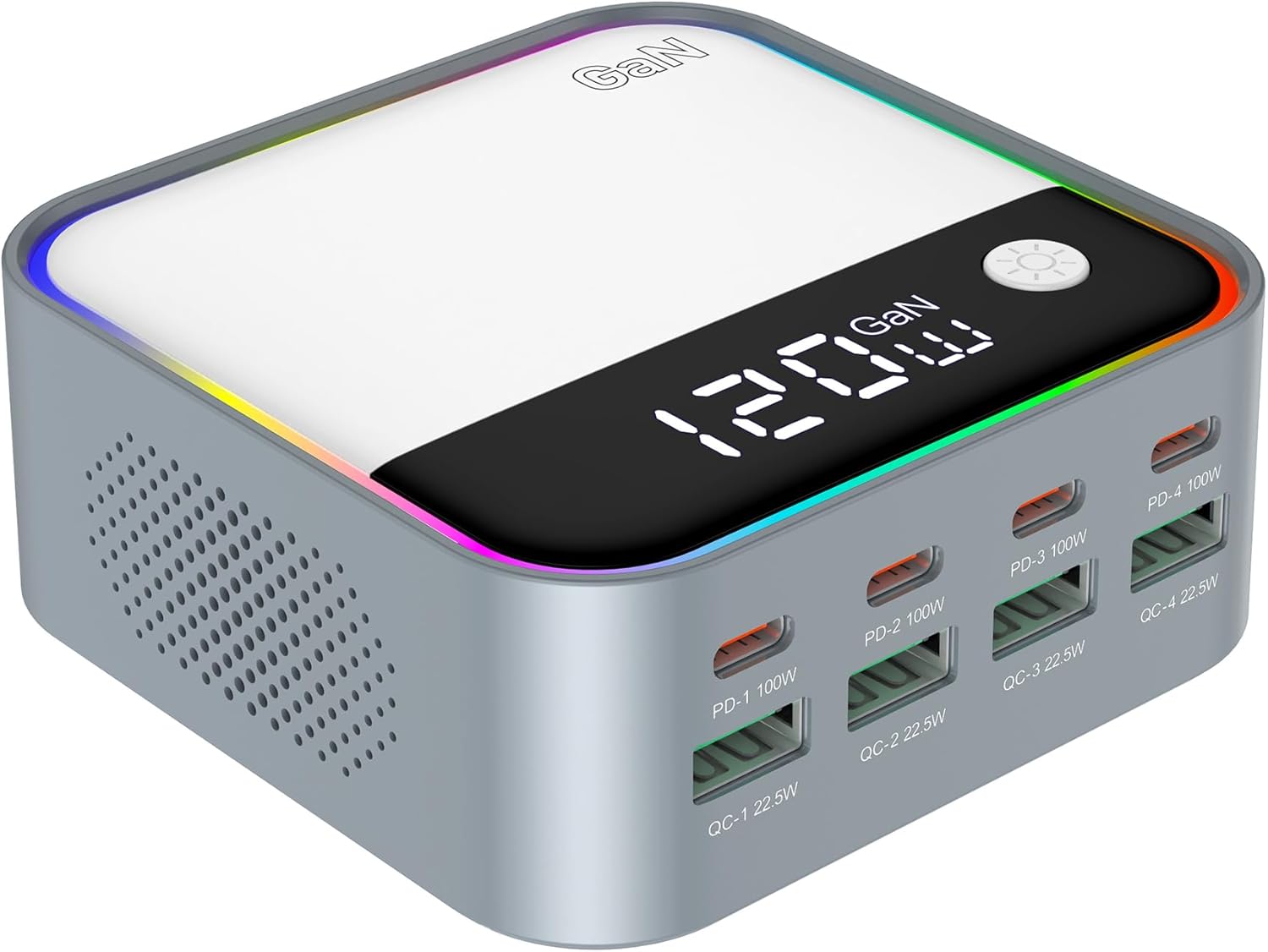
Image: Front view of the FUHAOXUAN 120W GaN USB C Charger Block, showcasing its compact design, LED display, and multiple charging ports.
Key features include:
- 120W Total Output: Capable of charging laptops, tablets, phones, drones, and headphones simultaneously.
- GaN Technology: Ensures faster, cooler, and more efficient charging.
- Real-Time LED Display: Shows current power output for easy monitoring.
- 8-in-1 Charging Hub: Features 4 USB-C PD ports (up to 100W) and 4 USB-A QC 3.0 ports (up to 22.5W).
- Rainbow Gradient Light: Provides ambient lighting, which can be turned off.
- Certified Safety: Built-in protections against overvoltage, overheating, and short circuits.

Image: Two views of the multi-port desktop charger station, highlighting its compact form factor and array of USB-C and USB-A ports.
2. What's in the Box
Please check the package contents to ensure all items are present:
- 1 × FUHAOXUAN 120W GaN Charger Block
- 1 × Power Cord
- 1 × User Manual (this document)
3. Setup
Follow these steps to set up your charging station:
- Place the FUHAOXUAN 120W GaN Charger Block on a stable, flat surface, away from direct sunlight, heat sources, or liquids.
- Connect one end of the provided power cord to the power input port on the back of the charging block.
- Plug the other end of the power cord into a standard AC 100-240V wall outlet. The LED display will illuminate, indicating the device is powered on.
- Ensure the power outlet is easily accessible for quick disconnection if needed.

Image: The charger connected to a power source, illustrating its universal wide-width voltage compatibility (AC100-240V).
4. Operating Instructions
4.1 Connecting Devices
The charger features 4 USB-C Power Delivery (PD) ports and 4 USB-A Quick Charge (QC 3.0) ports. Connect your devices using appropriate charging cables.
- For optimal 100W fast charging, especially for laptops, use an E-Mark certified USB-C to USB-C cable.
- The charger intelligently allocates power across all connected ports to deliver optimal charging speeds for each device.
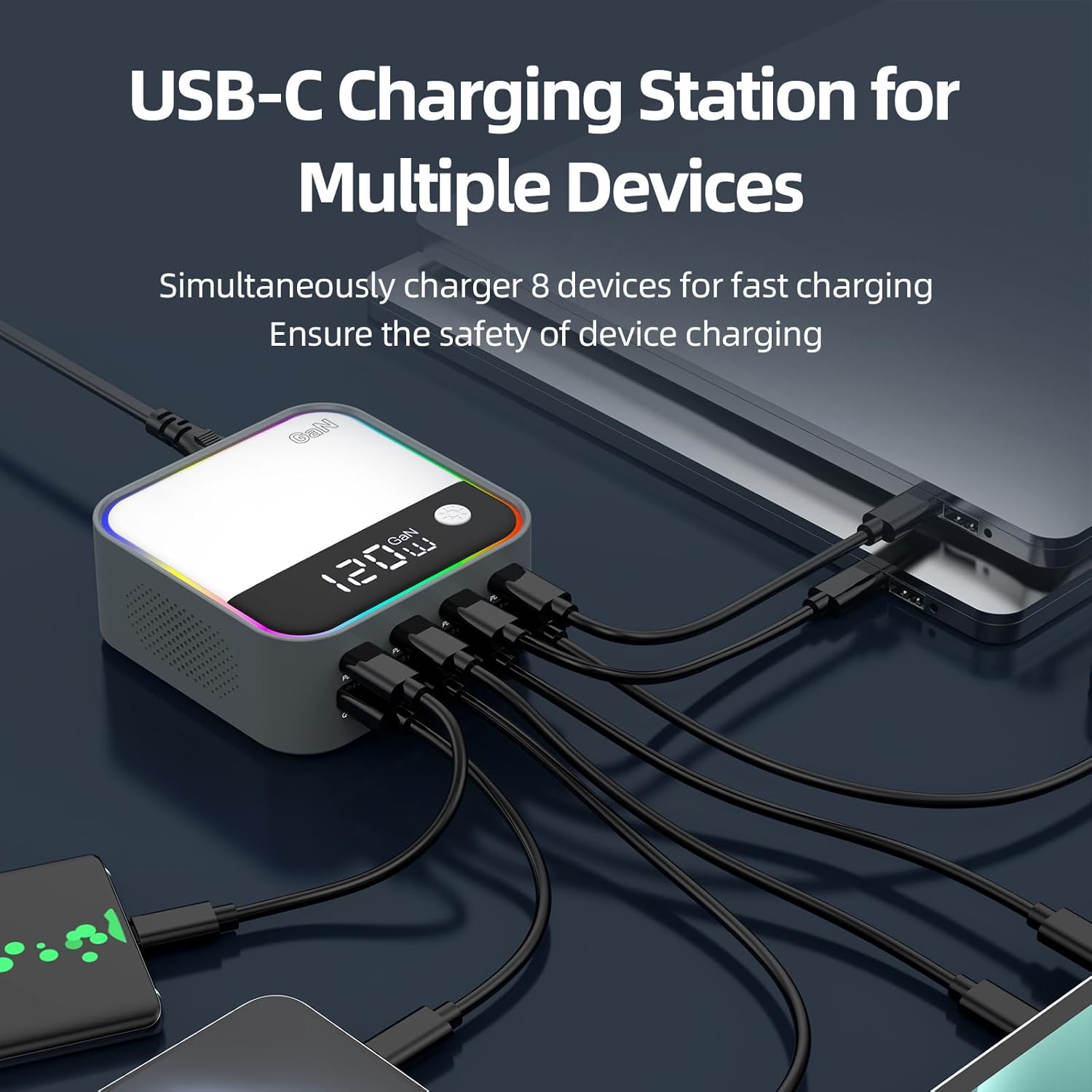
Image: The charging station with multiple USB-C and USB-A cables connected to various devices like phones and tablets, demonstrating its multi-device charging capability.
4.2 LED Display and Ambient Light Control
The built-in LED screen displays the real-time total power output (in Watts) of all connected devices. This allows you to monitor charging status at a glance.

Image: The 120W fast charger with its LED display showing '120W', indicating its maximum output, and connected devices.
The charger features a rainbow gradient ambient light around its perimeter. To control this light:
- Turn On/Off: Long press the light control button located next to the LED display to toggle the ambient light on or off.
- Change Mode: Short press the light control button to cycle through different light modes or colors (if applicable).

Image: The charger displaying its dynamic rhythm lantern with colorful RGB atmosphere lamp, showing the gradient light effect.

Image: A close-up view of the charger highlighting the light control button and the non-slip silicone pads on the base for stable placement.
5. Maintenance
To ensure the longevity and optimal performance of your charging station, follow these maintenance guidelines:
- Cleaning: Disconnect the charger from the power outlet and all devices before cleaning. Use a soft, dry cloth to wipe the surface. Do not use liquid cleaners, aerosols, or abrasive materials.
- Storage: When not in use for extended periods, store the charger in a cool, dry place, away from extreme temperatures and humidity.
- Ventilation: Ensure the ventilation holes on the sides of the charger are not blocked to allow for proper heat dissipation. The GaN chip minimizes heat, allowing for a fanless design.

Image: A diagram illustrating the intelligent heat dissipation design of the charger and the placement of non-slip silicone pads on its base.
6. Troubleshooting
If you encounter issues with your FUHAOXUAN 120W GaN USB C Charger Block, please refer to the following common solutions:
- No Power/LED Display Off:
- Ensure the power cord is securely connected to both the charger and the wall outlet.
- Try plugging the charger into a different wall outlet to rule out an issue with the power source.
- Device Not Charging or Charging Slowly:
- Verify that the charging cable is fully inserted into both the charger port and your device.
- Try using a different charging cable, especially a high-quality, E-Mark certified USB-C cable for high-power devices.
- Ensure your device supports the charging protocol (PD, QC) of the port you are using.
- If multiple devices are connected, the total 120W output is shared. Disconnecting some devices may increase charging speed for others.
- Some devices may temporarily stop charging if they reach a certain temperature or if there's a power fluctuation. Disconnect and reconnect the device.
- LED Display Not Working Correctly:
- Unplug the charger from the wall outlet for 30 seconds, then plug it back in to reset it.
- Ambient Light Not Responding:
- Ensure you are long-pressing the light control button to turn it on/off. Short presses may cycle modes.
If the issue persists after trying these steps, please contact customer support.
7. Specifications
Detailed technical specifications for the FUHAOXUAN 120W GaN USB C Charger Block:
| Parameter | Value |
|---|---|
| Product Model | WLX-M8 |
| Input Voltage | AC 100-240V, 50/60Hz |
| Total Output Power | 120W Max |
| USB-C PD Ports (PD-1 to PD-4) | Up to 100W each (PD3.0/PD2.0/PPS) |
| USB-A QC Ports (QC-1 to QC-4) | Up to 22.5W each (QC3.0/QC2.0/SCP/FCP/AFC/Apple 2.4/BC1.2) |
| Dimensions (L x W x H) | 3.74 x 3.74 x 1.5 inches (approx.) |
| Item Weight | 9.8 ounces (approx.) |
| Color | Gray |
| Special Features | Lightweight Design, Dazzling Lights, Power Display, Charging Indicator, Fast Charging |
| Manufacturer | Shenzhen Fuhaoxuan Technology Co., Ltd. |

Image: A visual representation of the various fast charging protocols supported by the charger, including PD and QC standards.
8. Safety Information
To prevent fire, electric shock, or injury, always observe the following safety precautions:
- Do not expose the charger to rain, moisture, or extreme temperatures.
- Do not disassemble, modify, or repair the device yourself. Refer all servicing to qualified personnel.
- Avoid dropping or subjecting the charger to strong impacts.
- Keep out of reach of children.
- Do not operate the charger if it has been damaged in any way.
- Ensure proper ventilation; do not cover the charger during operation.
- Use only the provided power cord or a certified replacement.
- Built-in protections guard against overvoltage, overcurrent, overdischarge, short circuit, overheating, and overpower.

Image: Icons representing the multiple security protections integrated into the charger, including safeguards against overcharge, overcurrent, overheating, and short circuits.
9. Warranty and Support
FUHAOXUAN products are designed and manufactured to the highest quality standards. This product is covered by a standard manufacturer's warranty against defects in materials and workmanship from the date of purchase.
The warranty does not cover damage caused by accident, misuse, abuse, neglect, unauthorized modification, or improper installation. For detailed warranty terms and conditions, please refer to the warranty card included with your product or contact customer support.
Customer Support
If you have any questions, require technical assistance, or need to claim warranty service, please contact our support team. Our US-based support team is dedicated to your satisfaction and ready to help.
For the most up-to-date contact information, please visit the official FUHAOXUAN store page on Amazon or refer to the packaging.
Thank you for choosing FUHAOXUAN.
Ask a question about this manual
Ask about setup, troubleshooting, compatibility, parts, safety, or missing instructions. Manuals+ will review the question and use this page’s manual context to help answer it.