
Introduction
This manual provides detailed instructions for the safe and effective operation of your Scian Wrist Blood Pressure Monitor, Model LD-737. Please read this manual thoroughly before using the device and retain it for future reference. This monitor is designed for home use to measure systolic and diastolic blood pressure and pulse rate on the wrist.
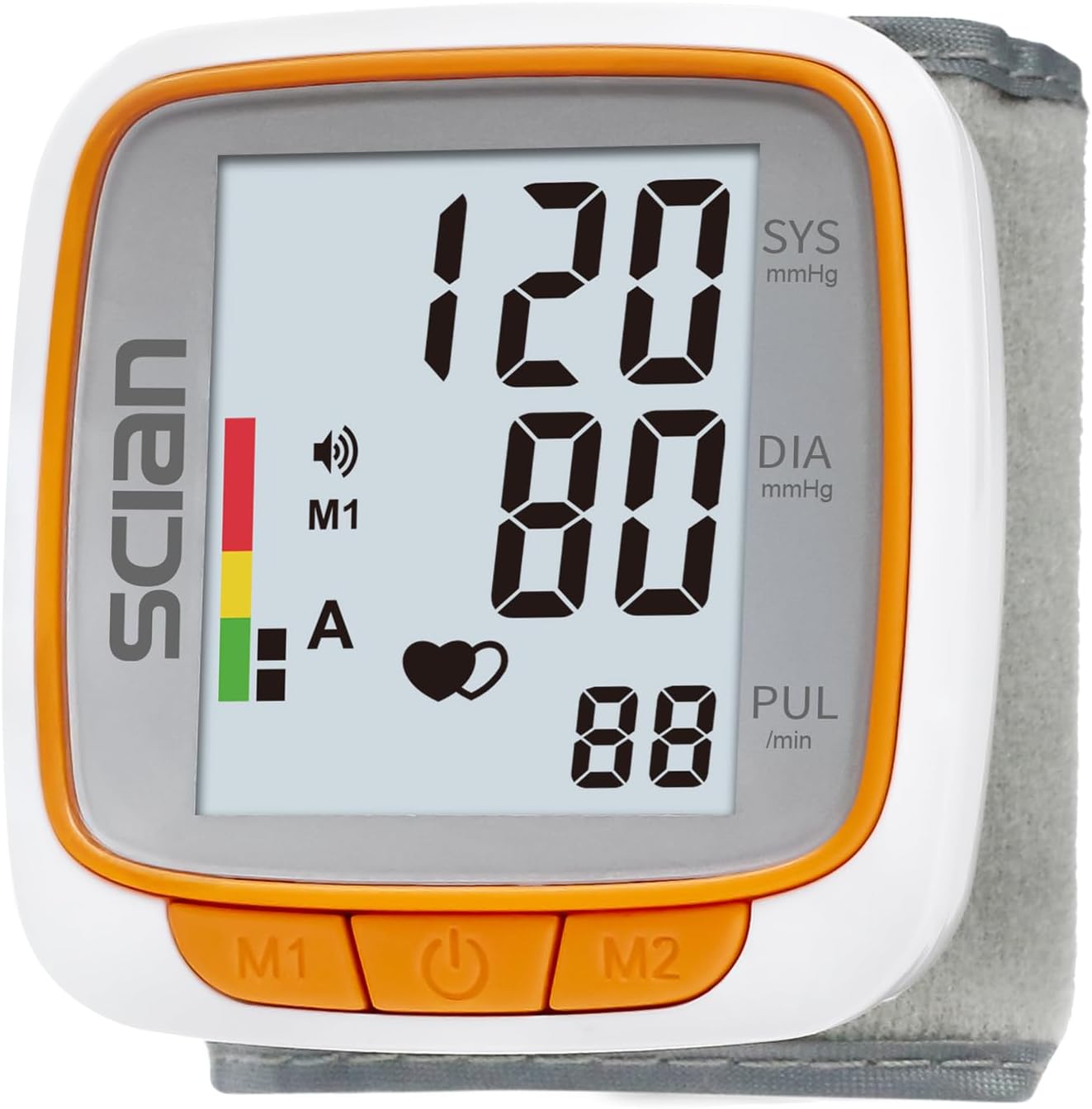
Image: The Scian Wrist Blood Pressure Monitor, a compact device with a large digital display showing blood pressure and pulse readings, and three control buttons at the bottom.
Key Features:
- Automatic measurement of blood pressure and pulse rate.
- Large LCD screen for easy reading.
- Voice broadcast function with multiple language options (US/ES/FR/DE/RU) and adjustable volume.
- Dual-user mode with 90 memory sets per user, including date and time stamps.
- Adjustable wrist cuff suitable for circumferences from 4.9 to 8.1 inches (12.5-20.5 cm).
- Portable design with an included carrying case.
- Advanced accuracy technology providing the average of the latest 3 readings.
Package Contents
Verify that all items are present in the package:
- Scian Wrist Blood Pressure Monitor (Model LD-737) x 1
- AAA Batteries x 2
- Portable Storage Box x 1
- User Manual x 1

Image: All components included in the Scian Wrist Blood Pressure Monitor package. This includes the main monitor unit, a clear plastic carrying case, two AAA batteries, and the instruction manual.
Setup
1. Battery Installation
- Locate the battery compartment on the back of the monitor.
- Slide open the battery compartment cover.
- Insert two AAA batteries, ensuring the correct polarity (+ and -) as indicated inside the compartment.
- Close the battery compartment cover securely.
2. Initial Settings (Date, Time, Voice Language)
Upon first use or after battery replacement, you may need to set the date, time, and voice language. Refer to the detailed instructions in the included user manual for specific button presses to navigate these settings.
Operating Instructions
1. Applying the Wrist Cuff
- Remove any tight clothing from your wrist.
- Place the monitor on your left wrist with the display facing upwards. The cuff should be positioned approximately 1-2 cm (0.4-0.8 inches) above your wrist joint.
- Ensure the cuff is snug but not too tight. You should be able to insert one finger between the cuff and your wrist.
- For accurate readings, sit comfortably with your arm resting on a table, ensuring the monitor is at heart level.

Image: A person's wrist with the Scian Blood Pressure Monitor properly attached. The image highlights the correct placement of the cuff, approximately 1-2 cm above the wrist joint, and indicates the suitable wrist circumference range.
2. Taking a Measurement
- Sit quietly for at least 5 minutes before taking a measurement. Avoid talking or moving during the measurement.
- Press the Start/Stop button (usually indicated by a power symbol) to begin the measurement.
- The cuff will automatically inflate. Remain still and relaxed.
- Once the measurement is complete, the monitor will display your systolic pressure, diastolic pressure, and pulse rate. If voice broadcast is enabled, it will announce the readings.
- The reading will be automatically stored in the selected user's memory (User 1 or User 2).

Image: An elderly woman is shown using the Scian Blood Pressure Monitor. A speech bubble illustrates the voice broadcast feature, indicating that the device audibly announces the systolic pressure, diastolic pressure, pulse, and blood pressure classification.

Image: A detailed view of the Scian Wrist Blood Pressure Monitor's LCD screen. Labels point to the systolic blood pressure, diastolic blood pressure, pulse rate, current user indicator (M1/M2), average of last 3 readings, date & time, and a color-coded WHO blood pressure classification bar.
3. Understanding Your Results
The monitor displays Systolic (SYS) and Diastolic (DIA) blood pressure in mmHg, and Pulse (PUL) in beats per minute. The device also features a color-coded indicator based on WHO (World Health Organization) classification for easy interpretation of your blood pressure levels.
The monitor provides the average of the latest three readings for a more reliable assessment.
4. Memory Function and Dual-User Mode
The device supports two users (User 1 and User 2), each capable of storing up to 90 sets of measurements with date and time stamps. To switch between users or review past readings, refer to the specific button operations detailed in the full user manual.

Image: This graphic illustrates the dual-user mode of the Scian Blood Pressure Monitor. It shows two distinct user profiles, each capable of storing 90 sets of blood pressure readings, complete with date and time stamps.
Maintenance and Care
- Cleaning: Wipe the monitor and cuff gently with a soft, dry cloth. Do not use abrasive cleaners or immerse the device in water.
- Storage: Store the monitor in its portable carrying case when not in use to protect it from dust, moisture, and extreme temperatures.
- Battery Replacement: Replace batteries when the low battery indicator appears on the display. Remove batteries if the device will not be used for an extended period.
- Avoid Dropping: Handle the device with care to prevent damage from drops or impacts.
Troubleshooting
| Problem | Possible Cause | Solution |
|---|---|---|
| Monitor does not turn on. | Batteries are dead or incorrectly inserted. | Check battery polarity or replace with new AAA batteries. |
| Inaccurate readings. | Incorrect cuff placement, movement during measurement, or not resting before measurement. | Ensure cuff is correctly positioned at heart level. Remain still and quiet. Rest for 5 minutes before measuring. |
| Cuff does not inflate or inflates too little/much. | Cuff is not properly attached or there is an air leak. | Re-attach the cuff securely. Check for any damage to the cuff or tubing. |
| Voice broadcast not working. | Voice function is turned off or volume is too low. | Refer to the user manual for instructions on adjusting voice settings and volume. |
If problems persist, please contact Scian customer support.
Specifications
| Feature | Detail |
|---|---|
| Model Number | LD-737 |
| Measurement Method | Oscillometric method |
| Display Type | LCD Digital Display |
| Measurement Range | Blood Pressure: 0-299 mmHg; Pulse: 40-199 beats/minute |
| Accuracy | Pressure: ±3 mmHg; Pulse: ±5% of reading |
| Memory | 2 users, 90 sets of memory each with date/time |
| Cuff Size | Adjustable, fits wrist circumference 4.9-8.1 inches (12.5-20.5 cm) |
| Power Source | 2 x AAA batteries (included) |
| Automatic Power Off | Approximately 1 minute after last operation |
| Operating Environment | Temperature: 5°C to 40°C (41°F to 104°F); Humidity: 15% to 85% RH |
| Storage Environment | Temperature: -20°C to 55°C (-4°F to 131°F); Humidity: 10% to 93% RH |
| Dimensions | 3.74 x 3.66 x 3.62 inches (approximate package dimensions) |
| Weight | 8.15 ounces (approximate package weight) |
| Manufacturer | HONSUN (NANTONG) CO., LTD. |
Warranty and Support
Scian provides a 2-year quality assurance from the date of purchase for this product. In addition, a 30-day money-back or replacement policy is offered.
For technical support, warranty claims, or any inquiries regarding your Scian Wrist Blood Pressure Monitor, please contact the manufacturer, HONSUN (NANTONG) CO., LTD., or the seller from whom you purchased the device. Please refer to the contact information provided in your product packaging or on the official Scian website.
Legal Disclaimer: Statements regarding dietary supplements have not been evaluated by the FDA and are not intended to diagnose, treat, cure, or prevent any disease or health condition. This product is a medical device and should be used in accordance with its instructions. Consult a healthcare professional for interpretation of your blood pressure readings.
Important Safety Information
- This device is intended for adult home use only.
- Do not use this device on infants, young children, or individuals who cannot express consent.
- Consult your physician before using this device if you have any medical conditions, especially if you have a pacemaker, defibrillator, or other electronic implant.
- Do not self-diagnose or self-treat based on measurements from this device. Always consult a healthcare professional for diagnosis and treatment.
- Avoid taking measurements immediately after exercise, bathing, eating, drinking alcohol, or smoking.
- Ensure you are relaxed and seated comfortably before and during measurement.
- Keep the device out of reach of children and pets.