
1. Introduction
Thank you for purchasing the LONPOO LP-886 Compact Stereo System. This all-in-one micro hi-fi system is designed to provide a rich and clear audio experience with multiple playback options including CD, Bluetooth, FM radio, USB, and Aux-in. Please read this manual carefully before using the product to ensure proper operation and to maximize its lifespan.
2. Safety Information
- Power Source: Ensure the power supply matches the voltage specified on the unit.
- Ventilation: Do not block any ventilation openings. Maintain adequate space around the unit for proper airflow.
- Water and Moisture: Do not expose the unit to rain, moisture, or dripping/splashing liquids. Do not place objects filled with liquids on the unit.
- Heat: Keep the unit away from heat sources such as radiators, heat registers, stoves, or other apparatus (including amplifiers) that produce heat.
- Cleaning: Unplug the unit from the wall outlet before cleaning. Use a dry cloth only.
- Servicing: Do not attempt to service this product yourself. Refer all servicing to qualified service personnel.
3. Package Contents
Please check that all items listed below are included in your package:
- 1 x CD Micro System Player
- 1 x Remote Control (2 AAA batteries not included)
- 1 x AC Power Cable
- 1 x User Manual
4. Product Overview

Figure 4.1: LONPOO LP-886 Compact Stereo System with remote control.
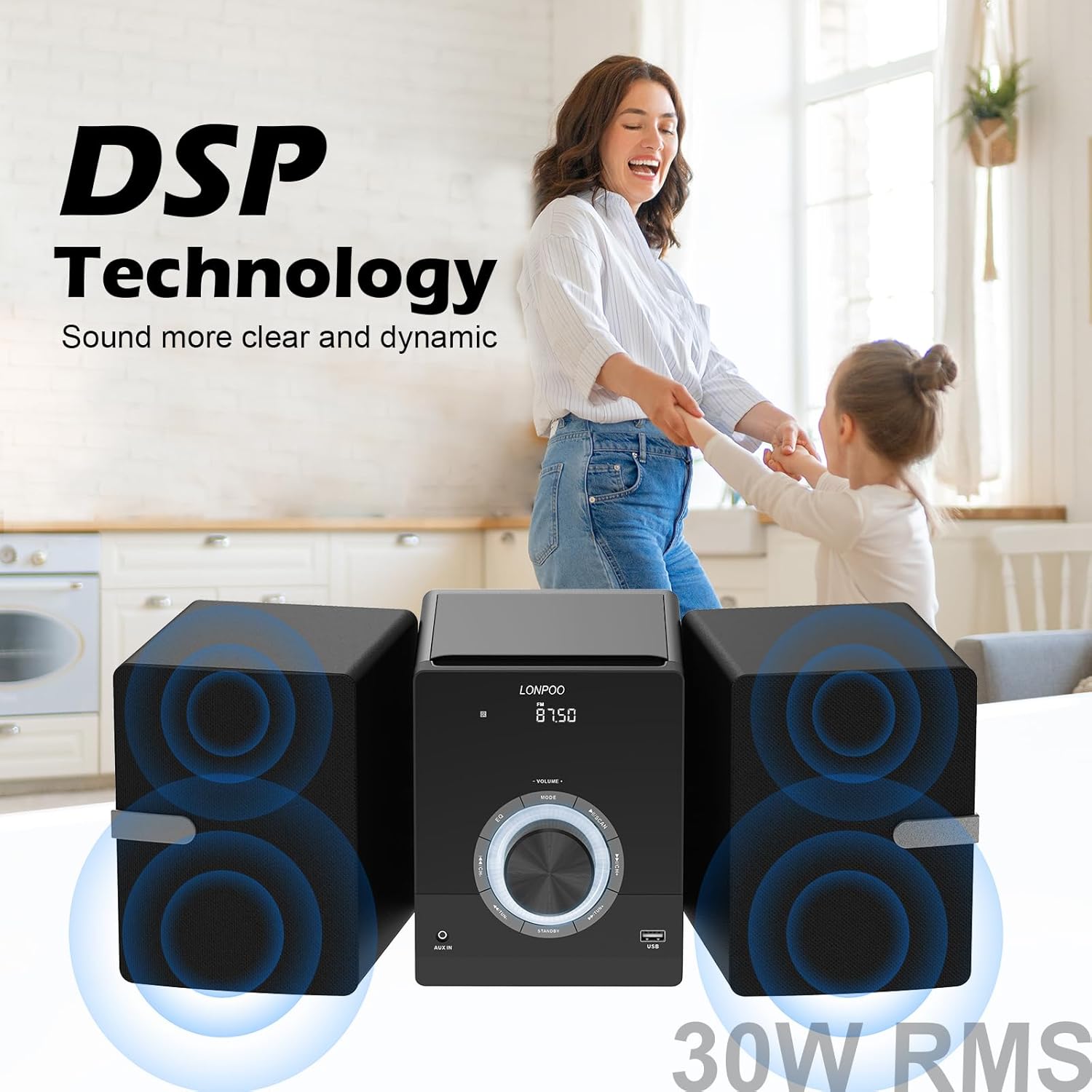
Figure 4.2: Front view of the main unit, highlighting the large volume knob and LED display.

Figure 4.3: Rear view of the main unit and speakers, showing connections.

Figure 4.4: Internal components of the speaker, including woofer and silk tweeter.
5. Setup
5.1 Speaker Connection
Connect the two external speakers to the main unit using the provided speaker wires. Ensure the red wire connects to the red terminal (+) and the black wire connects to the black terminal (-) on both the main unit and the speakers. Incorrect polarity may result in poor sound quality.
5.2 FM Antenna Connection
For optimal FM radio reception, connect the included FM antenna to the FM antenna jack on the rear of the main unit. Extend the antenna fully and position it for the best signal.
5.3 Power Connection
Plug the AC power cable into the AC IN port on the rear of the main unit, then plug the other end into a standard wall outlet.
6. Operating Instructions
6.1 Power On/Off
Press the STANDBY/POWER button on the front panel or the remote control to turn the unit on or off.
6.2 Mode Selection
Press the MODE button on the front panel or remote control to cycle through available modes: CD, FM Radio, Bluetooth, USB, and AUX-in.
6.3 CD Player Operation
Open the top-loading CD door and place a CD (CD/CD-R/CD-RW compatible) with the label side facing up. Close the door. The unit will automatically switch to CD mode and begin playback. Use the PLAY/PAUSE, NEXT, and PREVIOUS buttons on the unit or remote for control.

Figure 6.1: Top-loading CD player in operation.
6.4 FM Radio Operation
Switch to FM mode. The system supports FM frequencies from 87.5 to 108 MHz.
Auto-Scanning and Saving Stations:
To automatically scan and save available FM stations, press the SCAN button on the front panel (often integrated with Play/Pause) or the remote. The system will scan and save stations as CH1, CH2, CH3, etc.
Video 6.1: Demonstration on how to use the FM radio function, including auto-scanning and saving stations.
Programming a Favorite Station:
To manually program a specific station to a channel:
- Tune to your desired FM station using the TUN- or TUN+ buttons.
- Press the PROG button on the remote. The display will show a channel number (e.g., CH01).
- Use the CH- or CH+ buttons to select the desired channel number where you want to save the station.
- Press PROG again to confirm and save the station.
6.5 Bluetooth Connection
Switch the unit to Bluetooth mode. The display will show "BT". On your Bluetooth-enabled device (smartphone, tablet, etc.), search for "LP-886" in the Bluetooth settings and pair with it. Once connected, you can stream audio wirelessly to the stereo system.
Video 6.2: Visual guide on connecting your device via Bluetooth to the stereo system.
6.6 USB Playback
Insert a USB flash drive containing MP3/WMA audio files into the USB port on the front of the main unit. Switch to USB mode. The system will automatically detect and begin playing the audio files. Use the PLAY/PAUSE, NEXT, and PREVIOUS buttons for control.
6.7 Aux-in Connection
Connect an external audio device (e.g., MP3 player, smartphone) to the AUX-in port on the front of the main unit using a 3.5mm audio cable. Switch to AUX-in mode. Audio from your external device will now play through the stereo system.
6.8 Volume Control
Rotate the large VOLUME knob on the front panel or use the VOL+ / VOL- buttons on the remote control to adjust the volume level.
6.9 Sound Effects (EQ Modes)
The system features 5 EQ modes to optimize sound for different music genres:
- FLAT
- ROCK
- JAZZ
- POP
- CLASSIC
Press the EQ button on the remote to cycle through these modes.
6.10 Repeat Modes
When playing from CD or USB, you can select from 3 repeat modes:
- ONE: Repeats the current track.
- ALL: Repeats all tracks in the current folder/disc.
- RANDOM: Plays tracks in a random order.
Press the REPEAT button on the remote to cycle through these modes.
6.11 Headphone Output
For private listening, plug 3.5mm headphones into the headphone jack on the front of the main unit.
7. Maintenance
7.1 Cleaning
Wipe the unit and speakers with a soft, dry cloth. Do not use abrasive cleaners, waxes, or solvents as they may damage the finish. For stubborn stains, a slightly damp cloth can be used, followed by a dry cloth.
7.2 Storage
If the unit will not be used for an extended period, unplug it from the power outlet and store it in a cool, dry place away from direct sunlight and extreme temperatures.
8. Troubleshooting
If you encounter any issues with your LONPOO LP-886 system, please refer to the table below for common problems and their solutions.
| Problem | Possible Cause | Solution |
|---|---|---|
| No power | Power cable not connected; Power outlet faulty | Ensure power cable is securely plugged in; Try a different power outlet. |
| No sound | Volume too low; Incorrect mode selected; Speaker wires loose | Increase volume; Select correct input mode; Check speaker wire connections. |
| CD not playing | CD inserted incorrectly; CD is scratched/dirty; Unsupported CD format | Insert CD correctly (label up); Clean or replace CD; Ensure CD/CD-R/CD-RW format. |
| Bluetooth not connecting | Unit not in BT mode; Device too far; Device already connected to another unit | Switch to BT mode; Move device closer; Disconnect from other devices and try again. |
| Poor FM reception | Antenna not connected/positioned; Weak signal area | Connect and adjust FM antenna; Try repositioning the unit. |
9. Specifications
| Feature | Specification |
|---|---|
| Model Number | LP-886BT |
| Output Power | 30W (2 x 15W RMS) |
| Speaker Type | Stereo, 2-way (1" silk dome tweeter, 4" rubber woofer) |
| Connectivity | Bluetooth, Auxiliary (3.5mm), USB, FM Radio |
| CD Compatibility | CD/CD-R/CD-RW |
| USB Playback | MP3/WMA |
| FM Frequency Range | 87.5 - 108 MHz |
| Dimensions (Main Unit) | 150 x 210 x 183 mm (approx. 5.9 x 8.3 x 7.2 inches) |
| Dimensions (Speakers) | 133 x 185 x 159 mm (each) (approx. 5.2 x 7.3 x 6.3 inches) |
| Item Weight | Approx. 9.44 pounds (4.28 kg) |
| Power Supply | AC 110-240V, 50/60Hz |
| Manufacturer | LONPOO |
10. Warranty and Support
The LONPOO LP-886 Compact Stereo System comes with a 1-year warranty from the date of purchase. For any product inquiries, technical support, or warranty claims, please contact LONPOO customer service through the retailer where you purchased the product or visit the official LONPOO website for contact information.


