
Fresh 'n Rebel CLAM JUNIOR
Fresh 'n Rebel Clam Junior Bluetooth Headphones User Manual
Model: CLAM JUNIOR
Introduction
Welcome to the Fresh 'n Rebel Clam Junior Bluetooth Headphones user manual. These headphones are specifically designed for children, offering a safe and enjoyable listening experience. Featuring Active Noise Cancelling (ANC), a safe sound limit of 85dB, and a fun LED light effect, the Clam Junior headphones are perfect for music, online learning, and gaming.
Please read this manual carefully to ensure proper use, maintenance, and to get the most out of your new headphones.
What's in the Box
Upon unboxing your Fresh 'n Rebel Clam Junior headphones, please verify that all the following items are included:
- Wireless kids headphones (Clam Junior)
- Fun stickers for personalization
- Charging cable (USB to USB-C)
- Audio cable (3.5mm jack) for wired listening
- Quick Start Guide

Image: The Fresh 'n Rebel Clam Junior headphones, along with the included USB-C charging cable, 3.5mm audio cable, and a sheet of fun stickers, displayed next to the product packaging.
Setup
Charging the Headphones
Before first use, it is recommended to fully charge your Clam Junior headphones. Use the provided USB-C charging cable.
- Connect the USB-C end of the charging cable to the charging port on the headphones.
- Connect the USB-A end of the charging cable to a compatible USB power adapter (not included) or a computer's USB port.
- The LED indicator on the headphones will show the charging status. It typically takes about 2 hours for a full charge.
- Once fully charged, the LED indicator will change (refer to the Quick Start Guide for specific LED behavior) or turn off. Disconnect the charging cable.
Bluetooth Pairing
To connect your Clam Junior headphones wirelessly to a device:
- Ensure the headphones are charged and turned off.
- Press and hold the power button on the headphones until the LED indicator flashes, indicating pairing mode.
- On your device (smartphone, tablet, computer), go to the Bluetooth settings.
- Search for available devices and select "Fresh 'n Rebel Clam Junior" from the list.
- Once connected, the LED indicator on the headphones will stop flashing and remain solid (or turn off, depending on the model).
Wired Connection
For wired listening, use the included 3.5mm audio cable:
- Plug one end of the audio cable into the 3.5mm audio jack on the headphones.
- Plug the other end into the audio output jack of your device.
- The headphones will automatically switch to wired mode.
Operating Instructions
Power On/Off
- To power on: Press and hold the power button for approximately 3 seconds.
- To power off: Press and hold the power button for approximately 5 seconds.
Volume Control
- Volume Up: Press the '+' button.
- Volume Down: Press the '-' button.
Note: The Clam Junior headphones feature a safe sound limit of 85dB to protect children's hearing.

Image: A young child wearing the Clam Junior headphones, illustrating the safe sound feature which limits volume to below 85dB for hearing protection.
Music Playback
- Play/Pause: Press the multi-function button once.
- Next Track: Press and hold the '+' button.
- Previous Track: Press and hold the '-' button.
Call Management
The Clam Junior headphones include a built-in microphone for calls.
- Answer/End Call: Press the multi-function button once.
- Reject Call: Press and hold the multi-function button for 2 seconds.
Active Noise Cancelling (ANC)
Activate ANC to reduce surrounding noises, ideal for focused listening or studying.
- To turn ANC On/Off: Press the ANC button. An indicator light will confirm activation.

Image: A child wearing the Clam Junior headphones, demonstrating the 'Focus Mode' enabled by Active Noise Cancelling, which helps reduce distractions for tasks or games.
LED Light Effect
The headphones feature a fun LED light effect on the earcups.
- To turn the LED light effect On/Off: Press the dedicated LED button.
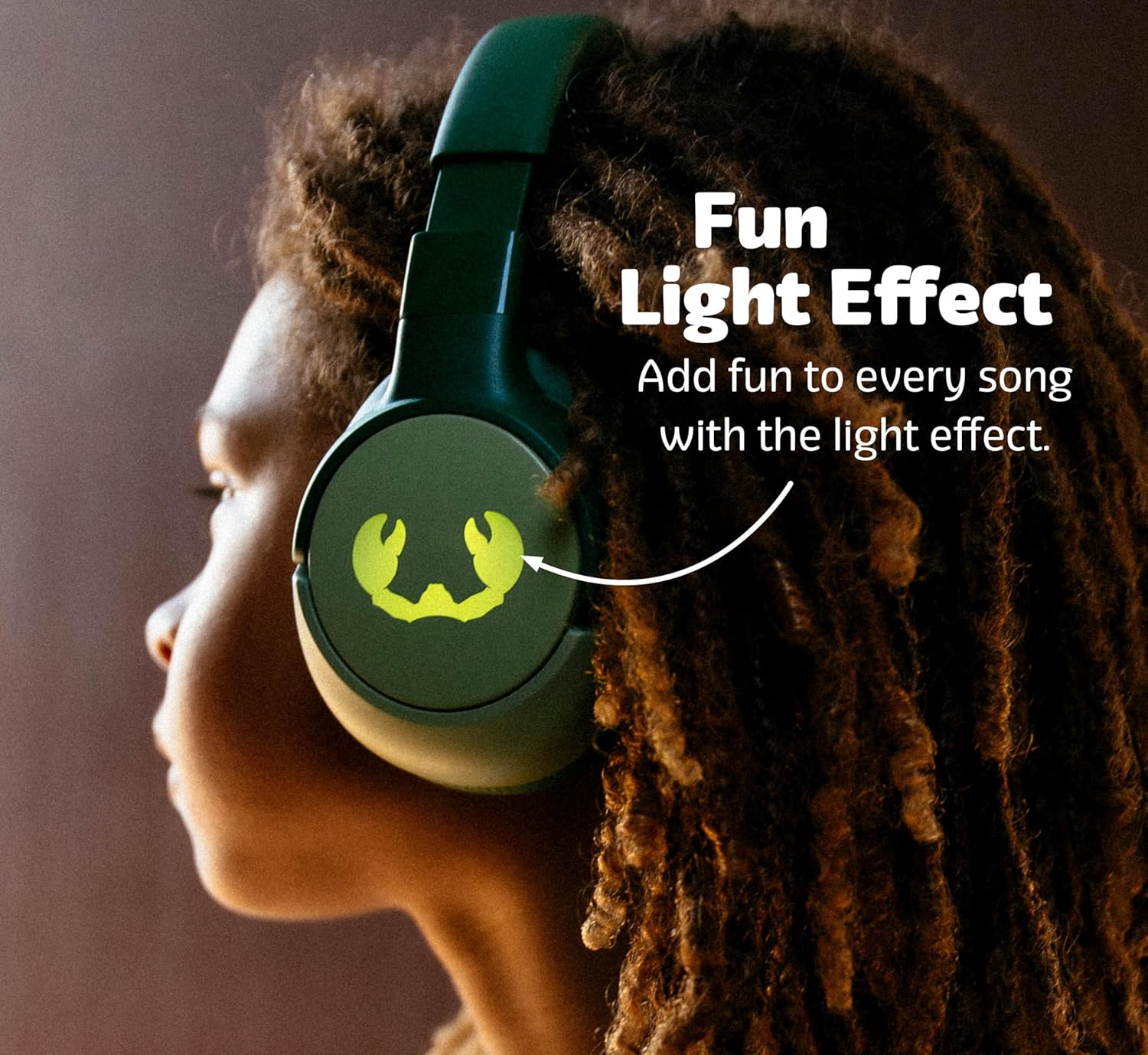
Image: A child wearing the Clam Junior headphones, highlighting the LED light effect on the earcup, which adds a fun visual element to the listening experience.
Features Overview
- Safe Sound Limit: Volume is capped at 85dB to protect young ears, ensuring a safe listening experience.
- Active Noise Cancelling (ANC): Reduces ambient noise, allowing for better focus during study or quiet enjoyment of audio.
- Extended Playtime: Up to 60 hours of wireless playback with lights off and ANC off. Playtime varies with ANC and LED lights enabled (e.g., 40 hours with ANC on, 25 hours with lights on, 20 hours with both ANC and lights on).
- Fun LED Light Effect: Customizable LED lights on the earcups add a playful element.
- Foldable and Rotatable Design: The headphones can be easily folded and rotated for compact storage and portability, making them convenient for travel.
- Bluetooth 5.4 Connectivity: Provides a stable and efficient wireless connection.
- Wired Listening Option: Includes a 3.5mm audio cable for use when wireless is not preferred or battery is low.
- Personalization: Comes with stickers to customize the look of the headphones.
- Built-in Microphone: Enables hands-free calls and communication.
- Comfortable Fit: Soft ear cushions and an adjustable headband ensure comfort for extended wear, suitable for children aged 6 and up.

Image: Two children enjoying their Clam Junior headphones, with an overlay illustrating the impressive battery life: 60 hours with lights off and ANC off, 40 hours with ANC on, 25 hours with lights on, and 20 hours with both ANC and lights on.

Image: The Clam Junior headphones in a folded and rotated position, showcasing their portable design that allows for easy storage and transport.
Maintenance
Cleaning
- Wipe the headphones with a soft, dry, lint-free cloth.
- Do not use abrasive cleaners, alcohol, or chemical solvents.
- Avoid getting moisture into any openings.
Storage
- Store the headphones in a cool, dry place away from direct sunlight and extreme temperatures.
- When not in use, fold the headphones to save space and protect them.
Battery Care
- To preserve battery life, charge the headphones regularly, even if not used frequently.
- Avoid fully discharging the battery for extended periods.
Troubleshooting
| Problem | Possible Cause | Solution |
|---|---|---|
| Headphones won't turn on. | Battery is low or depleted. | Charge the headphones fully using the provided USB-C cable. |
| Cannot pair via Bluetooth. | Headphones not in pairing mode; device Bluetooth off; too far from device. | Ensure headphones are in pairing mode (flashing LED). Turn device Bluetooth off and on. Move headphones closer to the device (within 10 meters). |
| No sound or low volume. | Volume too low on headphones or device; incorrect audio source; wired cable not fully inserted. | Increase volume on both headphones and connected device. Ensure correct audio output is selected on your device. For wired connection, ensure the 3.5mm cable is fully inserted into both jacks. |
| ANC not working effectively. | ANC feature is off; improper fit. | Press the ANC button to activate. Adjust headphones for a snug fit over the ears. |
| LED light effect not working. | LED feature is off; battery low. | Press the LED button to activate. Charge the headphones. |
Specifications
| Feature | Detail |
|---|---|
| Model Name | CLAM JUNIOR |
| Brand | Fresh 'n Rebel |
| Connectivity | Bluetooth 5.4, 3.5mm Audio Jack |
| Ear Placement | Over Ear |
| Noise Control | Active Noise Cancellation (ANC) |
| Safe Sound Limit | <85dB |
| Wireless Playtime (ANC/Lights Off) | Up to 60 hours |
| Charging Time | Approx. 2 hours |
| Product Dimensions | 19.5 x 19 x 8 cm |
| Weight | 580 g |
| Manufacturer | Fresh 'n Rebel |
| Country of Origin | China |
Warranty and Support
Fresh 'n Rebel products are designed and manufactured to the highest quality standards. In the unlikely event that you experience any issues with your Clam Junior headphones, please refer to the warranty information provided with your purchase or visit the official Fresh 'n Rebel website for support.
For customer service and technical assistance, please contact Fresh 'n Rebel support through their official channels. Keep your proof of purchase for warranty claims.
Official Fresh 'n Rebel Website: www.freshnrebel.com