
ToLife TZ-C4S
ToLife Dehumidifier TZ-C4S User Manual
Model: TZ-C4S | Brand: ToLife
1. Introduction
Thank you for choosing the ToLife TZ-C4S Dehumidifier. This manual provides essential information for the safe operation, maintenance, and troubleshooting of your new appliance. Please read it thoroughly before use and retain it for future reference.
The ToLife TZ-C4S Dehumidifier is designed to efficiently remove excess moisture from the air, creating a more comfortable and healthier indoor environment. It is suitable for various spaces including bedrooms, bathrooms, basements, closets, RVs, and other areas up to 1000 sq.ft.
2. Safety Instructions
To ensure safe operation and prevent damage to the appliance or injury to yourself and others, please observe the following safety precautions:
- Always place the dehumidifier on a stable, level surface.
- Do not block the air inlet or outlet. Maintain at least 8 inches (20 cm) clearance from walls or other objects.
- Do not operate the unit with a damaged power cord or plug. If damaged, contact qualified service personnel.
- Keep the appliance away from water and other liquids. Do not immerse the unit in water.
- Unplug the dehumidifier before cleaning, performing maintenance, or when not in use for extended periods.
- This appliance is for indoor use only. Do not use it outdoors.
- Do not allow children or persons with reduced physical, sensory, or mental capabilities to operate the unit without supervision.
- Do not insert any objects into the air vents or openings.
- Ensure the water tank is correctly seated to prevent water overflow. The unit features an automatic shut-off when the tank is full.
3. Product Overview
Familiarize yourself with the components of your ToLife Dehumidifier.

Figure 3.1: Front view of the ToLife TZ-C4S Dehumidifier, showing the control panel and water level indicator.

Figure 3.2: Internal view illustrating the dual semiconductor condensation technology and the 95 oz (2.8 Liter) large water tank.
Control Panel:
- Power Button: Turns the unit on or off.
- Mode Button: Switches between High-Speed mode and Sleep mode.
- Light Button: Cycles through 7 LED ambient light colors or turns the light off.
4. Setup
- Unpacking: Carefully remove the dehumidifier from its packaging. Retain the packaging materials for future storage or transport.
- Placement: Place the unit on a firm, level surface in the desired location. Ensure there is at least 8 inches (20 cm) of clear space around all sides for proper airflow. Avoid placing it near heat sources or in direct sunlight.
- Power Connection: Insert the power adapter into the DC input port on the back of the dehumidifier, then plug the other end into a standard electrical outlet (100-240V AC, 50/60Hz).
- Water Tank: Ensure the water tank is properly inserted into the unit. The dehumidifier will not operate if the tank is misaligned or removed.
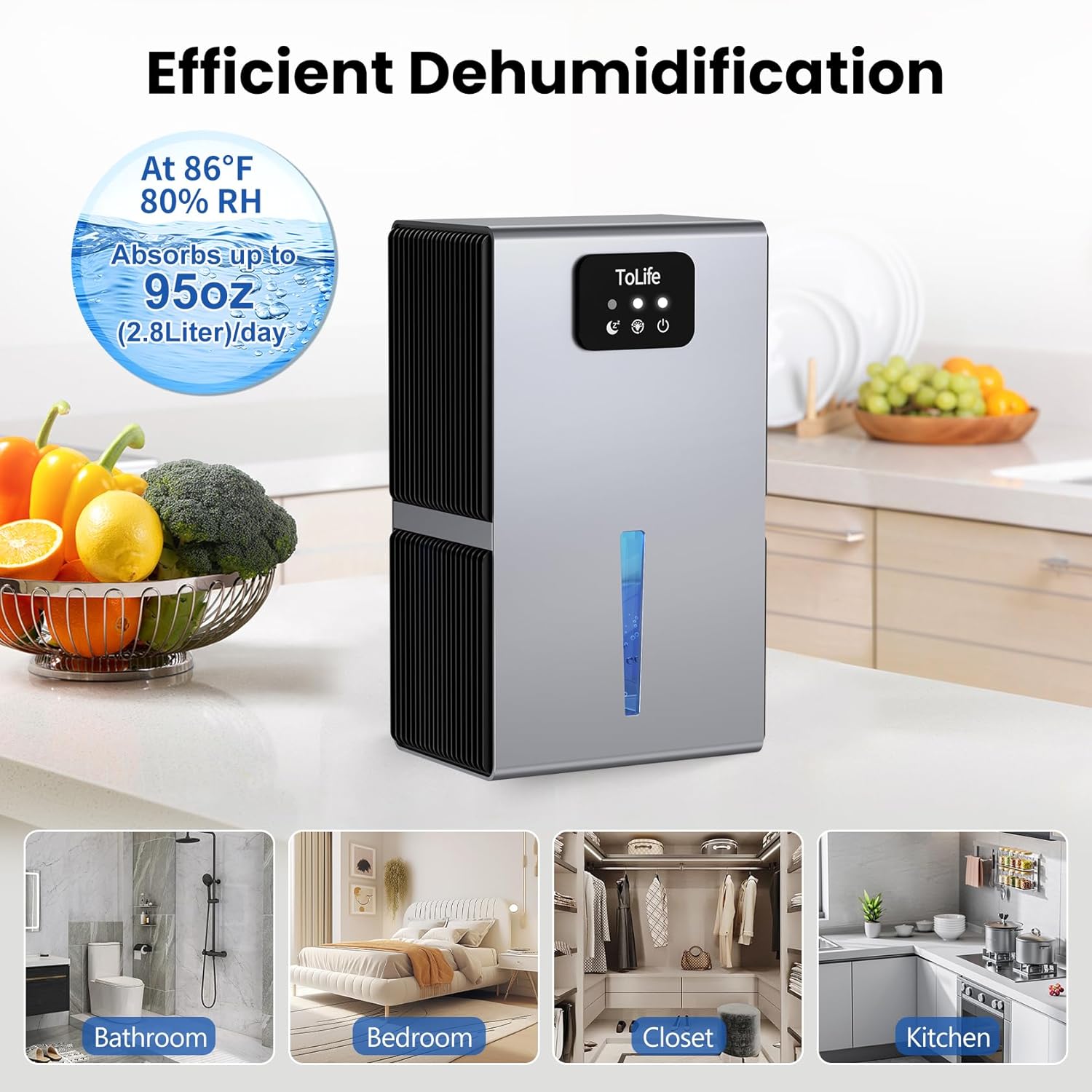
Figure 4.1: The dehumidifier is suitable for various environments such as bathrooms, bedrooms, closets, and kitchens, effectively reducing humidity.
5. Operating Instructions
5.1 Power On/Off
- Press the Power Button (
 ) once to turn the dehumidifier on. The indicator light will illuminate.
 - Press the Power Button again to turn the unit off.
5.2 Working Modes
The ToLife Dehumidifier offers two working modes:
Figure 5.1: Illustration of the two working modes: High Speed for fast dehumidification and Low Speed (Sleep Mode) for quiet operation.
- High-Speed Mode: This mode provides rapid dehumidification, suitable for quickly reducing high humidity levels. The noise level is typically between 30-40 dB.
- Sleep Mode: Designed for quiet operation, this mode runs at less than 30 dB, making it ideal for use in bedrooms or other areas where minimal noise is desired.
To switch between modes, press the Mode Button () on the control panel.
5.3 LED Ambient Light
The dehumidifier features 7 LED ambient light colors that can be used as a night light or for aesthetic purposes.
- Press the Light Button () to cycle through the available colors.
- Continue pressing the button to turn the light off.
5.4 Automatic Shut-off
The unit is equipped with an intelligent automatic shut-off feature for safety and convenience.
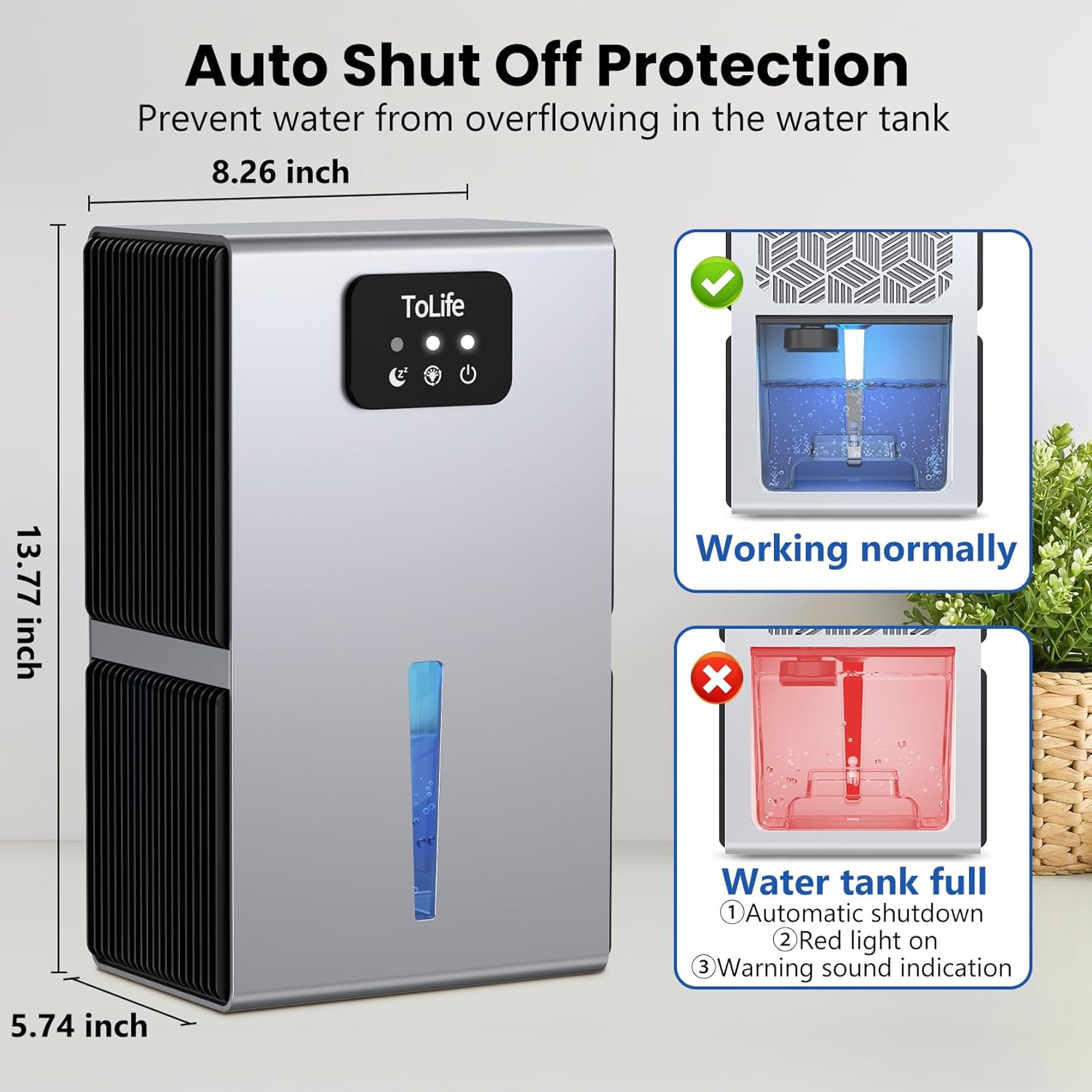
Figure 5.2: The dehumidifier automatically shuts off when the water tank is full or misaligned, indicated by a red light and a warning sound.
- The dehumidifier will automatically turn off when the water tank is full.
- It will also shut off if the water tank is misaligned or removed.
- A red indicator light will illuminate, and a warning sound may be emitted to signal that the tank needs attention.
6. Maintenance
Regular maintenance ensures optimal performance and extends the lifespan of your dehumidifier.
6.1 Emptying the Water Tank
- When the water tank is full, the unit will stop operating and indicate that it needs emptying.
- Gently pull out the water tank from the front of the dehumidifier.
- Carefully pour out the collected water.
- Rinse the tank with clean water if necessary. Do not use harsh detergents or abrasive cleaners.
- Slide the empty water tank back into the unit until it clicks into place. The dehumidifier will resume operation.
6.2 Cleaning the Unit
- Exterior Cleaning: Wipe the exterior of the dehumidifier with a soft, damp cloth. Do not use chemical cleaners, abrasive materials, or solvents, as these may damage the surface.
- Air Inlet/Outlet: Periodically check the air inlet and outlet for dust or debris accumulation. Use a soft brush or vacuum cleaner attachment to gently remove any blockages. Ensure the vents are clear for efficient operation.

Figure 6.1: Regular maintenance helps the dehumidifier effectively combat musty odors, water condensation, allergies, damp clothes, furniture damage, and moldy walls.
7. Troubleshooting
If you encounter issues with your dehumidifier, please refer to the following table for common problems and solutions.
| Problem | Possible Cause | Solution |
|---|---|---|
| Dehumidifier does not turn on. |
|
|
| No water collected or low dehumidification. |
|
|
| Unit is noisy. |
|
|
| LED light not working. |
|
|
If the problem persists after trying these solutions, please contact ToLife customer support for assistance.
8. Specifications
| Feature | Detail |
|---|---|
| Brand | ToLife |
| Model Name | TZ-C4S |
| Floor Area Coverage | Up to 1000 Square Feet (950 sq.ft. listed) |
| Color | Silver |
| Water Tank Capacity | 95 Fluid Ounces (2.8 Liters) |
| Product Dimensions (D x W x H) | 6.69"D x 14.4"W x 9.17"H |
| Item Weight | 6.16 pounds |
| Number of Speeds | 2 (High-Speed, Sleep Mode) |
| Operation Mode | Continuous, Intermittent |
| Special Feature | Adjustable Humidity Control |
| Included Components | Dehumidifier, Adapter, Manual |
9. Warranty and Support
Warranty information for the ToLife TZ-C4S Dehumidifier is not provided within this manual. For details regarding warranty coverage, terms, and conditions, please refer to the product packaging, the official ToLife website, or contact ToLife customer support directly.
For technical support, troubleshooting assistance beyond what is covered in this manual, or inquiries about replacement parts, please contact ToLife customer service through their official channels.