
1. Important Safety Instructions
Please read and save these safety instructions before using your humidifier. Failure to follow these instructions may result in electric shock, fire, or serious injury.
- Always place the humidifier on a firm, flat, waterproof surface at least 12 inches (30 cm) away from walls and appliances.
- Do not place the humidifier directly on carpet, rugs, or absorbent surfaces.
- Keep the humidifier out of reach of children and pets.
- Unplug the humidifier from the power outlet before filling, cleaning, or moving it.
- Do not block the mist outlet or air intake vents.
- Use only clean, cool tap water or distilled water. Do not use hot water.
- Do not add essential oils directly into the water tank. Use the dedicated essential oil tray.
- Never immerse the base unit in water or other liquids.
- Do not operate the humidifier if the cord or plug is damaged, or if the unit malfunctions or has been dropped.
2. Product Overview
The OGACFO 5L Smart Air Humidifier is designed to provide optimal humidity levels in your home with convenience and efficiency. It features smart controls, a large capacity, and quiet operation.
Package Contents:
- Humidifier Unit (Base and Water Tank)
- Remote Control
- Cleaning Brush
- User Manual
Key Features:
- 5L Water Tank Capacity: Provides up to 50 hours of continuous operation.
- Smart Control: Operate via touch panel, remote control, or Tuya smartphone app (Wi-Fi enabled).
- Dual Mist Outlets: Delivers up to 300 mL/h mist output.
- 3-Level Mist Adjustment: Customize mist intensity (Low, Medium, High).
- Automatic Humidity Control: Maintains desired humidity levels between 30% and 80%.
- Ultra-Quiet Operation: Operates at a low noise level of 28dB, suitable for bedrooms and nurseries.
- Top-Fill Design: Easy and convenient water refilling.
- Removable Water Tank: Simplifies cleaning and maintenance.
- Essential Oil Tray: For aromatherapy use with essential oils.
- Sleep Mode: Operates without light for undisturbed rest.
- Timer Function: Programmable auto shut-off timer (up to 24 hours).

The OGACFO 5L Smart Air Humidifier, shown in gray, features a digital display, touch controls, and a visible water level indicator. A remote control and a smartphone displaying the Tuya app interface are also pictured, demonstrating the multiple control options.
3. Setup
3.1 Unpacking
- Carefully remove all packaging materials from the humidifier and its accessories.
- Inspect the unit for any damage. If damaged, do not operate and contact customer support.
3.2 Placement
- Place the humidifier on a flat, stable, and waterproof surface.
- Ensure it is at least 12 inches (30 cm) away from walls, furniture, and electronic devices.
- Avoid placing it near heat sources or in direct sunlight.

A composite image showcasing the humidifier's adaptability across various room types. It is pictured in a living room, a bedroom, and two different office setups, illustrating its suitability for diverse home and work environments.
3.3 Filling the Water Tank
- Ensure the humidifier is unplugged.
- Pour clean, cool tap water or distilled water directly into the top opening of the humidifier.
- Do not fill past the 'MAX' line indicated on the water level gauge.
- For best performance and to prevent mineral buildup, distilled water is recommended.

The image demonstrates the convenient top-fill design, with a hand pouring water directly into the humidifier's top opening. Labels point to the water level gauge and confirm that refilling is easy and does not require disassembling the unit.

This image illustrates the user-friendly design for both refilling and cleaning. It shows two ways to add water: directly pouring into the top, or removing the lid to pour. Another panel shows a hand easily wiping the interior of the humidifier, emphasizing its simple cleaning process.
3.4 Connecting Power
- Plug the power cord into a standard electrical outlet.
- The unit will emit a beep, and the display will briefly illuminate.
3.5 App Setup (Tuya Smart App)
- Download the 'Tuya Smart' app from your smartphone's app store (iOS or Android).
- Register or log in to your Tuya Smart account.
- Ensure your phone is connected to a 2.4GHz Wi-Fi network.
- Follow the in-app instructions to add your humidifier. This typically involves putting the humidifier into pairing mode (refer to the humidifier's display for Wi-Fi icon or specific button press sequence).
4. Operating Instructions
The humidifier can be controlled via its touch panel, the included remote control, or the Tuya Smart app.

This image illustrates the diverse control methods available for the humidifier. It features a hand interacting with the unit's touch control panel, a remote control being held, and a smartphone displaying the humidifier's control interface within the Tuya app.
4.1 Power On/Off
- Press the Power button on the control panel, remote, or app to turn the unit on or off.
4.2 Adjusting Mist Level
- Press the Mist Volume button on the control panel or remote, or adjust in the app, to cycle through Low, Medium, and High mist output settings.

This image illustrates the three adjustable mist output levels: Low (100ML/H), Medium (200ML/H), and High (300ML/H), allowing users to customize humidity for comfort.
4.3 Setting Humidity
- Press the Humidity button on the control panel or remote, or use the app, to set your desired humidity level (e.g., 40%, 50%, 60%). The humidifier will automatically adjust mist output to maintain this level.
- The recommended indoor humidity level is between 40% and 60%.

This image shows the humidifier placed on a table in a living room setting. An overlay graphic indicates the intelligent control feature, which automatically maintains the set humidity level within a range of 30% to 80% relative humidity.
4.4 Sleep Mode
- Press the Sleep button on the control panel or remote, or activate in the app, to enter Sleep Mode.
- In Sleep Mode, the display lights will turn off, and the humidifier will operate at its lowest noise level for undisturbed sleep.
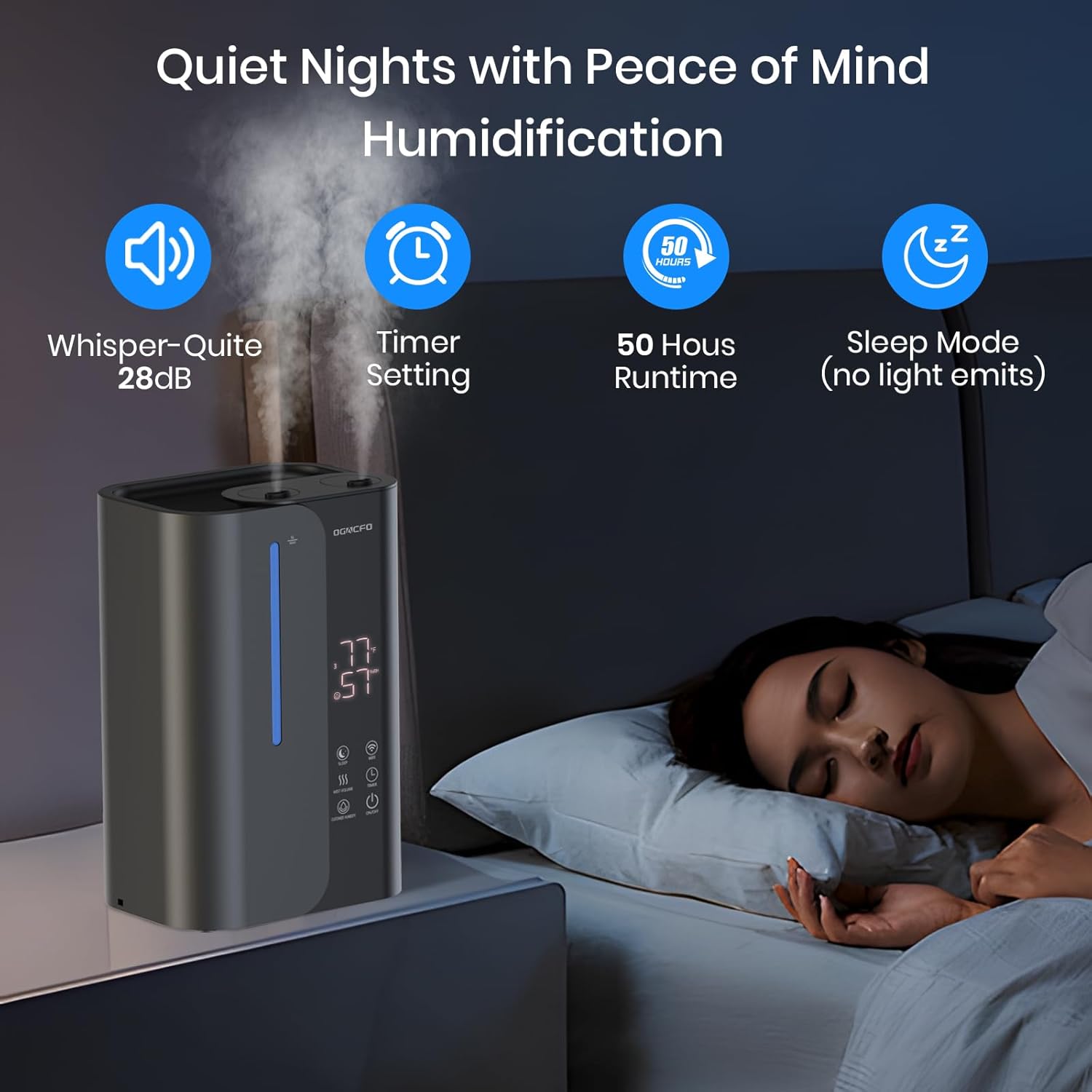
Depicting a serene bedroom environment at night, the humidifier is shown emitting a gentle mist. Text overlays emphasize its quiet operation at 28dB, programmable timer, extended 50-hour runtime, and a sleep mode designed for undisturbed rest.
4.5 Timer Function
- Press the Timer button on the control panel or remote, or set in the app, to program the humidifier to turn off automatically after a set number of hours (e.g., 1-24 hours).
4.6 Using Essential Oils
- Locate the essential oil tray, usually a small drawer or compartment on the side or back of the unit.
- Add a few drops of your preferred essential oil onto the aroma pad inside the tray.
- Close the tray. The mist will carry the aroma into the air.
- Do not add essential oils directly into the water tank, as this can damage the unit.
5. Maintenance and Cleaning
Regular cleaning is essential for optimal performance and to prevent the growth of mold and bacteria.

This detailed diagram provides an internal view of the humidifier, highlighting its removable water tank and other components. Key dimensions are indicated as 14.1 inches in height, 8.9 inches in width, and 6.6 inches in depth. A cleaning brush, included for maintenance, is also shown.
5.1 Daily Maintenance
- Unplug the humidifier.
- Empty any remaining water from the tank and base.
- Rinse the water tank with fresh water.
- Refill with clean, cool water before each use.
5.2 Weekly Cleaning
- Unplug the humidifier and empty all water.
- Remove the water tank. The tank is fully removable for easy access.
- Wipe the inside of the water tank and the base with a soft cloth and mild detergent. Rinse thoroughly.
- Use the provided cleaning brush to clean the mist nozzle and any crevices.
- Clean the transducer (the small disc inside the base) with a soft brush or cotton swab. Do not scrape it.
- Rinse all components thoroughly and allow them to air dry completely before reassembling.
5.3 Descaling (Mineral Buildup Removal)
- If hard water is used, mineral deposits (white dust) may accumulate.
- Mix a solution of equal parts white vinegar and water.
- Pour the solution into the water tank and base, ensuring it covers the transducer.
- Let it soak for 20-30 minutes.
- Use the cleaning brush to gently scrub away any mineral buildup.
- Rinse all components thoroughly with clean water until the vinegar smell is gone.
5.4 Storage
- Before storing, ensure the humidifier is completely clean and dry.
- Store in a cool, dry place, away from direct sunlight.
6. Troubleshooting
If you encounter issues with your humidifier, please refer to the following common problems and solutions:
| Problem | Possible Cause | Solution |
|---|---|---|
| No mist or low mist output | Low water level; Mineral buildup on transducer; Mist nozzle blocked. | Refill water tank; Clean transducer and base; Clear mist nozzle. |
| Unusual odor from mist | Stagnant water; Dirty water tank or base. | Empty and clean the water tank and base thoroughly. Use fresh water. |
| Water leaking from unit | Overfilled water tank; Unit not on a level surface; Damaged tank. | Do not overfill; Ensure unit is on a flat surface; Inspect tank for cracks. |
| Unit not powering on | Power cord not properly plugged in; No power at outlet. | Check power connection; Test outlet with another device. |
| App connectivity issues | Incorrect Wi-Fi network (not 2.4GHz); Incorrect pairing mode. | Ensure phone is on 2.4GHz Wi-Fi; Re-enter pairing mode on humidifier and retry app setup. |

A Q&A section addressing common user inquiries. It clarifies that the humidifier is suitable for medium to small rooms (approximately 200 square feet), operates quietly due to ultrasonic technology, and recommends using distilled or filtered water to minimize mineral buildup and extend unit lifespan.
7. Specifications
| Feature | Detail |
|---|---|
| Brand | OGACFO |
| Model Name | Humidifiers for Bedroom 5L |
| Item Model Number | LFHM054SG |
| Color | Gray |
| Operation Mode | Automatic |
| Product Dimensions | 6.6"D x 8.9"W x 14.1"H |
| Item Weight | 7.02 pounds |
| Water Tank Capacity | 5 Liters |
| Max Runtime | Up to 50 hours |
| Noise Level | 28 dB |
| Mist Output | Up to 300 mL/h |
| Room Type | Bedroom, Living Room (Medium to Small Rooms) |
| Special Features | Smart Control (App/Remote), Top Fill, Essential Oil Tray, Auto Humidity, Sleep Mode, Timer |
8. Warranty and Support
This product comes with a standard manufacturer's warranty. For specific warranty details, please refer to the documentation included with your purchase or contact OGACFO customer support.
Customer Support:
If you have any questions, require technical assistance, or need to report an issue, please contact OGACFO customer support through the retailer's platform or the official brand website.