
Introduction
The Denon DCD-3000NE is a high-performance CD/SACD player designed for audio playback. This manual provides essential information for setting up, operating, and maintaining your unit. Please read these instructions carefully before use to ensure proper function and to prevent damage.
Safety Instructions
- Power Supply: Connect the unit only to an AC outlet of the specified voltage. Do not modify the power cord.
- Ventilation: Ensure adequate ventilation around the unit. Do not block ventilation openings.
- Moisture: Do not expose the unit to rain or moisture. Avoid placing objects filled with liquids, such as vases, on the unit.
- Heat: Keep the unit away from heat sources such as radiators, heat registers, stoves, or other apparatus that produce heat.
- Servicing: Do not attempt to service this product yourself. Refer all servicing to qualified service personnel.
- Disc Handling: Handle discs by their edges. Avoid touching the playing surface.
What's in the Box
Verify that all items are present before proceeding with setup:
- Denon DCD-3000NE CD/SACD Player
- Power Cord
- Quick Start Guide
- Remote Control (with 2 AAA Batteries)
- Stereo RCA Cable
Setup
1. Physical Placement
Place the DCD-3000NE on a stable, level surface. Ensure there is sufficient space around the unit for proper ventilation. Avoid placing it directly on top of other heat-generating components.
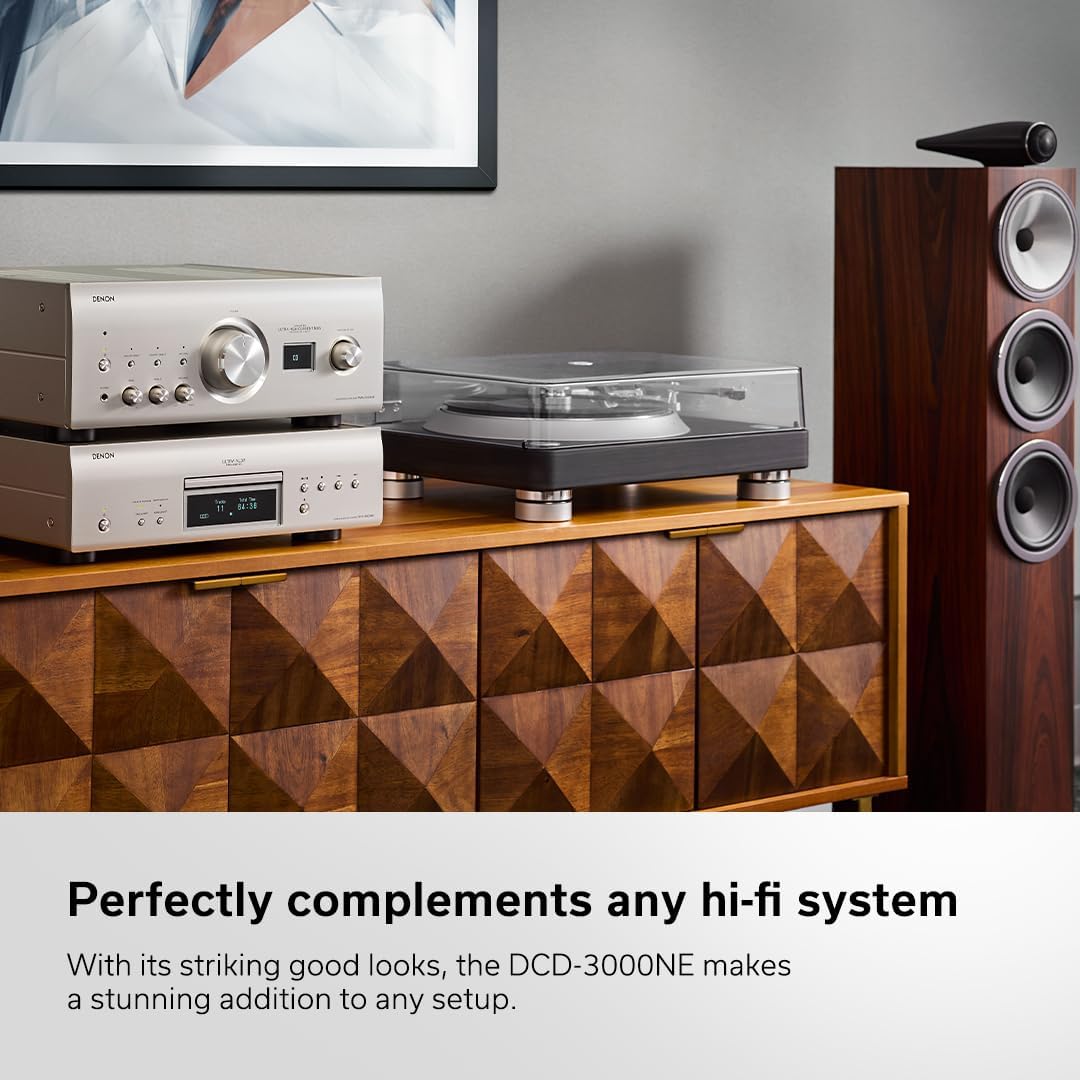
The Denon DCD-3000NE player positioned on a stable surface, integrated into a home audio system.
2. Connecting Audio Cables
Connect the DCD-3000NE to your amplifier or receiver using the appropriate audio cables. The unit offers analog RCA, optical, and coaxial digital outputs.
- Analog RCA Output: Use the supplied stereo RCA cable to connect the ANALOG OUT jacks on the DCD-3000NE to the corresponding analog input jacks on your amplifier.
- Optical Digital Output: For digital connection, use an optical cable to connect the OPTICAL DIGITAL AUDIO OUT jack to an optical digital input on your amplifier or external DAC.
- Coaxial Digital Output: Alternatively, use a coaxial digital cable to connect the COAXIAL DIGITAL AUDIO OUT jack to a coaxial digital input on your amplifier or external DAC.

Rear panel connections of the DCD-3000NE, illustrating the various audio output options.
3. Power Connection
After all audio connections are made, connect the supplied power cord to the AC inlet on the rear of the DCD-3000NE and then to a wall outlet.
Operating Instructions
1. Basic Disc Playback
- Press the POWER button to turn on the unit.
- Press the OPEN/CLOSE button to open the disc tray.
- Place a disc (CD, SACD, DVD-R/RW, DVD+R/RW) onto the disc tray with the label side facing up.
- Press the OPEN/CLOSE button again to close the disc tray. The unit will begin reading the disc.
- Press the PLAY button to start playback.
- Use the STOP, PAUSE, SKIP, and SEARCH buttons on the front panel or remote control to manage playback.

Inserting a disc into the DCD-3000NE for playback.
2. Pure Direct Mode
The Pure Direct Mode bypasses digital signal processing and disables the digital outputs and display to minimize interference and noise. This provides a direct, unaltered analog audio signal.
- To activate Pure Direct Mode, press the PURE DIRECT button on the front panel or remote control.
- The display will turn off, and digital outputs will be deactivated.
- Press the button again to deactivate Pure Direct Mode.
3. Supported Disc and File Types
The DCD-3000NE supports a variety of disc formats and digital audio files:
- Disc Formats: SACD, CD, DVD-R/RW, DVD+R/RW (up to 192kHz/24-bit for DVD-R/RW, 48kHz for CD-R/RW).
- Digital Audio Files: DSD (2.8MHz/5.6MHz), MP3, WMA, AAC, WAV, FLAC, Apple Lossless (ALAC), AIFF.
Maintenance
- Cleaning the Unit: Wipe the exterior of the unit with a soft, dry cloth. Do not use abrasive cleaners, waxes, or solvents.
- Disc Cleaning: Clean discs with a soft, lint-free cloth, wiping from the center outwards. Do not use solvents or abrasive cleaners on discs.
- Dust Prevention: Keep the disc tray closed when not in use to prevent dust accumulation inside the unit.
- Battery Replacement: Replace the remote control batteries (2 AAA) when the remote's range decreases or it stops responding.
Troubleshooting
| Problem | Possible Cause | Solution |
|---|---|---|
| No power | Power cord not connected securely. | Check power cord connection to the unit and wall outlet. |
| No sound | Incorrect audio cable connection; amplifier input not selected; Pure Direct Mode active. | Verify audio cable connections. Select the correct input on your amplifier. Deactivate Pure Direct Mode if using digital outputs. |
| Disc does not play | Disc inserted incorrectly; disc is dirty or scratched; unsupported disc format. | Insert disc with label side up. Clean the disc. Try a different disc. Refer to supported formats. |
| Remote control not working | Batteries are depleted or inserted incorrectly; obstruction between remote and unit. | Replace batteries. Ensure correct battery polarity. Remove any obstructions. |
Specifications
Key technical specifications for the Denon DCD-3000NE:
- Product Dimensions: 15.94 x 17.09 x 5.43 inches
- Item Weight: 43.2 pounds
- Item Model Number: 301005-01-00-101
- DAC: High-Performance 384kHz/32-bit DAC
- Processing: 7th Gen Ultra AL32 Processing
- Supported Audio Formats: DSD, MP3, WMA, AAC, WAV, FLAC, ALAC, AIFF
- Connectivity Technology: Analog Output, Coaxial Output, Optical Output
- Power Requirements: AC 120V, 60Hz (for US model)

Internal components of the DCD-3000NE, showcasing the advanced digital processing.
Warranty and Support
For warranty information and technical support, please refer to the warranty card included with your product or visit the official Denon website. Keep your purchase receipt as proof of purchase for warranty claims.
Denon Official Website: www.denon.com


