
1. Introduction
Thank you for choosing the SG SURGOAL LP1200 Golf Rangefinder. This device is designed to provide accurate distance measurements for both golf and hunting activities. Featuring 6X magnification, flag pole lock with vibration, and slope compensation, it enhances your precision and performance. Please read this manual carefully to ensure proper use and maintenance of your rangefinder.
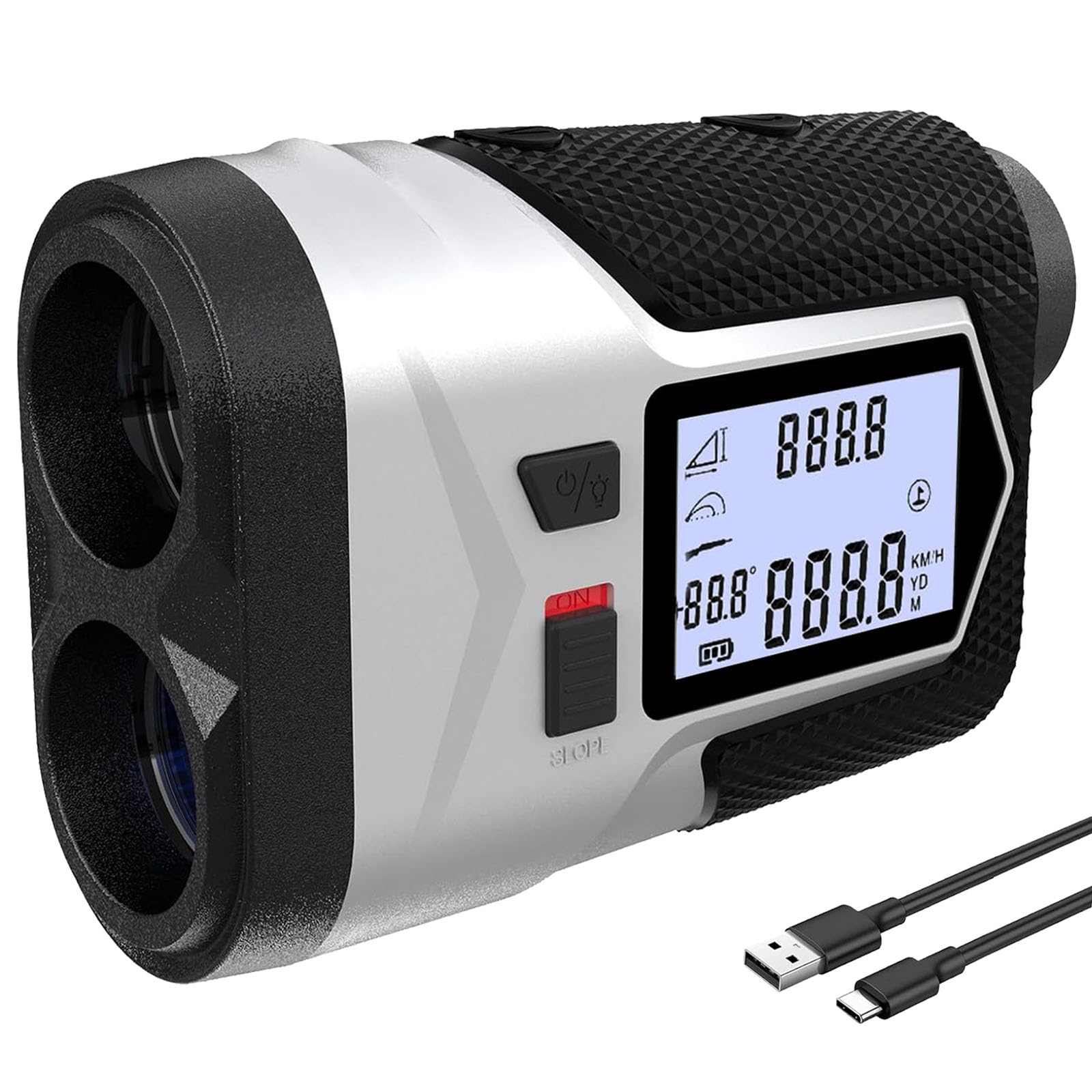
Image 1.1: User holding the SG SURGOAL LP1200 Golf Rangefinder.
2. Product Overview
Key Features:
- 6X Monocular Eyepiece: Provides a clear field of view for precise targeting.
- High Accuracy: Measures distances from 5 to 1200 yards with ±1 yard/meter accuracy.
- Fast Measurement: Delivers distance readings in approximately 0.3 seconds.
- Multiple Modes: Includes Line/Horizontal/Vertical distance, Golf (flagstick locking), Height difference, Hunting, and Speed modes.
- Slope Compensation: Calculates adjusted distances based on incline or decline for golf.
- External LCD Screen: Displays measured distance for easy viewing without looking through the eyepiece.
- Rechargeable Battery: Built-in 750mAh Lithium battery with Type-C charging, supporting up to 20,000 measurements per full charge.

Image 2.1: Overview of the rangefinder's main functions and features.
3. Setup
3.1 Charging the Battery
The rangefinder is equipped with a built-in rechargeable Lithium battery. Before first use, fully charge the device.
- Locate the Type-C charging port on the device.
- Connect the provided USB charging cable to the rangefinder and a compatible USB power source.
- The charging indicator light will show red during charging and turn green when charging is complete.
3.2 Adjusting Focus
To ensure a clear view through the eyepiece, adjust the focus:
- Look through the monocular eyepiece.
- Rotate the eyepiece knob (diopter adjustment) until the display and target appear sharp and clear.

Image 3.1: Charging port and eyepiece adjustment.
4. Operating Instructions
4.1 Device Components

Image 4.1: Labeled components and display views of the rangefinder.
4.2 Power On/Off and Measurement
- To power on the device, press the Power On/Measurement Button (1).
- Aim the crosshairs at your target.
- Press the Power On/Measurement Button (1) again to take a measurement. The distance will be displayed in the eyepiece and on the external LCD screen.
- The device will automatically power off after a period of inactivity to conserve battery.
4.3 Switching Modes
Press the Mode Button (2) to cycle through the available measurement modes.
4.4 Adjusting Units (Yards/Meters)
To switch between yards (YD) and meters (M):
- With the device powered on, press and hold the Mode Button (2) for approximately 3 seconds.
- The unit displayed in the eyepiece and on the external screen will change.

Image 4.2: Unit adjustment (Yards/Meters).
5. Modes of Operation
The SG SURGOAL LP1200 offers several modes for various applications:
- Distance Mode: Measures the direct line-of-sight distance to a target.
- Horizontal/Vertical Distance Mode: Provides horizontal and vertical components of the distance.
- Height Mode: Measures the height of an object.
- Height Difference Mode: Calculates the difference in height between two points.
- Golf Mode (Flagstick Locking): Designed for golf, this mode helps lock onto the flagstick, ignoring background objects. It often includes vibration feedback when the flag is locked.
- Slope Compensation Mode: When the Slope Switch (7) is turned on, this mode provides a slope-adjusted distance, accounting for uphill or downhill shots in golf. This feature can be toggled on/off.
- Hunting Mode: Optimized for hunting scenarios.
- Speed Mode: Measures the speed of a moving target.

Image 5.1: Flagstick locking in Golf Mode.

Image 5.2: Explanation of Slope Compensation.

Image 5.3: Multi-application use of the rangefinder.
6. Maintenance
Proper care will ensure the longevity and performance of your rangefinder:
- Cleaning Lenses: Use the provided lens cleaning cloth to gently wipe the objective lens and eyepiece. Do not use abrasive materials or harsh chemicals.
- Storage: Store the rangefinder in its carrying case when not in use to protect it from dust, moisture, and impacts.
- Battery Care: Recharge the battery regularly, even if the device is not used frequently, to maintain battery health. Avoid extreme temperatures during storage and charging.
- Water Resistance: The device is waterproof. However, avoid submerging it in water for extended periods.

Image 6.1: Carrying case for protection and portability.
7. Troubleshooting
If you encounter issues with your rangefinder, refer to the following common solutions:
- Device does not power on: Ensure the battery is fully charged. Connect the charging cable and check the indicator light.
- Inaccurate measurements: Ensure the target is within the effective range (5-1200 yards). Check for obstructions between the rangefinder and the target. Clean the objective lens and eyepiece.
- Display is blurry: Adjust the eyepiece knob (diopter adjustment) until the display is clear.
- Cannot lock onto flagstick: Ensure you are in Golf Mode. Try aiming steadily at the flagstick.
If problems persist, please contact customer support.
8. Specifications
| Feature | Specification |
|---|---|
| Brand | SG SURGOAL |
| Model Number | LP1200 |
| Measuring Range | 5 to 1200 yards |
| Accuracy | ±1 yard/meter |
| Magnification | 6X |
| Battery Type | Built-in 750mAh Lithium (Rechargeable) |
| Charging Port | Type-C |
| Water Resistance | Waterproof |
| Material | Plastic |
| Item Weight | 0.3 Kilograms |
| Product Dimensions (L x W x H) | 12.7L x 10.2W x 5.1H centimetres |
9. What's in the Box
The SG SURGOAL LP1200 package includes:
- LP1200 Rangefinder x 1
- USB Charging Cable x 1
- Multilingual Manual x 1 (This document)
- Rangefinder Strap x 1
- Carrying Case x 1
- Lens Cleaning Cloth x 1
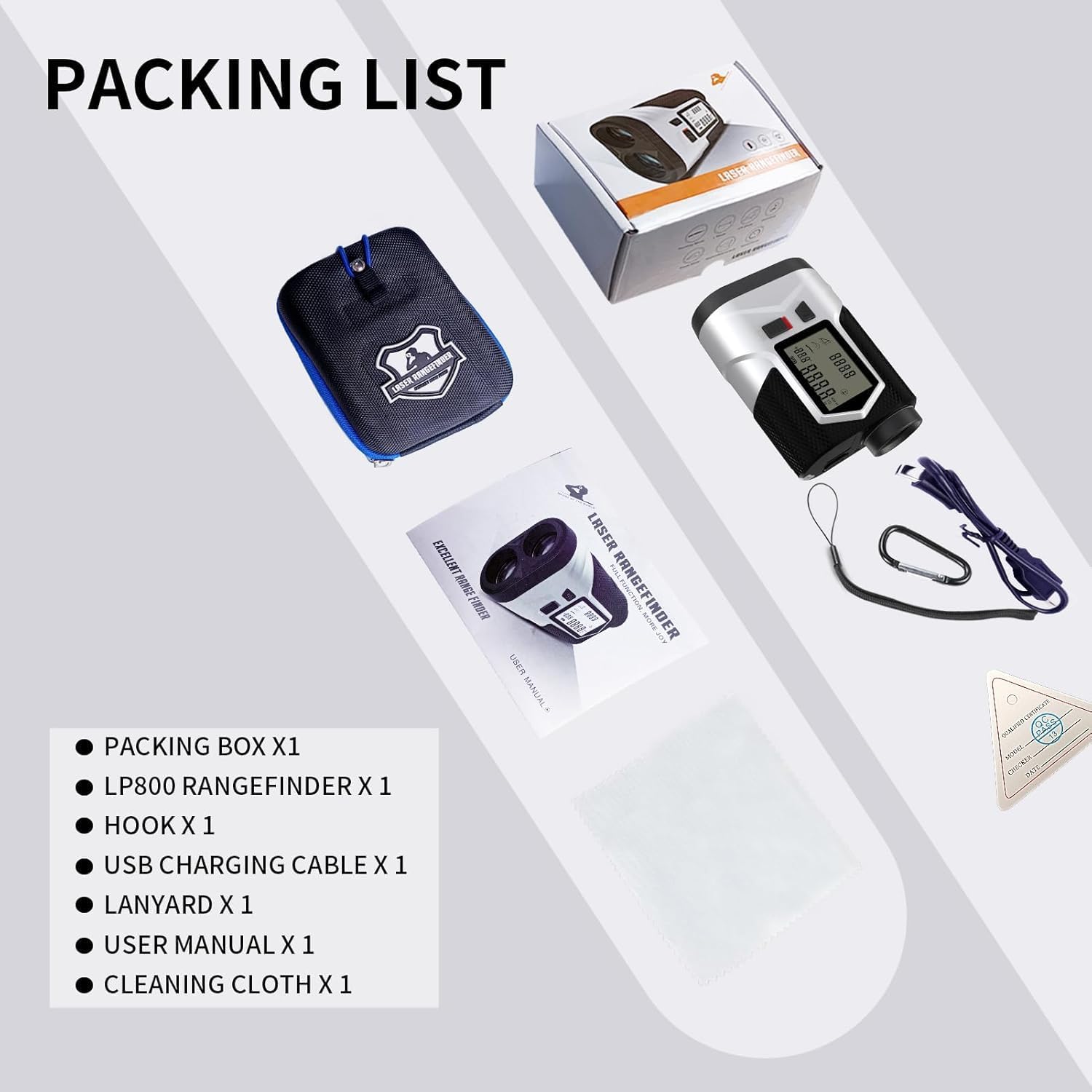
Image 9.1: Contents of the product package.
10. Safety Information
Please observe the following safety precautions:
- Laser Safety: This device uses an invisible laser. Do not look directly into the laser aperture or aim it at others.
- Eye Protection: Never look at the sun through the rangefinder, as it can cause permanent eye damage.
- Children: Keep the device out of reach of children.
- Disassembly: Do not attempt to disassemble or repair the device yourself. This will void the warranty and may cause damage.
- Battery: Use only the provided charging cable. Do not expose the battery to fire or extreme heat.
11. Warranty and Support
For warranty information or technical support, please refer to the contact details provided with your purchase or visit the official SG SURGOAL website. Please retain your proof of purchase for any warranty claims.