1. Introduction
Welcome to the user manual for the Generic Platinum 4MP Motorized Dome IP Camera, model LTCMIP7243W-SDZ. This document provides essential information for the proper installation, operation, and maintenance of your surveillance camera. Please read this manual thoroughly before using the product and retain it for future reference.
2. Safety Information
Observe the following safety precautions to prevent injury or damage to the product:
- Power Supply: Use only the specified power adapter. Ensure the power voltage is stable and meets the camera's requirements.
- Environment: Do not expose the camera to extreme temperatures, humidity, dust, or corrosive environments. Ensure proper ventilation.
- Installation: Install the camera securely on a stable surface. Avoid placing it in areas prone to vibration or impact.
- Cleaning: Disconnect power before cleaning. Use a soft, dry cloth. Do not use strong detergents or solvents.
- Servicing: Do not attempt to disassemble or repair the camera yourself. Refer all servicing to qualified personnel.
3. Package Contents
Before installation, verify that all items are present and in good condition:
- Platinum 4MP Motorized Dome IP Camera
- Installation tools
- Junction Box
- Quick Start Guide (if applicable)
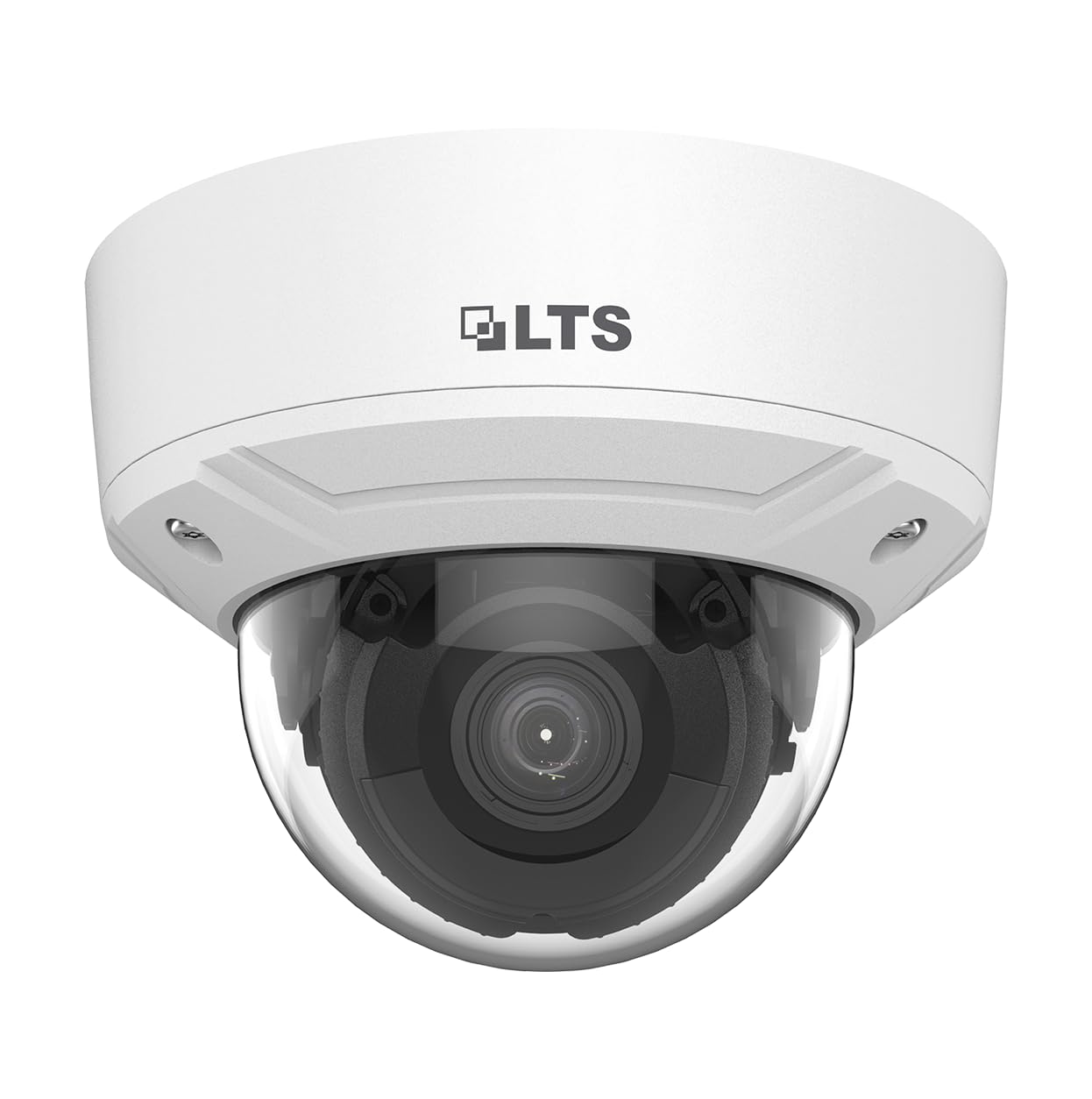
Image: Generic Platinum 4MP Motorized Dome IP Camera. This image displays the dome camera unit, typically white, with its protective dome and mounting base.
4. Product Overview
4.1 Key Features
- High quality imaging with 4 MP resolution
- Motorized varifocal lens for easy installation and monitoring (2.8-12mm)
- Efficient H.265+ compression technology
- Clear imaging against strong backlight due to 120 dB true WDR technology
- Focus on human and vehicle targets classification based on deep learning (MD 2.0)
- Audio and alarm interface available
- Water and dust resistant (IP67) and vandal-resistant (IK10)
- Junction Box Included
4.2 Components
The camera consists of a main dome unit, a motorized lens assembly, and a mounting base. It includes ports for power, Ethernet (PoE capable), audio input/output, and alarm input/output. A MicroSD card slot supports local storage up to 256GB.
5. Setup and Installation
5.1 Mounting the Camera
- Choose a suitable ceiling or wall location for installation. The camera is designed for both indoor and outdoor use.
- Use the provided mounting template (if applicable) to mark drill holes.
- Drill pilot holes and insert wall anchors if necessary.
- Secure the mounting base of the camera to the surface using the screws.
- Attach the camera body to the mounting base, ensuring it is firmly locked in place.
5.2 Wiring Connections
- Power: Connect a 12V DC power adapter (not included) or use Power over Ethernet (PoE) if your network switch supports it.
- Network: Connect an Ethernet cable from the camera to your network switch or router.
- Audio I/O: Connect external microphone to audio input and speaker to audio output if required.
- Alarm I/O: Connect external alarm devices (e.g., sensors, sirens) to the alarm input/output terminals.
- MicroSD Card: Insert a MicroSD card (up to 256GB) into the designated slot for local storage.
5.3 Initial Configuration
After physical installation and wiring, access the camera's web interface or connect it to a compatible Digital Video Recorder (DVR) or Network Video Recorder (NVR) for initial setup. Refer to your NVR/DVR manual or the camera's specific software guide for detailed network configuration, IP address assignment, and password setup.
6. Operation
6.1 Live View and Recording
Access the camera's live video feed through a web browser, NVR/DVR interface, or mobile application. Configure recording schedules, motion detection recording, or continuous recording settings as needed. Recorded footage can be stored on an NVR, MicroSD card, or network storage.
6.2 Motorized Lens Control
The motorized varifocal lens allows for remote adjustment of zoom and focus. Use the camera's web interface or NVR/DVR controls to precisely adjust the field of view and image clarity without physically accessing the camera.
6.3 MD 2.0 Human and Vehicle Detection
The MD 2.0 feature utilizes deep learning algorithms to accurately classify human and vehicle targets. Configure detection zones and sensitivity settings in the camera's interface to trigger alarms or recordings only when relevant events occur, reducing false alarms.
6.4 Audio and Alarm Functions
Utilize the audio input/output for two-way audio communication or environmental sound monitoring. Connect external alarm sensors to the alarm input to trigger events, or connect a siren to the alarm output for deterrence.
7. Maintenance
- Cleaning: Periodically clean the camera's dome cover with a soft, damp cloth to ensure clear image quality. Avoid abrasive materials.
- Firmware Updates: Check the manufacturer's website regularly for firmware updates. Updating firmware can improve performance, add features, and enhance security.
- System Checks: Regularly verify that the camera is online, recording, and accessible. Check cable connections for wear or damage.
- Storage Management: Monitor MicroSD card usage and ensure sufficient storage space is available for recordings.
8. Troubleshooting
| Problem | Possible Cause | Solution |
|---|---|---|
| No image/video feed | No power; Network issue; Incorrect IP address | Check power connection; Verify network cable and settings; Ensure correct IP address and port forwarding. |
| Poor image quality | Dirty lens; Incorrect focus/zoom; Low light conditions | Clean the dome cover; Adjust motorized lens focus/zoom; Ensure adequate lighting or enable IR. |
| Motion detection not working | Incorrect sensitivity; Detection zone not set; Firmware issue | Adjust sensitivity; Configure detection zones in settings; Update firmware. |
| Cannot access camera remotely | Network configuration; Firewall blocking; DDNS issue | Verify router port forwarding; Check firewall settings; Ensure DDNS service is active and configured correctly. |
9. Specifications
| Feature | Detail |
|---|---|
| Model Name | Platinum, 4MP, Motorized Dome IP Camera |
| Item Model Number | LTCMIP7243W-SDZ |
| Video Capture Resolution | 4 MP (1080p for general capture) |
| Lens | Motorized Varifocal 2.8-12mm |
| Connectivity Technology | Wired (Ethernet, PoE) |
| Connectivity Protocol | ONVIF |
| Power Source | Corded Electric |
| Indoor/Outdoor Usage | Indoor, Outdoor (IP67, IK10 rated) |
| Special Feature | HD Resolution, MD 2.0 Human and Vehicle Detection, 120 dB WDR, H.265+ Compression |
| Audio I/O | Yes |
| Alarm I/O | Yes |
| MicroSD Card Slot | Up to 256GB |
| Mounting Type | Ceiling Mount |
| Product Dimensions | 10 x 2 x 3 inches |
| Item Weight | 10.6 ounces |
| Included Components | Installation tools, Junction Box |
10. Warranty and Support
This product comes with a standard manufacturer's warranty. For specific warranty terms and conditions, please refer to the documentation provided with your purchase or contact your retailer. For technical support, troubleshooting assistance, or service inquiries, please contact the product manufacturer or your authorized dealer. Keep your purchase receipt as proof of purchase for warranty claims.


