
1. Introduction
This manual provides comprehensive instructions for the Stemedu RDS3235 Coreless 35kg Dual Axis Digital Servo. Designed for high-performance robotic and remote-controlled applications, this servo offers high torque, speed, and precision with its full metal gears and dual ball bearings. It is suitable for various DIY robot projects, including robot arms, steering mechanisms, and other applications requiring precise angle control.

Image: The RDS3235 servo shown in a robotic application context, demonstrating its use in a robot arm and a small robot.
2. Package Contents
Verify that all components are present in your package:
- 2 x RDS3235MG Robot Servos (180° Control Angle)
- 2 x Long Brackets
- 2 x Short Brackets
- 4 x Round Servo Horns
- 38 x Screws

Image: Contents of the package, including two RDS3235 servos, various brackets, servo horns, and screws.
3. Specifications
The following table details the electrical and control specifications for the RDS3235 servo:
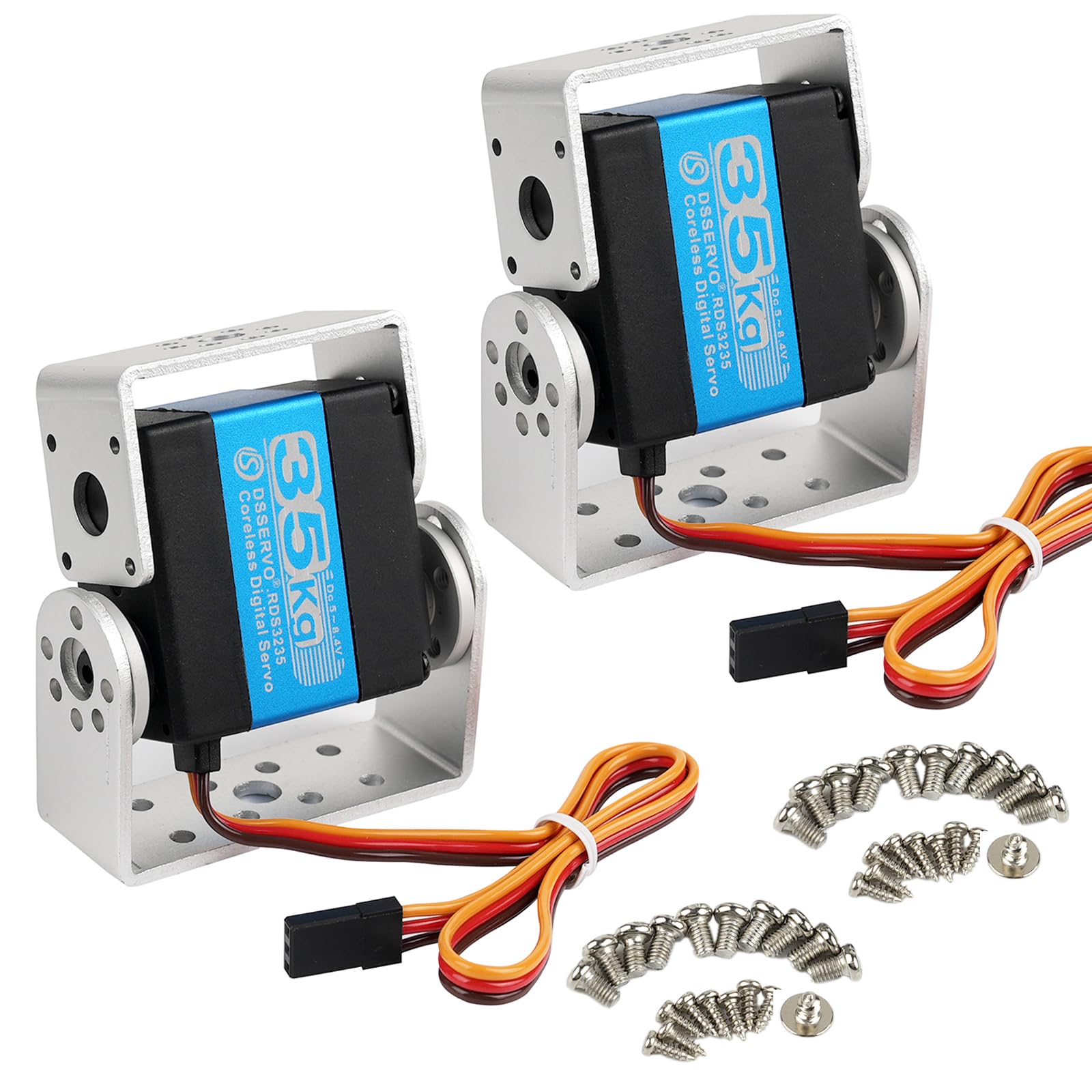
Image: A visual representation of the servo's electrical and control specifications.
| Parameter | 5V | 6V | 7.4V |
|---|---|---|---|
| Operating Voltage | 5V | 6V | 7.4V |
| Idle Current (at stopped) | 5mA | 5mA | 5mA |
| Operating Speed (no load) | 0.13 sec/60° | 0.12 sec/60° | 0.11 sec/60° |
| Stall Torque (at locked) | 29 kg-cm | 32 kg-cm | 35 kg-cm |
| Stall Current (at locked) | 1.9A | 2.1A | 2.3A |
| Control System | PWM (Pulse Width Modulation) | ||
|---|---|---|---|
| Pulse Width Range | 500 µsec to 2500 µsec | ||
| Neutral Position | 1500 µsec | ||
| Running Degree | 180° (when 500 µsec - 2500 µsec) | ||
| Dead Band Width | 2 µsec | ||
| Operating Frequency | 50-330Hz | ||
| Rotating Direction | Counterclockwise (when 500 µsec - 2500 µsec) | ||
Physical Dimensions:
- Product Dimensions: 1.6 x 0.8 x 1.6 inches (40 x 20 x 40 mm)
- Item Weight: 14.1 ounces (400g)

Image: Detailed dimensions of the RDS3235 servo and its accompanying long and short U-shaped mounting brackets.
4. Setup
Follow these steps to set up your RDS3235 servo:
- Mounting the Servo:
Utilize the provided U-shaped mounting brackets (long or short) and screws to securely attach the servo to your robot chassis or desired application. The dual shaft design allows for versatile mounting options. Ensure the servo is firmly fixed to prevent movement during operation. - Connecting the Servo:
Connect the servo's 3-wire cable to your control board (e.g., Arduino, Raspberry Pi, RC receiver). The wires are typically:- Brown/Black: Ground (GND)
- Red: Power (VCC, 5V-7.4V)
- Orange/Yellow: Signal (PWM)
- Attaching Servo Horns:
Select the appropriate round servo horn for your application. Align the horn with the servo's output shaft and secure it with the small screw provided.

Image: The RDS3235 servo shown mounted inside a U-shaped bracket, ready for integration.
5. Operating Instructions
The RDS3235 servo is controlled using Pulse Width Modulation (PWM) signals. The angle of the servo is determined by the width of the pulse.
- Pulse Width Control:
The servo operates with a pulse width range from 500 µsec to 2500 µsec to achieve a 0° to 180° rotation. A pulse width of 1500 µsec typically corresponds to the neutral (90°) position. If your control system outputs a PWM range of only 1000-2000 µsec, the servo will operate within a 90° range. - Dual Axis Functionality:
The dual-axis design allows for more complex motion control. By linking two axes, the servo can control both rotation and tilt actions, enabling dynamic tasks such as obstacle avoidance and object grasping in robotic applications.

Image: Illustration of the dual shaft design, highlighting its suitability for rugged outdoor use and heavy-duty robotic applications.
6. Maintenance
Proper maintenance ensures the longevity and optimal performance of your RDS3235 servo:
- Regular Inspection:
Periodically check the servo's gears for any signs of wear or damage. Ensure all mounting screws are tight. - Cleanliness:
Keep the servo free from dust, dirt, and debris. Use a soft, dry cloth for cleaning. Avoid using harsh chemicals. - Water Resistance:
The servo is designed to be waterproof. However, avoid prolonged submersion in water unless specifically designed for such conditions. Ensure the wiring connections are also protected if operating in wet environments. - Lubrication:
The metal gears are pre-lubricated. If necessary, apply a small amount of high-quality, plastic-safe grease to the gears.
7. Troubleshooting
If you encounter issues with your RDS3235 servo, refer to the following troubleshooting guide:
- Servo Not Responding:
- Check all wiring connections (power, ground, signal) to ensure they are secure and correctly polarized.
- Verify that the power supply voltage is within the specified range (5V-7.4V) and can deliver sufficient current.
- Confirm that the control signal (PWM) is being generated correctly by your microcontroller or RC receiver.
- Erratic Movement or Jittering:
- Ensure the power supply is stable and not experiencing voltage drops under load. Add a capacitor across the power lines if necessary.
- Check for electrical noise in the signal line. Keep signal wires away from high-current wires.
- Verify the PWM signal's pulse width and frequency are within the servo's specifications.
- Servo Overheating:
- Reduce the load on the servo. Excessive load can cause high current draw and heat.
- Ensure the servo is not stalled or continuously fighting against a mechanical stop.
- Check the operating voltage; higher voltages within the range can increase heat.
- Grinding Noises or Stripped Gears:
- This indicates mechanical damage. Inspect the metal gears for wear or breakage.
- Avoid applying excessive force that could damage the gears.
8. Warranty and Support
For warranty information or technical support, please contact Stemedu directly through their official channels or the retailer where the product was purchased. Keep your purchase receipt as proof of purchase.