
Tatybo WT5
Tatybo WT5 Wireless Gaming Headset User Manual
Model: WT5
Introduction
Thank you for choosing the Tatybo WT5 Wireless Gaming Headset. This manual provides detailed instructions for setting up, operating, maintaining, and troubleshooting your headset to ensure an optimal gaming and audio experience. Please read this manual thoroughly before using the product.

Image: Tatybo WT5 Wireless Gaming Headset. This image displays the overall design of the white Tatybo WT5 headset, showcasing its earcups, headband, and microphone.
Package Contents
Please check the package for the following items:
- Tatybo WT5 Wireless Gaming Headset
- 2.4 GHz USB Wireless Adapter (USB-A and USB-C dual-head)
- USB Charging Cable
- 3.5mm Audio Cable
- User Manual
Product Overview
Familiarize yourself with the headset's components and controls.
Controls and Ports (Typical Layout)
- Power Button: Located on one earcup, used to turn the headset on/off.
- Volume Wheel/Buttons: Adjusts audio output level.
- Microphone Mute Button: Toggles microphone on/off.
- USB-C Charging Port: For connecting the USB charging cable.
- 3.5mm Audio Jack: For wired connection.
- Detachable/Retractable Microphone: Flexible microphone for communication.
Setup
1. 2.4 GHz Wireless Connection (Recommended for Gaming)
This mode provides a stable, low-latency connection ideal for gaming on PC, PS5, PS4, Nintendo Switch (docked), and compatible laptops/Macs.
- Identify the appropriate USB connector on the 2.4 GHz wireless adapter (USB-A or USB-C).
- Plug the wireless adapter into an available USB port on your device (PC, PS5, PS4, Nintendo Switch dock, Laptop, Mac).
- Power on your Tatybo WT5 headset by pressing and holding the Power button until the indicator light illuminates.
- The headset should automatically pair with the adapter. The indicator light will show a steady color (refer to LED indicator section for details, if available on product).
- On your device, ensure the Tatybo WT5 headset is selected as the default audio output and input device.
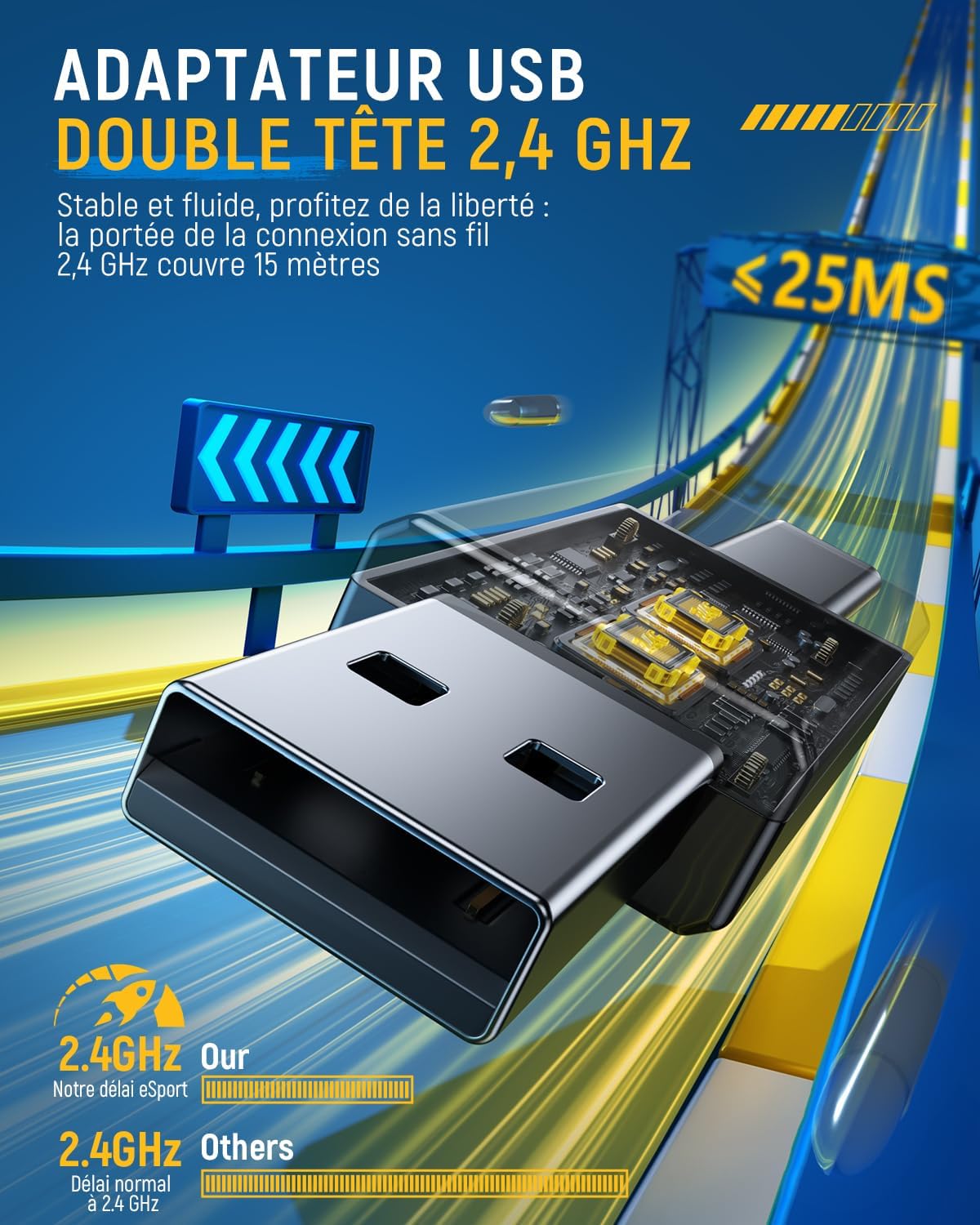
Image: 2.4 GHz USB Wireless Adapter. This image shows the compact dual-head USB-A and USB-C wireless adapter, designed for a stable and low-latency connection.

Image: Device Compatibility. This image illustrates how the USB-A and USB-C connectors of the wireless adapter can be used with various devices including PS5, PS4, PC, Nintendo Switch, laptops, phones, and tablets. Note: Incompatible with Xbox.
2. Bluetooth Connection
Use Bluetooth for connecting to mobile phones, tablets, and other Bluetooth-enabled devices.
- Ensure the headset is powered off.
- Press and hold the Power button for approximately 5-7 seconds until the indicator light flashes rapidly (usually blue/red), indicating pairing mode.
- On your device, enable Bluetooth and search for available devices.
- Select "Tatybo WT5" from the list of found devices.
- Once paired, the indicator light on the headset will typically show a steady blue light.
3. Wired Connection (3.5mm Audio Jack)
For devices that do not support wireless connectivity or when battery is low, use the included 3.5mm audio cable.
- Plug one end of the 3.5mm audio cable into the headset's 3.5mm audio jack.
- Plug the other end into the 3.5mm audio port of your device.
- The headset will function in passive mode, meaning the headset's power and controls (except for inline controls on the cable, if any) will not be active.
Operating Instructions
Power On/Off
- To Power On: Press and hold the Power button for 2-3 seconds.
- To Power Off: Press and hold the Power button for 3-4 seconds.
Volume Control
Use the volume wheel or buttons on the earcup to adjust the audio volume up or down.
Microphone Usage
- Mute/Unmute: Press the Microphone Mute button to toggle the microphone on or off. An indicator light on the microphone or headset may show its status.
- The WT5 features an ENC (Environmental Noise Cancellation) Microphone, which reduces ambient noise by up to 95% for clear voice transmission. The microphone is also 360° rotatable for optimal positioning.

Image: ENC Microphone. This image highlights the headset's microphone with Environmental Noise Cancellation technology, designed for clear communication by reducing background noise.
Charging the Headset
Connect the USB charging cable to the headset's USB-C port and the other end to a USB power source (e.g., computer, wall adapter).
- A full charge takes approximately 3 hours.
- The headset provides up to 40 hours of battery life on a single charge (with LED lights off).
- A voice alert will notify you when the battery level is below 10%.

Image: Battery Life. This image visually represents the headset's impressive 40-hour battery life and its 1000mAh battery capacity.
7.1 Surround Sound
The Tatybo WT5 headset supports 7.1 surround sound, providing precise audio positioning and an immersive gaming experience. This feature is typically active when connected via the 2.4 GHz wireless adapter.

Image: 7.1 Surround Sound. This image emphasizes the headset's 7.1 surround sound feature, designed for accurate audio cues and enhanced immersion in games.
Comfort and Design
The Tatybo WT5 headset is designed for extended gaming sessions with optimal comfort.
- Protein Leather Earcups: Soft and gentle on the skin for prolonged wear.
- 3D Breathable Structure: Helps prevent heat buildup and discomfort.
- Ergonomic Design: Ensures a comfortable fit for various head sizes.
- Physical Noise Isolation: Provides up to 90% physical noise isolation, allowing you to focus on your game.

Image: Optimal Gaming Comfort. This image details the comfortable design of the earcups, featuring protein leather and a 3D breathable structure for extended wear.
Troubleshooting
If you encounter issues with your Tatybo WT5 headset, please refer to the following common solutions:
- No Sound/Microphone Not Working (Wireless):
- Ensure the headset is powered on and fully charged.
- Verify the 2.4 GHz wireless adapter is securely plugged into your device.
- Check if the headset is selected as the default audio output/input device in your device's sound settings.
- Re-pair the headset with the adapter by turning both off and on again.
- Ensure the microphone is not muted. - No Sound (Wired):
- Ensure the 3.5mm audio cable is fully inserted into both the headset and your device.
- Check your device's volume settings. - Bluetooth Pairing Issues:
- Ensure the headset is in pairing mode (flashing indicator light).
- Turn off and on Bluetooth on your device.
- Forget the device from your Bluetooth list and try pairing again. - Poor Audio Quality:
- Move closer to the wireless adapter to avoid interference.
- Ensure there are no obstructions between the headset and the adapter.
- Check for other wireless devices operating on the same frequency (2.4 GHz) that might cause interference. - Headset Not Charging:
- Try a different USB charging cable and/or USB power source.
- Ensure the charging cable is securely connected to both the headset and the power source.
Specifications
| Feature | Specification |
|---|---|
| Model Name | WT5 |
| Brand | Tatybo |
| Color | White |
| Ear Placement | Over-ear |
| Form Factor | Supra-aural |
| Connectivity Technology | 2.4 GHz Wireless, Bluetooth 5.3, Wired (3.5mm Jack) |
| Bluetooth Version | 5.3 |
| Bluetooth Range | 10 Meters |
| Wireless Range (2.4 GHz) | Up to 15 Meters |
| Audio Latency | 25 Milliseconds |
| Audio Driver Size | 50 Millimeters |
| Frequency Range | 20 Hz - 20,000 Hz |
| Microphone | ENC (Environmental Noise Cancellation), 360° Rotatable |
| Noise Control | None (for headset audio), ENC for microphone |
| Battery Type | 1 Lithium Ion (included) |
| Battery Capacity | 1000 mAh |
| Average Battery Life | Up to 40 Hours (LEDs off) |
| Charging Time | Approx. 3 Hours |
| Compatible Devices | PC, PS5, PS4, Nintendo Switch, Laptop, Mac, Mobile (Incompatible with Xbox) |
| Specific Product Uses | Video Gaming |
| External Material | Plastic, Protein Leather |
| Water Resistance Level | Not water resistant |
| Package Dimensions | 21.4 x 20.1 x 10.4 cm; 560 g |
Warranty and Support
Tatybo products come with a standard manufacturer's warranty. For detailed warranty information, technical support, or service inquiries, please refer to the warranty card included in your package or visit the official Tatybo website. Please retain your proof of purchase for warranty claims.
Related documentsWT5


Ask a question about this manual
Ask about setup, troubleshooting, compatibility, parts, safety, or missing instructions. Manuals+ will review the question and use this page’s manual context to help answer it.