
TELEFUNKEN QF40AO750S
Telefunken QLED QF40AO750S Full HD Android Smart TV User Manual
Model: QF40AO750S
1. Introduction
Welcome to the user manual for your new Telefunken QLED QF40AO750S Full HD Android Smart TV. This television combines elegant design with advanced features to provide a comprehensive entertainment experience for your entire family.
Featuring a 40-inch Full HD display with HDR 10, Super Resolution, and Micro Dimming, it delivers exceptionally contrasted images with realistic colors and impressive detail sharpness. The integrated triple tuner (DVB-C/-S2/-T2) allows direct reception of cable, satellite, or terrestrial television without the need for an additional receiver.
The Android operating system elevates your smart TV experience, offering extensive possibilities, user-friendly operation, and the ability to customize your favorite apps from the Google Play Store.

Figure 1.1: Front view of the Telefunken QF40AO750S Smart TV, showcasing its vibrant QLED display and sleek design.
2. Setup
2.1 Unpacking and Assembly
Carefully remove all components from the packaging. Ensure you have the TV, stand feet, remote control with 2 AAA batteries, and this user manual.
- Place the TV screen-down on a soft, flat surface to prevent scratches.
- Attach the stand feet to the designated slots at the bottom of the TV using the provided screws. Ensure they are securely fastened.
- Alternatively, if wall-mounting, refer to the VESA mounting specifications (M4 100x100) and use a compatible wall mount (sold separately).

Figure 2.1: Diagram showing the dimensions of the TV (90.2 cm width, 56.7 cm height with stand, 16.7 cm depth with stand) and VESA mount specifications (M4 100x100).
2.2 Connecting Peripherals
Your Telefunken Smart TV offers various connection options for external devices.
- HDMI: Connect gaming consoles, Blu-ray players, or other HDMI-enabled devices. (2x HDMI ports)
- USB: Connect USB drives for media playback. (1x USB port)
- LAN: For wired internet connection.
- Antenna: Connect your DVB-T2 antenna.
- Headphones: For private listening.
- Digital Audio Output: For connecting to external audio systems.
- CI Slot: For conditional access modules (e.g., for pay TV).
- Bluetooth: For wireless connection to audio devices or other compatible accessories.
- Wi-Fi: For wireless internet connection.
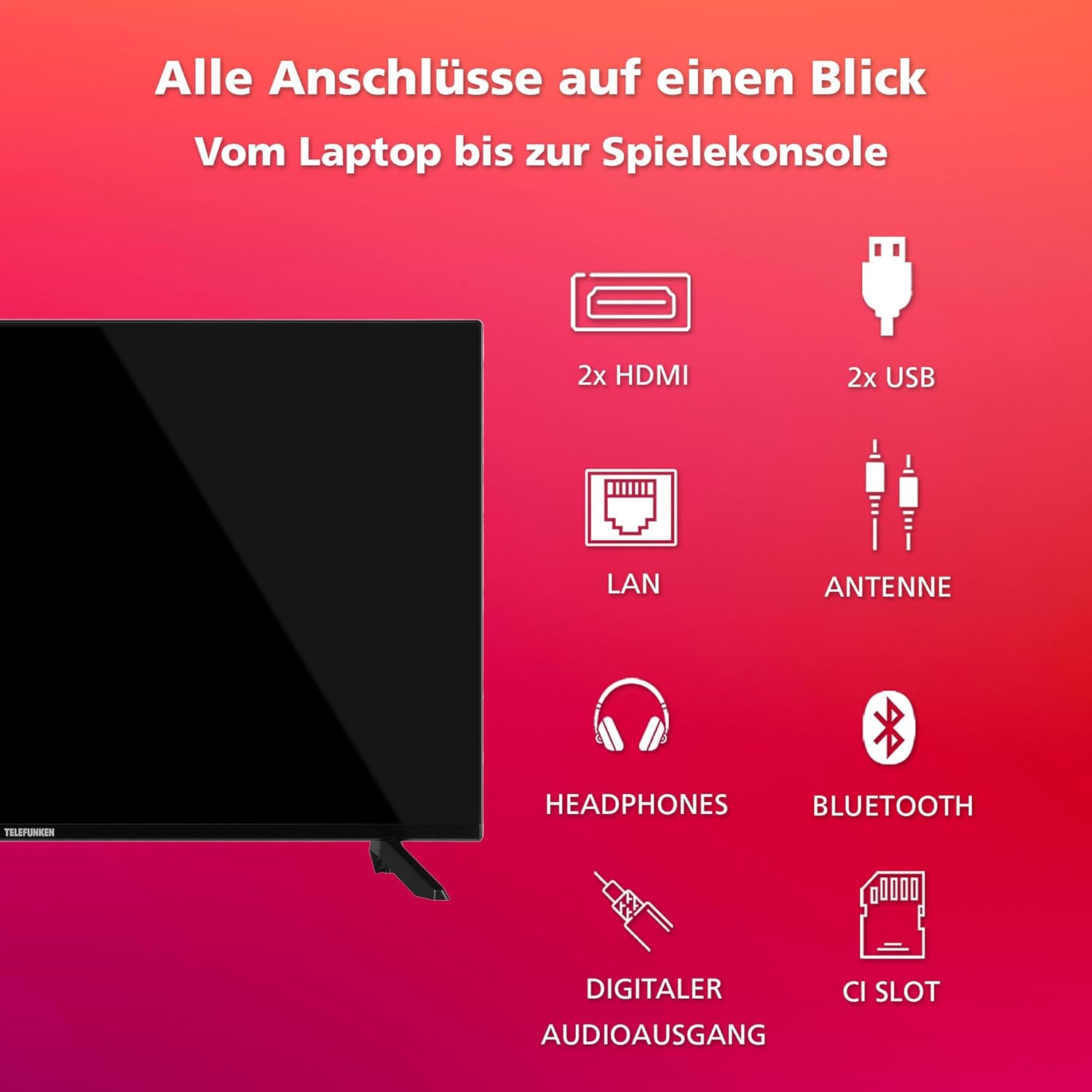
Figure 2.2: Visual guide to all available connection ports on the TV, including HDMI, USB, LAN, Antenna, Headphones, Digital Audio Output, and CI Slot.
2.3 Initial Power On and First-Time Setup
After connecting all necessary cables, plug the power cord into an electrical outlet.
- Press the power button on the remote control or the TV.
- Follow the on-screen instructions to select your language, country, and network settings (Wi-Fi or LAN).
- Sign in with your Google account to access the Google Play Store and its full range of features.
- Perform a channel scan for DVB-C, DVB-S2, or DVB-T2 as per your reception method.
3. Operating the TV
3.1 Remote Control Functions
The provided remote control allows full navigation and control of your Smart TV.
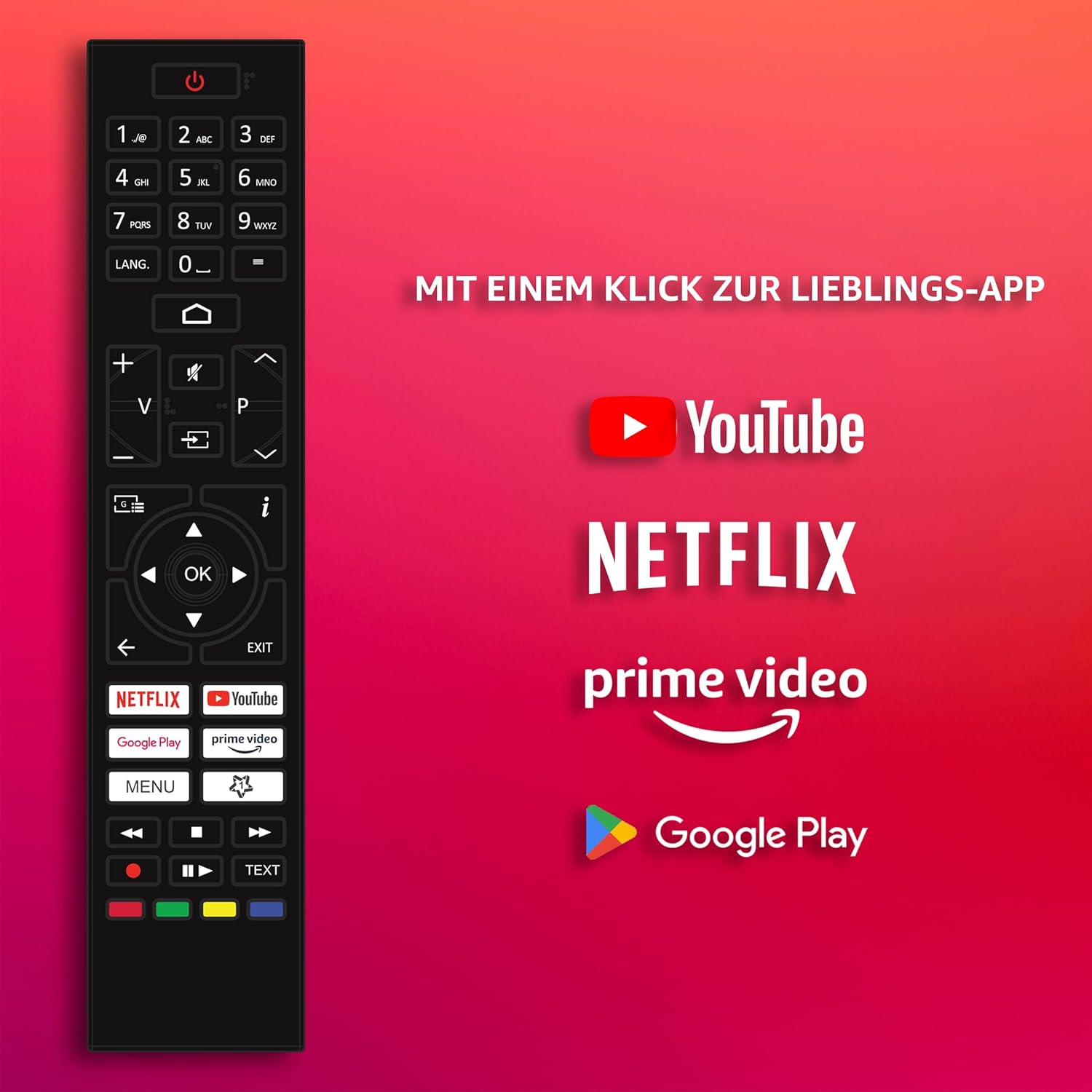
Figure 3.1: The remote control features dedicated buttons for popular streaming services like YouTube, Netflix, and Prime Video, along with a Google Play button for quick app access.
- Power Button: Turns the TV on/off.
- Number Buttons: Direct channel selection.
- Volume +/-: Adjusts volume.
- Channel +/-: Changes channels.
- Navigation Pad (OK): Navigates menus and confirms selections.
- Back/Exit: Returns to the previous screen or exits a menu.
- Home Button: Accesses the Android TV home screen.
- App Shortcut Buttons: Quick access to YouTube, Netflix, Prime Video, Google Play.
3.2 Android TV Interface and Apps
The Android TV interface provides a user-friendly platform for accessing live TV, streaming services, and various applications.
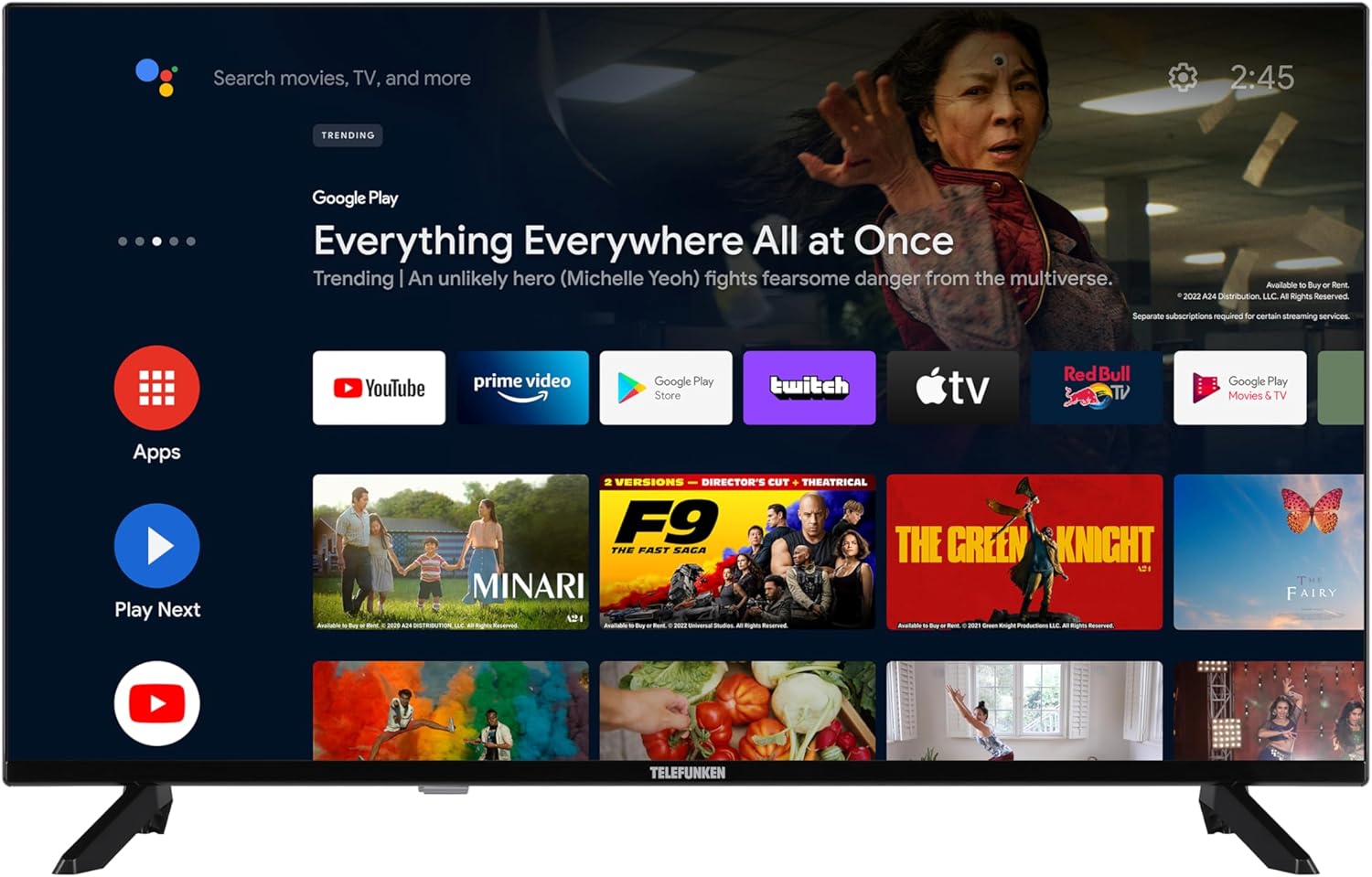
Figure 3.2: The Android TV home screen displays a clean layout with quick access to search, Google Play, and popular streaming applications like YouTube, Prime Video, Netflix, DAZN, Twitch, and Disney+.
- Home Screen: Provides quick access to recommended content, installed apps, and input sources.
- Google Play Store: Download and install a wide variety of apps, games, and media content.
- Streaming Services: Enjoy popular services like Netflix, Prime Video, Disney+, YouTube, DAZN, and Twitch.
3.3 Voice Control with Google Assistant
Control your TV effortlessly using your voice with Google Assistant.

Figure 3.3: The TV supports Google Assistant, allowing voice commands such as "Hey Google, turn up the music."
- Press the Google Assistant button on your remote (if available) or simply say "Ok Google" when the TV is listening.
- You can change channels, adjust volume, open apps, search for content, and more using voice commands.
3.4 Picture and Sound Settings
Optimize your viewing experience by adjusting picture and sound settings.

Figure 3.4: The TV supports HDR10, providing crystal-clear image reproduction with enhanced contrast and color.
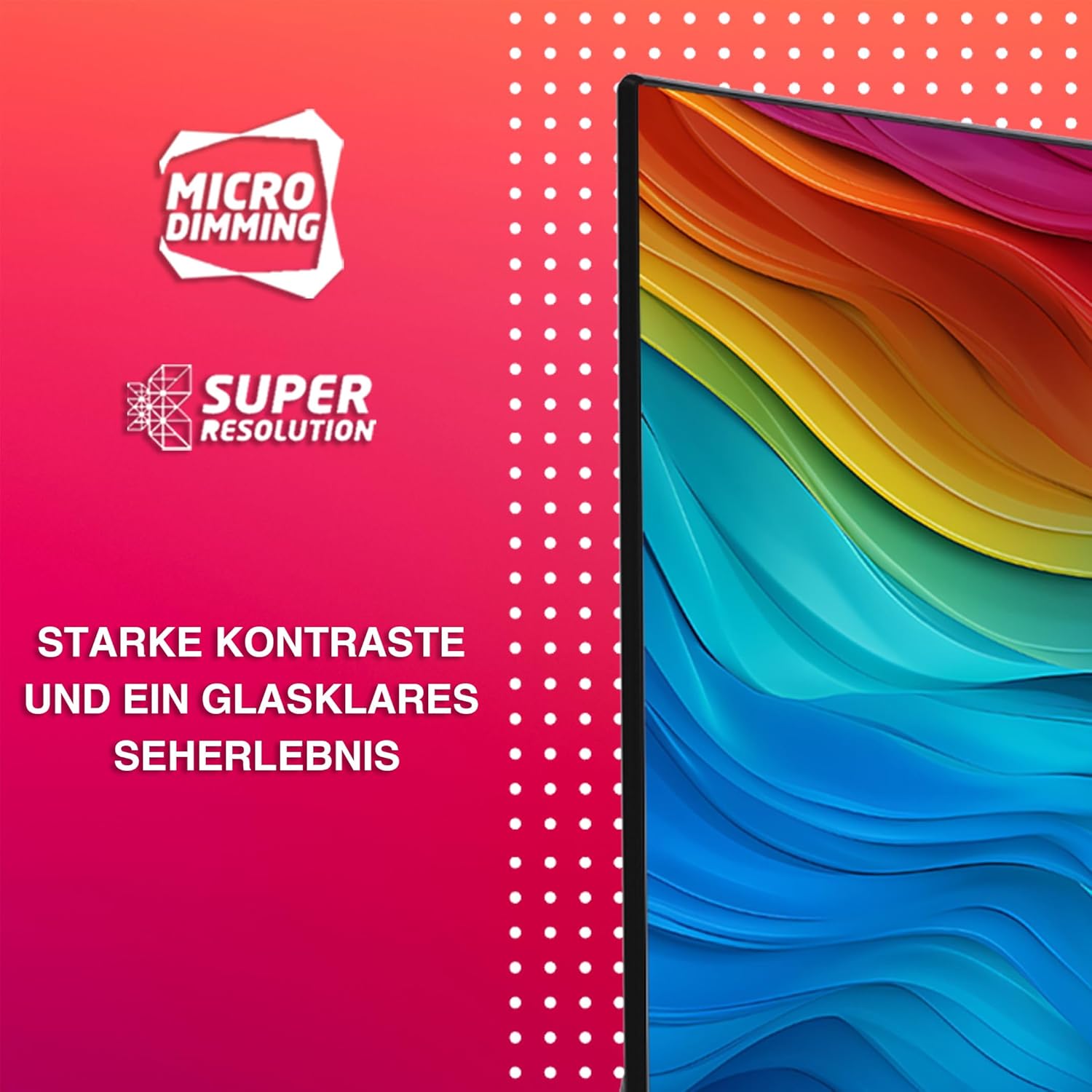
Figure 3.5: Micro Dimming and Super Resolution technologies contribute to strong contrasts and a clear viewing experience.
- Access picture settings to adjust brightness, contrast, color, sharpness, and picture mode (e.g., Standard, Movie, Sport).
- Utilize HDR 10 for stunning visuals with expanded contrast and color range.
- Micro Dimming and Super Resolution enhance picture quality by optimizing contrast and detail.
- Adjust sound settings for different audio modes (e.g., Standard, Music, Speech) and equalizer preferences.
3.5 Optimal Viewing Distance
For the best viewing experience, consider the recommended seating distance based on screen size and resolution.

Figure 3.6: Recommended seating distances for different TV sizes. For a 40-inch Full HD TV, the optimal distance is approximately 204 cm.
| Size | Recommended Seating Distance for Full HD |
|---|---|
| 40" | approx. 204 cm |
4. Maintenance
4.1 Cleaning the TV
- Always unplug the TV from the power outlet before cleaning.
- Use a soft, dry, lint-free cloth to gently wipe the screen and cabinet.
- For stubborn marks, slightly dampen the cloth with water or a specialized screen cleaner. Never spray liquid directly onto the screen.
- Avoid using abrasive cleaners, waxes, or solvents as they can damage the finish.
4.2 General Care
- Do not block ventilation openings on the TV.
- Keep the TV away from direct sunlight, heat sources, and excessive dust.
- Avoid placing heavy objects on top of the TV.
- Protect the power cord from being walked on or pinched.
5. Troubleshooting
Before contacting customer support, try the following solutions for common issues.
| Problem | Possible Cause | Solution |
|---|---|---|
| No power | Power cord unplugged; no power from outlet. | Ensure power cord is securely plugged in. Check if the outlet is working by plugging in another device. |
| No picture, but sound is present | Incorrect input source selected; loose HDMI/AV cable. | Press the "Source" button on the remote to select the correct input. Check all cable connections. |
| No sound, but picture is present | Volume muted or too low; external audio system issues. | Increase volume. Check if mute is active. If using external audio, ensure it's powered on and correctly connected. |
| Remote control not working | Batteries are dead or incorrectly inserted; obstruction between remote and TV. | Replace batteries (2x AAA). Ensure correct polarity. Remove any obstructions. Point remote directly at the TV's IR sensor. |
| Cannot connect to Wi-Fi | Incorrect password; router issues; TV too far from router. | Double-check Wi-Fi password. Restart your router. Move TV closer to router or use a wired LAN connection. |
| Apps are slow or freezing | Too many apps running; low storage; poor internet connection. | Close unused apps. Clear app cache. Check internet speed. Restart the TV. |
6. Specifications
Detailed technical specifications for the Telefunken QF40AO750S Smart TV.
| Feature | Detail |
|---|---|
| Brand | TELEFUNKEN |
| Model Number | QF40AO750S |
| Display Size | 40 Inches (102 cm diagonal) |
| Display Technology | QLED LCD, LED |
| Resolution | Full HD (1920 x 1080p) |
| Refresh Rate | 50 Hz |
| Operating System | Android TV |
| Special Features | Android TV, QLED, HDR10, Super Resolution, Micro Dimming, Google Assistant |
| Connectivity | Bluetooth, HDMI (2 ports), USB (1 port), Wi-Fi, LAN, Antenna, Digital Audio Output, CI Slot |
| Aspect Ratio | 16:9 |
| Product Dimensions (with stand) | 16.7D x 90.2W x 56.7H cm |
| Color | Black |
| Included Components | TV with feet, Remote control with 2 AAA batteries, User Manual |
| Energy Efficiency Class (SDR) | E |
| Energy Efficiency Class (HDR) | G |
| Power Consumption (SDR) | 37.0 W / 1000h |
| Power Consumption (HDR) | 67.0 W / 1000h |
| Software Updates Guaranteed Until | Information not available |
| Spare Parts Availability | 7 Years |

Figure 6.1: EU Product Data Sheet providing detailed energy and technical specifications.

Figure 6.2: EU Energy Label indicating energy efficiency class E for SDR and G for HDR.
For more detailed information, you can refer to the official EPREL database: https://eprel.ec.europa.eu/qr/2098636
7. Warranty and Support
7.1 Warranty Information
Your Telefunken QF40AO750S TV comes with a manufacturer's warranty. Please refer to the warranty card included in your product packaging for specific terms and conditions, including the warranty period.
Spare Parts Availability: Spare parts for this model are guaranteed to be available for 7 years from the date of market introduction.
Software Updates: Information regarding guaranteed software updates is not available.
7.2 Customer Support
If you encounter issues that cannot be resolved using the troubleshooting guide, or if you require further assistance, please contact Telefunken customer support.
Please have your model number (QF40AO750S) and purchase information ready when contacting support.
You can often find contact details for your region on the official Telefunken website or in the documentation provided with your TV.
Related Documents - QF40AO750S
 |
Instrukcja Obsługi TELEFUNKEN TFL-32APH1000 Kompleksowa instrukcja obsługi telewizora TELEFUNKEN TFL-32APH1000, zawierająca informacje o instalacji, obsłudze, funkcjach i rozwiązywaniu problemów. |
 |
TELEFUNKEN QU50T0750MA QLED TV Bedienungsanleitung Diese Bedienungsanleitung bietet detaillierte Informationen zur Installation, Bedienung und Wartung des TELEFUNKEN QU50T0750MA QLED Fernsehers, einschließlich seiner Smart TV-Funktionen und Bildtechnologien wie QLED, UHD, HDR und Dolby Vision. |
 |
Telefunken QF40VP750S QLED TV Bedienungsanleitung Umfassende Bedienungsanleitung für den Telefunken QF40VP750S QLED TV, die Installation, Bedienung, Funktionen und Fehlerbehebung abdeckt. |
 |
Telefunken QU50AN900M QLED TV Instruction Manual This manual provides comprehensive instructions for setting up and operating the Telefunken QU50AN900M QLED TV, including safety information, features, remote control usage, and troubleshooting. |
 |
TELEFUNKEN TFL-43VPU1000 Upute za uporabu Ovo je priručnik za uporabu za TELEFUNKEN TFL-43VPU1000 televizor, koji pokriva instalaciju, postavljanje, značajke i rješavanje problema. |
 |
TELEFUNKEN TE50292S26Y2P Operating Instructions and Specifications Comprehensive operating instructions, safety information, features, connectivity options, troubleshooting, and technical specifications for the TELEFUNKEN TE50292S26Y2P colour television. Includes VESA mount details and product fiche information. |
Ask a question about this manual
Ask about setup, troubleshooting, compatibility, parts, safety, or missing instructions. Manuals+ will review the question and use this page’s manual context to help answer it.