
Introduction
This manual provides detailed instructions for the ZEROLEMON 10000mAh Battery Case, designed specifically for the iPhone 16 Pro Max. This extended battery case offers significant additional power and robust protection for your device. Please read this manual thoroughly before use to ensure proper operation and longevity of your product.

Product Overview
The ZEROLEMON 10000mAh Battery Case is engineered to extend the battery life of your iPhone 16 Pro Max while providing comprehensive protection. Key features include:
- Extended Battery Life: Two UL-Certified 5,000mAh Li-polymer battery cells provide over 1.5 times additional charge to your iPhone 16 Pro Max, ensuring power for at least a full day.
- Fast Charging: Supports up to 18-Watt charging power to the iPhone 16 Pro Max, allowing a full phone charge within approximately 2 hours.
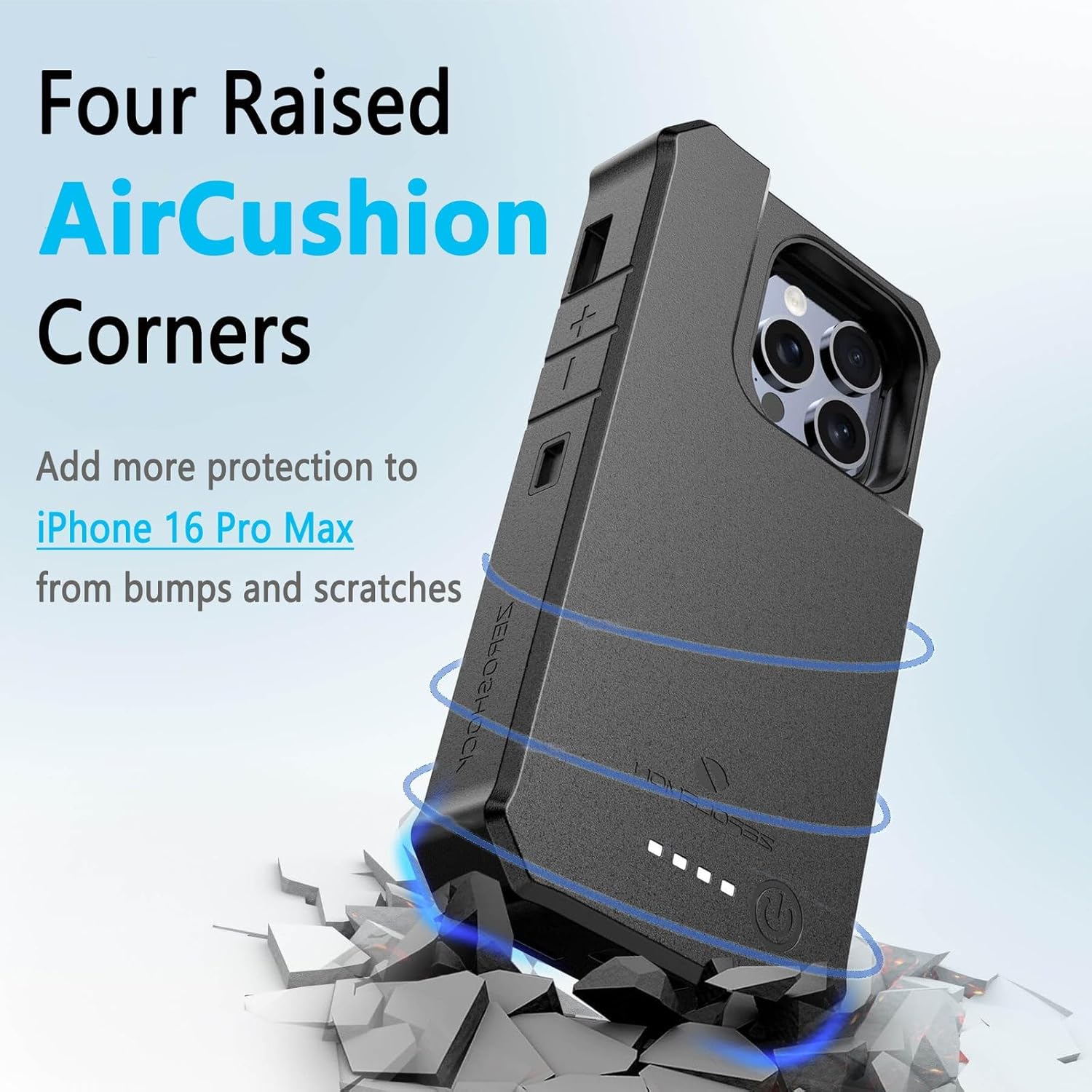
- Rugged Protection: MIL-STD certified for full edge protection, safeguarding your iPhone 16 Pro Max from scratches, bumps, and daily wear and tear. Features four raised air-cushion corners for enhanced shock absorption.
- Modular Design: The plastic frame and rubber case components can be replaced separately if needed.

Setup and Installation
Installing your iPhone 16 Pro Max into the ZEROLEMON battery case involves a three-piece assembly. Follow these steps carefully:
- Disassemble the Case: The battery case comes pre-assembled. Gently separate the outer rugged case from the inner battery base and protector frame. The protector frame should also be detached from the battery base.
- Insert iPhone into Battery Base: Carefully slide your iPhone 16 Pro Max into the battery base, ensuring the phone's charging port aligns correctly with the connector on the battery base.
- Attach Protector Frame: Place the protector frame around the edges of your iPhone, securing it to the battery base.
- Enclose with Rugged Case: Finally, fit the outer rugged TPU case over the assembled iPhone, protector frame, and battery base. Ensure all edges are securely seated, providing full protection.
Note: The battery case is not compatible with full-edged tempered glass screen protectors. Ensure your screen protector allows for proper case fitment.


Operating Instructions
Charging Your iPhone
To begin charging your iPhone 16 Pro Max using the battery case:
- Press the power button located on the back of the battery case once.
- The LED indicators on the back will illuminate, showing the current charge level of the battery case, and your iPhone will begin charging.
- To stop charging, press the power button twice.
Charging the Battery Case
To recharge the ZEROLEMON battery case:
- Connect a USB Type-C cable (not included) to the charging port on the bottom of the battery case.
- Connect the other end of the cable to a compatible power source (e.g., QC 3.0 charger, PD charger, or other fast chargers).
- The LED indicators will blink to show the charging status. Once fully charged, all LEDs will remain solid.
Important Notes:
- Use your iPhone 16 Pro Max's factory USB-C cable or a similar compatible USB Type-C cable to recharge the battery case.
- Do not use USB C-C fast cables over 40 watts to recharge the battery case, as they may not be compatible.
- When charging the battery case with the iPhone inserted, the iPhone will be fully charged first, followed by the battery case. The charging speed may be slower when both are charging simultaneously.
- Wireless charging is not supported by this battery case.


Maintenance
- Cleaning: Wipe the case with a soft, dry cloth. Avoid using harsh chemicals or abrasive cleaners.
- Battery Care: To prolong your phone's battery life, it is recommended to start charging before the phone's power level drops below 20%.
- Component Replacement: The plastic frame and rubber case can be replaced separately. Contact customer support if you require replacement parts.
- Storage: Store the battery case in a cool, dry place when not in use for extended periods.
Troubleshooting
- Case Not Charging Phone:
- Ensure the iPhone is correctly seated in the battery base and the charging connector is fully engaged.
- Press the power button once to initiate charging.
- Check if the battery case itself has sufficient charge by observing the LED indicators.
- Battery Case Not Recharging:
- Verify that the USB Type-C cable is securely connected to both the case and the power adapter.
- Ensure the power adapter is functioning correctly and connected to a live power outlet.
- Try using a different USB Type-C cable and power adapter to rule out cable or adapter issues. Avoid USB C-C cables over 40 watts.
- Case Does Not Fit iPhone:
- Confirm that you have the correct model (iPhone 16 Pro Max). This case is not compatible with other iPhone 16 models.
- Ensure any screen protectors or other accessories on your iPhone do not interfere with the case's fit. Full-edged tempered glass screen protectors are not compatible.
- CarPlay/Wired Connectivity Issues:
- If experiencing issues with wired CarPlay or data transfer, ensure you are using an official Apple USB-C cable or a high-quality, certified third-party cable. Some aftermarket cables may have slightly different dimensions or specifications that can cause intermittent connectivity.
- Ensure the cable is firmly seated in the case's port.
Specifications
| Model Number | Y1837 |
| Compatible Phone Model | iPhone 16 Pro Max |
| Battery Capacity | 10,000mAh (2 x 5,000mAh Li-polymer cells) |
| Charging Power (to iPhone) | 18W Max (9V/2A) |
| Charging Port | USB Type-C |
| Material | Thermoplastic Polyurethane (TPU) |
| Product Dimensions | 7.8 x 3.5 x 7.8 inches |
| Item Weight | 9 ounces |
| Special Features | MIL-STD Protection, Air-Cushion Corners, Extended Battery |
Warranty and Support
ZEROLEMON provides the following support for this product:
- Warranty: 365 days replacement guarantee.
- Refund Policy: 30 days refund warranty.
- Customer Support: 24/7 customer support is available from ZeroLemon. For assistance, please contact us via our official website or the platform where you purchased the product.
Safety Information
- Do not expose the battery case to extreme temperatures (hot or cold), direct sunlight, or fire.
- Do not disassemble, puncture, or modify the battery case.
- Keep the battery case away from water or other liquids.
- Avoid dropping or subjecting the case to severe impacts.
- Dispose of the battery case according to local regulations for electronic waste.
- Keep out of reach of children.