
1. Important Safeguards
When using electrical appliances, basic safety precautions should always be followed to reduce the risk of fire, electric shock, and injury to persons, including the following:
- Read all instructions before operating the appliance.
- Do not touch hot surfaces. Use handles or knobs.
- To protect against electrical shock, do not immerse cord, plugs, or the appliance in water or other liquid.
- Close supervision is necessary when any appliance is used by or near children.
- Unplug from outlet when not in use and before cleaning. Allow to cool before putting on or taking off parts.
- Do not operate any appliance with a damaged cord or plug, or after the appliance malfunctions or has been damaged in any manner.
- The use of accessory attachments not recommended by the appliance manufacturer may cause injuries.
- Do not use outdoors.
- Do not let cord hang over edge of table or counter, or touch hot surfaces.
- Do not place on or near a hot gas or electric burner, or in a heated oven.
- Extreme caution must be used when moving an appliance containing hot oil or other hot liquids.
- Always attach plug to appliance first, then plug cord into the wall outlet. To disconnect, turn any control to "off", then remove plug from wall outlet.
- Do not use appliance for other than intended use.
- Oversized foods or metal utensils must not be inserted in a toaster oven as they may create a fire or risk of electric shock.
- A fire may occur if the toaster oven is covered or touching flammable material, including curtains, draperies, walls, and the like, when in operation.
- Do not place any materials other than manufacturer's recommended accessories in this oven when not in use.
- Do not place any of the following materials in the oven: paper, cardboard, plastic, and similar products.
- Do not cover crumb tray or any part of the oven with metal foil. This will cause overheating of the oven.
- Exercise extreme caution when removing tray or disposing of hot grease.
- This appliance is for household use only.
2. Product Overview
The Salton ConvectiFry Digital Toaster Oven with Air Fryer (Model TO2142SS) is a versatile kitchen appliance designed for various cooking tasks including baking, broiling, roasting, toasting, and air frying. It features a digital control panel and multiple pre-programmed functions.

Figure 2.1: Front view of the Salton ConvectiFry Digital Toaster Oven, showcasing the digital display, control knob, and function buttons.
2.1 Components and Accessories
The appliance comes with several accessories to enhance its functionality:
- Air Fry Basket: For air frying foods like fries, chicken wings, etc.
- Wire Rack: For baking, roasting, and toasting.
- Baking Pan: For baking and catching drips.
- Crumb Tray: Collects crumbs and food particles for easy cleaning.
- Pan Handle: For safely inserting and removing hot accessories.

Figure 2.2: Overview of key features including 12 pre-programmed functions, adjustable temperature, fan boost, interior light, timer, and included accessories: Air Fry Basket, Oven Rack, Baking Pan, and Crumb Tray.
3. Setup
- Unpacking: Carefully remove the toaster oven and all accessories from the packaging. Remove any packing materials, stickers, or labels.
- Placement: Place the appliance on a stable, level, heat-resistant surface. Ensure there is adequate clearance (at least 4 inches or 10 cm) on all sides and above the oven for proper ventilation. Do not place it near flammable materials.
- Initial Cleaning: Before first use, wipe the exterior with a damp cloth. Wash the air fry basket, wire rack, baking pan, and crumb tray in warm, soapy water. Rinse thoroughly and dry completely.
- First Use Burn-Off: It is recommended to run the oven empty for about 15 minutes on the "Bake" function at 400°F (200°C) to burn off any manufacturing residues. A slight odor or smoke may be present; this is normal and will dissipate. Ensure the area is well-ventilated during this process.
- Power Connection: Plug the power cord into a grounded electrical outlet.
4. Operating Instructions
The Salton ConvectiFry features a digital control panel for easy operation. Familiarize yourself with the display, control knob, and function buttons.
4.1 Control Panel Overview
- Digital Display: Shows time, temperature, and selected function.
- MENU Button: Press to cycle through pre-programmed cooking functions.
- Control Knob: Rotate to adjust time, temperature, or select options. Press to confirm selection.
- Start/Pause Button: Initiates or pauses the cooking cycle.
- Light Button: Turns the interior oven light on or off.
- Fan Button: Activates or deactivates the convection fan (Fan Boost).
4.2 General Operation Steps
- Prepare Food: Place food on the appropriate accessory (wire rack, baking pan, or air fry basket).
- Insert Accessory: Carefully slide the accessory with food into the desired rack position inside the oven.
- Select Function: Press the MENU button repeatedly until the desired cooking function (e.g., Bake, Air Fry, Toast) is displayed.
- Adjust Settings:
- Rotate the Control Knob to adjust the temperature. Press the knob to switch to time adjustment.
- Rotate the Control Knob again to set the cooking time. Press the knob to confirm.
- For functions like Air Fry, the convection fan will activate automatically. For other functions, you can press the Fan Button to enable or disable the Fan Boost.
- Start Cooking: Press the Start/Pause Button to begin the cooking cycle. The oven will preheat if necessary (Auto Preheat feature).
- Monitor Progress: Use the Light Button to check on your food without opening the door.
- End of Cycle: The oven will beep when the cooking cycle is complete. Carefully remove the food using oven mitts and the pan handle.
4.3 Specific Cooking Functions
The oven offers 12 pre-programmed functions:
- Toast: Ideal for bread slices. Adjust darkness level.
- Bagel: Toasts the cut side of bagels.
- Pizza: Optimized for baking pizzas up to 12 inches.

Figure 4.1: A pizza baking inside the Salton ConvectiFry oven, demonstrating its capacity for 12-inch pizzas.
- Bake: For general baking needs like cakes, cookies, and casseroles.
- Roast: Suitable for roasting meats and vegetables.
- Broil: For grilling and browning the top of dishes.
- Cookies: Specific setting for baking cookies.
- Dehydrate: Low-temperature setting for dehydrating fruits or vegetables.
- Proof: Provides a warm environment for dough proofing.
- Air Fry: Uses rapid hot air circulation for crispy results with little to no oil.
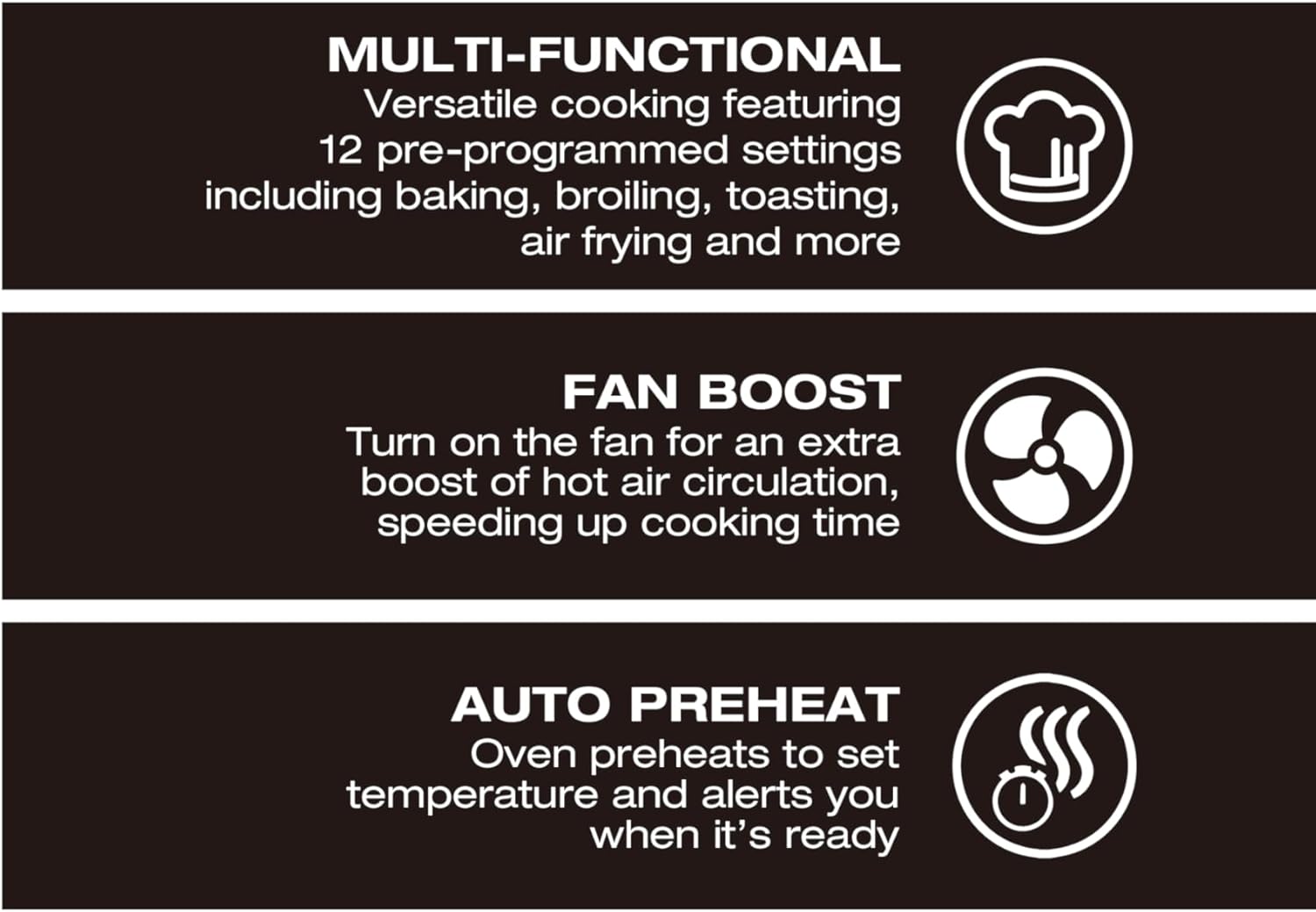
Figure 4.2: French fries being air-fried in the dedicated air fry basket within the Salton ConvectiFry oven.
- Warm: Keeps cooked food warm without further cooking.
- Reheat: Gently reheats food.
Refer to specific recipes or food packaging for recommended temperatures and cooking times. Adjust as needed based on food quantity and desired doneness.
5. Maintenance
5.1 Cleaning
- Always Unplug: Ensure the oven is unplugged from the power outlet and completely cooled before cleaning.
- Crumb Tray: Remove the crumb tray from the bottom of the oven. Discard crumbs and wipe the tray with a damp cloth. It can also be washed in warm, soapy water.
- Accessories: Wash the air fry basket, wire rack, and baking pan in warm, soapy water. Rinse and dry thoroughly. These are generally not dishwasher safe unless specified.
- Interior: Wipe the interior walls with a damp cloth and mild detergent. For stubborn stains, a non-abrasive cleaner can be used. Avoid using steel wool or abrasive pads.
- Exterior: Wipe the exterior surfaces with a damp cloth. Do not use abrasive cleaners or scourers.
- Control Panel: Wipe gently with a soft, damp cloth. Do not spray cleaners directly onto the control panel.
- Never Immerse: Never immerse the main unit, cord, or plug in water or any other liquid.
5.2 Storage
Ensure the oven is clean and dry before storing. Store it in a cool, dry place, preferably in its original packaging or covered to protect it from dust.
6. Troubleshooting
| Problem | Possible Cause | Solution |
|---|---|---|
| Oven does not turn on. | Not plugged in; power outage; faulty outlet. | Ensure plug is securely in a working outlet. Check circuit breaker. |
| Food not cooking evenly. | Overcrowding; incorrect rack position; uneven food distribution. | Do not overcrowd the oven. Use recommended rack positions. Flip or stir food halfway through cooking. |
| Smoke or unusual odor during operation. | Food residue on heating elements; initial burn-off; fatty foods. | Ensure oven is clean. Initial burn-off is normal. For fatty foods, use a baking pan to catch drips. If excessive, unplug and contact support. |
| Digital display not working. | Power issue; internal malfunction. | Unplug the oven for a few minutes, then plug back in. If issue persists, contact customer support. |
| Fan not working in Air Fry mode. | Malfunction. | Ensure the Fan Boost button is activated if applicable. If the fan still does not operate, contact customer support. |
7. Specifications
| Feature | Detail |
|---|---|
| Model Number | TO2142SS |
| Brand | Salton |
| Capacity | 23 Liters (24 Quart) |
| Product Dimensions (D x W x H) | 40 x 47.4 x 27.3 cm (approx. 15.7 x 18.7 x 10.7 inches) |
| Item Weight | 8.3 kg (approx. 18.3 lbs) |
| Temperature Range | 90°F (30°C) to 450°F (230°C) |
| Control Type | Digital Touch with Control Knob |
| Special Features | Air Fry Feature, Convection Baking, Auto Preheat, Interior Oven Light |
| Included Components | Toaster oven, Air fry basket, Wire rack, Baking sheet, Crumb tray, Pan handle |
8. Warranty and Support
For warranty information, please refer to the warranty card included with your product or visit the official Salton website. For technical support, troubleshooting assistance, or to inquire about replacement parts, please contact Salton customer service.
Salton Customer Service: Please refer to the contact information provided in your product packaging or on the official Salton website.