
Watch7
Generic S10 Max Smart Watch User Manual
Model: Watch7
1. Introduction
Welcome to the user manual for your Generic S10 Max Smart Watch. This document provides comprehensive instructions to help you set up, operate, and maintain your device effectively. Please read this manual thoroughly before using your smartwatch to ensure optimal performance and longevity.
The S10 Max Smart Watch is designed to be a versatile companion for your daily activities, offering features such as fitness tracking, Bluetooth calling, and smart notifications.
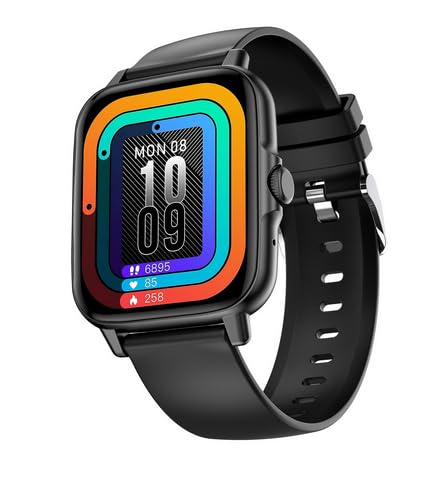
Figure 1.1: Front view of the Generic S10 Max Smart Watch, displaying a colorful watch face.
2. Package Contents
Upon unboxing, please verify that all the following items are included in your package:
- Generic S10 Max Smart Watch (Model: Watch7)
- Charging Cable
- User Manual (this document)
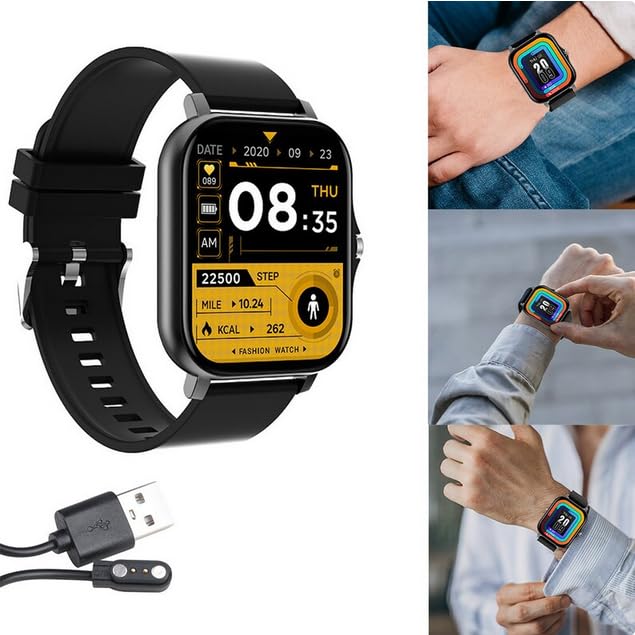
Figure 2.1: The S10 Max Smart Watch alongside its magnetic charging cable.
3. Setup
3.1. Charging the Smart Watch
Before initial use, fully charge your S10 Max Smart Watch.
- Connect the magnetic charging cable to the charging points on the back of the smartwatch.
- Plug the USB end of the charging cable into a standard USB power adapter (not included) or a computer's USB port.
- The watch display will indicate charging status. A full charge typically takes approximately 2 hours.
Important: Use only the provided charging cable. Using unauthorized chargers may damage the device and void the warranty.
3.2. App Installation and Pairing
To unlock the full functionality of your S10 Max Smart Watch, you need to install the companion application on your smartphone and pair the devices. The watch is compatible with Android and iOS operating systems.
- Download the App: Scan the QR code provided in the watch's quick start guide (if available) or search for the recommended companion app in your smartphone's app store (Google Play Store for Android, Apple App Store for iOS).
- Enable Bluetooth: Ensure Bluetooth is enabled on your smartphone.
- Open the App: Launch the installed app on your smartphone and follow the on-screen instructions to create an account or log in.
- Pair the Device: Within the app, navigate to the "Add Device" or "Pair Device" section. The app will search for available smartwatches. Select "S10 Max" or "Watch7" from the list.
- Confirm Pairing: A pairing request may appear on both your smartphone and the smartwatch. Confirm the pairing on both devices.
Once successfully paired, the watch will synchronize data with your smartphone, and you will be able to receive notifications and manage settings through the app.
4. Operating Instructions
4.1. Basic Navigation
The S10 Max Smart Watch features a 1.85-inch touchscreen display and a rotatable side button for navigation.
- Touchscreen: Swipe left, right, up, or down to navigate through menus and screens. Tap to select an item.
- Side Button:
- Press once: Wake up the screen, return to the watch face, or go back to the previous menu.
- Press and hold: Power on/off the device or access quick settings.
- Rotate: Scroll through lists, adjust volume, or zoom in/out on certain interfaces.
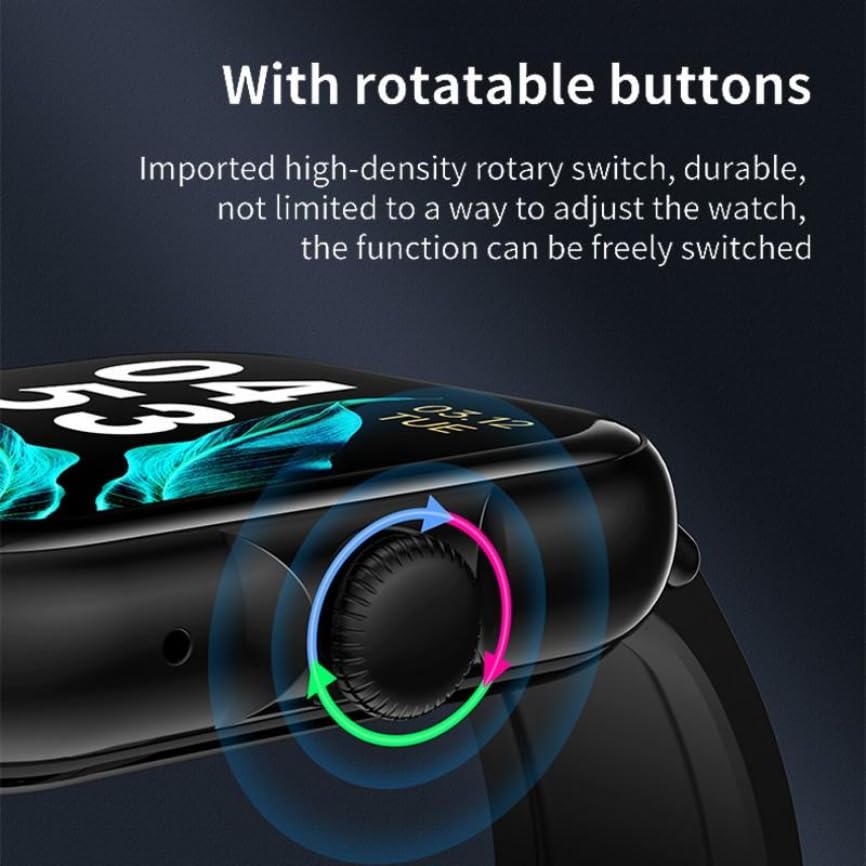
Figure 4.1: The rotatable side button on the S10 Max Smart Watch, indicating its multi-directional functionality.
4.2. Bluetooth Calling
Once paired with your smartphone, the S10 Max Smart Watch supports Bluetooth calling, allowing you to make and receive calls directly from your wrist.
- Making a Call: Access the dialer or contact list on the watch, select a contact, and initiate the call.
- Receiving a Call: When a call comes in, the watch will display the caller ID. You can answer or reject the call directly from the watch.
4.3. Fitness Tracking
The smartwatch monitors various fitness metrics to help you track your health and activity levels.
- Heart Rate Monitoring: The watch continuously or periodically measures your heart rate. View your current and historical data in the app.
- Step Counter: Tracks your daily steps, distance covered, and calories burned.
- Sleep Monitoring: Monitors your sleep patterns, including deep sleep, light sleep, and wake times.
- 100 Sports Modes: Select from a variety of sports modes (e.g., running, cycling, walking) to get specific tracking data for your workouts.

Figure 4.2: The S10 Max Smart Watch worn on a wrist, showing a watch face with fitness tracking metrics like steps and calories.
4.4. Notifications and Smart DND
Receive notifications for calls, messages, and app alerts directly on your wrist.
- Viewing Notifications: Swipe down from the watch face to view recent notifications.
- Smart DND (Do Not Disturb): Activate Smart DND mode to silence notifications during specific times or when the watch detects you are asleep. This can be configured in the companion app.
4.5. Customization (Watch Faces)
Personalize your smartwatch by changing the watch face.
- On-Watch: Press and hold the watch face, then swipe left or right to browse pre-installed watch faces. Tap to select.
- Via App: The companion app offers a wider selection of watch faces. You can also upload your own photos to create custom watch faces.

Figure 4.3: The S10 Max Smart Watch display alongside a smartphone screen showing options for custom watch faces and photo uploads.
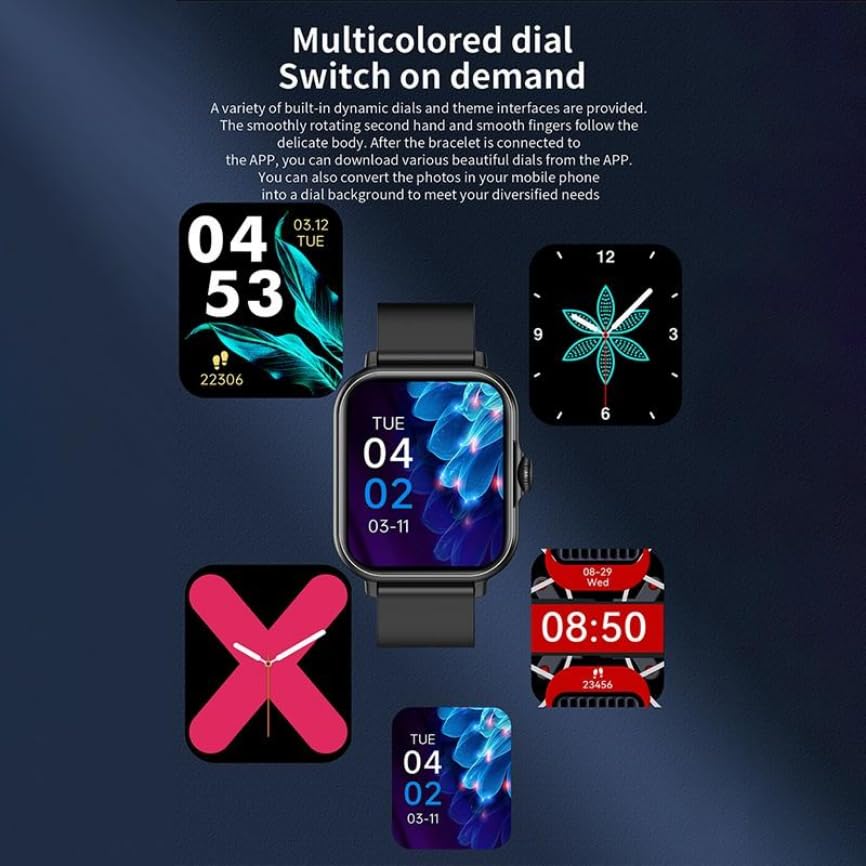
Figure 4.4: The S10 Max Smart Watch showcasing a selection of dynamic, multicolored watch faces.
5. Maintenance
5.1. Cleaning Your Smart Watch
Regular cleaning helps maintain the appearance and functionality of your device.
- Wipe the screen and body with a soft, lint-free cloth.
- For stubborn smudges, slightly dampen the cloth with water. Avoid using harsh chemicals or abrasive materials.
- Ensure the charging contacts are clean and dry before charging.
5.2. Water Resistance
The S10 Max Smart Watch features a water-resistant design, making it suitable for daily wear and light exposure to water, such as sweat or light rain.
Caution: This device is not suitable for swimming, diving, or exposure to high-pressure water. Water resistance is not a permanent condition and may decrease over time with normal wear. Damage caused by liquid immersion is not covered under warranty.
5.3. Battery Care
- Avoid fully discharging the battery frequently.
- Do not expose the watch to extreme temperatures, as this can affect battery life.
- If storing the watch for an extended period, charge it to approximately 50% before storage.
6. Troubleshooting
If you encounter issues with your S10 Max Smart Watch, refer to the following common solutions:
| Problem | Solution |
|---|---|
| Watch does not turn on | Ensure the watch is fully charged. Connect it to the charger for at least 30 minutes. |
| Cannot pair with smartphone |
|
| Notifications not received |
|
| Inaccurate fitness data |
|
If the problem persists, please contact customer support for further assistance.
7. Specifications
Below are the technical specifications for the Generic S10 Max Smart Watch (Model: Watch7):
| Brand | Generic |
| Model Name | S10 Max |
| Item Model Number | Watch7 |
| Display Size | 1.85 inches (44 Millimetres) |
| Display Type | LCD |
| Brightness | 550 NITS |
| Connectivity | Bluetooth |
| Operating System | Android, iOS compatible |
| Battery Life (Average) | Up to 7 Days |
| Battery Capacity | 220 Milliamp Hours (Lithium Ion) |
| Memory Storage Capacity | 500 MB |
| Special Features | Accelerometer, Activity Tracker, Custom Activity Tracking, Multisport Tracker, Music Player, Notifications, Pedometer, Phone Call |
| Item Weight | 180 g |
8. Warranty and Support
Your Generic S10 Max Smart Watch (Model: Watch7) comes with a 6-month warranty from the date of purchase. This warranty covers manufacturing defects and malfunctions under normal use.
The warranty does not cover:
- Damage caused by improper use, accident, abuse, or neglect.
- Damage caused by unauthorized repairs or modifications.
- Normal wear and tear, including scratches or cosmetic damage.
- Damage caused by liquid immersion beyond the specified water resistance limits.
For warranty claims or technical support, please contact your retailer or the manufacturer's customer service with your proof of purchase.
Related Documents - Watch7
 |
Посібник користувача Samsung Galaxy Watch7 та Watch Ultra Детальний посібник користувача для смарт-годинників Samsung Galaxy Watch7 та Galaxy Watch Ultra. Дізнайтеся про налаштування, функції, здоров'я та використання. |
 |
Regulamin Promocji Samsung Care+ 50% taniej w Samsung.com Szczegółowy regulamin promocji Samsung Care+ oferującej 50% zniżki na wybrane urządzenia mobilne zakupione w sklepie Samsung.com. Informacje o terminach, zasadach uczestnictwa, reklamacjach i ochronie danych osobowych. |
 |
pTron Reflect Pro Bluetooth Calling Smartwatch User Guide Comprehensive user guide for the pTron Reflect Pro Bluetooth Calling Smartwatch with SOS Feature, covering setup, charging, app download, pairing, audio connectivity, phone calls, key functions, screen navigation, health tracking (Heart Rate, Blood Oxygen, ECG, Blood Pressure), sports modes, camera control, music control, reset, weather, find my phone, sleep tracking, notification management, and other features. |
 |
Manual do Usuário Samsung Galaxy Watch7 e Galaxy Watch Ultra Guia completo para o Samsung Galaxy Watch7 e Galaxy Watch Ultra, cobrindo configuração, funcionalidades, aplicativos, recursos de saúde e dicas de uso para modelos como SM-L300, SM-L305F, SM-L310, SM-L315F, SM-L705F. |
 |
Guia do Utilizador Samsung Galaxy Watch7 e Galaxy Watch Ultra Este guia do utilizador fornece instruções detalhadas sobre como utilizar o seu Samsung Galaxy Watch7 ou Galaxy Watch Ultra, cobrindo desde a configuração inicial até funcionalidades avançadas de saúde, exercício e conectividade. |
 |
Samsung Galaxy Watch7 és Galaxy Watch Ultra Felhasználói Kézikönyv | Útmutató és Funkciók Fedezze fel a Samsung Galaxy Watch7 és Galaxy Watch Ultra okosórák minden funkcióját ezzel a részletes felhasználói kézikönyvvel. Útmutató a beállításhoz, használathoz, alkalmazásokhoz és karbantartáshoz. |