
BORNMIO CS-TOX110XL
User Manual
Replacement Battery for Qianxun Q600 GNSS (3400mAh)
Model: CS-TOX110XL | Brand: BORNMIO
1. Introduction
This manual provides essential information for the safe and effective use of your BORNMIO Replacement Battery for the Qianxun Q600 GNSS device. Please read this manual thoroughly before installation and operation to ensure optimal performance and longevity of your battery.

Image 1: BORNMIO Replacement Battery for Qianxun Q600 GNSS. This image displays the overall appearance of the battery, including its label with model number and specifications.
Product Overview:
- Fully compatible with Qianxun Q600 GNSS devices.
- Designed to function identically to the original equipment battery.
- High-capacity 3400mAh Li-ion battery for extended use.
- Certified with ISO9001, RoHS, CE, UN38.3, and MSDS for quality and safety.
2. Installation
Follow these steps to safely install the replacement battery into your Qianxun Q600 GNSS device:
- Power Off Device: Ensure your Qianxun Q600 GNSS device is completely powered off before attempting battery replacement.
- Locate Battery Compartment: Identify the battery compartment on your GNSS device. Refer to your device's original manual if unsure.
- Remove Old Battery (if applicable): If replacing an existing battery, carefully open the compartment and remove the old battery. Dispose of old batteries responsibly according to local regulations.
- Insert New Battery: Align the new BORNMIO battery with the contacts inside the compartment. Gently push the battery into place until it clicks or sits securely. Ensure the battery is oriented correctly to match the compartment's shape and contact pins.
- Secure Compartment: Close the battery compartment cover firmly.
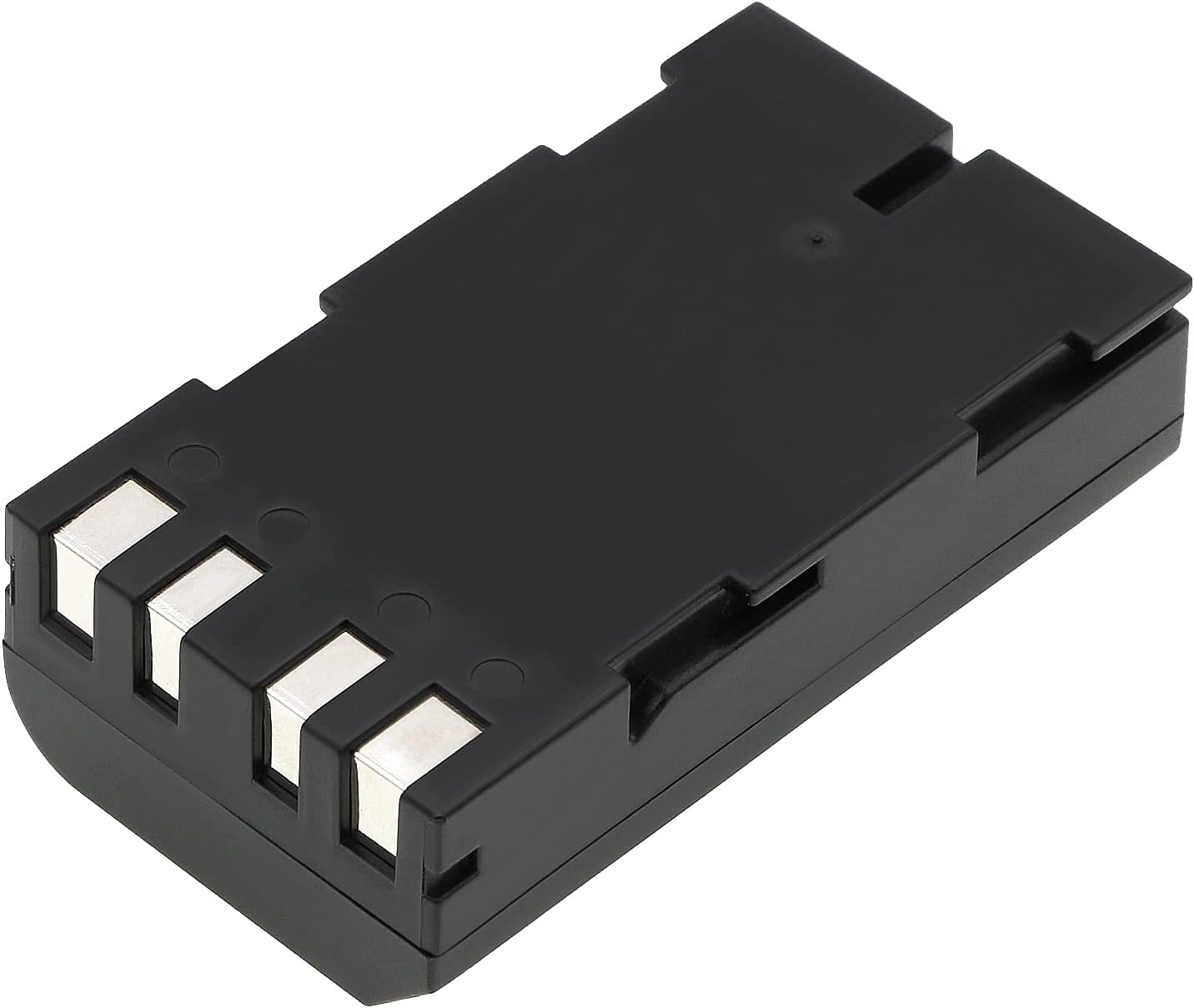
Image 2: Bottom view of the BORNMIO Replacement Battery. This image highlights the metallic contact points that connect with the GNSS device for power transfer.
Caution:
- • Do not force the battery into the compartment.
- • Ensure proper alignment to prevent damage to the battery or device contacts.
3. Operation and Charging
First Use:
For optimal performance, it is recommended to fully charge the new battery before its first use. This helps to calibrate the battery's charge indicator and maximize its lifespan.
Charging the Battery:
Use the original charger provided with your Qianxun Q600 GNSS device to charge the BORNMIO replacement battery. The charging process and indicators will be consistent with your device's standard operation.
- Connect the charger to your GNSS device.
- Plug the charger into a suitable power source.
- Monitor the device's charging indicator (if available) to confirm charging status.
- Disconnect the charger once the battery is fully charged.
Important:
- • Do not use unapproved chargers, as this may damage the battery or device.
- • Avoid overcharging the battery for extended periods.
4. Maintenance and Storage
Battery Care:
- Temperature: Avoid exposing the battery to extreme temperatures (hot or cold). Optimal operating temperature is typically between 0°C and 45°C (32°F and 113°F).
- Cleaning: If necessary, gently wipe the battery and its contacts with a clean, dry cloth. Do not use liquid cleaners or solvents.
- Physical Damage: Protect the battery from drops, impacts, and punctures. Do not attempt to disassemble, open, or service the battery pack.
Storage:
If the battery will not be used for an extended period, follow these storage guidelines:
- Charge Level: Store the battery with approximately 50% charge. Storing a fully charged or completely depleted battery for long periods can reduce its lifespan.
- Environment: Store in a cool, dry place away from direct sunlight, heat sources, and moisture.
- Safety: Keep the battery away from children and pets.
5. Troubleshooting
If you encounter issues with your BORNMIO replacement battery, refer to the following common problems and solutions:
| Problem | Possible Cause | Solution |
|---|---|---|
| Battery not charging | Charger not connected properly; faulty charger; dirty battery contacts; battery deeply discharged. |
|
| Device not powering on with new battery | Battery not installed correctly; battery not charged; device issue. |
|
| Short battery life | High power consumption by device; battery not fully charged; aging battery. |
|
If the problem persists after trying these solutions, please contact BORNMIO customer support for further assistance.
6. Specifications
| Feature | Detail |
|---|---|
| Model Number | CS-TOX110XL |
| Compatible Model | Qianxun Q600 GNSS |
| Battery Type | Li-ion (Lithium Ion) |
| Capacity | 3400mAh |
| Watt-Hours (Wh) | 25.16Wh |
| Voltage | 7.4V |
| Dimensions (L x W x H) | 70.7 x 39.4 x 21.7mm (2.78 x 1.55 x 0.85 inches) |
| Weight | 139.0g (4.9 ounces) |
| Certifications | ISO9001, RoHS, CE, UN38.3, MSDS |
7. Warranty and Support
Quality Assurance:
BORNMIO products undergo strict quality inspection to ensure reliability and performance. We are committed to providing high-quality replacement batteries.
Customer Support:
If you have any questions, concerns, or require assistance with your BORNMIO replacement battery, please do not hesitate to contact us. We offer full refunds or free replacements without any reason if you are not satisfied with your purchase.
For support, please refer to the contact information provided on your purchase platform or the BORNMIO official website.
Ask a question about this manual
Ask about setup, troubleshooting, compatibility, parts, safety, or missing instructions. Manuals+ will review the question and use this page’s manual context to help answer it.