
Introduction
This manual provides comprehensive instructions for the ZdalaMit Replacement Remote Control, designed for seamless operation with various WBox Technologies 4K Ultra HD LED TV models. This remote control is a direct replacement and requires no programming.
Compatible WBox Technologies TV Models:
- 0E-32LED
- 0E-65LED
- 0E-43LED4K
- 0E-49LED4K
- 0E-55LED
- 0E-65LED4K
- 0E-55LED4K
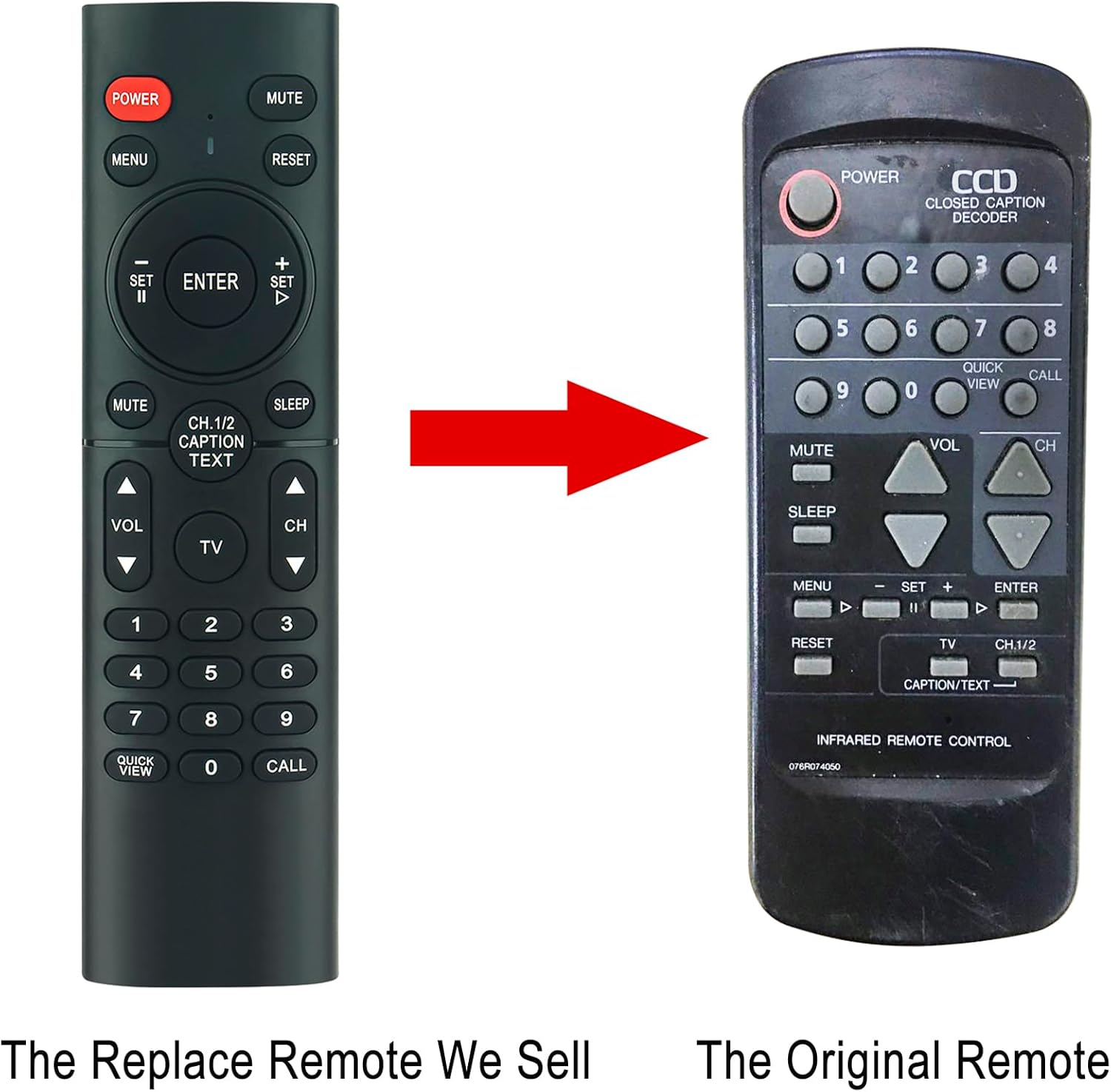
Image: Comparison of the ZdalaMit replacement remote (left) and an original remote (right).
Setup Instructions
The ZdalaMit Replacement Remote Control is designed for immediate use without any complex setup procedures. Simply install the batteries, and it is ready to operate your compatible WBox Technologies TV.
Battery Installation
- Locate the battery compartment on the back of the remote control.
- Slide open the battery compartment cover.
- Insert two (2) AAA size alkaline batteries, ensuring the positive (+) and negative (-) terminals align correctly with the markings inside the compartment.
- Close the battery compartment cover securely.
Important: Batteries are not included with the remote control. Always use new alkaline batteries for optimal performance.
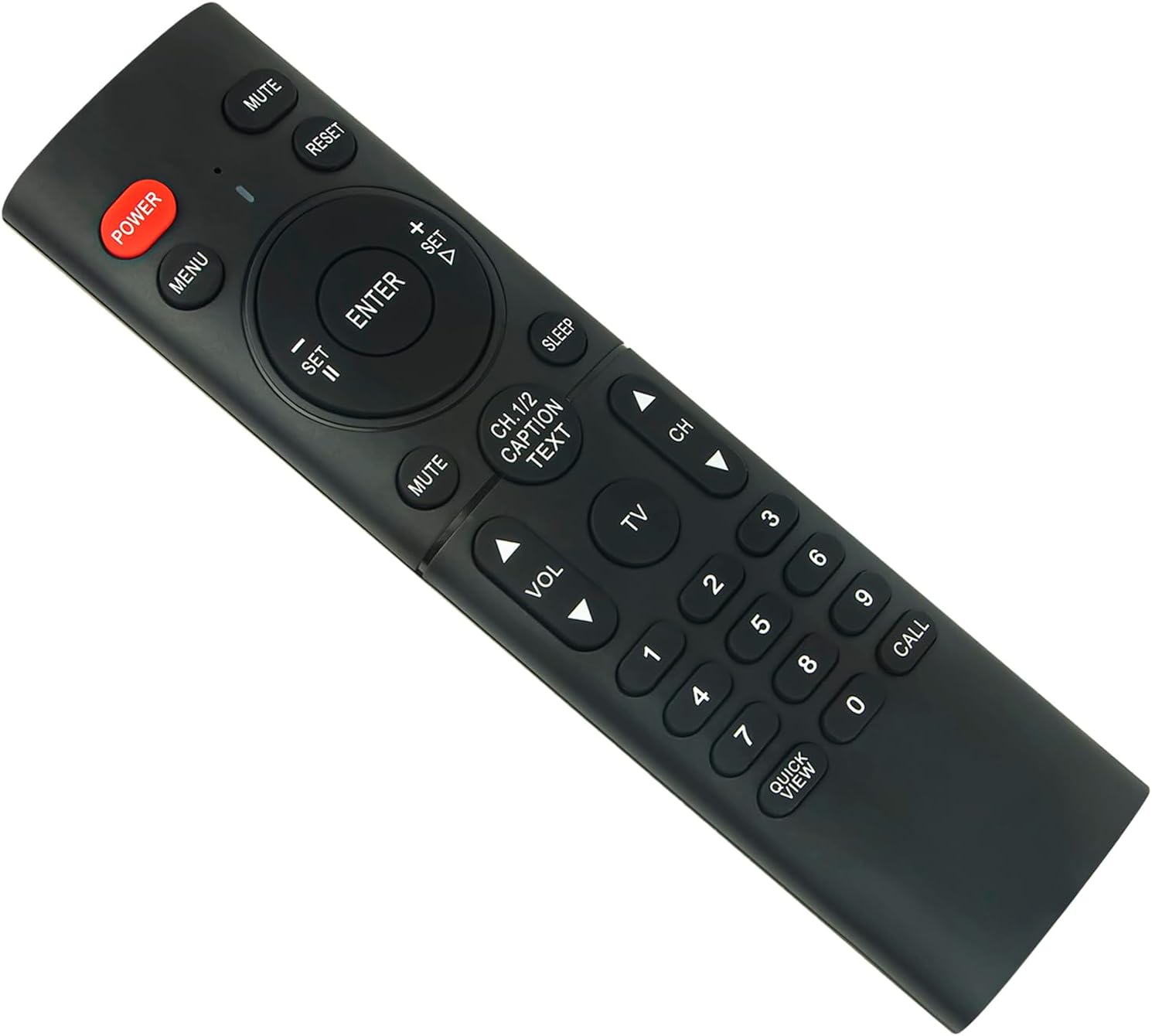
Image: Front view of the remote control, illustrating button layout.
Operating the Remote Control
Once batteries are installed, the remote control is ready to operate your WBox Technologies TV. Point the remote directly at the TV's infrared receiver for best results.
Key Functions:
- POWER: Turns the TV on or off.
- MUTE: Mutes or unmutes the TV audio.
- MENU: Accesses the TV's main menu.
- RESET: Resets certain TV settings (refer to your TV's manual for specific functions).
- Navigation Pad (Up/Down/Left/Right/ENTER): Navigates through menus and confirms selections.
- VOL +/-: Adjusts the volume level.
- CH +/-: Changes TV channels.
- Number Buttons (0-9): Directly selects channels.
- CH.1/2 CAPTION TEXT: Accesses closed captioning or text functions.
- SLEEP: Sets the TV's sleep timer.
- QUICK VIEW: Quickly switches between the current and previous channel.
- CALL: May access a specific function depending on the TV model.
Ensure there are no obstructions between the remote control and the TV's infrared sensor for proper signal transmission. The maximum effective range is approximately 33 feet (10 meters).
Maintenance
Cleaning
To clean the remote control, gently wipe it with a soft, dry cloth. Do not use liquid cleaners, abrasive pads, or chemical solvents, as these can damage the remote's surface or internal components.
Battery Replacement
Replace batteries when the remote's response becomes sluggish or stops working. Always replace both AAA batteries at the same time with new ones. Do not mix old and new batteries, or different types of batteries.
Remove batteries if the remote control will not be used for an extended period to prevent leakage and potential damage.
Troubleshooting
Remote Control Not Responding
- Check Batteries: Ensure batteries are inserted correctly with the correct polarity (+/-). Replace old batteries with new AAA alkaline batteries.
- Line of Sight: Make sure there is a clear line of sight between the remote control and the TV's infrared sensor. Remove any obstructions.
- Distance: Ensure you are within the effective operating range (approximately 33 feet).
- TV Power: Confirm that the TV is powered on and not in standby mode.
Specific Buttons Not Working
- Clean Buttons: Sometimes dirt or debris can interfere with button contacts. Gently clean around the buttons with a soft, dry cloth.
- Test Other Functions: If only a few buttons are unresponsive, it might indicate a specific issue. If most buttons work, the remote itself is likely functional.
If issues persist after following these steps, refer to the support section for further assistance.
Specifications
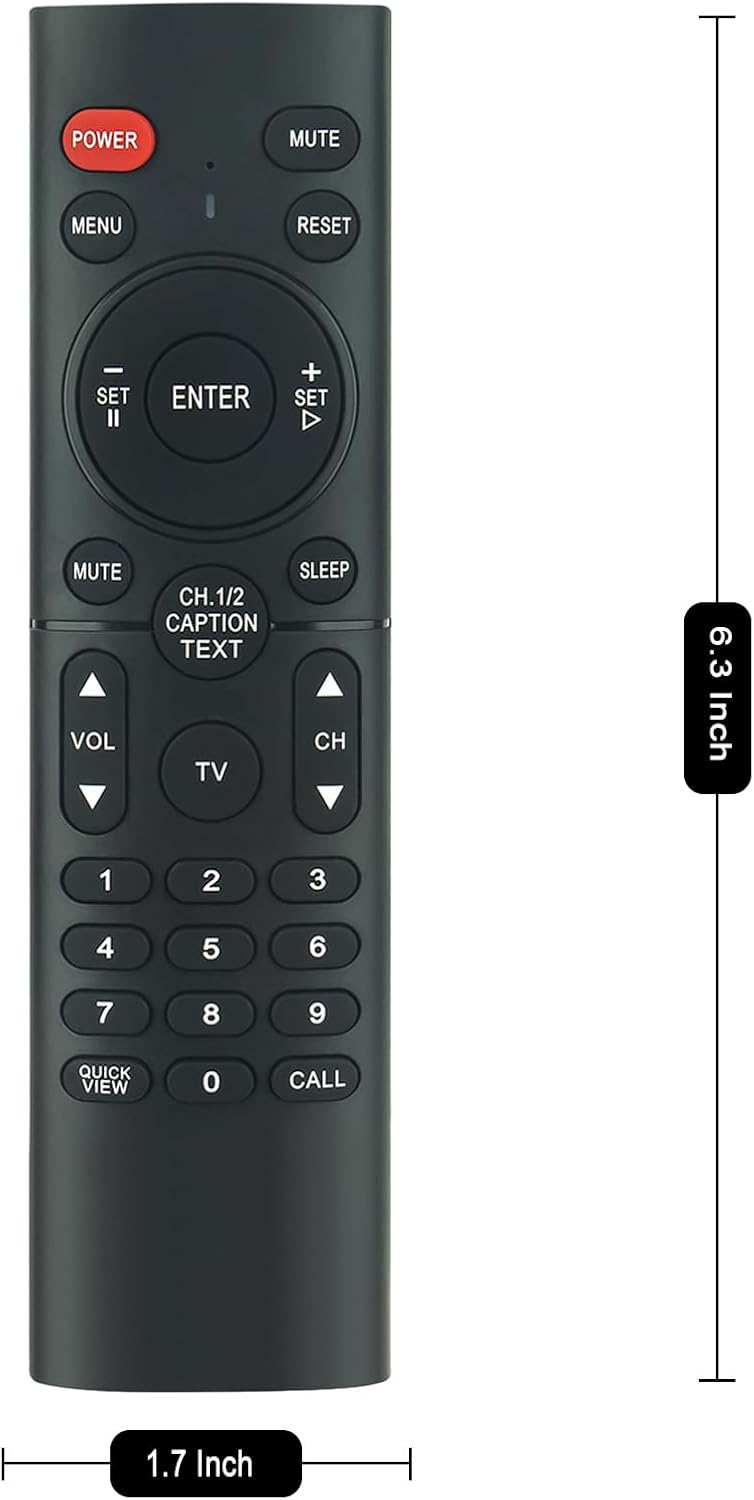
Image: Remote control with indicated dimensions.
| Feature | Detail |
|---|---|
| Brand | ZdalaMit |
| Special Feature | Pre Programmed |
| Color | Black |
| Max Number of Supported Devices | 1 (Television) |
| Compatible Devices | WBox Technologies 4K Ultra HD LED TVs |
| Connectivity Technology | Infrared |
| Button Quantity | 17 |
| Controller Type | Button Control |
| Maximum Range | 33 Feet (approx. 10 meters) |
| Battery Type | 2 x AAA alkaline batteries (not included) |
| Item Weight | 2.1 Ounces (approx. 60 grams) |
| Item Dimensions (L x W x H) | 8.3" x 2" x 0.55" (approx. 21.1cm x 5.1cm x 1.4cm) |
Warranty Information
This ZdalaMit Replacement Remote Control comes with a 1-year warranty from the date of purchase. This warranty covers manufacturing defects under normal use. It does not cover damage caused by misuse, accidents, unauthorized modifications, or battery leakage.
Please retain your proof of purchase for warranty claims.
Support
If you encounter any issues not covered in the troubleshooting section or require further assistance, please contact your retailer or the ZdalaMit customer support. When contacting support, please have your product model information and purchase details ready.
For the most up-to-date support information, please refer to the official ZdalaMit website or the contact details provided with your purchase.