
SensaHome 8720701737136
SensaHome LED Mirror Cabinet User Manual
Model: 8720701737136 | Brand: SensaHome
1. Introduction
Thank you for choosing the SensaHome LED Mirror Cabinet. This manual provides essential information for the safe installation, operation, and maintenance of your new mirror cabinet. Please read this manual thoroughly before installation and keep it for future reference.

Image 1.1: Front view of the SensaHome LED Mirror Cabinet with integrated LED lighting.
2. Safety Instructions
To ensure safe operation and prevent damage, please observe the following safety precautions:
- Always disconnect power before installation, maintenance, or cleaning.
- Installation must be performed by a qualified electrician in accordance with local electrical codes.
- This product is designed for indoor use in bathrooms. Do not expose to excessive moisture or direct water spray.
- Handle glass components with care to avoid breakage and injury.
- Do not attempt to modify or repair the product yourself. Contact qualified service personnel.
- Ensure the wall structure is strong enough to support the weight of the cabinet (approximately 16 kg) and its contents.
3. Package Contents
Verify that all components are present and undamaged upon unpacking:
- 1x SensaHome LED Mirror Cabinet
- 2x Adjustable Glass Shelves (6mm thickness)
- Mounting Hardware (screws, wall anchors)
- 1x User Manual
4. Setup and Installation
Follow these steps for proper installation of your mirror cabinet:
- Preparation: Choose a suitable location on a solid wall, away from direct water sources. Ensure there is access to an electrical connection.
- Marking: Carefully measure and mark the drilling points on the wall according to the cabinet's mounting holes. Use a level to ensure accuracy.
- Drilling: Drill holes at the marked points using an appropriate drill bit for your wall type. Insert wall anchors if necessary.
- Mounting the Cabinet: Carefully lift the cabinet and align its mounting holes with the drilled holes. Secure the cabinet to the wall using the provided screws. Ensure it is firmly attached and level.
- Electrical Connection: Connect the cabinet's electrical wiring to your household electrical supply. This step must be performed by a qualified electrician. Ensure all connections are secure and insulated.
- Installing Shelves: Open the cabinet doors. Insert the adjustable glass shelves into the desired positions using the shelf supports. The shelves are 6mm thick and can be adjusted to different heights.
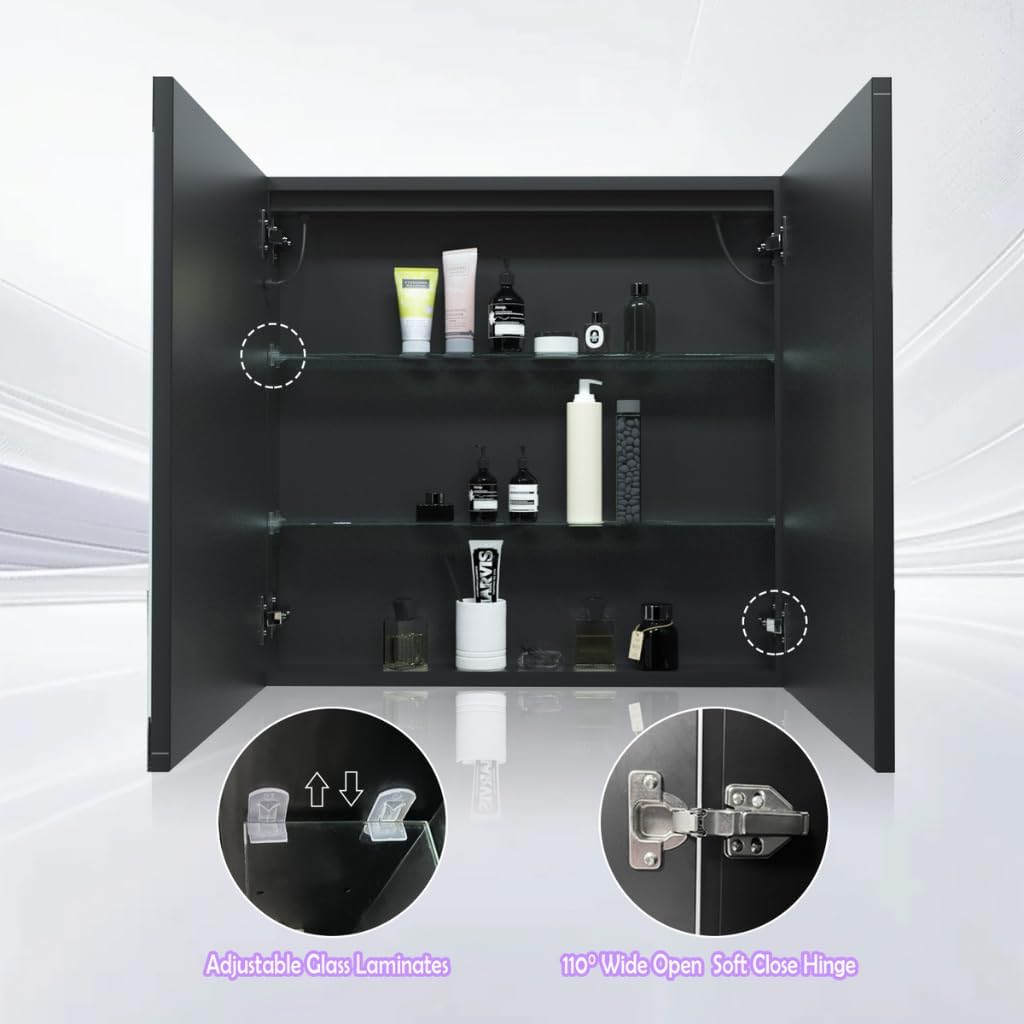
Image 4.1: Interior view highlighting adjustable glass shelves and soft-close hinges.
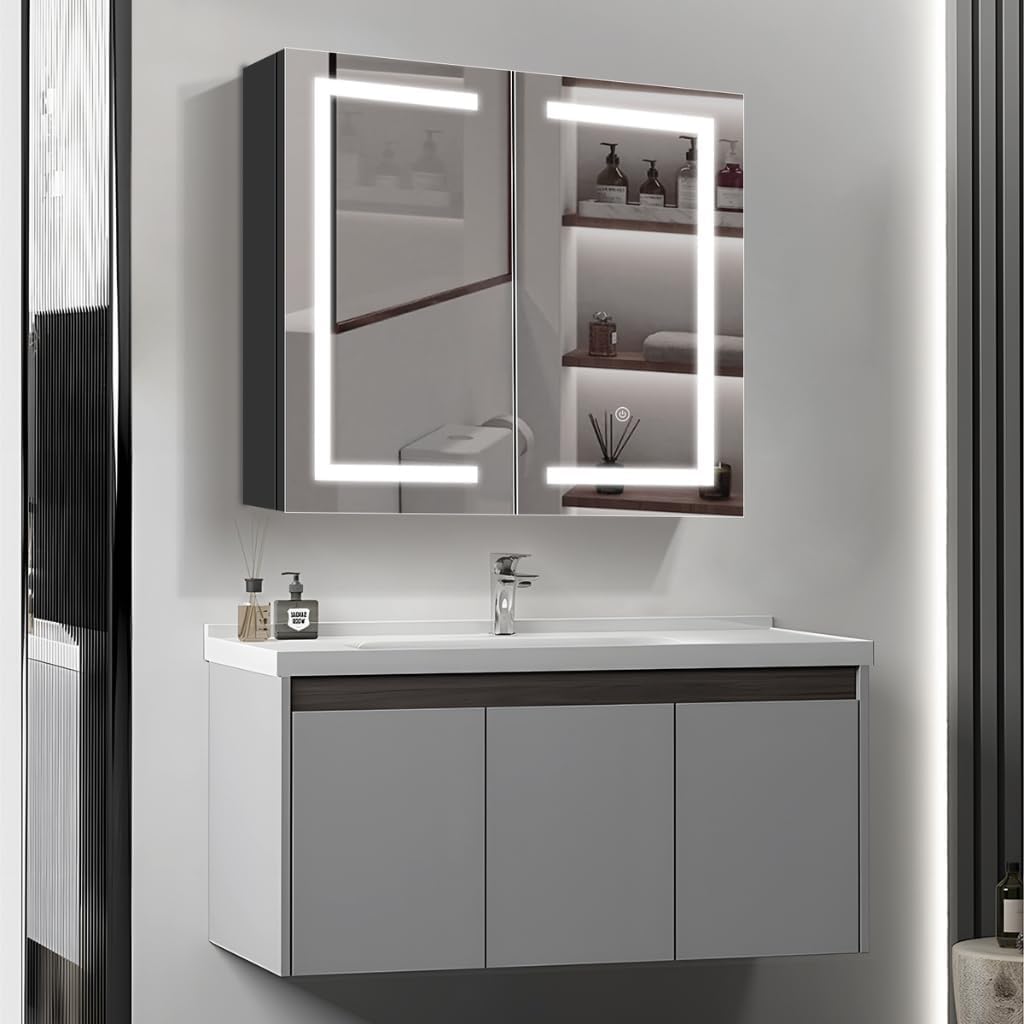
Image 4.2: Example of the SensaHome LED Mirror Cabinet installed in a bathroom.
5. Operating Instructions
The SensaHome LED Mirror Cabinet features an integrated touch switch for controlling the LED lighting:
- Power On/Off: Short press the touch switch located on the mirror surface to turn the LED lights on or off.
- Change Color Temperature: With the lights on, short press the touch switch repeatedly to cycle through the three available color temperatures: 3000K (Warm White), 4500K (Neutral White), and 6000K (Cool White).
- Dimming Function: With the lights on, long press the touch switch to adjust the brightness. The light will gradually dim or brighten. Release the switch when the desired brightness is reached.

Image 5.1: Illustration of changing LED color temperature via the touch switch.
6. Maintenance
Regular cleaning and maintenance will help preserve the appearance and functionality of your mirror cabinet:
- Mirror Surface: Clean the mirror surface with a soft, lint-free cloth and a mild, non-abrasive glass cleaner. Spray cleaner onto the cloth, not directly onto the mirror, to prevent liquid from seeping into the edges.
- Cabinet Exterior: Wipe the exterior surfaces of the cabinet with a soft, dry or slightly damp cloth. Avoid using harsh chemicals, abrasive cleaners, or scouring pads, as these can damage the finish.
- Interior: Clean the glass shelves and interior surfaces with a damp cloth. Ensure the cabinet interior is dry before closing the doors.
- Hinges: The cabinet features high-quality soft-close hinges. Periodically check that they are clean and operating smoothly. Do not apply excessive force to the doors.
7. Troubleshooting
If you encounter any issues with your SensaHome LED Mirror Cabinet, refer to the following common problems and solutions:
| Problem | Possible Cause | Solution |
|---|---|---|
| LED lights do not turn on. | No power supply; loose electrical connection; faulty touch switch. | Check the main power supply. Ensure all electrical connections are secure (consult an electrician). Try pressing the touch switch firmly. |
| Lights flicker or dim unexpectedly. | Unstable power supply; loose wiring. | Verify stable power supply. Check electrical connections (consult an electrician). |
| Touch switch is unresponsive. | Temporary electronic glitch; moisture on switch. | Disconnect power for a few minutes, then reconnect. Ensure the touch switch area is dry and clean. |
| Cabinet doors do not close smoothly. | Hinges are dirty or misaligned. | Clean hinges. If necessary, adjust hinge screws for proper alignment (refer to hinge manufacturer's instructions if available). |
If the problem persists after attempting these solutions, please contact SensaHome customer support or your retailer for assistance.
8. Specifications
| Feature | Detail |
|---|---|
| Brand | SensaHome |
| Model Number | 8720701737136 |
| Dimensions (L x W x H) | 13 x 60 x 65 cm (Depth x Width x Height) |
| Material | Cold-rolled steel (powder-coated), Copper-free mirror |
| Color | Black |
| Weight | 16 Kilograms |
| LED Type | 2835 LED strips, 120 lamps per meter |
| Color Temperatures | 3000K (Warm White), 4500K (Neutral White), 6000K (Cool White) |
| Shelves | 2x 6mm Adjustable Glass Shelves |
| Hinges | Soft-close hinges |
| Mounting Type | Wall Mount |
9. Warranty and Support
For warranty information regarding your SensaHome LED Mirror Cabinet, please refer to the documentation provided at the time of purchase or contact your retailer. SensaHome is committed to providing quality products and customer satisfaction.
For technical support, spare parts, or any other inquiries, please visit the official SensaHome website or contact their customer service department. Keep your proof of purchase handy when contacting support.