
Introduction
This manual provides comprehensive instructions for the safe and efficient use of your Daewoo DRT-1210MSD 12 cubic feet top mount refrigerator. Please read this manual thoroughly before operating the appliance and retain it for future reference.
Key Features:
- 12 Cubic Feet Capacity
- Top Mount Freezer Configuration
- Enveloping Cooling System for consistent temperature
- Adjustable Temperature Control
- Multiple shelves for organized storage
- Dedicated Cooling Zone
- Fruit & Vegetables Drawer
- No Frost system in the freezer compartment
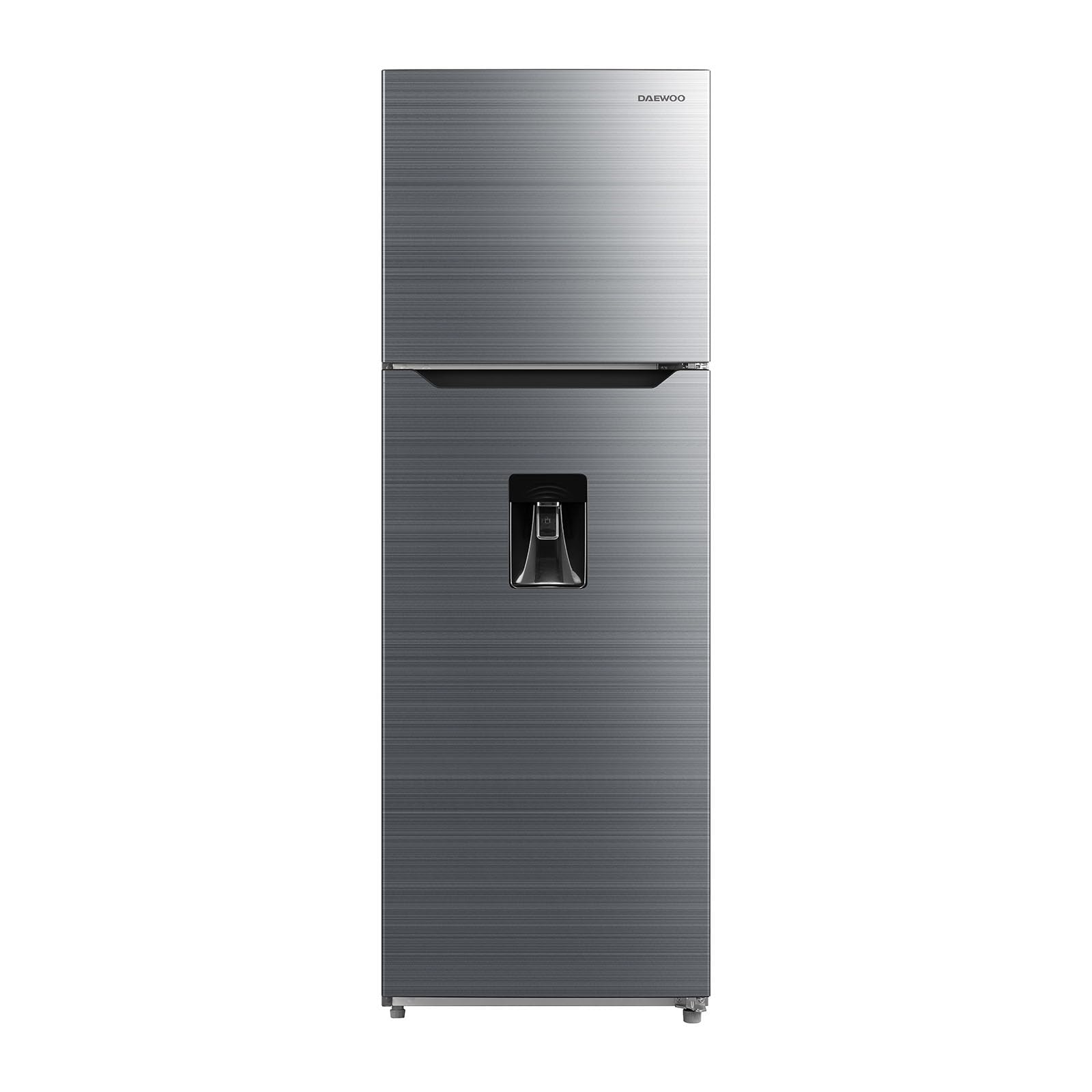
Image 1: Interior view of the Daewoo DRT-1210MSD refrigerator with both freezer and fresh food compartment doors open. The freezer compartment shows a 'No Frost' label, and the fresh food compartment includes a 'Cooling Zone' and a 'Fruit & Vegetables' drawer at the bottom.
1. Setup and Installation
1.1 Unpacking
- Remove all packaging materials, including foam and adhesive tape.
- Inspect the refrigerator for any damage during transit. Report any damage to your retailer immediately.
- Remove any protective film from the surfaces.
1.2 Placement
- Place the refrigerator on a firm, level floor.
- Ensure adequate air circulation around the appliance. Maintain a minimum clearance of 10 cm (4 inches) at the back and sides, and 30 cm (12 inches) at the top.
- Avoid direct sunlight and heat sources (e.g., stoves, heaters).
- Do not install in areas with extreme temperatures or high humidity.
- Level the refrigerator using the adjustable feet to ensure proper door sealing and operation.
1.3 Electrical Connection
- Connect the refrigerator to a dedicated 115V, 60Hz grounded electrical outlet.
- Do not use extension cords or multiple outlet adapters.
- Allow the refrigerator to stand upright for at least 2-4 hours before plugging it in to allow refrigerants to settle.
1.4 Initial Cleaning
- Before first use, clean the interior and exterior of the refrigerator with a soft cloth and a mild detergent solution. Rinse and dry thoroughly.
2. Operating Instructions
2.1 Temperature Control
- Your refrigerator is equipped with an adjustable temperature control. Locate the control dial, typically inside the fresh food compartment or freezer.
- Turn the dial to adjust the cooling intensity. Higher numbers or colder settings provide lower temperatures.
- Allow several hours for the temperature to stabilize after making adjustments.
- The optimal temperature for the fresh food compartment is typically between 2°C and 4°C (35°F and 40°F). The freezer should be set to -18°C (0°F) or colder.
2.2 Food Storage Guidelines
- Fresh Food Compartment: Store fruits, vegetables, dairy products, and cooked foods. Utilize the multiple shelves and door bins for organization.
- Cooling Zone: This dedicated zone is ideal for items requiring slightly colder temperatures than the main fresh food compartment, such as deli meats or specific beverages.
- Fruit & Vegetables Drawer: Designed to maintain optimal humidity levels for fresh produce, helping to extend their shelf life.
- Freezer Compartment: Use for long-term storage of frozen foods. The No Frost system minimizes ice buildup.
- Ensure all food items are properly sealed to prevent odor transfer and maintain freshness.
2.3 Door Usage
- Open doors only when necessary and close them promptly to maintain internal temperatures and conserve energy.
- Do not overload door bins to ensure proper door closure.
3. Maintenance
3.1 Cleaning
- Interior: Unplug the refrigerator before cleaning. Remove all food items and removable parts (shelves, drawers). Wash with a solution of mild soap and warm water. Rinse thoroughly and dry. Do not use abrasive cleaners or harsh chemicals.
- Exterior: Clean the exterior surfaces with a soft cloth and mild detergent. For stainless steel finishes (if applicable), use a specialized stainless steel cleaner.
- Door Seals: Regularly clean door gaskets with a damp cloth to ensure a tight seal.
- Condenser Coils: Periodically clean the condenser coils located at the back or bottom of the refrigerator. Dust and debris can reduce efficiency. Unplug the unit before cleaning.
3.2 Defrosting (Manual)
- While the freezer compartment features a No Frost system, the fresh food compartment may require occasional manual defrosting if excessive ice buildup occurs.
- To defrost, unplug the refrigerator, remove all food, and leave the doors open. Place towels on the floor to catch melting ice.
- Do not use sharp objects or heating devices to speed up defrosting, as this can damage the appliance.
- Once defrosted, clean and dry the interior before plugging it back in.
3.3 Power Outage
- During a power outage, keep the refrigerator and freezer doors closed as much as possible to maintain internal temperatures.
- Food can remain frozen for several hours if the doors are kept shut.
- Inspect food for spoilage after power is restored.
4. Troubleshooting Guide
| Problem | Possible Cause | Solution |
|---|---|---|
| Refrigerator does not operate. | Not plugged in; power outage; circuit breaker tripped. | Ensure plug is securely in outlet; check power supply; reset circuit breaker. |
| Refrigerator is not cold enough. | Temperature control set too warm; door left open; excessive food load; poor air circulation. | Adjust temperature control to a colder setting; ensure doors are closed properly; avoid overloading; ensure proper clearance around the unit. |
| Unusual noises. | Refrigerator not level; items vibrating inside; normal operating sounds (compressor, refrigerant flow). | Level the refrigerator; rearrange items; normal sounds are expected. |
| Water on the floor. | Drain pan overflowing; clogged drain tube. | Check and empty drain pan; clear any blockages in the drain tube. |
| Door does not close completely. | Door gasket dirty or damaged; refrigerator not level; food packages blocking closure. | Clean or replace gasket; level the refrigerator; rearrange food items. |
If the problem persists after attempting these solutions, please contact customer service.
5. Product Specifications
| Feature | Detail |
|---|---|
| Brand | Daewoo |
| Model Name | DRT-1210MSD |
| Configuration | Top Mount Freezer |
| Capacity (Total) | 12 Cubic Feet |
| Fresh Food Capacity | 8 Cubic Feet |
| Freezer Capacity | 4 Cubic Feet |
| Dimensions (Depth x Width x Height) | 74 cm (Depth) x 66 cm (Width) x 179 cm (Height) |
| Weight | 65 Kilograms |
| Color | Silver (PLATA) |
| Number of Doors | 2 |
| Defrost System | Manual (Fresh Food), No Frost (Freezer) |
| Voltage | 115V |
| Cooling Method | Compressor |
| Number of Shelves | 5 |
| Adjustable Temperature Control | Yes |
| Door Orientation | Right |
| Annual Energy Consumption | 120 Kilowatt Hours Per Year |
| Energy Compliance | Energy Star |
| BEE Rating | 5 Star |
| Country of Origin | Mexico |
6. Warranty Information
This Daewoo DRT-1210MSD refrigerator comes with a 1-year warranty directly from the manufacturer. Please retain your proof of purchase for warranty claims. The warranty covers manufacturing defects and malfunctions under normal use. For specific terms and conditions, refer to the warranty card included with your product or contact Daewoo customer service.
7. Customer Support
For technical assistance, service requests, or questions regarding your Daewoo DRT-1210MSD refrigerator, please contact Daewoo customer service. Have your model number (DRT-1210MSD) and proof of purchase ready when contacting support.
You can find contact information for Daewoo customer service on their official website or in the documentation provided with your appliance.
