
VkingMoR BH124A
VkingMoR Mini Bluetooth Speaker User Manual
Model: BH124A
1. Introduction
Thank you for choosing the VkingMoR Mini Bluetooth Speaker. This portable, clip-on speaker is designed for active lifestyles, offering hands-free music and calls with robust sound and durable, waterproof construction. Please read this manual carefully to ensure proper use and maintenance of your device.
2. Product Features
- Updated Bluetooth Speaker: Plays music and takes calls with ease in a pocket-sized design. Volume is adjustable.
- Featherlight & Compact: Weighs under 2 oz (56g) and measures 3.15in x 1.38in, delivering 5W audio output.
- Long-lasting Battery Life: Provides up to 15 hours of continuous playback.
- Hands-Free Convenience: Features an easy-open clip for attachment to waistbands, shirts, or backpacks.
- Waterproof & Dustproof Protection: IPX6 rated for dust and water resistance, suitable for outdoor use.
3. What's in the Box
- VkingMoR Mini Bluetooth Speaker
- Power Cable (USB-A to USB-C)
4. Product Overview

Figure 1: Front view of the VkingMoR Mini Bluetooth Speaker, showing the speaker grille and control buttons.

Figure 2: Side view illustrating the clip-on mechanism for easy attachment.
5. Setup
5.1 Charging the Speaker
Before first use, fully charge your VkingMoR Mini Bluetooth Speaker. The speaker comes with a USB-A to USB-C power cable.
- Locate the charging port at the bottom of the speaker. It is protected by a waterproof cover.
- Gently open the waterproof cover.
- Connect the USB-C end of the provided cable to the speaker's charging port.
- Connect the USB-A end to a compatible USB power adapter (not included) or a computer's USB port.
- The indicator light will show charging status (refer to the LED Indicator section for details). A full charge takes approximately 1.5 hours.
- Once fully charged, disconnect the cable and ensure the waterproof cover is securely closed to maintain IPX6 rating.
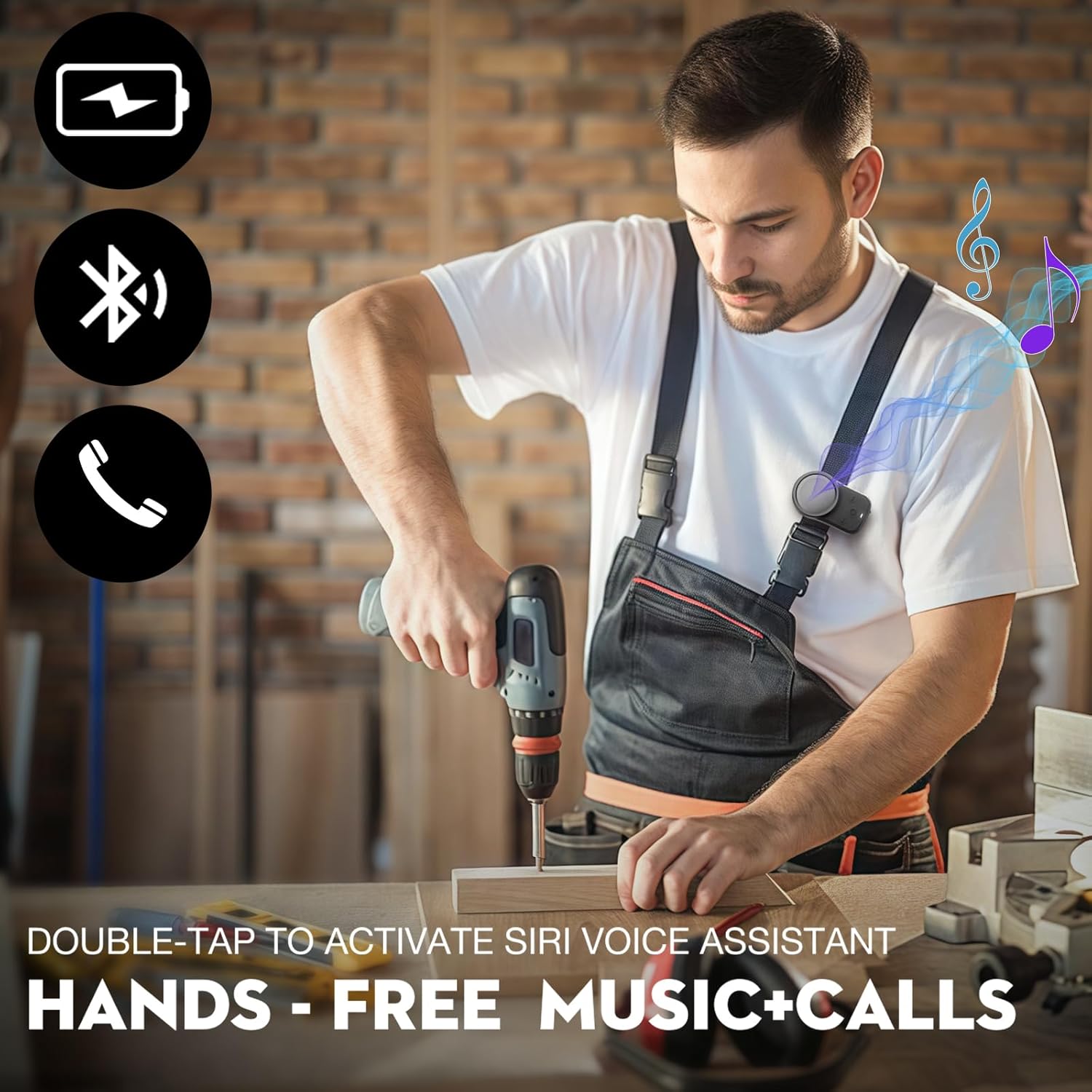
Figure 3: The speaker connected to a USB-C charging cable, illustrating the charging process.
5.2 Bluetooth Pairing
To connect your speaker to a Bluetooth-enabled device:
- Ensure the speaker is charged and turned off.
- Press and hold the Power button (center button) for 3 seconds until you hear a prompt and the LED indicator flashes blue, indicating it's in pairing mode.
- On your device (smartphone, tablet, laptop), enable Bluetooth and search for available devices.
- Select "BH124A" from the list of found devices.
- Once successfully paired, you will hear a confirmation sound, and the LED indicator will turn solid blue.
- The speaker will automatically reconnect to the last paired device when turned on, if the device's Bluetooth is active and within range.
6. Operating Instructions
6.1 Power On/Off
- Power On: Press and hold the Power button (center button) for 3 seconds.
- Power Off: Press and hold the Power button (center button) for 3 seconds.
6.2 Music Playback Control
- Play/Pause: Short press the Power button (center button).
- Volume Up: Short press the "+" button.
- Volume Down: Short press the "-" button.
- Next Track: Long press the "+" button.
- Previous Track: Long press the "-" button.

Figure 4: Close-up of the speaker's control buttons: Power (center), Volume Up (+), and Volume Down (-).
6.3 Call Management
The speaker features a built-in microphone for hands-free calls.
- Answer Call: Short press the Power button (center button) when a call comes in.
- End Call: Short press the Power button (center button) during a call.
- Reject Call: Long press the Power button (center button) when a call comes in.
- Activate Voice Assistant (Siri/Google Assistant): Double-tap the Power button (center button).

Figure 5: The speaker allows for easy call answering and music control while engaged in activities like cycling.
7. Maintenance
- Cleaning: Wipe the speaker with a soft, damp cloth. Do not use harsh chemicals or abrasive cleaners.
- Storage: Store the speaker in a cool, dry place away from direct sunlight and extreme temperatures.
- Water Resistance: Ensure the charging port cover is securely closed before exposing the speaker to water to maintain its IPX6 rating. Do not submerge the speaker.
- Battery Care: To prolong battery life, avoid fully discharging the speaker frequently. Charge it regularly, even if not in use for extended periods.
8. Troubleshooting
| Problem | Possible Cause | Solution |
|---|---|---|
| Speaker does not turn on. | Low battery. | Charge the speaker fully. |
| Cannot pair with device. | Speaker not in pairing mode; device Bluetooth off; too far from device. | Ensure speaker is in pairing mode (flashing blue LED). Turn on device Bluetooth. Move speaker closer to device (within 10 meters). |
| No sound or low volume. | Volume too low on speaker or device; speaker not connected. | Increase volume on both speaker and connected device. Re-pair the speaker if disconnected. |
| Sound distortion. | Volume too high; interference. | Lower the volume. Move away from sources of strong electromagnetic interference. |
9. Specifications
| Model Name | BH124A |
| Brand | VkingMoR |
| Connectivity Technology | Bluetooth |
| Wireless Communication Technology | Bluetooth |
| Speaker Type | Outdoor |
| Special Features | Waterproof, Lightweight, Built-in Microphone |
| Water Resistance Level | Waterproof (IPX6) |
| Battery Life | 10-15 Hours (depending on usage) |
| Speaker Maximum Output Power | 10 Watts |
| Product Dimensions | 1.3"D x 1.26"W x 3.1"H |
| Item Weight | 1.9 ounces (54 Grams) |
| Number of Microphones | 1 |
| Bluetooth Range | 10 Meters |
10. Warranty and Support
The VkingMoR Mini Bluetooth Speaker comes with a Limited Warranty. For detailed warranty information and support, please refer to the warranty card included in your product packaging or visit the official VkingMoR website.
For customer service inquiries, please contact VkingMoR support through their official channels. Keep your purchase receipt as proof of purchase for warranty claims.