
Introduction
This manual provides detailed instructions for the installation, operation, and maintenance of your FeirTon 10.1-inch Android 13 WiFi 6 Car Stereo. Please read this manual thoroughly before installation and use to ensure proper functionality and to maximize your experience with the device. This unit is specifically designed for Jeep Compass 2 MP models manufactured between 2017 and 2019.
Product Features
- Operating System: Android 13 with 4GB RAM and 64GB ROM for stable and fast performance.
- Display: 10.1-inch IPS Touchscreen with 1280x720 QLED HD resolution.
- Connectivity: Built-in WiFi 6 (supporting 5GHz and 2.5GHz dual-band) and Bluetooth 5.4 for enhanced wireless connections.
- Smartphone Integration: Supports Wired CarPlay and Wired Android Auto for seamless phone app synchronization.
- Navigation: Integrated GPS for online and offline navigation.
- Audio: FM Radio functionality and support for OEM amplifiers via RCA cable.
- Camera Support: Compatible with AHD high-definition rearview cameras (720P 25/30 frames, 1080P 25/30 frames) and ordinary CVBS signals (aftermarket).
- Steering Wheel Control: Supports original car steering wheel control functions, configurable via the "Settingwheel" app.
- Cooling System: Features a cooling fan for enhanced heat dissipation.
- USB Ports: Dual USB input support.
Package Contents
Verify that all items listed below are included in your package:

Figure 1: All components included in the package.
- 1x FeirTon 10.1-inch Car Stereo with Frame
- 1x Power Cable
- 1x Reception Antenna
- 1x Original USB Cable
- 1x CANBUS Box
- 1x Speaker
- 1x RCA Cable Set
- 1x Camera Input Cable
- 1x GPS Antenna
- 2x USB Cables (4-Pin and 6-Pin)
- 1x Removal Tool
- 1x Rear Camera (Gift)
Setup & Installation
The following steps outline the general installation process. Professional installation is recommended if you are unfamiliar with car audio systems. Ensure the vehicle's power is disconnected before beginning installation.
Installation Video Guide
Video 1: Installation guide for the FeirTon Car Stereo in a Jeep Compass. This video demonstrates the connection of various cables including GPS antenna, camera input, USB, RCA, CANBUS, and power harness.
Step-by-Step Connections
- GPS Antenna Connection: Insert the GPS antenna cable into the designated port on the rear of the stereo and tighten the screws. Peel off the adhesive backing and secure the GPS antenna under the front windshield for optimal signal reception.
- Camera Input Cable: Connect the camera input cable to the corresponding port on the stereo. If your vehicle has an OEM camera, connect the adapter's yellow video signal wire to the "Camera In" cable.
- USB Cables: Insert both the 6-Pin and 4-Pin USB cables into their respective ports on the stereo.
- RCA Cable: Connect the RCA cable set to the stereo. If your car has an AUX jack, connect AUX L/R to AUX IN L/R on the RCA cable. If your car has an OEM amplifier, connect SUB L/R to Audio Out L/R on the RCA cable. Additionally, connect the "AMP" cable to the "AMP" cable on the RCA harness and enable 'Amp Control' in the stereo settings.
- Radio Adapter Cable: Insert the radio adapter cable into the stereo.
- CANBUS Box: Insert the plug into the CANBUS box.
- Buzzer Connection: Connect the buzzer to its designated port.
- Power Harness: Connect the main power harness to the back of the stereo.
- CANBUS Connector: Plug the 8-Pin CANBUS connector into the rear panel of the car stereo.

Figure 2: Before and After Installation.

Figure 3: Compatibility with Jeep Compass 2 MP (2016-2019).
Operating Instructions
1. CarPlay & Android Auto
The stereo supports both Wired CarPlay and Wired Android Auto. Connect your Apple or Android phone using the original USB data cable. This allows you to sync phone applications, including navigation, directly to the car stereo display.

Figure 4: Android Auto and CarPlay Interface.
Voice commands are supported for both CarPlay (Siri) and Android Auto (Google Assistant) for hands-free operation.

Figure 5: Voice Command Functionality.
2. GPS Navigation
The unit has built-in GPS. Connect to WiFi or a mobile phone hotspot to download navigation software and access online maps. Offline navigation is also supported.
3. Bluetooth Connectivity
Utilize Bluetooth 5.4 for hands-free calling and audio streaming. Pair your smartphone with the stereo to make and receive calls, and play music wirelessly.
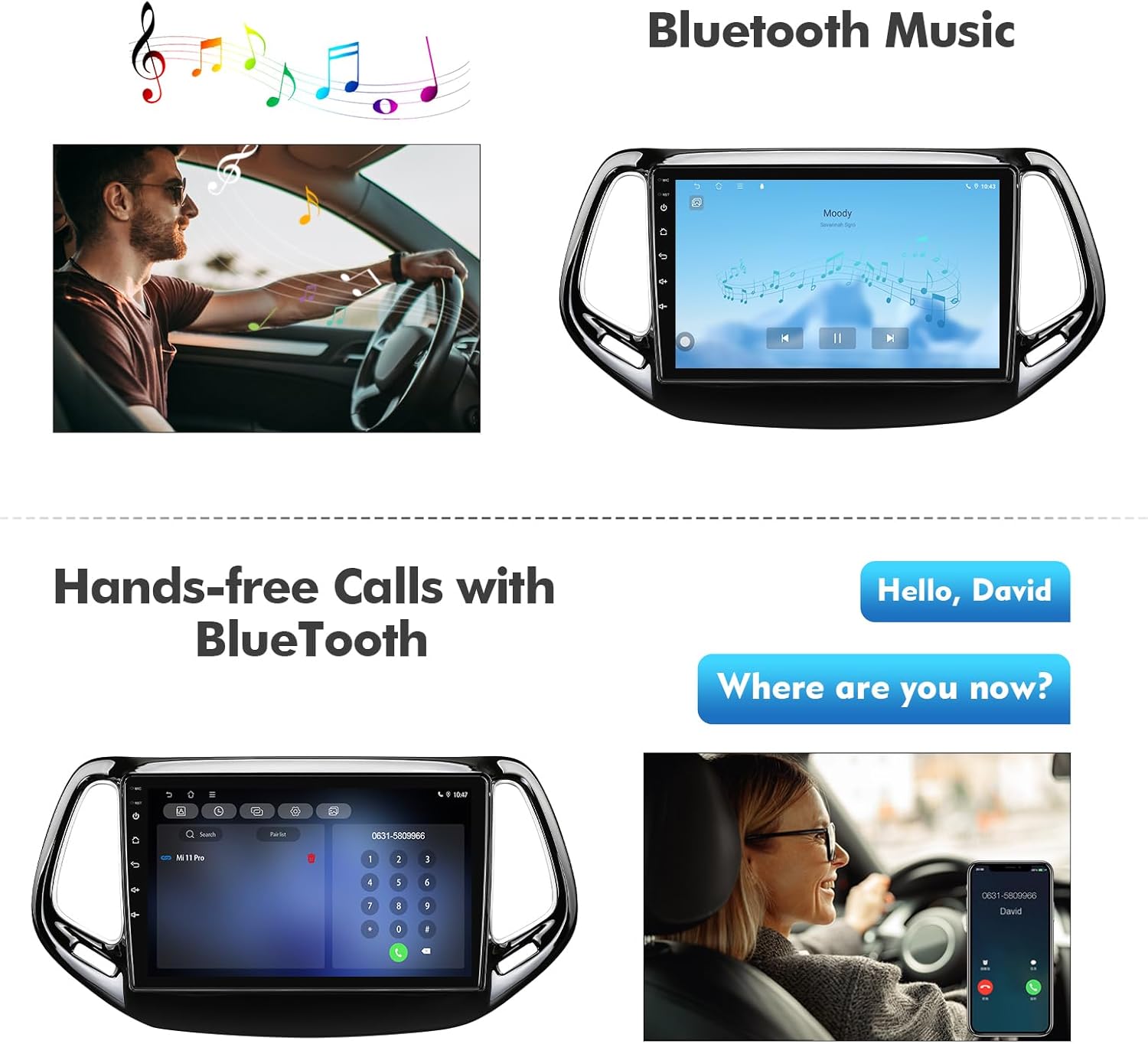
Figure 6: Bluetooth Music and Hands-free Calls.
4. FM Radio
Access FM radio stations. Use the on-screen controls to tune to your desired frequencies.

Figure 7: FM Radio Interface.
5. Steering Wheel Control (SWC)
The car stereo supports the original vehicle's steering wheel control functions. These functions can be configured and paired using the pre-installed "Settingwheel" application on the stereo.

Figure 8: Steering Wheel Control.
6. App Installation
With built-in WiFi 6, you can connect to the internet and download various applications from the Google Play Store directly onto the Android car stereo receiver.

Figure 9: Android App Download via Google Play Store.
7. Backup Camera Support
The stereo supports AHD high-definition rearview cameras (720P 25/30 frames, 1080P 25/30 frames) and ordinary CVBS signals (aftermarket). This allows for improved visibility when reversing.

Figure 10: Backup Camera and Parking Sensor Support.
Maintenance
- Screen Cleaning: Use a soft, lint-free cloth to gently wipe the touchscreen. Avoid abrasive cleaners or solvents.
- Software Updates: Periodically check for software updates to ensure optimal performance and access to new features.
- Heat Management: The unit includes a cooling fan. Ensure proper ventilation around the stereo to prevent overheating.

Figure 11: Cooling Fan for Heat Dissipation.
Troubleshooting
If you encounter issues, refer to the following common solutions:
- No Power: Check all power connections and ensure the vehicle's ignition is on. Verify fuses if necessary.
- No Sound: Check speaker connections, volume levels, and audio output settings. Ensure the "Amp Control" setting is enabled if using an OEM amplifier.
- GPS Signal Issues: Ensure the GPS antenna is correctly installed and has a clear view of the sky (under the windshield).
- Bluetooth Connectivity Problems: Ensure Bluetooth is enabled on both the stereo and your device. Try unpairing and re-pairing the device.
- CarPlay/Android Auto Not Connecting: Use an original USB data cable. Ensure the phone's operating system is up to date.
- Steering Wheel Controls Not Working: Verify connections and configure the controls using the "Settingwheel" app.
Specifications
| Feature | Detail |
|---|---|
| Brand | FeirTon |
| Model | For Compass-B |
| Operating System | Android 13 |
| RAM/ROM | 4GB RAM / 64GB ROM |
| Screen Size | 10.1 Inches |
| Display Type | IPS QLED HD Touchscreen |
| Resolution | 1280x720P |
| Connectivity | WiFi 6 (2.4G/5G Dual-band), Bluetooth 5.4 |
| Smartphone Integration | Wired CarPlay, Wired Android Auto |
| Navigation | Built-in GPS |
| Camera Support | AHD 720P/1080P, CVBS (aftermarket) |
| Vehicle Compatibility | Jeep Compass 2 MP (2017, 2018, 2019) |
| Control Method | Touch, Steering Wheel Control |
| Additional Features | Cooling Fan, Dual USB Input |

Figure 12: QLED HD Screen Resolution.

Figure 13: Android 13 CPU and Memory Configuration.

Figure 14: Bluetooth 5.4 and WiFi 6 Performance.

Figure 15: 4K HD Video Playback Support.
Warranty & Support
The FeirTon 10.1-inch Android 13 WiFi 6 Car Stereo comes with a 12-month quality assurance warranty. For any questions during installation or use, please contact our professional after-sales support team, available 7 days a week, 24 hours a day.