
1. Introduction and Overview
The Hammer Blade Va 5G is an ultra-rugged smartphone designed for durability and performance. It combines a sleek design with resistance to water, dust, and shocks, certified by IP69 and MIL-STD-810H standards. This device supports 5G networks, NFC payments, and features a powerful 6000mAh battery, a 50MP camera, and a Gorilla Glass screen for enhanced protection.
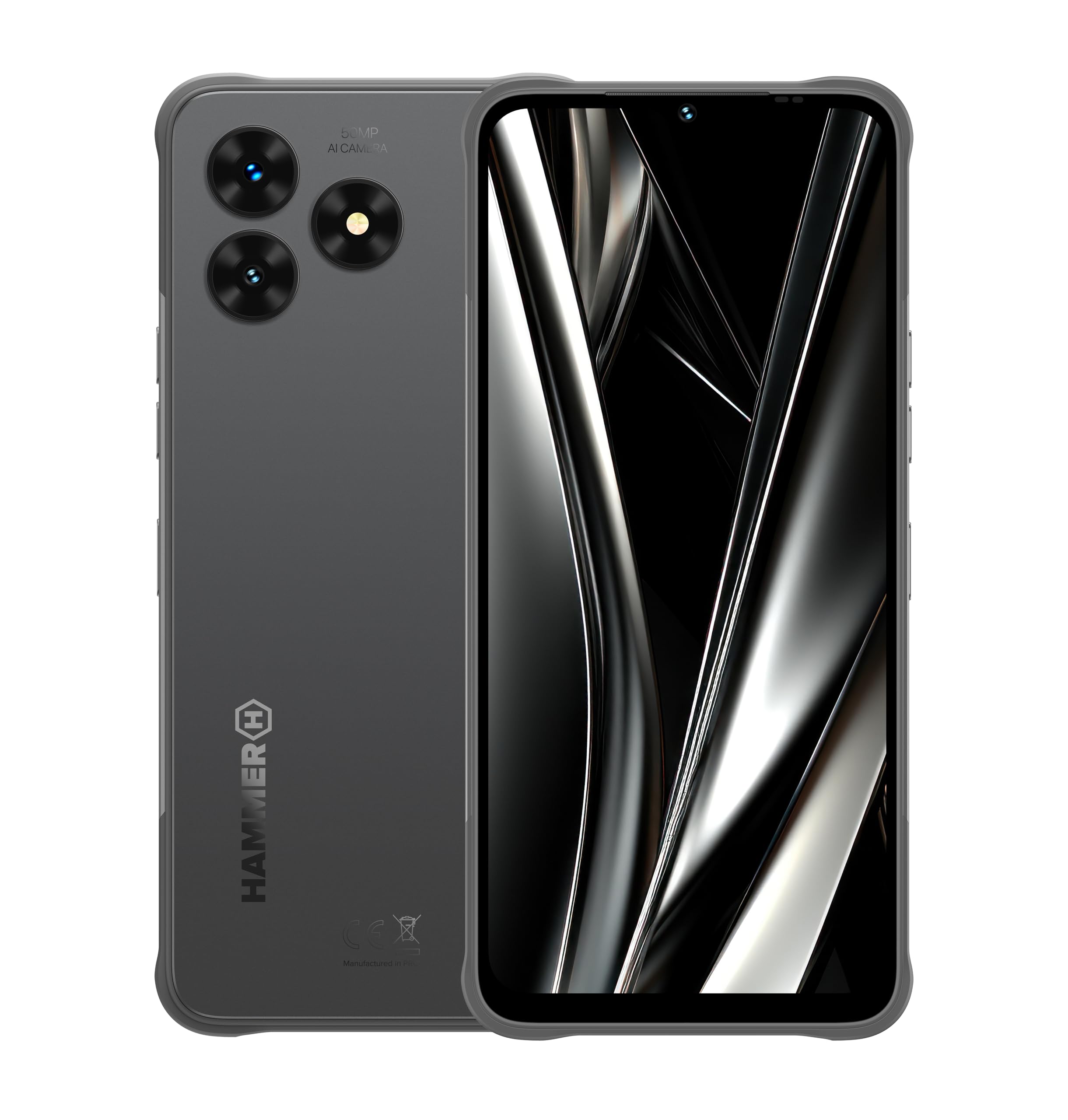
Figure 1: Front view of the Hammer Blade Va 5G Smartphone.
2. Setup
2.1. SIM Card and eSIM Installation
The Hammer Blade Va 5G supports dual SIM functionality, allowing you to use two physical SIM cards or one physical SIM and an eSIM. For eSIM activation, acquire a special eSIM chip from the manufacturer's store.

Figure 2: Side view of the Hammer Blade Va 5G, highlighting the SIM/TF card slot.
2.2. Initial Power On and Charging
To power on your device, press and hold the power button located on the side. Ensure the device is sufficiently charged before first use. The 6000 mAh battery provides up to 17 hours of talk time and 18 days in standby mode. Use the provided USB Type-C cable for charging.

Figure 3: Illustration of the 6000 mAh battery and power bank function.
3. Operating Instructions
3.1. Basic Navigation and Android 14
Your Hammer Blade Va 5G runs on Android 14, offering an intuitive user interface. Navigate using touch gestures on the 6.56-inch IPS display with a 90 Hz refresh rate. The MediaTek Dimensity 720 octa-core processor and 8GB RAM ensure smooth performance.
3.2. Connectivity Features
- 5G Network Support: Enjoy ultra-fast internet speeds for streaming and app usage.
- VoLTE and VoWiFi: Benefit from clear voice calls over LTE and Wi-Fi networks.
- NFC: Use the integrated NFC module for convenient mobile payments.
3.3. Camera Functions
Capture stunning moments with the 50 MP main camera. The 8 MP front camera is ideal for video calls and selfies. The phone also supports taking photos underwater, thanks to its reinforced waterproofing.
3.4. Storage and HAMMER Tools App
The device comes with 128 GB of internal memory, expandable up to 1 TB, providing ample space for photos, videos, games, and applications. The HAMMER Tools App includes useful utilities like a spirit level, flashlight, and protractor for daily tasks.
3.5. Special Features
- Glove Mode: Allows for touchscreen operation even when wearing gloves.
- Powerbank Function: Share power with other devices using your smartphone.
- Biometric Security: Unlock your phone securely using facial recognition or the fingerprint reader.

Figure 4: Features including glove mode, water resistance, and underwater photography.
4. Maintenance
4.1. Durability and Protection
The Hammer Blade Va 5G is designed to withstand harsh conditions. It is dustproof and waterproof with IP69 certification and meets MIL-STD-810H military standards for shock resistance. The 6.56-inch display is protected by Gorilla Glass 3, offering resistance against scratches and cracks.
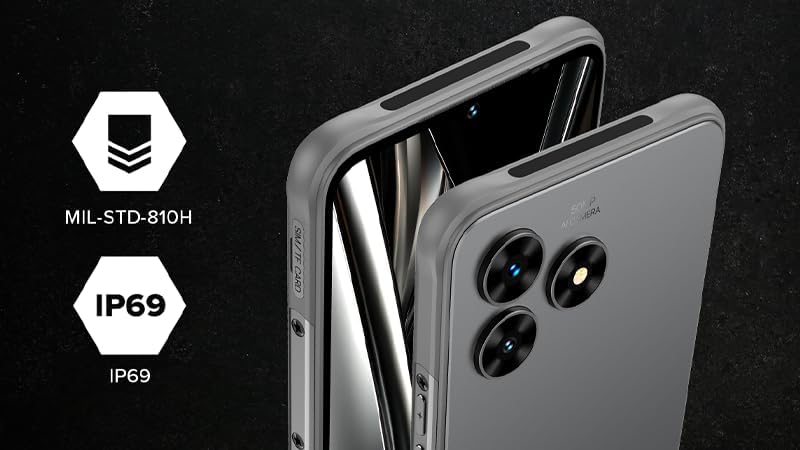
Figure 5: Visual representation of MIL-STD-810H and IP69 ruggedness certifications.
4.2. Cleaning Your Device
To clean your smartphone, gently wipe it with a soft, damp cloth. Avoid using harsh chemicals or abrasive materials that could damage the screen or casing. Ensure all ports are dry before charging or connecting accessories.
5. Troubleshooting
5.1. Common Issues and Solutions
- Device not turning on: Ensure the battery is charged. Connect to a charger and wait a few minutes before attempting to power on again.
- Slow performance: Close unnecessary background applications. Clear cache and temporary files. Consider a factory reset if issues persist (back up data first).
- Connectivity problems (5G/Wi-Fi): Check network settings. Restart the device. Ensure you are within network coverage or Wi-Fi range.
- Touchscreen unresponsiveness: Restart the device. If using glove mode, ensure it is activated correctly.
5.2. Software Updates
Regular software updates are crucial for device security and optimal performance. Please check for available updates periodically through your phone's settings. Note that information regarding guaranteed software updates for this model is currently unavailable.
6. Specifications
| Brand | Hammer H |
| Model Name | Hammer Blade Va 5G |
| Operating System | Android 14 |
| Screen Size | 6.56 Inches |
| Resolution | 720 x 1612 pixels |
| Refresh Rate | 90 Hz |
| Installed RAM Size | 8 GB |
| Memory Storage Capacity | 128 GB (expandable up to 1 TB) |
| Effective Still Resolution | 50 MP |
| Cellular Technology | 5G |
| Special Features | Rugged design, 5G support, Waterproof, eSIM, Power bank, Gorilla Glass, NFC, VoLTE, VoWiFi, Biometric security |
| Connectivity | NFC, USB Type C |
| Battery Capacity | 6000 mAh |
| Color | Black |
7. Warranty and Support
7.1. Return Policy
This product is eligible for a refund/replacement within 30 days of purchase, as per Amazon's return policy.
7.2. Spare Parts and Software Updates
Information regarding the availability of spare parts and guaranteed software updates for this device is currently unavailable. For any support inquiries, please refer to the manufacturer's official website or contact their customer service.
