
1. Introduction
This manual provides essential information for the safe and efficient operation of your Philips 24PHS6019 Smart HD LED TV. Please read these instructions carefully before using your television and retain them for future reference. This television features a 24-inch HD LED display, powered by Pixel Plus HD technology for enhanced image quality, and runs on the intuitive Titan OS smart platform. It includes Dolby Audio for clear sound and supports voice control via Amazon Alexa and Google Assistant.
2. What's in the Box
Verify that all components are present upon unpacking:
- Philips 24PHS6019 Television
- Power Cable
- Table Stand (2 pieces)
- Remote Control with 2 AAA Alkaline Batteries
- Quick Start Guide
- Legal and Safety Booklet

Image: Front view of the Philips 24PHS6019 Smart HD LED TV, showcasing its slim black bezel and the Philips logo at the bottom center.
3. Setup
3.1. Attaching the Table Stand
- Carefully place the television screen-down on a soft, flat surface to prevent scratches.
- Align the two stand feet with the corresponding slots on the bottom of the television.
- Secure the stand feet using the screws provided. Ensure they are tightened firmly.
3.2. Connecting Peripherals
Your Philips TV offers various connectivity options:
- HDMI: Connect external devices such as Blu-ray players, game consoles, or set-top boxes.
- USB: Plug in USB drives for media playback (photos, videos, music).
- Ethernet (LAN): For a wired internet connection.
- Wi-Fi: For wireless internet access.
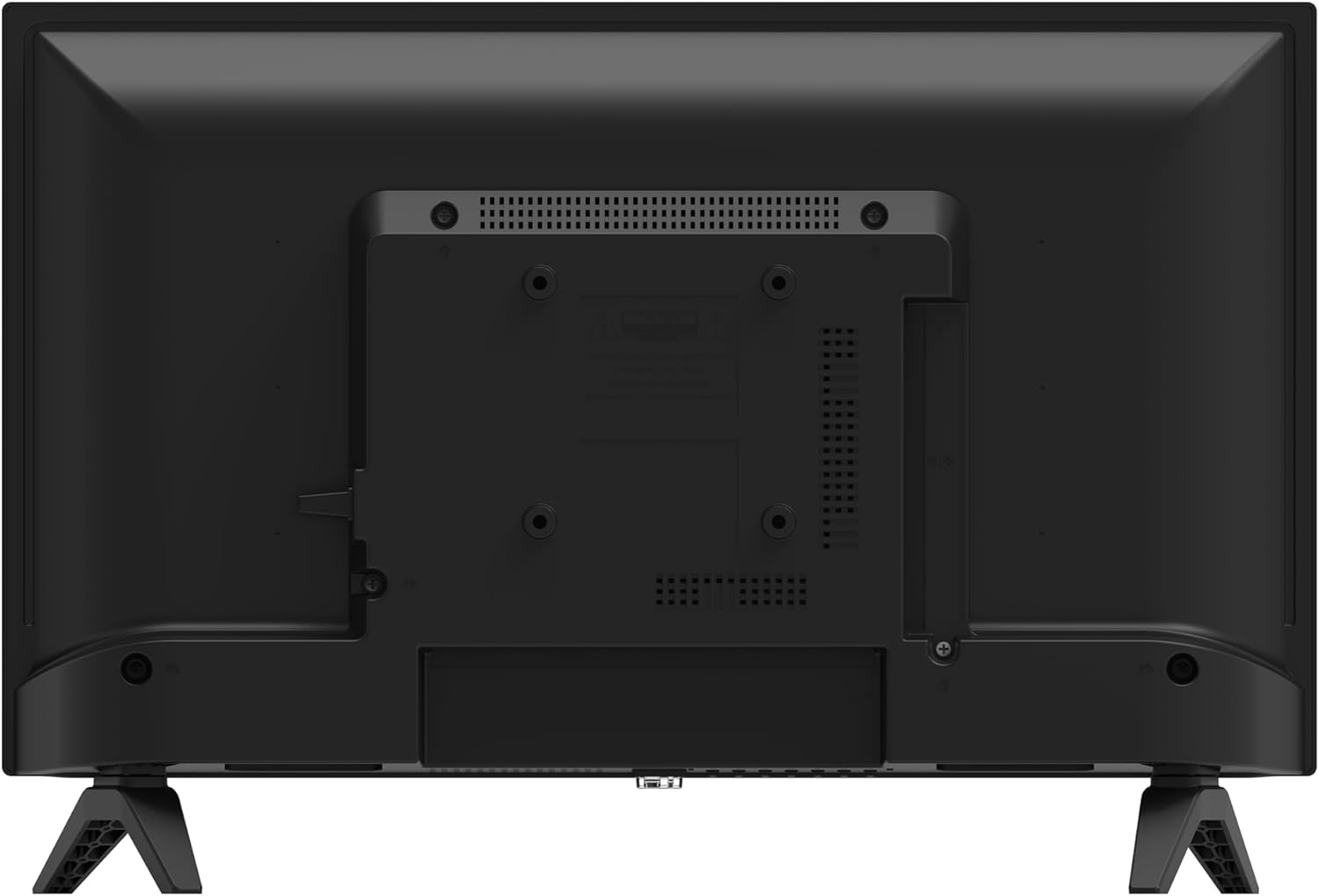
Image: Rear view of the Philips 24PHS6019 Smart HD LED TV, displaying the various input and output ports for connectivity.
3.3. Initial Power On
- Connect the power cable to the television and then to a wall outlet.
- Press the power button on the remote control or on the television itself.
- Follow the on-screen instructions to complete the initial setup, including language selection, network connection, and channel scanning.
4. Operating Instructions
4.1. Remote Control Overview
The remote control allows you to navigate the TV's features. Insert the two AAA batteries as indicated in the battery compartment.
4.2. Navigating Titan OS
Your Philips TV runs on the Titan OS smart platform, providing easy access to streaming services and applications.
- Press the Home button on your remote to access the Titan OS home screen.
- Use the arrow keys to navigate through apps and content suggestions.
- Select your desired streaming service (e.g., Netflix, Amazon Prime Video) to begin watching.

Image: The Titan OS smart TV interface, displaying logos of popular streaming applications such as Netflix, Prime Video, Disney+, Rakuten TV, Pluto TV, and DAZN.
4.3. Picture Settings (Pixel Plus HD)
The Philips Pixel Plus HD engine optimizes picture quality for sharp images, rich colors, and smooth motion. You can adjust picture settings via the TV menu:
- Go to Settings > Picture.
- Adjust brightness, contrast, color, and sharpness to your preference.
- Select a preset picture mode (e.g., Standard, Vivid, Movie) for quick optimization.
4.4. Sound Settings (Dolby Audio)
This television supports Dolby Audio for enhanced sound clarity and richness. Adjust sound settings:
- Go to Settings > Sound.
- Choose a sound mode (e.g., Standard, Movie, Music) or customize equalizer settings.
4.5. Voice Control (Alexa and Google Assistant)
Control your TV hands-free using compatible Amazon Alexa or Google Assistant devices:
- Ensure your TV is connected to the internet.
- Enable the Philips TV skill/service in your Alexa or Google Home app.
- Link your Philips TV account if prompted.
- Use voice commands such as "Alexa, turn on the TV" or "Hey Google, change channel to BBC One."
5. Maintenance
5.1. Cleaning
To clean the screen and cabinet:
- Unplug the TV from the power outlet.
- Use a soft, lint-free cloth to gently wipe the screen. For stubborn marks, slightly dampen the cloth with water or a screen cleaner.
- Wipe the cabinet with a soft, dry cloth. Avoid using abrasive cleaners or solvents.
5.2. Software Updates
Periodically check for software updates to ensure optimal performance and access to the latest features:
- Go to Settings > Software Update.
- Select to check for updates via the internet.
- Follow on-screen prompts to install any available updates.
6. Troubleshooting
If you encounter issues with your television, refer to the following common solutions:
- No Power: Ensure the power cable is securely connected to both the TV and the wall outlet. Check if the outlet is functional.
- No Picture/Sound: Verify that the correct input source is selected. Check cable connections to external devices.
- Remote Control Not Working: Replace the batteries. Ensure there are no obstructions between the remote and the TV's IR sensor.
- Internet Connectivity Issues: For Wi-Fi, check your router and network settings. For Ethernet, ensure the cable is properly connected. Try restarting your router and TV.
- Smart App Issues: Ensure the TV's software is up to date. Try clearing the app's cache or reinstalling the app if possible.
For persistent issues, consult the full user manual available online or contact Philips customer support.
7. Specifications
| Feature | Specification |
|---|---|
| Model Number | 24PHS6019/12 |
| Screen Size | 24 Inches (61 cm) |
| Display Technology | LED |
| Resolution | 720p (1366 x 768 pixels) |
| Refresh Rate | 60 Hz |
| Aspect Ratio | 16:9 |
| Connectivity | Ethernet, HDMI, USB, Wi-Fi |
| Special Features | Built-in speaker, Eco mode, Smart voice recognition, Ambient light sensor, Auto power-off timer |
| Dimensions (D x W x H) | 8.1 x 55.1 x 34 cm |
| Weight | 2.5 kg |
| Remote Control Batteries | 2 AAA (included) |
8. Environmental Information
8.1. Energy Efficiency
This product is designed with sustainability in mind, featuring recycled plastic in the remote control and eco-friendly packaging. For detailed energy consumption information, please refer to the energy label:
- Energy Efficiency Class (SDR): E
- Annual Energy Consumption (SDR): 17 kWh/1000h
- Energy Efficiency Class (HDR): G
- Annual Energy Consumption (HDR): 27 kWh/1000h

Image: The EU energy label for the Philips 24PHS6019/12 television, indicating an SDR energy efficiency class of E and an HDR class of G, with corresponding energy consumption values.
For more information, visit the official EPREL database: https://eprel.ec.europa.eu/qr/2070759
9. Warranty and Support
Philips provides a limited warranty for this product. Please refer to the legal and safety booklet included in the box for specific warranty terms and conditions applicable to your region. For technical support, product registration, or to find service centers, please visit the official Philips support website:
You may also find helpful information and FAQs on the Philips brand store on Amazon: Philips Sound & Vision Store