
BOUWOIMA 10-inch 2G+32G
BOUWOIMA 10-inch Android 2DIN Car Stereo
Model: 10-inch 2G+32G
Brand: BOUWOIMA
Introduction
Thank you for choosing the BOUWOIMA 10-inch Android 2DIN Car Stereo. This advanced multimedia system is designed to enhance your driving experience with its powerful 8-core processor, vibrant QLED touch screen, and extensive connectivity options. Enjoy seamless navigation, entertainment, and communication on the go.
Safety Information
Please read all instructions carefully before installation and operation. Improper installation or use can lead to damage to the unit, vehicle, or personal injury. Always prioritize safe driving. Do not operate the unit in a way that distracts you from the road. Consult a professional for installation if you are unsure.
- Ensure the vehicle is turned off and the battery is disconnected before installation.
- Do not block ventilation openings.
- Avoid exposing the unit to extreme temperatures, moisture, or direct sunlight for prolonged periods.
- Use only specified accessories and parts.
Package Contents
Verify that all items listed below are included in your package:
- BOUWOIMA 10-inch Android 2DIN Car Stereo Unit
- Power Cable
- Audio/Video Adapter Cable
- Backup Camera Video Input Cable
- Microphone
- GPS Antenna
- 4-pin USB Adapter Cable
- 6-pin USB Adapter Cable
- Mounting Brackets
- User Manual (this document)

Image: Overview of the product dimensions and included accessories in the package.
Product Overview
The BOUWOIMA car stereo features a large 10-inch QLED display with an intuitive interface, powered by an 8-core CPU for smooth performance. It integrates seamlessly into most double DIN vehicle dashboards.
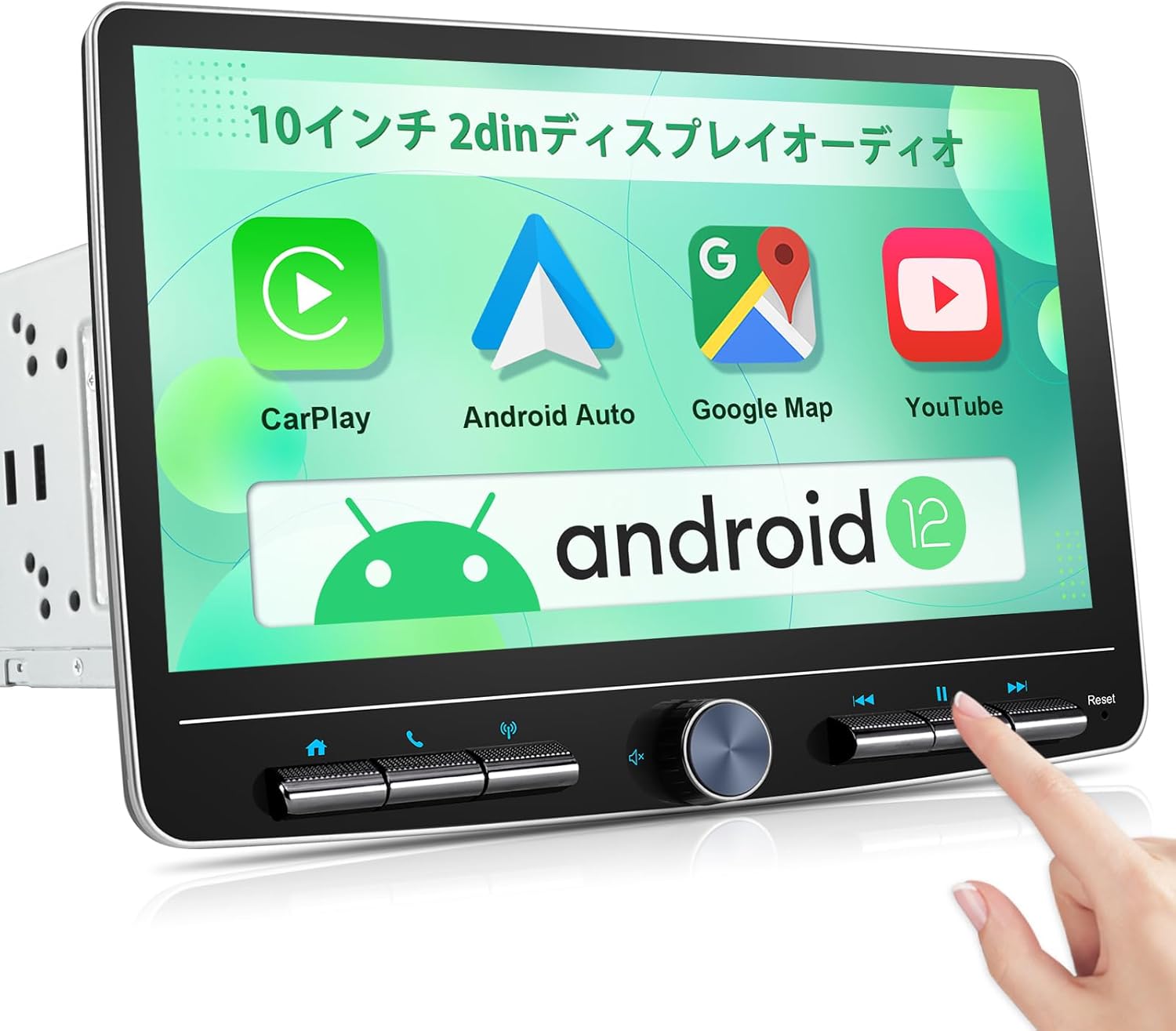
Image: Front view of the 10-inch Android car stereo displaying various application icons.
Physical Keys and Controls
The unit is equipped with practical physical keys and a rotary knob for easy access to essential functions, ensuring safe operation while driving.

Image: Detailed view of the physical control buttons and the central rotary knob for volume and other adjustments.
Setup and Installation
This section provides guidance for installing your new car stereo. It is recommended to have the installation performed by a qualified professional.
Dimensions and Compatibility
The unit adheres to the ISO standard double DIN size: 173mm × 97mm × 110mm (6.81 × 3.85 × 4 inches), making it compatible with most vehicle models. The panel size is 173mm × 97mm (6.81 × 3.85 inches).

Image: Visual comparison showing a vehicle's dashboard before and after the installation of the BOUWOIMA car stereo.
Adjustable Floating Display
The floating and detachable design of the display allows for 3-way adjustment, providing an optimal viewing angle for navigation and HD video playback. This design also helps to prevent screen glare.

Image: Illustrations demonstrating how to detach the screen and adjust its vertical position and tilt angles (forward/backward, left/right).
Wiring Diagram
Proper wiring is crucial for the functionality of the unit, especially for features like the backup camera. Refer to the diagram below for correct connections.

Image: Detailed wiring diagram showing connections for power, audio/video, and the backup camera. Includes notes on trigger wires for reverse mode.
Operating Instructions
Wireless CarPlay & Android Auto
Connect your smartphone wirelessly to access CarPlay or Android Auto. This allows you to use voice commands (Siri/Google Assistant) for calls, music, messages, GPS navigation, and streaming apps like Netflix and YouTube directly on the car stereo.

Image: Display showing the wireless Apple CarPlay and Android Auto interfaces, with phone mirroring capabilities.
Bluetooth Functionality
The built-in Bluetooth 5.0 allows for hands-free calling, phonebook synchronization, and wireless music streaming, enhancing safety and convenience during your drive.

Image: Screenshots demonstrating Bluetooth hands-free call functionality and Bluetooth music playback on the unit.
FM/AM Radio
Tune into your favorite FM and AM radio stations. The unit supports RDS for enhanced radio information.
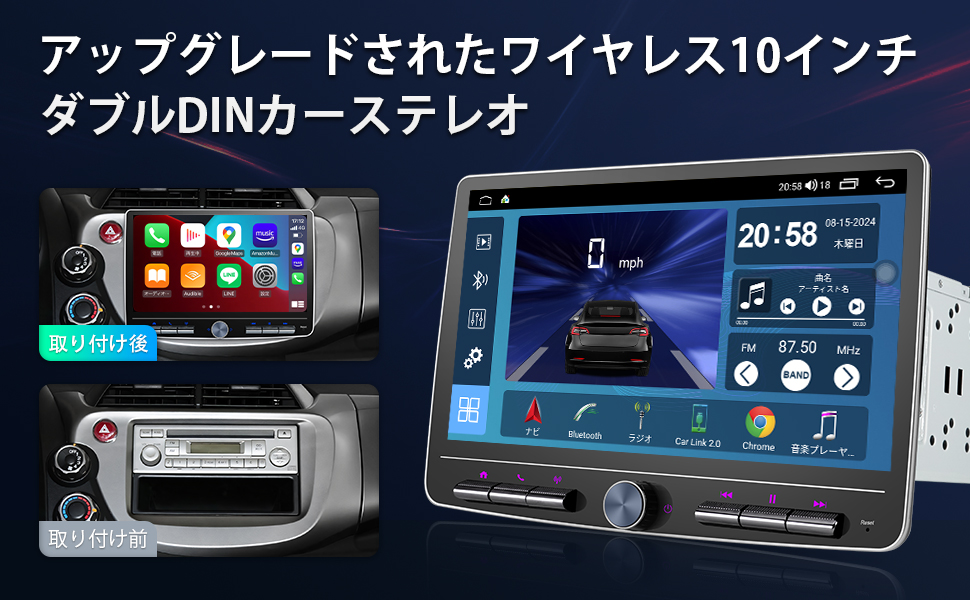
Image: Display showing the FM radio interface with frequency tuning and station presets.
GPS Navigation & Voice Control
Utilize built-in GPS/Beidou for online and offline navigation. Voice control allows you to manage navigation, calls, and music without taking your hands off the wheel.
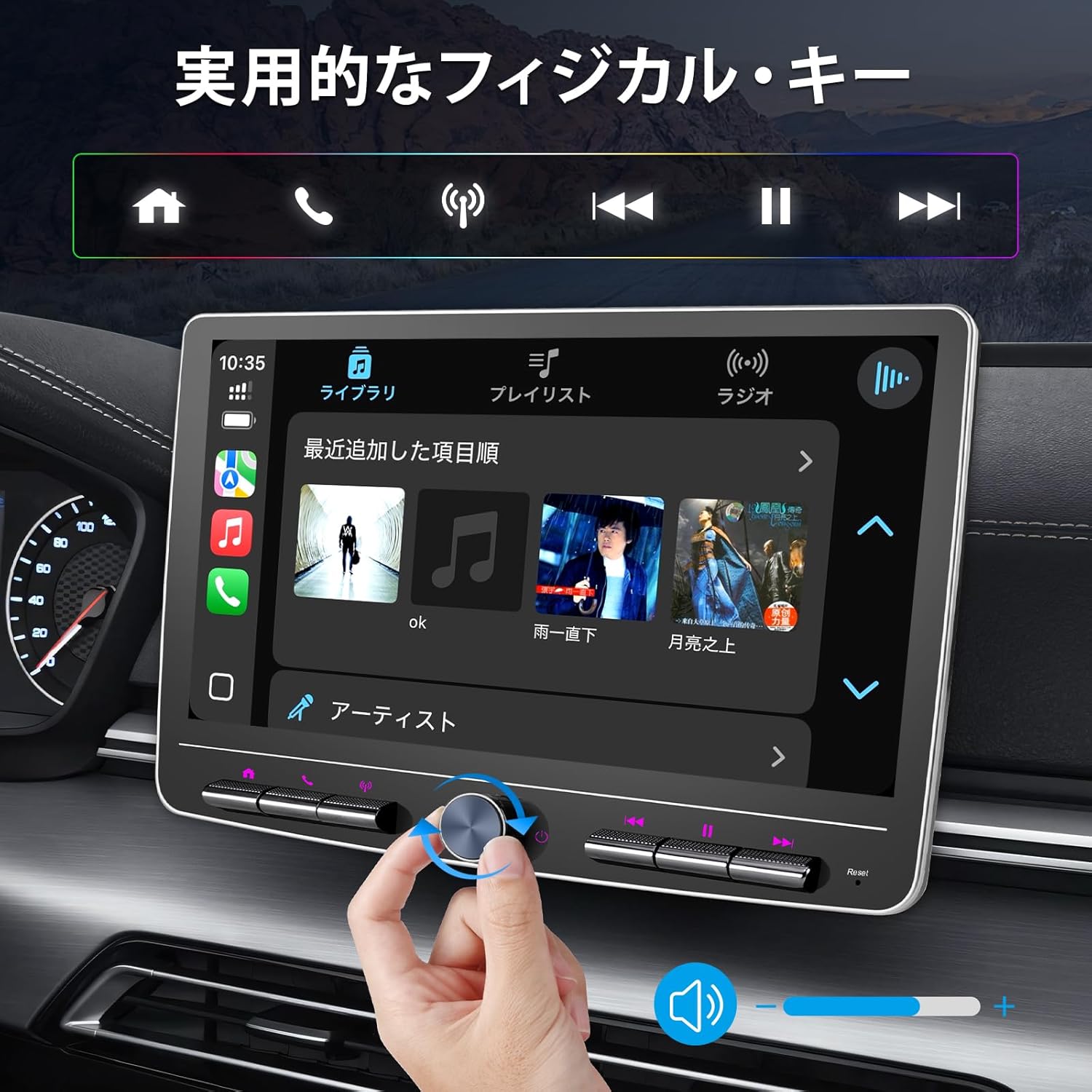
Image: The car stereo displaying a GPS navigation map, highlighting voice control capabilities for various applications.
Split Screen Display
The unit supports split-screen functionality, allowing you to run two applications simultaneously on the 10-inch display. For example, you can have navigation on one side and music playback on the other.
DSP & Equalizer Settings
Fine-tune your audio experience with the integrated DSP (Digital Signal Processor) and 32-band equalizer. Adjust sound frequencies to match your preferences and vehicle acoustics.

Image: Screenshot of the car stereo's audio settings, showing the 15-band equalizer and DSP controls for sound customization.
Backup Camera & Steering Wheel Control
The unit supports backup camera input for safer parking and reversing. It also integrates with your vehicle's steering wheel controls, allowing you to manage audio and calls conveniently.

Image: Top section shows a backup camera view on the car stereo. Bottom section illustrates the use of steering wheel controls to manage the unit.
Maintenance
To ensure the longevity and optimal performance of your BOUWOIMA car stereo, follow these maintenance guidelines:
- Cleaning the Screen: Use a soft, lint-free cloth to gently wipe the screen. For stubborn smudges, slightly dampen the cloth with water or a screen-safe cleaner. Avoid abrasive materials or harsh chemicals.
- General Cleaning: Wipe the unit's body with a soft, dry cloth. Do not use excessive moisture.
- Avoid Extreme Conditions: Protect the unit from direct sunlight, extreme heat, and cold for extended periods.
- Software Updates: Periodically check for software updates from the manufacturer to ensure the best performance and access to new features.
Troubleshooting
If you encounter issues with your car stereo, refer to the common problems and solutions below. If the problem persists, contact customer support.
| Problem | Possible Cause | Solution |
|---|---|---|
| No Power | Loose power connection, blown fuse, vehicle battery issue. | Check power cables and fuse. Ensure vehicle battery is charged. |
| No Sound | Volume too low, mute activated, speaker wiring issue, incorrect audio source. | Increase volume, check mute setting, verify speaker connections, select correct audio source. |
| Touch Screen Unresponsive | Software glitch, screen calibration needed. | Restart the unit (press reset button if available). Check settings for screen calibration. |
| CarPlay/Android Auto Not Connecting | Bluetooth/Wi-Fi off on phone, incorrect settings, phone not compatible. | Ensure Bluetooth/Wi-Fi is on. Check phone compatibility. Re-pair device. |
| GPS Signal Lost | GPS antenna obstructed or disconnected, driving in an area with poor signal. | Ensure GPS antenna is properly installed and has a clear view of the sky. |
Specifications
| Feature | Detail |
|---|---|
| Model Number | 10-inch 2G+32G |
| Display Size | 10.1 inches |
| Display Type | QLED Touch Screen |
| Resolution | 1280 x 720 |
| CPU | 8-Core |
| RAM | 2GB |
| ROM | 32GB |
| Operating System | Android (Version not specified, but image shows Android 12) |
| CarPlay/Android Auto | Wireless Support |
| Bluetooth | Bluetooth 5.0 |
| Wi-Fi | Supported |
| GPS | Built-in GPS/Beidou |
| Audio Output | 5 RCA Output (3.68V), Subwoofer Output |
| Equalizer | DSP + 32EQ |
| Radio Tuner | FM/AM with RDS |
| Video Playback | Supports 1920 x 1080P video |
| Dimensions (Unit) | ISO Standard Double DIN (173mm × 97mm × 110mm) |
| Package Size | 30.3 x 26.1 x 19 cm |
| Weight | 2.41 kg |
Warranty and Support
BOUWOIMA products come with a standard manufacturer's warranty. For specific warranty terms and conditions, please refer to the warranty card included in your package or visit our official website.
If you encounter any issues during installation or use, our 24-hour online customer service is available to assist you. Please contact us via the platform where you purchased the product or through the contact information provided in the warranty documentation.