
1. Introduction
This manual provides instructions for the Generic Smart Relay Switch Module TYZG-001. This Zigbee-enabled smart switch supports interlock, jog (momentary), and self-locking (latching) modes, making it versatile for various applications such as garage door openers, lighting control, and other household appliances. It is compatible with different Zigbee hubs and offers secure communication with AES-128 encryption. The device can also function as a Zigbee router to extend your Zigbee network's signal stability.
The module operates on AC/DC 7-32V or USB 5V power input and can control devices with up to 250V operating voltage. It integrates seamlessly with smart home ecosystems like Amazon Alexa and Google Home for voice control and smart scene automation.
2. Important Checklist Before Use
Before proceeding with the installation and setup of your Smart Relay Switch Module, please ensure the following conditions are met:
- 2.4G WiFi Network: Your home network must be a 2.4GHz WiFi network. 5GHz networks are not supported for the Zigbee gateway connection.
- Android Device: Ensure your Android device's operating system is version 4.0 or above for app compatibility.
- MAC Address Filtering: If your wireless router has MAC address filtering enabled, disable this function in your router's settings before attempting to pair the device.
- Zigbee Gateway Required: This smart switch requires a Zigbee gateway (hub) to function. It cannot connect directly to a WiFi network. Ensure you have a compatible Zigbee gateway.
- Proximity for Pairing: During the pairing process, keep the smart switch close to your Zigbee gateway for optimal connection.
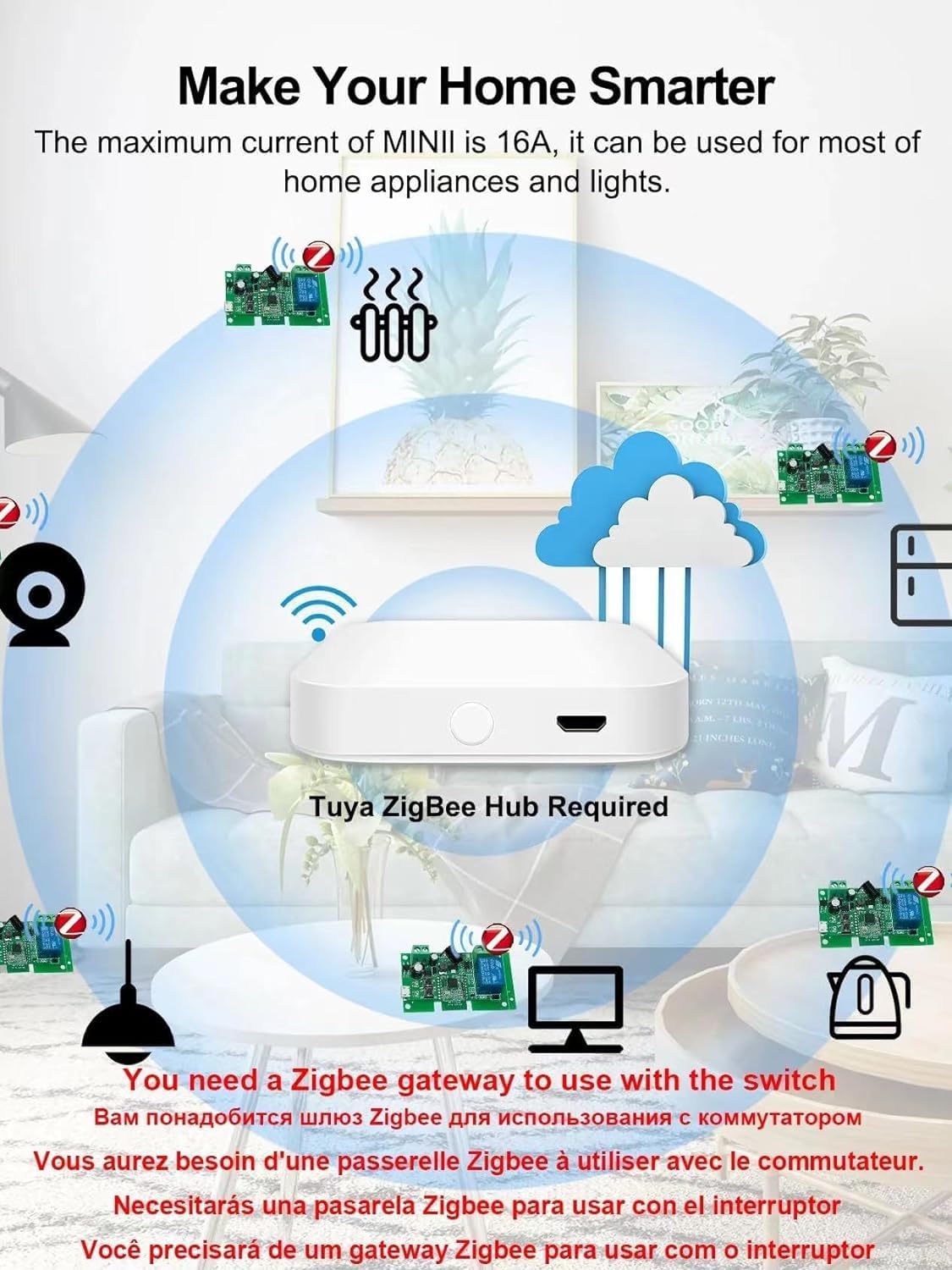
Image: A central Tuya Zigbee Hub is required to connect and manage multiple Zigbee smart devices within your home network.
3. Key Features
The Generic Smart Relay Switch Module TYZG-001 offers a range of functionalities to enhance your smart home experience:
- Zigbee Gateway Control: Fully supports control through a compatible Zigbee gateway.
- Multi-Device Management: Manage numerous Zigbee smart switches from a single smartphone application (e.g., Tuya/Smart Life app).
- Status Tracking: Real-time device status feedback displayed in the Tuya/Smart Life app.
- Remote Control: Remotely turn household appliances on or off, including lights, electric kettles, rice cookers, electric curtains, and access control systems.
- Flexible Timers: Supports 8 types of schedule timers, including countdown, count-up, single, and cycle timers for each connected device.
- Voice Control: Seamlessly compatible with Amazon Alexa and Google Assistant for hands-free operation.
- RF Control: Features a built-in 433MHz RF receiver, allowing use with 433MHz learning code remote controls (remote not included).
- Low Power Consumption: Zigbee protocol ensures efficient energy use.
- Fast Response: Zigbee technology provides quick response times for commands.
- Extended Connection Range: Offers a longer and more stable connection range compared to direct WiFi devices, especially when acting as a Zigbee router.

Image: Overview of the Smart Switch module highlighting its key control methods and ease of installation.
4. Setup and Pairing
4.1 Initial Setup and Power Connection
Before connecting the module to your appliance, ensure the power source is disconnected. The module supports two power input options:
- AC/DC 7-32V: Connect the appropriate AC or DC voltage within this range to the designated power input terminals.
- USB 5V: Alternatively, you can power the module using a standard USB 5V power supply connected to the USB port.
Wire the appliance you wish to control to the relay output terminals (Normally Open, Common, Normally Closed) according to your specific application requirements. Refer to the wiring diagram provided with your product packaging for detailed connection instructions.
4.2 Pairing with a Zigbee Gateway
Once the module is powered on, it will enter pairing mode. To connect it to your Zigbee gateway:
- Ensure your Zigbee gateway is powered on and connected to your 2.4GHz WiFi network.
- Open your smart home application (e.g., Tuya/Smart Life app) and navigate to the device addition section.
- Initiate the device discovery process within the app or through your voice assistant (e.g., "Alexa, find devices").
- The smart switch will be discovered and can then be added to your Zigbee network. Follow the on-screen prompts in the app to complete the pairing.
- For optimal pairing, ensure the smart switch is physically close to your Zigbee gateway during this process.
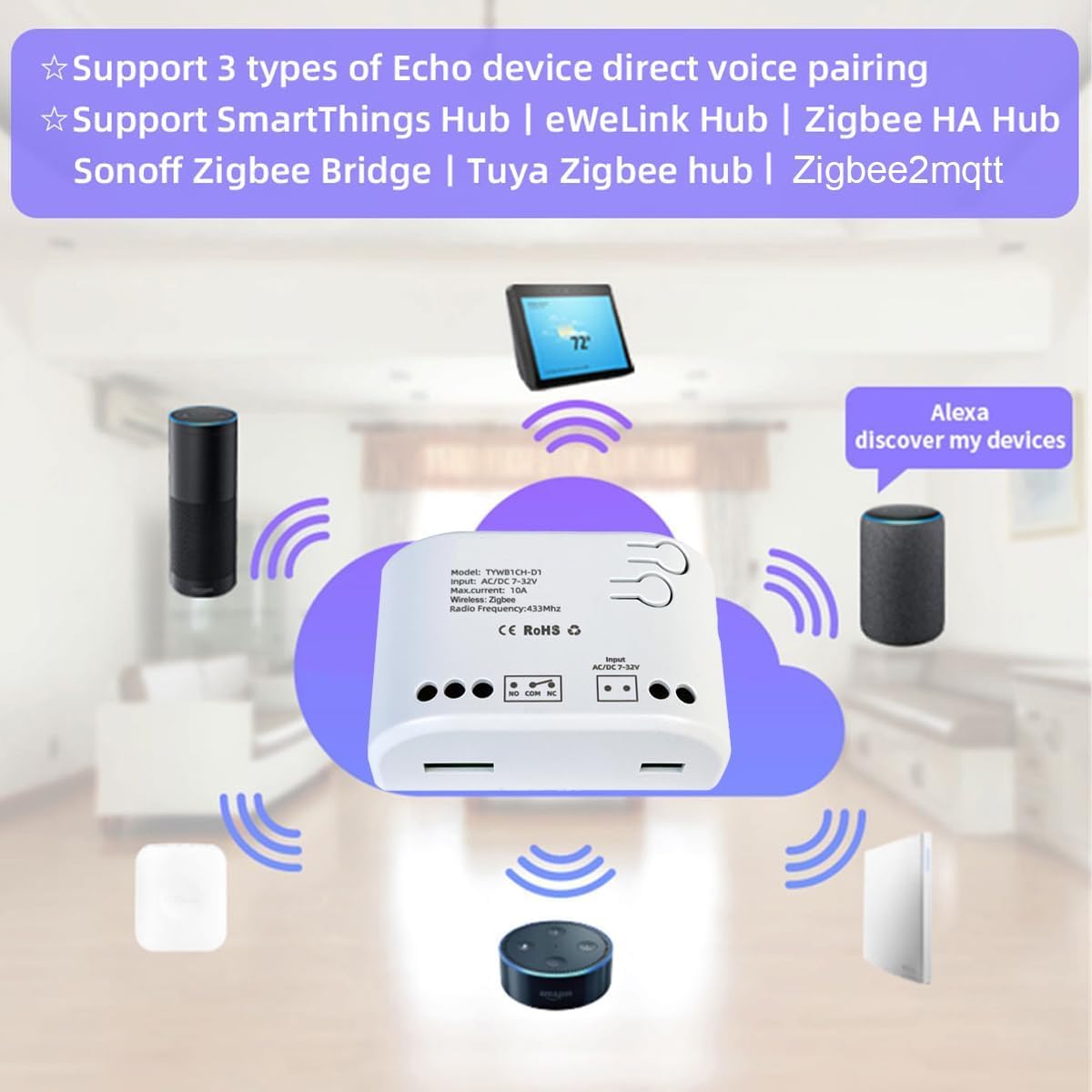
Image: The Smart Switch supports various Zigbee hubs including SmartThings, eWeLink, Zigbee HA, Sonoff Zigbee Bridge, Tuya Zigbee hub, and Zigbee2mqtt, along with direct voice pairing for some Echo devices.
5. Operating Modes
The Smart Relay Switch Module supports two primary working modes: Latching and Momentary. You can switch between these modes by pressing the mode button located on the board of the device.
5.1 Latching Mode (Self-locking)
In Latching mode, the relay acts like a traditional ON/OFF switch. When you send an ON command, the relay will close and remain closed until an OFF command is received. This mode is suitable for controlling lights, fans, or other appliances that require a continuous power supply until manually switched off.
5.2 Momentary Mode (Jog)
In Momentary mode, the relay will close for a brief period (typically a few hundred milliseconds to a few seconds, configurable in the app) and then automatically open. This mode is ideal for applications that require a brief pulse, such as garage door openers, electric gate controls, or triggering other momentary actions.
6. Voice Control and Smart Scenes
6.1 Voice Control
The Smart Relay Switch Module is fully compatible with Amazon Alexa and Google Home. Once paired with your Zigbee gateway and integrated into your smart home app, you can use voice commands to control your connected appliances.
- For Amazon Alexa: Say, "Alexa, turn on the [device name]" or "Alexa, turn off the [device name]."
- For Google Home: Say, "Hey Google, turn on the [device name]" or "Hey Google, turn off the [device name]."

Image: Voice control allows you to operate your smart devices hands-free using Amazon Alexa or Google Home.

Image: Enjoying a hands-free experience by simply speaking commands like "Hi Alexa, turn on the light."
6.2 Smart Scene Creation
You can create custom smart scenes within your smart home application to automate actions based on various triggers:
- Environmental Conditions: Trigger actions based on temperature, humidity, or other sensor data (requires compatible sensors).
- Time-based Schedules: Set devices to turn on/off at specific times or days.
- Departure/Home Modes: Automate actions when you leave or arrive home.
- Inter-device Linkage: Cooperate with other Zigbee products to achieve complex intelligent linkages.
Refer to your smart home app's documentation for detailed instructions on creating and managing smart scenes.
6.3 Family Sharing
Share control of your smart switch with family members through the smart home application. This allows multiple users to manage the connected devices, enhancing convenience for everyone in the household.

Image: The family sharing feature allows multiple users to control the smart switch from their own devices.
7. Maintenance
The Smart Relay Switch Module is designed for reliable operation with minimal maintenance. Follow these guidelines to ensure its longevity:
- Cleaning: Use a soft, dry cloth to clean the device. Do not use liquid cleaners or aerosols, as they may damage the internal components.
- Environment: Avoid exposing the device to extreme temperatures, high humidity, or direct sunlight. Ensure it is installed in a well-ventilated area.
- Power Supply: Ensure the power supply connected to the module is stable and within the specified voltage range (AC/DC 7-32V or USB 5V).
- Firmware Updates: Periodically check your smart home app for any available firmware updates for the device. Updates can improve performance and add new features.
8. Troubleshooting
If you encounter issues with your Smart Relay Switch Module, refer to the following troubleshooting steps:
8.1 Device Not Connecting/Responding
- Check Power: Ensure the module is properly powered (AC/DC 7-32V or USB 5V).
- Zigbee Gateway: Verify that your Zigbee gateway is online, functioning correctly, and within range of the smart switch.
- WiFi Network: Confirm your Zigbee gateway is connected to a 2.4GHz WiFi network.
- MAC Filtering: If enabled on your router, temporarily disable MAC address filtering.
- Re-pair Device: If the issue persists, try removing the device from your app and re-pairing it with the Zigbee gateway.
8.2 Voice Control Issues
- Device Naming: Ensure the device name in your smart home app is simple and easily recognizable by Alexa or Google Home.
- Account Linking: Verify that your smart home app account is correctly linked to your Alexa or Google Home account.
- Discover Devices: Ask your voice assistant to "discover devices" again after making changes in the app.
8.3 Incorrect Operating Mode
- Mode Button: Press the mode button on the module to cycle through Latching and Momentary modes.
- App Settings: Some apps may allow mode configuration. Check the device settings within your smart home application.
9. Specifications
| Model | TYZG-001 |
| Brand | Generic |
| Operating Voltage (Module) | AC/DC 7-32V or USB 5V |
| Operating Voltage (Relay Contacts) | Up to 250 Volts |
| Current Rating | 10 Amps |
| Operation Mode | ON-OFF-ON (Latching/Momentary) |
| Contact Type | Normally Open |
| Switch Type | MOSFET |
| Connectivity Protocol | Zigbee 3.0 (requires Zigbee gateway) |
| Control Method | App, Voice (Alexa, Google Home), RF 433MHz |
| Compatible Devices | Amazon Alexa, Google Home, Zigbee hubs, 433MHz RF remote controls |
| Material | Acrylonitrile Butadiene Styrene (ABS), Brass (contacts) |
| Item Dimensions (L x W x H) | 3 x 2 x 1 inches |
| Item Weight | 2.85 Ounces |
| Upper Temperature Rating | 70 Degrees Celsius |
| International Protection Rating | IP53 |
| Manufacturer | Qianyi Technology.co.ltd |
10. Warranty and Support
For warranty information, technical support, or service inquiries, please refer to the documentation included with your purchase or contact the manufacturer directly. Keep your purchase receipt as proof of purchase for any warranty claims.

