1. Introduction
This manual provides instructions for the A ADAPTECNO Smart Remote Control, designed for seamless operation with specific Zmartech TV models. This remote control requires no programming and is ready for use once batteries are installed.
Compatible TV Models:
- Zmartech ZT50LE7WB
- Zmartech ZT43LE7WB
- Zmartech ZT55LE7WB
- Zmartech ZT32LE7WB
2. Setup
2.1 Battery Installation
The remote control operates on two AAA (LR03, 1.5V) batteries. Please note that batteries are not included with the remote control and must be purchased separately.
- Locate the battery compartment on the back of the remote control.
- Press down on the tab and slide the battery cover downwards to open it.
- Insert two AAA batteries, ensuring the positive (+) and negative (-) terminals align correctly with the markings inside the compartment. Incorrect insertion can prevent the remote from functioning.
- Slide the battery cover back into place until it clicks securely.
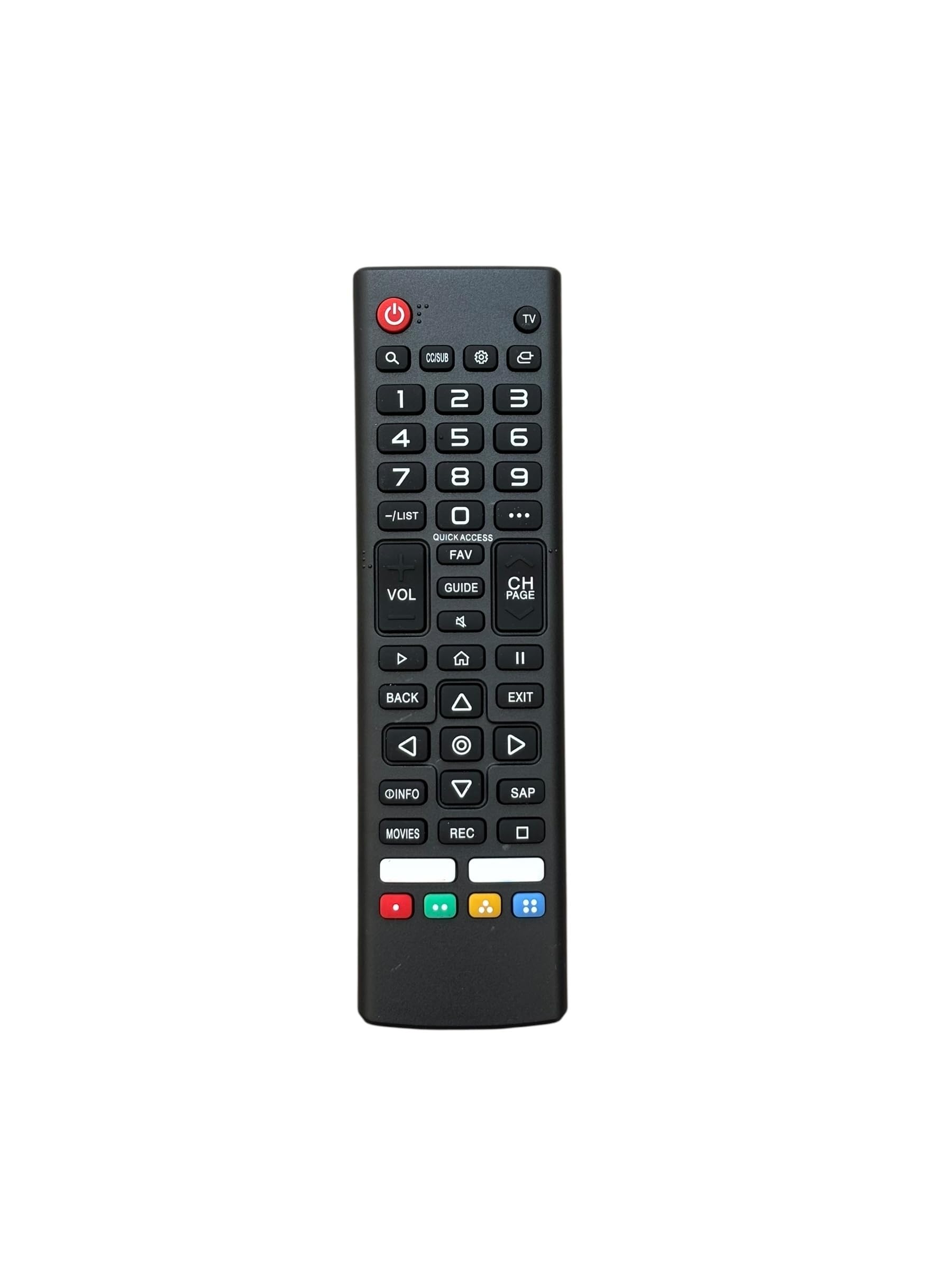
Figure 1: Battery compartment with two AAA batteries inserted. The battery cover is shown detached to the right.
3. Operating Instructions
This A ADAPTECNO Smart Remote Control is designed for immediate use with the specified Zmartech TV models without any prior programming. Ensure there is a clear line of sight between the remote control and the TV's infrared receiver.
3.1 Basic Functions
- Power Button: Press to turn the TV on or off.
- Volume Up/Down: Adjusts the TV's audio level.
- Channel Up/Down: Changes the TV channel.
- Number Buttons (0-9): Directly input channel numbers.
- Navigation Buttons (Up, Down, Left, Right, OK): Used to navigate menus and select options on the TV screen.
- Input/Source Button: Switches between different input sources (e.g., HDMI, AV).
- Smart TV/Home Button: Accesses the TV's smart features or home screen.
Refer to your Zmartech TV's user manual for specific functions of advanced buttons, if applicable.
4. Maintenance
4.1 Cleaning
To clean the remote control, use a soft, dry cloth. For stubborn dirt, lightly dampen the cloth with water or a mild, non-abrasive cleaner. Avoid using harsh chemicals, solvents, or abrasive materials, as these can damage the remote's surface or internal components.
4.2 Battery Replacement
Replace batteries when the remote control's response becomes sluggish or stops working. Always replace both batteries at the same time with new ones of the same type (AAA). Do not mix old and new batteries, or different types of batteries.
4.3 Storage
When not in use for extended periods, remove the batteries to prevent leakage, which can damage the remote control. Store the remote in a cool, dry place away from direct sunlight and extreme temperatures.
5. Troubleshooting
- Remote control is not working:
- Check if the batteries are inserted correctly with the correct polarity (+/-).
- Replace old batteries with new ones.
- Ensure there is a clear line of sight between the remote control and the TV's infrared sensor. Remove any obstructions.
- Make sure you are within the effective operating range of the TV.
- Some buttons are not responding:
- Clean the remote control, especially around the unresponsive buttons, to remove any dirt or debris.
- Ensure the remote is compatible with your specific Zmartech TV model. This remote is only compatible with ZT50LE7WB, ZT43LE7WB, ZT55LE7WB, and ZT32LE7WB.
6. Specifications
| Brand | A ADAPTECNO |
| Manufacturer | CHINA |
| Model Name | ZT50LE7WB, ZT43LE7WB, ZT55LE7WB, ZT32LE7WB |
| Compatible Devices | Television (Zmartech ZT50LE7WB, ZT43LE7WB, ZT55LE7WB, ZT32LE7WB) |
| Special Features | No programming required |
| Number of Products | 1 |
| Batteries Required | Yes (2 x AAA, not included) |
| Connector Type | Infrared |
| Color | Black |
| Package Dimensions | 17.1 x 4.7 x 2.4 cm |
| Item Weight | 0.8 g |
7. Warranty and Support
For warranty information and customer support, please refer to the product packaging or contact the seller directly. Keep your purchase receipt as proof of purchase.


