
Vieta Pro VHP-NC510WH
Vieta Pro Calm 2 Headphones User Manual
Model: VHP-NC510WH
Introduction
The Vieta Pro Calm 2 headphones offer a wireless audio experience with Bluetooth connectivity and a dual-pairing function, allowing you to connect to two devices simultaneously. They feature active hybrid noise cancellation and an adjustable ambient mode to adapt to various environments. Additionally, they include an AUX-IN option for devices without Bluetooth, along with an integrated microphone for hands-free calls. The adjustable headband design ensures comfort, and the battery provides up to 60 hours of playback, ideal for travel or extended listening sessions.
What's in the Box
- Vieta Pro Calm 2 Headphones
- User Manual
- USB-C Charging Cable
- 3.5mm AUX Cable
Product Overview
Familiarize yourself with the key components and features of your Vieta Pro Calm 2 headphones.
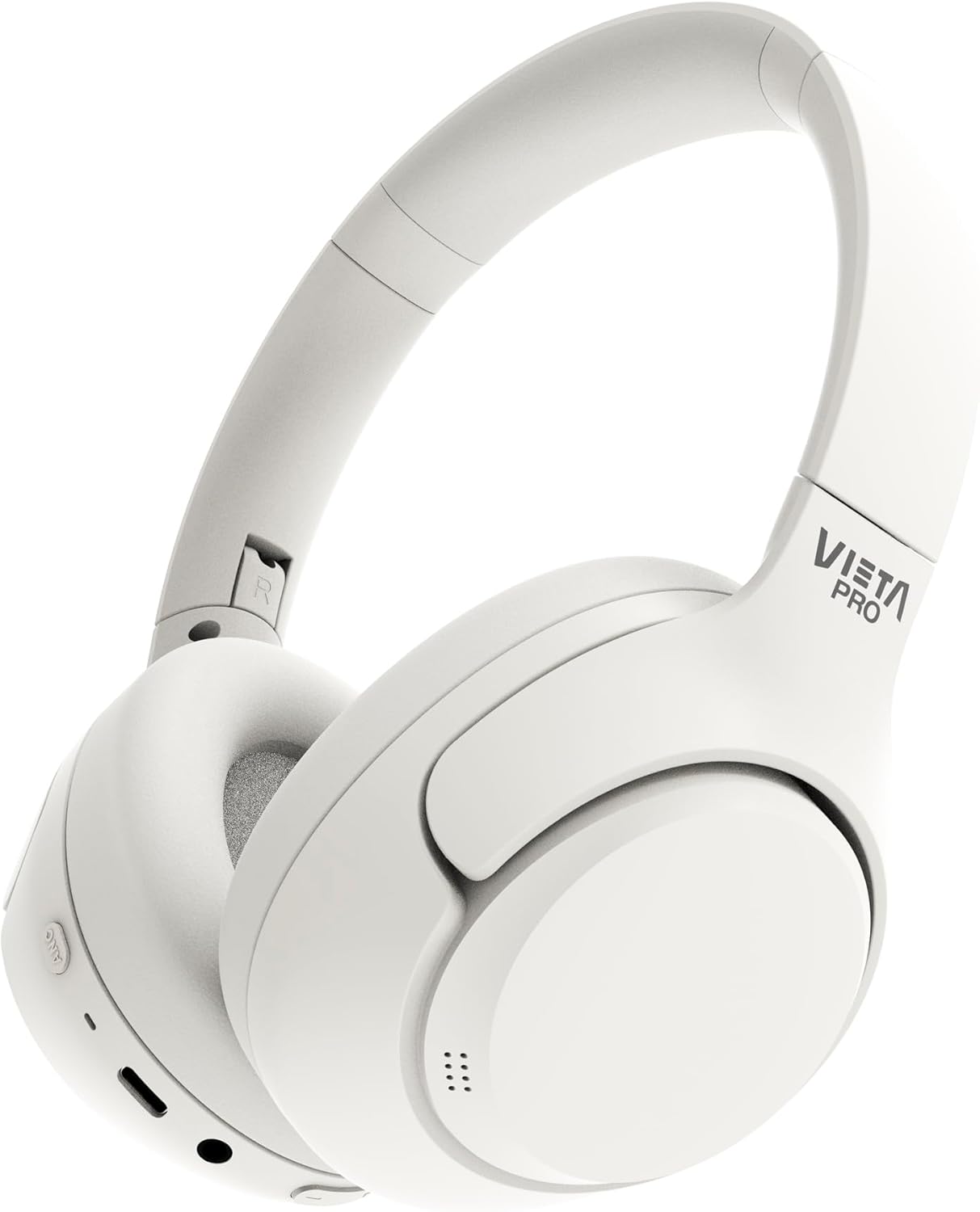
Image: A close-up view of the white Vieta Pro Calm 2 over-ear headphones, showcasing their sleek design and adjustable headband.

Image: An illustration highlighting key features with icons, including Bluetooth 5.4, 60 hours battery life, low latency mode, USB-C charging, hybrid ANC, transparency mode, dual connection, custom EQ, foldable design, microphone in cable, Hi-Res Audio, and auxiliary input.
Key Features:
- Bluetooth 5.4 and Dual Connection: Offers fast, stable connection with low power consumption and the ability to switch between two simultaneously connected devices.
- Hybrid Noise Cancellation and Transparency Mode: Provides full immersion by reducing ambient noise up to -40 dB, or allows you to hear your surroundings clearly without removing the headphones.
- Up to 60 Hours Battery Life: Ideal for extended use or long journeys, with quick charging via USB-C.
- Low Latency Gaming Mode: Ensures precise audio synchronization for gaming, optimizing the experience without delay.
- Hi-Res Audio and Personalized Control with App: Enjoy high-resolution audio up to 40 kHz in analog mode and customize your listening experience with the Vieta Pro Audio App.
Setup
1. Charging the Headphones
Before first use, fully charge your Vieta Pro Calm 2 headphones.
- Connect the supplied USB-C charging cable to the charging port on the headphones.
- Connect the other end of the cable to a USB power adapter (not included) or a computer's USB port.
- The LED indicator will show the charging status. It will typically turn off or change color once fully charged.
2. Powering On/Off
- To Power On: Press and hold the Power button for approximately 3 seconds until the LED indicator lights up.
- To Power Off: Press and hold the Power button for approximately 3 seconds until the LED indicator turns off.
3. Bluetooth Pairing
Pair your headphones with your device for wireless audio.
- Ensure the headphones are powered off.
- Press and hold the Power button for 5-7 seconds until the LED indicator flashes blue and red, indicating pairing mode.
- On your device (smartphone, tablet, computer), enable Bluetooth and search for available devices.
- Select "Vieta Pro Calm 2" from the list of found devices.
- Once connected, the LED indicator will turn solid blue or flash slowly.
4. Dual Connection
The Vieta Pro Calm 2 headphones support connecting to two devices simultaneously.
- Connect the headphones to the first device as described in "Bluetooth Pairing".
- Disable Bluetooth on the first device. The headphones will re-enter pairing mode.
- Connect the headphones to the second device.
- Re-enable Bluetooth on the first device. The headphones should automatically reconnect to both devices.
- Audio will play from the device that is actively playing media.
Operating Instructions
Audio Playback and Calls
- Play/Pause: Press the Multi-function button once.
- Next Track: Press and hold the Volume Up button.
- Previous Track: Press and hold the Volume Down button.
- Volume Up: Short press the Volume Up button.
- Volume Down: Short press the Volume Down button.
- Answer/End Call: Press the Multi-function button once.
- Reject Call: Press and hold the Multi-function button for 2 seconds.
- Activate Voice Assistant: Double-press the Multi-function button.
Noise Cancellation and Transparency Mode
Toggle between different listening modes using the ANC button.
- Active Noise Cancellation (ANC): Press the ANC button once to activate. This mode reduces ambient noise.
- Transparency Mode: Press the ANC button again to switch to Transparency Mode. This mode allows you to hear your surroundings clearly.
- Normal Mode: Press the ANC button a third time to turn off both ANC and Transparency Mode.
Low Latency Gaming Mode
For an optimized gaming experience with minimal audio delay.
- Activate Gaming Mode: Refer to the Vieta Pro Audio App or specific button combination (if available on device, usually a triple press of a specific button or via app).
- This mode prioritizes low latency over audio quality for competitive gaming.
Using the AUX-IN
Connect to devices without Bluetooth using the 3.5mm audio cable.
- Plug one end of the 3.5mm audio cable into the AUX-IN port on the headphones.
- Plug the other end into the audio output jack of your device.
- The headphones will automatically switch to AUX mode. Bluetooth functions will be disabled.
Maintenance
Cleaning
- Use a soft, dry cloth to clean the surface of the headphones.
- For ear cushions, gently wipe with a damp cloth and mild soap solution if necessary, then dry thoroughly.
- Do not use abrasive cleaners, alcohol, or chemical solvents.
Storage
- Store the headphones in a cool, dry place, away from direct sunlight and extreme temperatures.
- When not in use for extended periods, it is recommended to fully charge the headphones every few months to preserve battery life.
- The foldable design allows for compact storage.
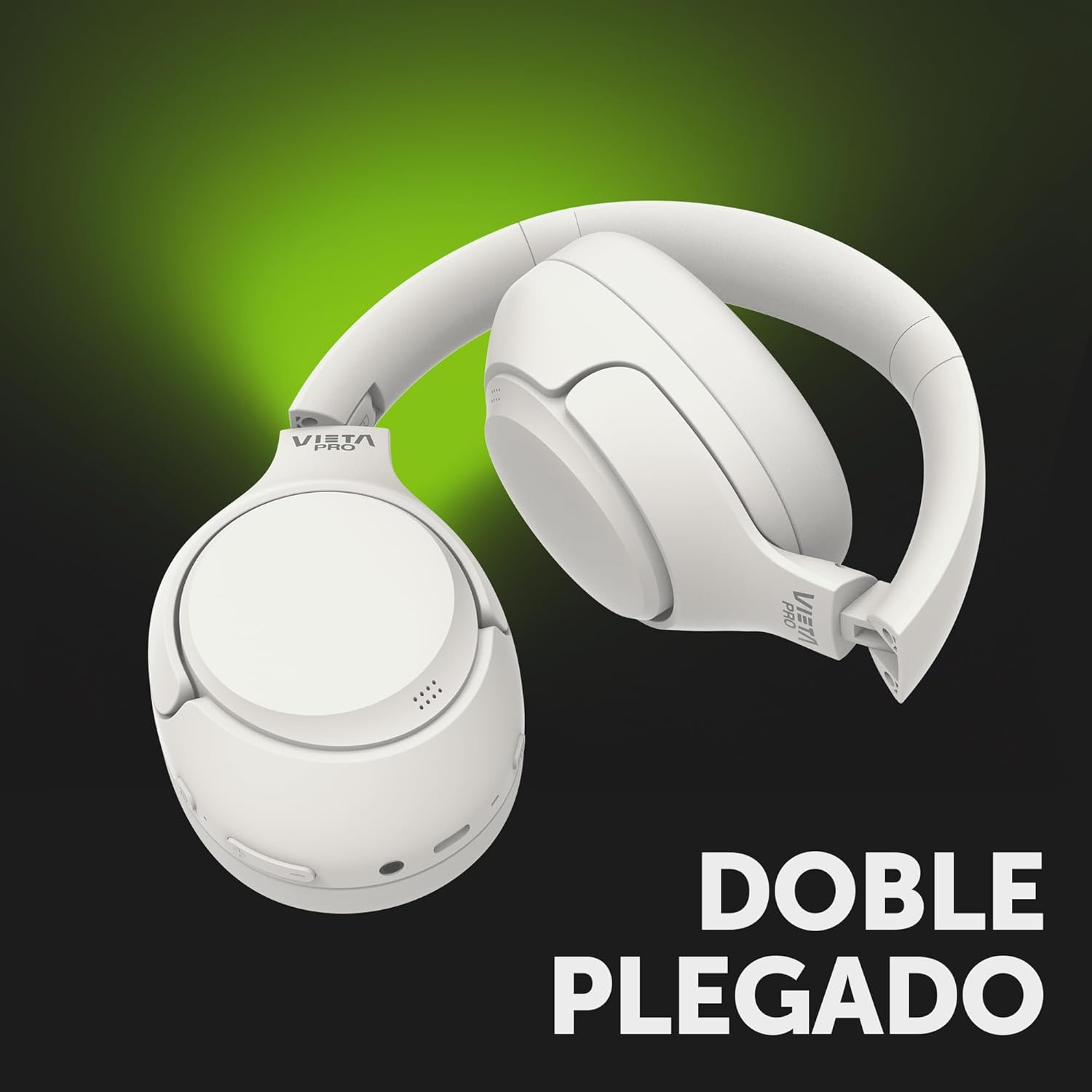
Image: The Vieta Pro Calm 2 headphones shown in their folded position, demonstrating their portability and ease of storage.
Troubleshooting
| Problem | Possible Cause | Solution |
|---|---|---|
| Headphones do not power on. | Low battery. | Charge the headphones fully. |
| Cannot pair via Bluetooth. | Headphones not in pairing mode; device Bluetooth off; too far from device. | Ensure headphones are in pairing mode (flashing blue/red). Turn on Bluetooth on your device. Move headphones closer to the device (within 10 meters). |
| No sound. | Volume too low; incorrect audio source; headphones not connected. | Increase volume on headphones and device. Check if headphones are connected to the correct device. Ensure AUX cable is fully inserted if using wired connection. |
| ANC not working effectively. | ANC not activated; poor seal around ears. | Press the ANC button to activate ANC. Adjust headphones for a snug fit over your ears. |
| Poor sound quality / intermittent connection. | Interference; distance from device; low battery. | Move closer to your device. Avoid strong electromagnetic interference. Charge the headphones. |
Specifications
| Feature | Detail |
|---|---|
| Model Name | Calm 2 |
| Model Number | VHP-NC510WH |
| Brand | Vieta Pro |
| Connectivity Technology | Wireless (Bluetooth 5.4) |
| Ear Placement | Over Ear |
| Form Factor | Over-Ear |
| Noise Control | Hybrid Noise Cancellation |
| Impedance | 32 Ohm |
| Sensitivity | 32 Ohm |
| Headphone Jack | 3.5 mm Jack |
| Color | White |
| Battery Life | Up to 60 hours |
| Manufacturer | FRAMASON AUDIO SA |
| Packaging Dimensions | 22.3 x 18.9 x 6.2 cm |
| Weight | 800 Grams |
Warranty and Support
Vieta Pro products are designed and manufactured to the highest quality standards. In the unlikely event that you experience any issues with your product, please refer to the warranty information provided at the time of purchase or visit the official Vieta Pro website for detailed warranty terms and conditions.
For technical support, troubleshooting assistance, or to download the Vieta Pro Audio App, please visit the official Vieta Pro support page or contact their customer service directly.
Official Vieta Pro Store: Visit Vieta Pro Store on Amazon