
Introduction
This manual provides detailed instructions for the assembly, operation, and maintenance of your DESINO L-Shaped Computer Corner Desk. Please read these instructions carefully before assembly and retain for future reference to ensure proper use and longevity of your product.
Safety Information
Always assemble the desk according to the included instructions to ensure stability and safety. Do not attempt to use the desk until it is fully assembled. The desk can support up to 500 lbs of weight when assembled correctly. Ensure all connections are secure before placing items on the desk. Keep small parts away from children during assembly.
Package Contents
Before beginning assembly, verify that all components are present and undamaged. If any parts are missing or damaged, please contact customer service.
- Desk Panels (L-shaped sections)
- Metal Frame Components (legs, support bars)
- Monitor Shelf
- Iron Hook
- Assembly Hardware (screws, bolts, nuts, Allen wrench)
- Adjustable Leveling Feet
Setup and Assembly Instructions
Follow these steps to assemble your DESINO L-Shaped Computer Corner Desk. It is recommended to assemble the desk on a soft, clean surface to prevent scratches.
Step 1: Unpack and Identify Components
Carefully remove all parts from the packaging. Refer to the provided parts list (if included in your package) to identify each component. Separate hardware into distinct groups.
Step 2: Assemble the Frame
Connect the metal frame components using the provided screws and the Allen wrench. Ensure all connections are secure but do not fully tighten until all frame parts are in place. The desk features an X-shaped frame design for enhanced stability.

Image: Illustration of the sturdy X-shaped frame design, highlighting its stability and ease of assembly.
Step 3: Attach Desk Panels
Place the desk panels onto the assembled frame. Align the pre-drilled holes on the panels with the frame and secure using the appropriate screws. Ensure the panels are flush and properly seated.

Image: A fully assembled DESINO L-Shaped Computer Corner Desk in black, showcasing its spacious design with multiple monitors and gaming equipment.
Step 4: Install Monitor Shelf and Hook (Optional)
The monitor shelf can be installed on either the left or right side of the desk, depending on your preference and setup. The convenient iron hook can also be attached to either side for headphones or other accessories.

Image: A diagram demonstrating the flexible two-way setup of the monitor shelf, which can be positioned on the left or right side of the desk.

Image: A close-up view of the monitor raising shelf, illustrating how it helps maintain an ergonomic posture and protects eyesight.
Step 5: Final Tightening and Leveling
Once all parts are in place and aligned, fully tighten all screws. Ensure the desk is stable and level. Use the adjustable leveling feet at the bottom of the desk legs to compensate for any unevenness in your floor, ensuring maximum stability.
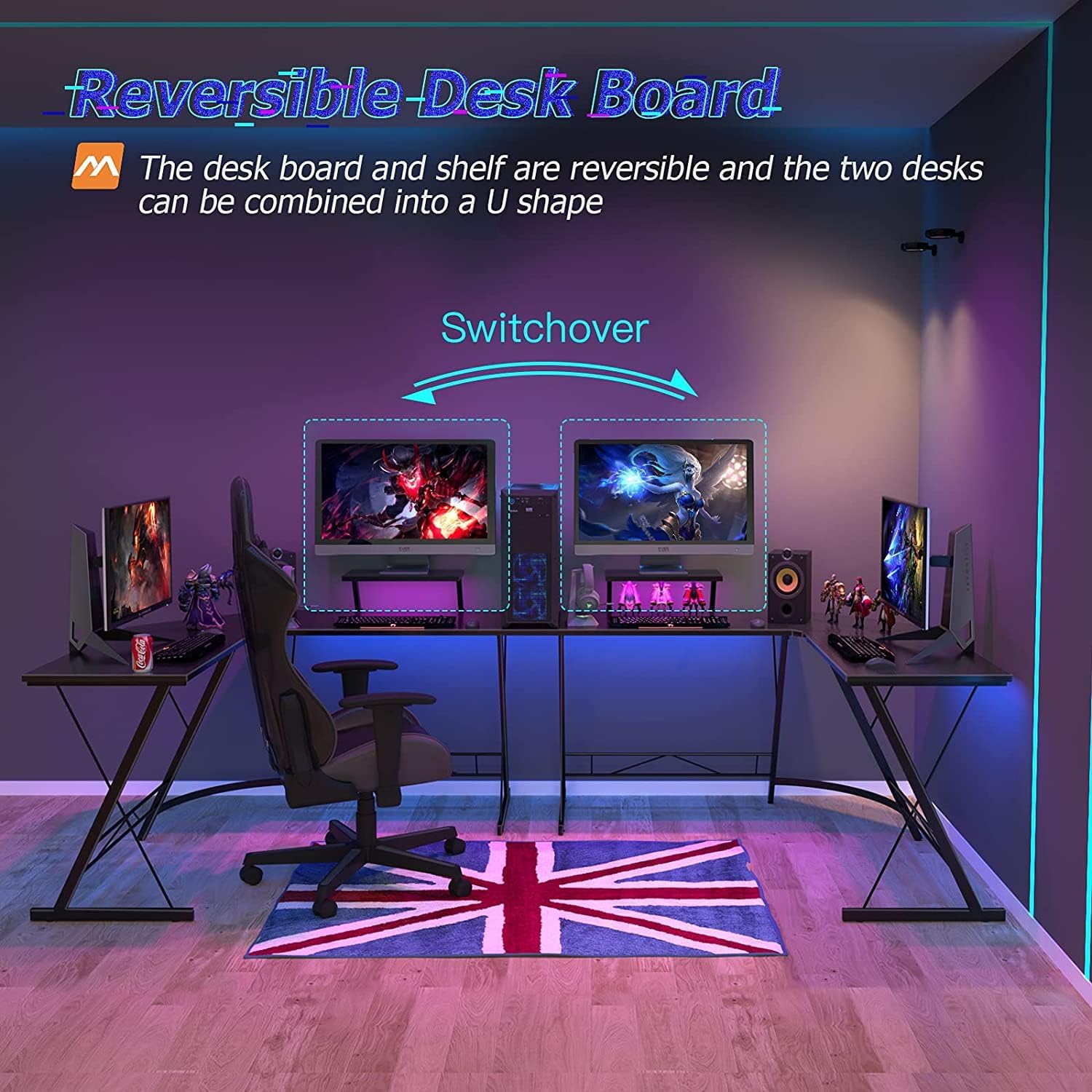
Image: Detail of the X-shape frame and an adjustable foot, designed to ensure stability on various floor types.
Operating Instructions
Utilizing the L-Shaped Design
The L-shaped design maximizes corner space, providing ample room for multiple monitors, a computer tower, keyboard, mouse, and other accessories. This configuration is ideal for home offices, gaming setups, or study areas, allowing for an organized and efficient workspace.

Image: An L-shaped desk configured in a home office or gaming room, demonstrating its space-saving and functional layout.
Reversible Desk Board Configuration
The desk boards and monitor shelf are reversible, offering flexibility in how you configure your workspace. This design allows for various setups, including the option to combine two L-shaped desks to form a larger U-shaped workstation, adapting to your specific needs.

Image: An illustration demonstrating the "Switchover" feature, where two L-shaped desks can be arranged to create a larger U-shaped workstation.
Maintenance
Proper maintenance will ensure the longevity and appearance of your DESINO desk.
- Regular Checks: Periodically check all screws and connections to ensure they remain tight. Re-tighten as necessary to maintain stability.
- Cleaning: Clean the desk surface with a soft, damp cloth. Avoid using harsh chemicals, abrasive cleaners, or scouring pads, as these can damage the finish.
- Protection: Protect the surface from excessive moisture, direct heat, and sharp objects. Use coasters for drinks and mouse pads for prolonged computer use to prevent wear.

Image: A close-up of the premium desk board surface, showing its water-resistant properties.
Troubleshooting
Desk is Wobbly
- Ensure all assembly screws are fully tightened.
- Adjust the leveling feet at the bottom of the desk legs to compensate for uneven floors. Turn them clockwise or counter-clockwise until the desk is stable.
Missing or Damaged Parts
- If any parts are missing or damaged upon arrival, immediately contact DESINO customer service. Do not attempt to assemble the desk with incomplete or damaged components.
Specifications
| Feature | Detail |
|---|---|
| Brand | DESINO |
| Model Number | ZZ01251 |
| Color | Black |
| Product Dimensions | 50D x 130W x 75H centimeters (approx. 19.7D x 51.2W x 29.5H inches) |
| Material | Metal Frame, P2 MDF Board |
| Special Features | Ergonomic, Reversible Design, Movable Monitor Shelf, Adjustable Leveling Feet |
| Item Weight | 10 Kilograms (approx. 22 lbs) |
| Shape | L-Shape |
| Desk Design | Computer Desk |
| Finish Type | Laminated, Powder Coated |
Note: Dimensions and weight are approximate and may vary slightly.
Warranty and Support
DESINO is committed to ensuring a positive experience for all our customers. We prioritize customer satisfaction and provide excellent customer service.
For any concerns, questions, or assistance regarding your product, including warranty information or to report missing/damaged parts, please refer to the contact details provided on the DESINO official website or your original purchase documentation.
You may also visit our support page for frequently asked questions and further assistance: DESINO Customer Support