
BOSYTRO 12V-1000W-CA
BOSYTRO DC 12V 83.3A 1000W Switching Power Supply User Manual
Model: 12V-1000W-CA
1. Introduction
This manual provides essential information for the safe and efficient operation of your BOSYTRO DC 12V 83.3A 1000W Switching Power Supply. Please read this manual thoroughly before installation and use to ensure proper functionality and to prevent damage or injury. This power supply is designed to convert AC input voltage to a stable DC 12V output, suitable for various electronic devices and systems.
2. Safety Information
WARNING: Risk of Electric Shock and Fire!
- Ensure the power supply is disconnected from the main power source before any installation, wiring, or maintenance.
- This unit is designed for indoor use only. Do not expose to water, moisture, or high humidity.
- Proper grounding is essential. Connect the ground terminal to an earth ground.
- Verify the input voltage switch (115V/230V) is set correctly for your region's power supply before connecting to AC power. Incorrect setting can cause damage to the unit.
- Do not open the casing of the power supply. There are no user-serviceable parts inside. Refer all servicing to qualified personnel.
- Ensure adequate ventilation around the unit to prevent overheating.
- Do not exceed the maximum output current (83.3A) or power (1000W) to avoid overload.
3. Product Features
- Universal AC Input: Supports AC 110V / 220V (90-135V / 185-265V) input, with a selectable switch.
- High Output Power: Provides 12V DC output with a maximum current of 83.3A and 1000W.
- Robust Construction: Features a high-quality aluminum housing with multiple ventilation holes for efficient heat dissipation.
- Built-in Cooling Fan: Equipped with an intelligent induction fan that activates based on temperature to maintain optimal operating conditions and extend service life.
- Multiple Protection Functions: Includes overload, over-voltage, short-circuit, earth leakage, overcurrent, and overheat protection for enhanced safety and reliability.
- Safety Certifications: RoHS/CE/LVD/EMC certified, ensuring compliance with environmental and safety standards.
4. Components Overview
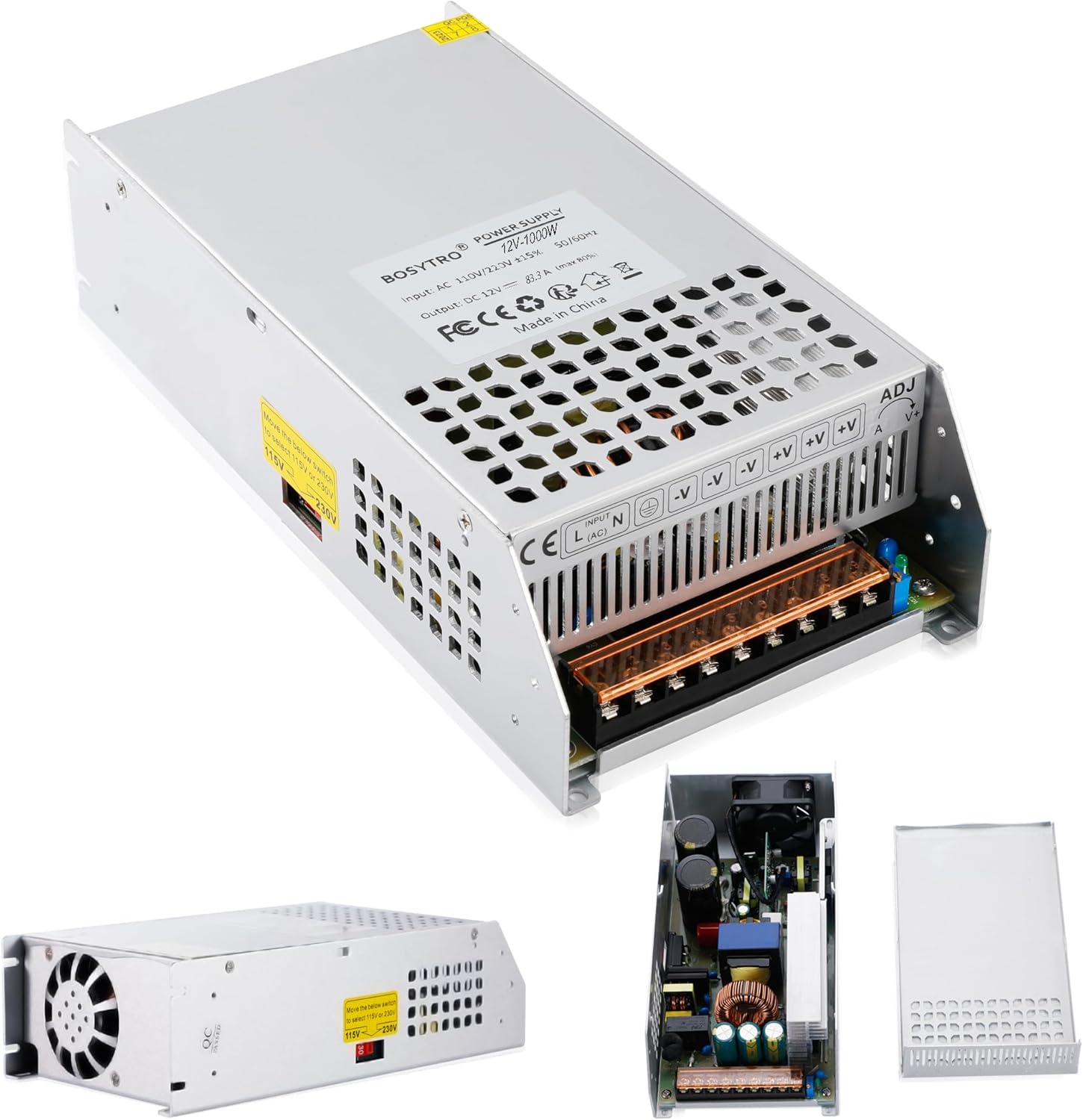
The BOSYTRO 12V-1000W-CA power supply is housed in a durable aluminum casing designed for efficient heat management. Key components include:
- Input Terminals: For AC power connection (L, N, Ground).
- Output Terminals: For DC 12V output connection (-V, +V).
- Voltage Adjustment (ADJ): A potentiometer for fine-tuning the output voltage.
- Cooling Fan: Internal fan for active cooling.
- Input Voltage Selector Switch: Allows selection between 115V and 230V AC input.
- Power Status Indicator: An LED light indicating the operational status.

5. Setup and Installation
Follow these steps carefully for safe and correct installation:
- Mounting: Securely mount the power supply in a well-ventilated area. Ensure there is sufficient space around the unit for airflow, especially near the ventilation holes and fan.
- Input Voltage Selection: Before connecting to AC power, locate the red switch on the side of the unit. Set it to 115V for North America (USA, Canada) or 230V for most European countries and other regions with 220-240V AC supply. Failure to set this correctly will damage the unit.

Figure 5.1: The input voltage selector switch (115V/230V) on the side of the power supply. Ensure this is set correctly before connecting to AC power. - AC Input Wiring: Connect your AC power source to the input terminals.
- Connect the Live (L) wire to the 'L' terminal.
- Connect the Neutral (N) wire to the 'N' terminal.
- Connect the Ground wire to the 'Ground' terminal (marked with a ground symbol).
- DC Output Wiring: Connect your DC 12V devices to the output terminals.
- Connect the positive (+) wire of your device to the '+V' terminals.
- Connect the negative (-) wire of your device to the '-V' terminals.
Multiple '+V' and '-V' terminals are provided for connecting multiple devices or for using thicker wires for high current applications.

Figure 5.2: Detailed wiring port diagram showing connections for AC input (L: Fire wire, N: Zero wire, Ground) and DC output (DC Power positive port, DC Power negative port), along with the adjustable voltage screw and power status indicator. - Initial Power On: After all connections are verified, connect the power supply to the AC mains. The power status indicator light should illuminate.
6. Operating Instructions
Once installed, the power supply operates automatically. The output voltage is factory-set to 12V, but can be fine-tuned if necessary.
- Voltage Adjustment: A small potentiometer labeled 'ADJ' or 'V+' is located near the output terminals. Use a small screwdriver to carefully turn this screw clockwise to slightly increase the output voltage or counter-clockwise to decrease it. Do not adjust beyond the recommended range (typically +/- 0.5V) to avoid damaging connected devices.
- Cooling Fan Operation: The built-in intelligent induction fan will only start when the internal temperature reaches a certain threshold. This design improves efficiency and reduces noise when cooling is not required. If the fan does not spin immediately upon power-on, it does not indicate a fault unless the unit is under load and overheating.
7. Maintenance
The BOSYTRO power supply requires minimal maintenance. However, regular checks can ensure its longevity and safe operation:
- Cleaning: Periodically clean the exterior of the unit, especially the ventilation grilles, to prevent dust buildup that can impede airflow. Use a soft, dry cloth. Do not use liquid cleaners.
- Connection Checks: Occasionally inspect all wiring connections to ensure they remain tight and free from corrosion.
- Ventilation: Ensure that the area around the power supply remains clear and unobstructed to allow for proper heat dissipation.

8. Troubleshooting
| Problem | Possible Cause | Solution |
|---|---|---|
| No output voltage / Power indicator off | No AC input power; Incorrect input voltage switch setting; Blown fuse (internal); Faulty wiring. | Check AC power source and cable. Verify input voltage switch (115V/230V) is correct. Inspect all wiring connections. If problem persists, contact support. |
| Output voltage too low or unstable | Overload; Loose connections; Faulty connected device. | Reduce load on the power supply. Check and tighten all output wiring. Disconnect devices one by one to identify faulty load. Adjust output voltage slightly using ADJ potentiometer. |
| Unit overheats / Fan constantly running at high speed | Insufficient ventilation; Excessive load; High ambient temperature. | Ensure adequate airflow around the unit. Reduce load if it exceeds specifications. Move unit to a cooler environment. |
| Unit shuts down unexpectedly | Overload protection activated; Over-temperature protection activated; Short circuit in output. | Reduce load. Check for short circuits in connected devices/wiring. Allow unit to cool down before restarting. |
9. Specifications
| Parameter | Value |
|---|---|
| Brand | BOSYTRO |
| Model | 12V-1000W-CA |
| Input Voltage | AC 110V / 220V (90-135V / 185-265V) selectable |
| Output Voltage | DC 12V (Adjustable) |
| Output Current | 83.3A (Max) |
| Output Wattage | 1000W |
| Frequency | 50/60 Hz |
| Material | Aluminum Shell |
| Cooling Device | Built-in fan and ventilation holes |
| Working Efficiency | ≥ 80% |
| Operating Temperature | -10℃ to 60℃ |
| Product Dimensions | 24.5 x 12.5 x 6.5 cm |
| Product Weight | 1.26 kg |

10. Scope of Application
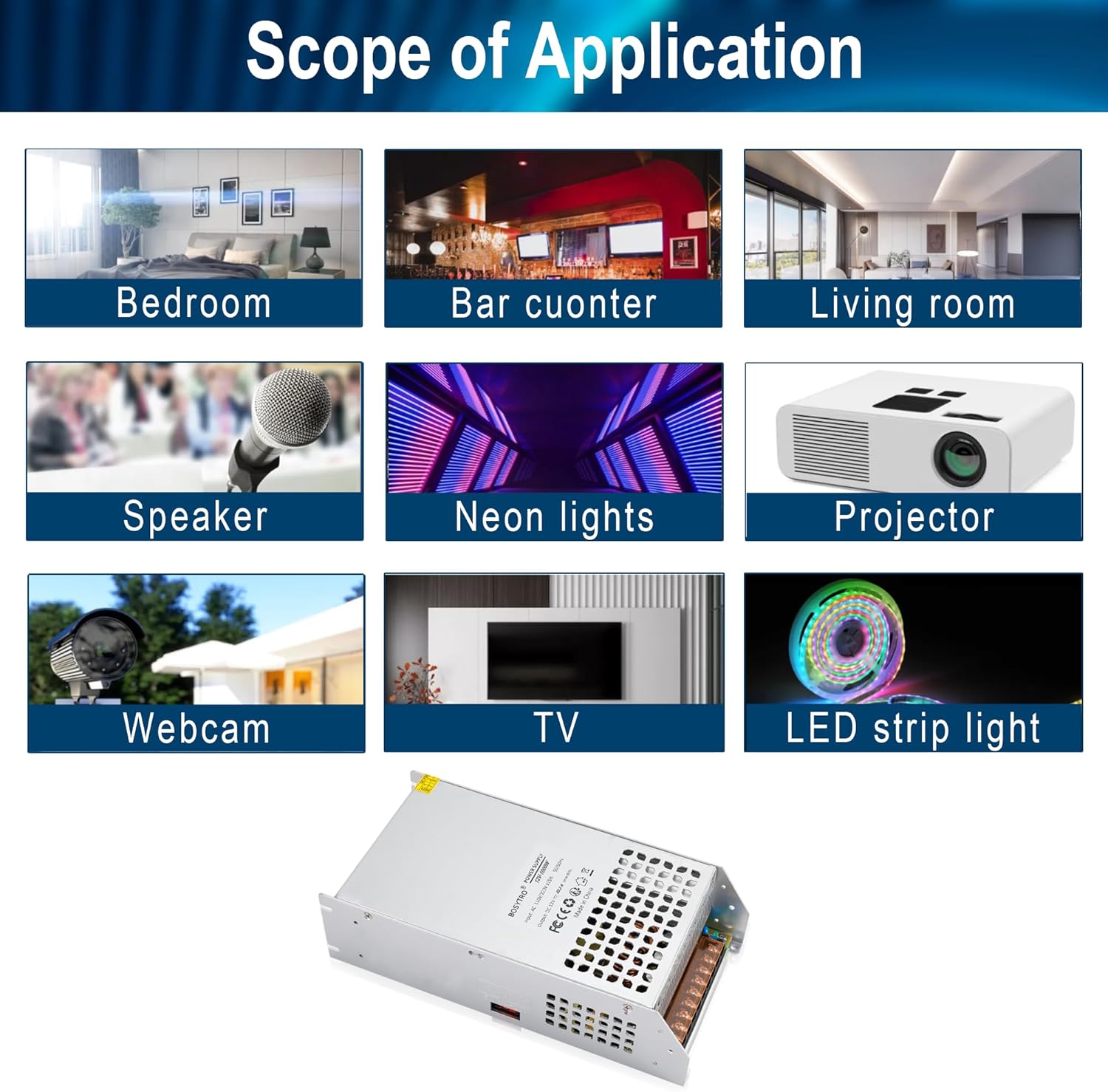
This power supply is extensively used in various DC 12V applications due to its stable output and robust protection features. Typical applications include:
- LED Strip Lighting
- CCTV Camera Security Systems
- Computer Projects
- Industrial Power Supplies
- Home Appliances requiring 12V DC
- Electronic Devices
- Progressive Motors
- Brushless Motors
- Automation Devices
11. Warranty and Support
BOSYTRO products undergo rigorous testing to ensure stable performance and long service life. For any questions regarding this product, please contact BOSYTRO customer support.
- Customer Service Email: servicesupport2000@163.com
- Return Policy: This product typically comes with a 30-day refund/replacement policy. Please refer to your purchase platform's specific return guidelines.
Ask a question about this manual
Ask about setup, troubleshooting, compatibility, parts, safety, or missing instructions. Manuals+ will review the question and use this page’s manual context to help answer it.