
Beyamis Starlink Gen 3 12V Conversion Kit
Starlink Gen 3 12V Conversion Kit User Manual
Model: Starlink Gen 3 12V Conversion Kit | Brand: Beyamis
Introduction
This manual provides essential information for the proper installation, operation, and maintenance of your Beyamis Starlink Gen 3 12V Conversion Kit. This device is designed to convert a 12V DC input to a stable 56V DC output, specifically for powering the Starlink Gen 3 Router in various mobile and outdoor environments such as RVs, golf carts, and remote setups. Please read this manual thoroughly before use to ensure safe and efficient operation.
Safety Information
Adhering to these safety guidelines is crucial for preventing damage to the device, connected equipment, and personal injury.
- Voltage Compatibility: Ensure your input power source is within the specified range of 9V-35V DC. Connecting to an incompatible voltage source may damage the converter and connected devices.
- Polarity: Always connect the positive (+) and negative (-) terminals correctly. Incorrect polarity can cause severe damage.
- Overload Protection: Do not exceed the maximum output of 5A (280W). Overloading can lead to overheating and device failure.
- Heat Dissipation: While designed for efficient heat management, ensure the converter has adequate ventilation, especially during prolonged high-load operation. Avoid covering the device.
- Waterproof Rating: The converter features an IP68 waterproof and dustproof design, making it suitable for outdoor use. However, ensure all connections are secure and protected from direct water ingress.
- Installation Environment: Install the converter in a stable location, away from flammable materials and excessive heat sources.
- Professional Installation: If you are unsure about any installation steps, consult a qualified electrician or technician.

Image: The converter is equipped with multiple safety protections, including over-voltage, over-current, short-circuit, and over-temperature protection, ensuring reliable operation.
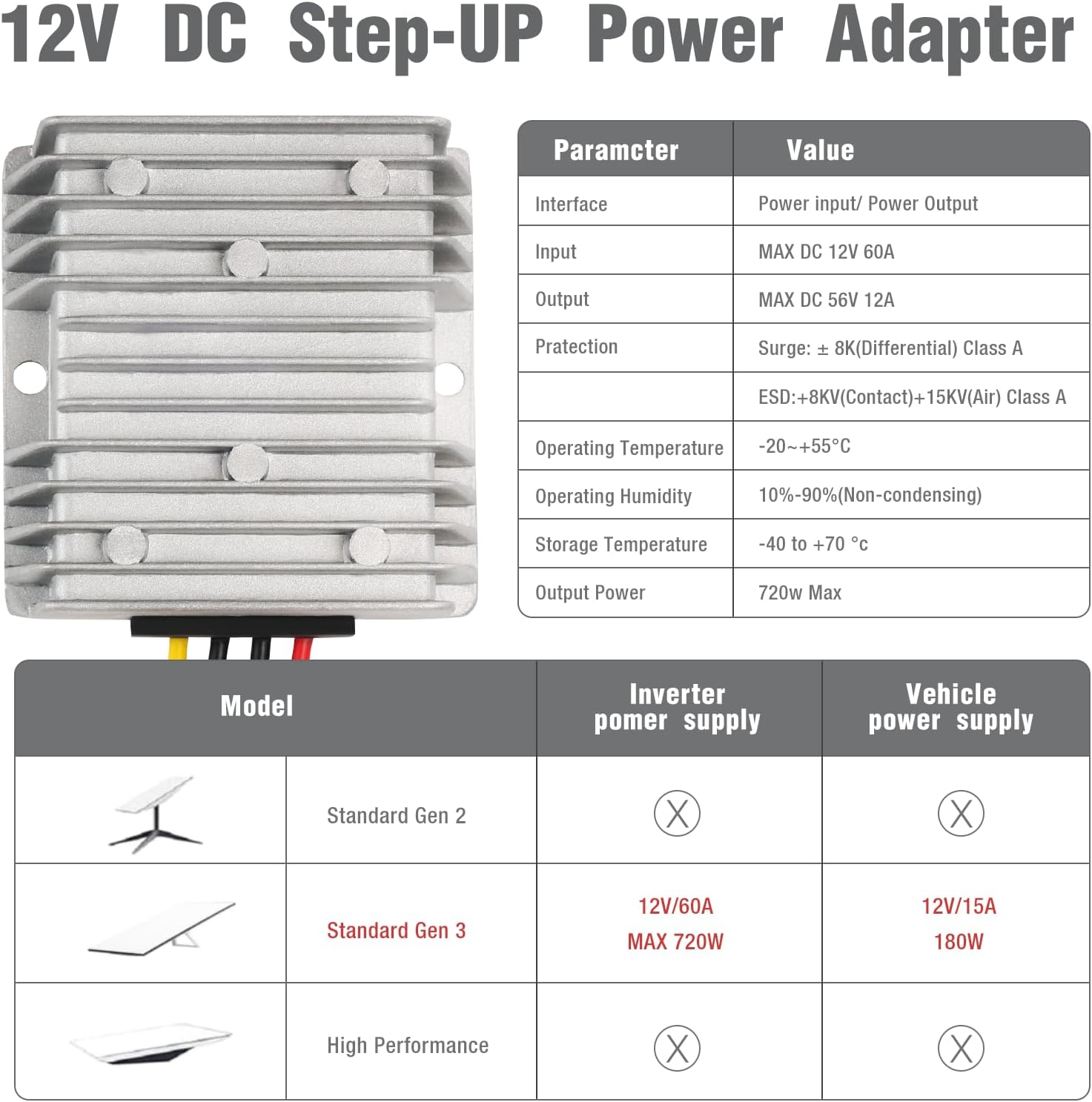
Image: The IP68 waterproof design ensures durability and reliable performance in challenging outdoor conditions, resisting rain, snow, and dust.
Product Overview
The Beyamis Starlink Gen 3 12V Conversion Kit is a robust DC-DC step-up converter designed for seamless integration with the Starlink Gen 3 Router. It provides a stable 56V DC output from a 12V input, enabling portable and off-grid Starlink connectivity.
Key Features
- Dedicated for Starlink Gen 3: Optimized for compatibility and performance with the Starlink Gen 3 Router.
- Stable Power Output: Delivers a consistent 56V DC output (5A, 280W max) to prevent connectivity interruptions.
- Wide Input Voltage Range: Accepts input from 9V to 35V DC, accommodating various 12V power sources.
- High Efficiency: Engineered for high power conversion efficiency.
- Advanced Heat Dissipation: Features a design for ultra-fast heat dissipation, maintaining stable performance.
- Plug-and-Play Design: Simple setup with included wire terminals for effortless installation.
- Durable and Waterproof: IP68 rated for resistance against water, dust, UV rays, and corrosion.
- Multiple Safety Protections: Includes over-voltage, over-current, short-circuit, and over-temperature protection.
Package Contents
- Starlink Gen 3 Power Converter

Image: The complete Starlink Gen 3 12V Conversion Kit, illustrating its components and typical setup with a Starlink router and a solar power source.

Image: The converter boasts high efficiency in converting 12V DC to 56V DC, minimizing power loss.
Setup
Follow these steps to properly install your Starlink Gen 3 12V Conversion Kit.
Installation Steps
- Prepare Your Power Source: Ensure your 12V DC power source (e.g., battery, vehicle power supply) is turned off or disconnected before making any connections.
- Connect Input Wires: Identify the input wires on the converter (typically red for positive and black for negative). Use the provided wire terminals or suitable connectors to securely attach these to your 12V DC power source. Ensure correct polarity.
- Connect Output Wires: Identify the output wires on the converter (typically yellow for positive and black for negative). Connect these to the power input of your Starlink Gen 3 Router. Refer to your Starlink router's manual for specific power input requirements and connection points.
- Secure Connections: Double-check all connections to ensure they are tight and secure. Loose connections can lead to power fluctuations or damage.
- Mount the Converter: Place the converter in a suitable location, ensuring adequate ventilation and protection from physical damage. The mounting holes on the converter can be used for secure installation.
- Power On: Once all connections are verified, turn on your 12V DC power source. The converter will begin supplying 56V DC power to your Starlink Gen 3 Router.

Image: Clear illustration of the plug-and-play installation process, connecting the converter between a 12V battery and the Starlink Gen 3 Router.
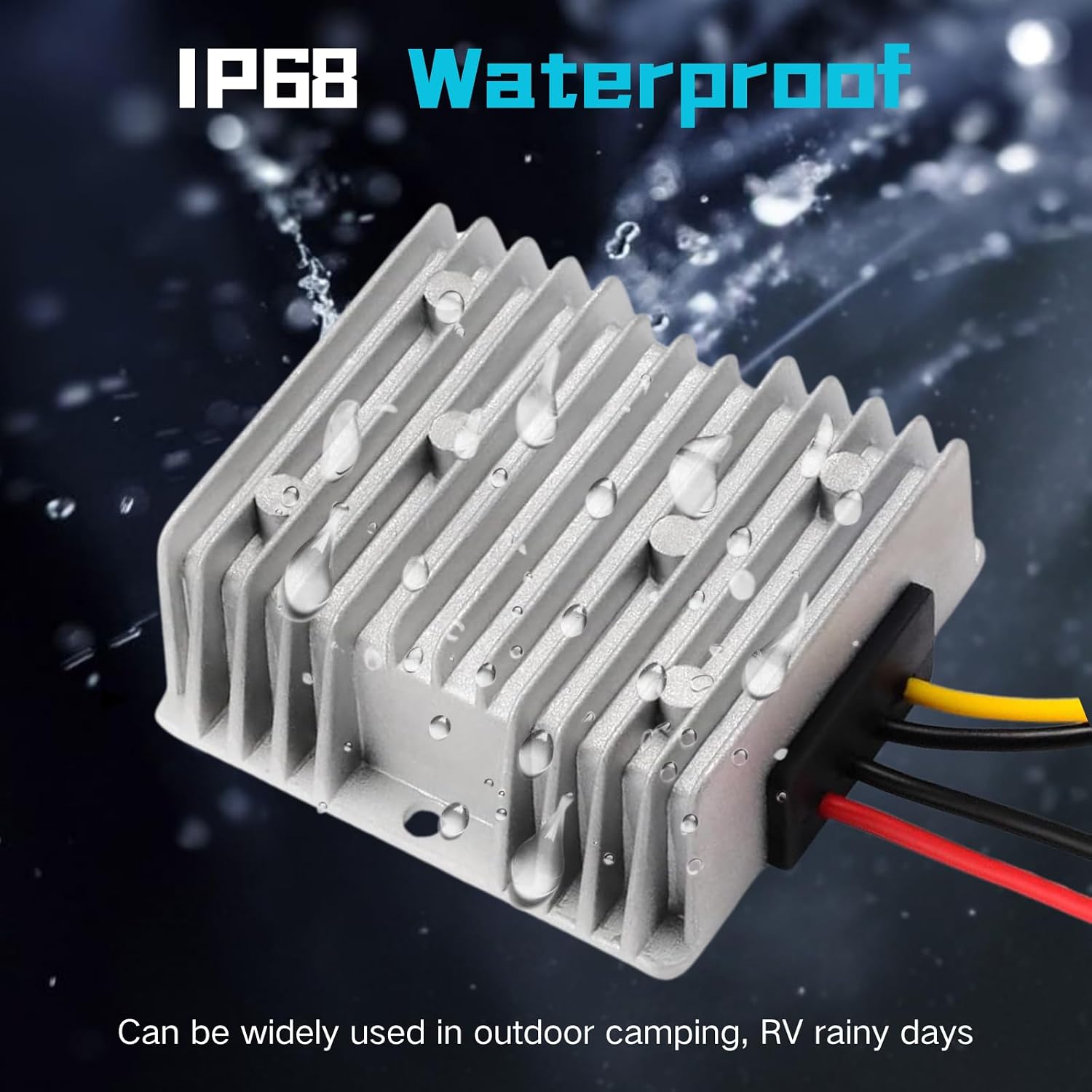
Image: Example setup demonstrating the converter's use with a solar panel and Starlink router for off-grid power solutions.
Operating Instructions
Once installed, the Beyamis Starlink Gen 3 12V Conversion Kit operates automatically to provide stable power to your Starlink router.
- Automatic Operation: The converter will automatically step up the input 12V DC to 56V DC as long as it receives power from your 12V source.
- Stable Connection: The converter is designed to provide a continuous and stable 57V power supply, minimizing interruptions to your Starlink connection.
- Heat Management: The converter's robust design and efficient heat dissipation ensure stable performance even under continuous operation. It is normal for the unit to feel warm to the touch during use.
- Monitoring: Periodically check the connections to ensure they remain secure, especially in environments with vibrations or movement (e.g., RVs, boats).
Maintenance
The Beyamis Starlink Gen 3 12V Conversion Kit requires minimal maintenance due to its durable and waterproof design.
- Cleaning: If necessary, gently wipe the exterior of the converter with a dry or slightly damp cloth. Do not use harsh chemicals or abrasive cleaners.
- Connection Check: Periodically inspect all wiring connections for any signs of wear, corrosion, or loosening. Re-tighten or replace as needed.
- Environmental Protection: While IP68 rated, prolonged exposure to extreme conditions (e.g., direct submersion, extreme temperatures beyond specifications) should be avoided to maximize lifespan.
- Storage: If storing the converter for an extended period, disconnect it from all power sources and store it in a cool, dry place.
Troubleshooting
If you encounter issues with your converter, refer to the following common problems and solutions:
| Problem | Possible Cause | Solution |
|---|---|---|
| No power output to Starlink router. | Input power source is off or disconnected. Incorrect wiring polarity. Loose connections. Converter failure. | Ensure 12V power source is active. Verify input and output wiring polarity. Check and secure all connections. If issues persist, contact customer support. |
| Starlink connection is unstable or drops frequently. | Insufficient input voltage. Overloading the converter. Faulty connections. | Ensure input voltage is within 9V-35V range. Verify total power draw does not exceed 280W. Inspect and secure all wiring connections. |
| Converter is excessively hot. | Overloading. Poor ventilation. Internal fault. | Reduce load on the converter. Ensure adequate airflow around the unit. Disconnect immediately and contact support if overheating persists. |
| Unusual noise (e.g., buzzing) from the converter. | Normal operational noise (minor buzz). Electrical interference. Component issue. | A faint buzz can be normal. If noise is loud or accompanied by other issues, check connections for interference. If severe, discontinue use and contact support. |
Specifications
Detailed technical specifications for the Beyamis Starlink Gen 3 12V Conversion Kit:
| Parameter | Value |
|---|---|
| Product Dimensions | 2.91 x 1.25 x 2.91 inches |
| Item Weight | 10.8 ounces |
| ASIN | B0DJVTSMK6 |
| Brand | Beyamis |
| Color | Silver |
| Manufacturer | Beyamis |
| Input Voltage Range | 9V-35V DC |
| Output Voltage | 56V DC |
| Max Output Current | 5A |
| Max Output Power | 280W |
| Protection | Over-voltage, Over-current, Short-circuit, Over-temperature |
| Waterproof Rating | IP68 |
| Operating Temperature | -20°C to +55°C |
| Storage Temperature | -40°C to +70°C |
| Operating Humidity | 10%-90% (Non-condensing) |
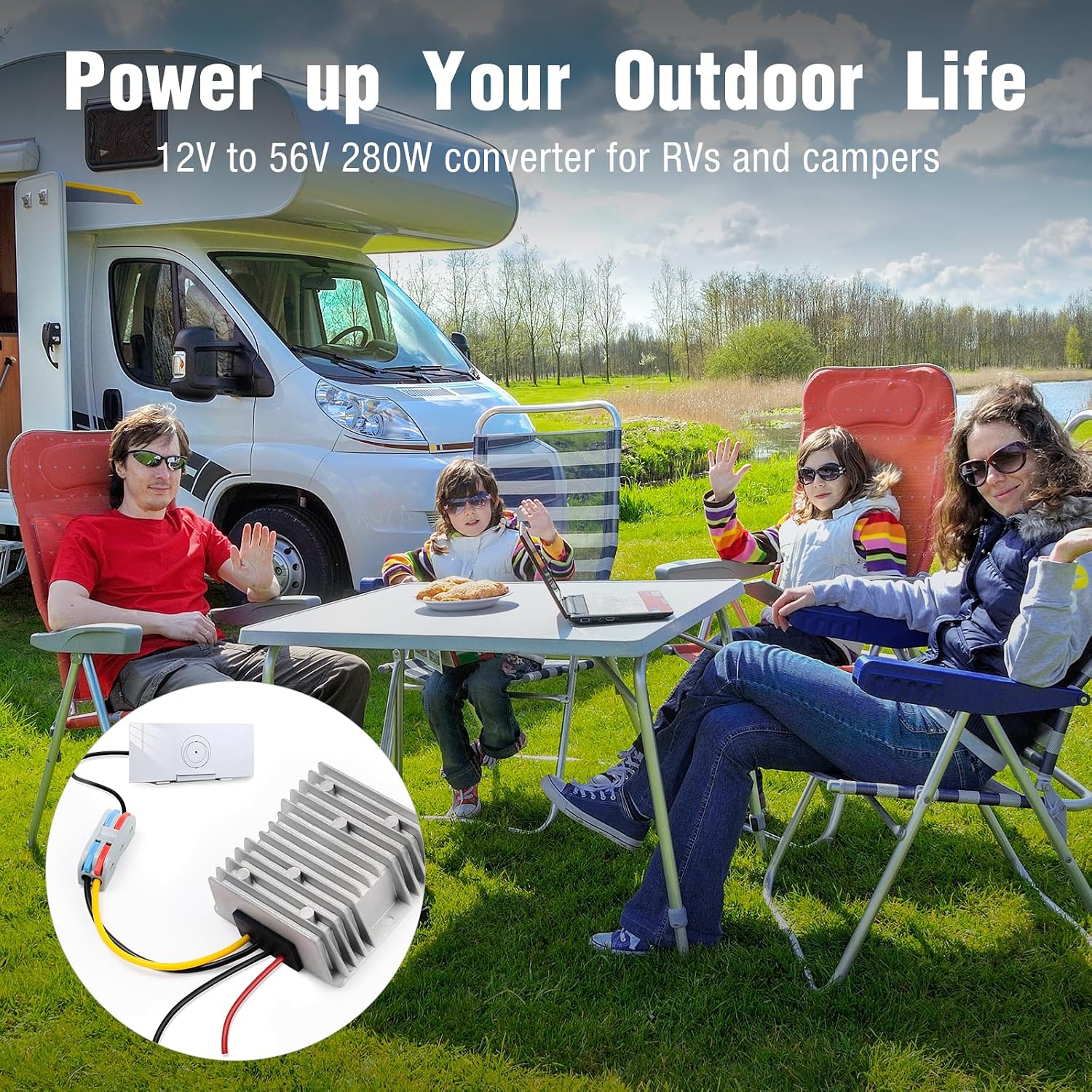
Image: Comprehensive table outlining the technical specifications and performance parameters of the converter.
Warranty and Support
For warranty information or technical support, please contact the manufacturer, Beyamis, through their official channels or the retailer from whom you purchased the product. Please retain your proof of purchase for warranty claims.
Related documentsStarlink Gen 3 12V Conversion Kit

Ask a question about this manual
Ask about setup, troubleshooting, compatibility, parts, safety, or missing instructions. Manuals+ will review the question and use this page’s manual context to help answer it.