
Introduction
This instruction manual provides essential information for the BEASTCOM Q3 Gaming PC Desktop Computer, Model Q3-E015. It covers the necessary steps for initial setup, operational guidelines, maintenance procedures, and troubleshooting common issues. This system is equipped with an AMD Ryzen 5 3400G processor, 16GB RAM, 1TB M.2 NVMe storage, and AMD Radeon Vega 11 Graphics, designed for a versatile computing experience.
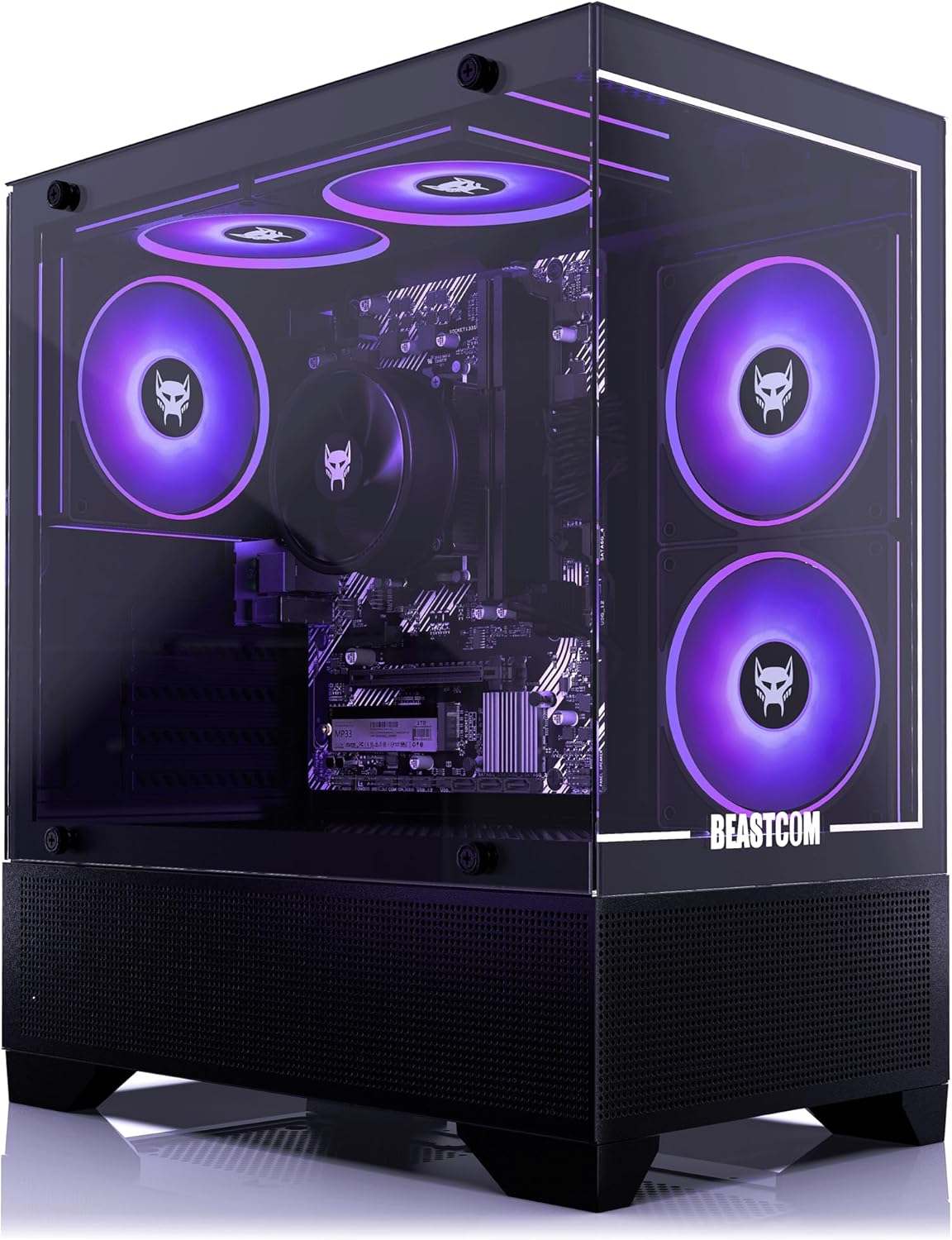
Figure 1: Front-right view of the BEASTCOM Q3 Gaming PC Desktop Computer, showcasing its transparent side panel and internal purple RGB fans.
Setup
1. Unboxing and Initial Inspection
Carefully remove the PC from its packaging. Inspect the exterior for any signs of damage. Open the side panel to remove any internal protective foam or packaging materials that secure components during transit. Ensure all cables are securely connected internally.

Figure 2: Side view of the BEASTCOM Q3 PC, illustrating the internal layout and cooling fans.
2. Connecting Peripherals
- Monitor: Connect your monitor to the graphics output ports on the rear of the PC. The system supports 4K resolution (3840 x 2160) and a maximum screen resolution of 1920x1080.
- Keyboard and Mouse: Connect your keyboard and mouse to the available USB ports. The PC features 6 USB 2.0 ports and 2 USB 3.0 ports.
- Audio: Connect speakers or headphones to the audio output jacks.
- Network: Connect an Ethernet cable for a wired internet connection or ensure the WiFi antenna is attached for wireless connectivity.
- Power: Connect the power cable to the PC and then to a power outlet.

Figure 3: Front view of the BEASTCOM Q3 PC, highlighting the internal components and fan placement.
3. Initial Power On and Operating System Setup
Press the power button located on the top of the PC. The system comes pre-installed with Windows 11 Pro. Follow the on-screen prompts to complete the initial operating system setup, including language selection, network configuration, and user account creation.
Operating Your PC
General Usage and Performance
The BEASTCOM Q3 PC is designed for efficient performance across various tasks, from gaming to office work and web browsing. The AMD Ryzen 5 3400G processor with integrated AMD Radeon Vega 11 Graphics, combined with 16GB of DDR4 RAM and a 1TB NVMe SSD, ensures smooth operation and quick loading times. Games that previously experienced lag should now run with improved detail and fluidity.
RGB Lighting
The Q3 series features customizable RGB lighting, enhancing the aesthetic appeal of your setup. The internal fans and other components are equipped with RGB technology, allowing for various color displays. Refer to the system's software for specific controls and customization options for the RGB lighting.

Figure 4: Close-up view of the top-mounted RGB fans and the CPU cooler, illustrating the customizable lighting.

Figure 5: Close-up view of the front-mounted RGB fans, contributing to the system's visual appeal.
Maintenance
General Care
To ensure the longevity and optimal performance of your BEASTCOM Q3 PC, regular maintenance is recommended. Keep the computer in a clean, dust-free environment. Avoid placing objects on top of the PC that could obstruct airflow.
Cooling System
The PC's cooling system is designed to maintain normal operating temperatures even during extended use. The fans operate quietly, minimizing noise disruption. Periodically check the fan vents for dust accumulation and clean them gently with compressed air to ensure unrestricted airflow.

Figure 6: Detailed view of the CPU cooler and RAM modules, essential components for system performance and cooling.
Troubleshooting
If you encounter any issues with your BEASTCOM Q3 PC, consider the following basic troubleshooting steps:
- No Power: Ensure all power cables are securely connected to the PC and the wall outlet. Check the power switch on the power supply unit (PSU) at the back of the PC.
- No Display: Verify that the monitor is correctly connected to the graphics output ports and that the monitor is powered on and set to the correct input source.
- System Lag or Freezing: Close unnecessary applications. Ensure the operating system and drivers are up to date. Check for sufficient free space on the 1TB NVMe SSD.
- Unusual Noise: If you hear unusual noises, check for any loose components or obstructions in the fans.
For persistent issues, refer to the warranty information for support options.
Specifications
| Feature | Specification |
|---|---|
| Brand | BEASTCOM |
| Series | Q3-E015 |
| Item Model Number | Q3-E015 |
| Processor | AMD Ryzen 5 3400G (4.2 GHz) |
| RAM | 16 GB DDR4 SDRAM |
| Hard Drive | 1 TB SSD (M.2 NVMe) |
| Graphics Coprocessor | AMD Radeon Vega 11 Graphics (Integrated) |
| Operating System | Windows 11 Pro |
| Max Screen Resolution | 1920x1080 |
| Screen Resolution | 3840 x 2160 |
| Number of USB 2.0 Ports | 6 |
| Number of USB 3.0 Ports | 2 |
| Item Weight | 20.1 pounds |
| Package Dimensions | 20 x 19.96 x 12.64 inches |
Warranty and Support
BEASTCOM offers a comprehensive warranty for your Q3 Gaming PC. If your PC experiences problems or does not start as expected within 30 days of delivery, BEASTCOM will replace it free of charge. Additionally, a 1-year all-in warranty covers the product for a full year from the date of purchase. For support or to initiate a warranty claim, please contact BEASTCOM customer service through the official channels provided at the point of purchase.