
Socool fan D22 Camping Fan
Socool D22 Camping Fan with Light Instruction Manual
Model: D22 Camping Fan | Brand: Socool fan
Introduction
Thank you for choosing the Socool D22 Camping Fan with Light. This portable and versatile fan is designed to provide cooling and illumination for various indoor and outdoor activities, including camping, home use, and emergency situations. Please read this manual thoroughly before operating the device to ensure safe and optimal performance.
Important Safety Instructions
- Read all instructions before using the fan.
- Do not insert fingers or any objects into the fan grille.
- Keep the fan away from water or other liquids to prevent electric shock.
- Do not operate the fan with a damaged cord or plug.
- Ensure the fan is placed on a stable, flat surface when in use.
- Keep out of reach of children.
- Do not attempt to disassemble or repair the fan yourself. Contact qualified service personnel.
- Use only the provided USB-C cable for charging.
- Avoid exposing the battery to extreme temperatures or direct sunlight.
Package Contents
- Socool D22 Camping Fan
- Remote Control
- USB-C Cable
- User Manual
Product Overview
The Socool D22 Camping Fan features a robust design with multiple functionalities for enhanced user experience.

Front view of the Socool D22 Camping Fan, showcasing the fan blades and control panel.
Key Features:
- 20000mAh Rechargeable Battery: Provides up to 112 hours of continuous operation at low speed.
- 8-Speed Wind Adjustment: Offers a range from gentle breeze to strong airflow (up to 1970 RPM).
- Auto Oscillation: Features 45° and 90° automatic oscillation for wider air distribution.
- 270° Manual Pivot: Allows for precise vertical airflow adjustment.
- 16 LED Lights with 3 Brightness Levels: Provides adjustable illumination for various needs.
- Emergency Power Bank: Equipped with a 5V-2A USB output to charge mobile devices.
- Remote Control: Conveniently adjust settings from a distance, with a dedicated storage slot.
- Digital Display: Shows current wind speed and remaining battery percentage.
- Timer Function: Set the fan to operate for 1, 2, 4, or 8 hours.
- Night Mode: Turns off the digital display for undisturbed sleep.
- Hidden Hanging Hook: Supports 360° rotation and 180° flip for versatile placement.
- Portable Design: Features a soft silicone handle for easy transport and a durable ABS build.
Setup
1. Initial Charging
Before first use, fully charge the fan. Connect the provided USB-C cable to the fan's Type-C input port (5V-3A) and plug the other end into a compatible power source (wall adapter, car charger, laptop, or power bank). The digital display will show the charging progress. A full charge typically takes 9-10 hours.

The fan can be charged using the Type-C input. It can also operate while charging.
2. Remote Control Preparation
The remote control is stored in a dedicated slot on the side of the fan's base. Slide it out for use. Ensure the battery in the remote is functional.

The remote control conveniently stores in a slot on the fan's base to prevent loss.
Operation
The fan can be operated using the control panel on the base or the remote control.
1. Power On/Off
- Press the Power button (or fan icon on remote) to turn the fan on. It will start at a low speed.
- Press the Power button again to turn the fan off.
2. Fan Speed Adjustment
The fan has 8 adjustable speed levels. Use the '+' or '-' buttons on the control panel or remote to increase or decrease the wind speed. The current speed will be displayed on the digital screen.

The fan offers 8 wind speed settings, from gentle to powerful, indicated by CFM values.
3. Oscillation and Pivot
- Auto Oscillation: Press the Oscillation button (circular arrow icon) to cycle through 45°, 90° oscillation, or turn oscillation off.
- Manual Pivot: The fan head can be manually adjusted up to 270° vertically to direct airflow.

The fan features 45°/90° auto oscillation and a 270° manual pivot for wide-ranging airflow.
4. Light Function
The fan is equipped with 16 LED lights. Press the Light button (sun icon) to cycle through 3 dimmable brightness settings (Low, Medium, High) or turn the light off.
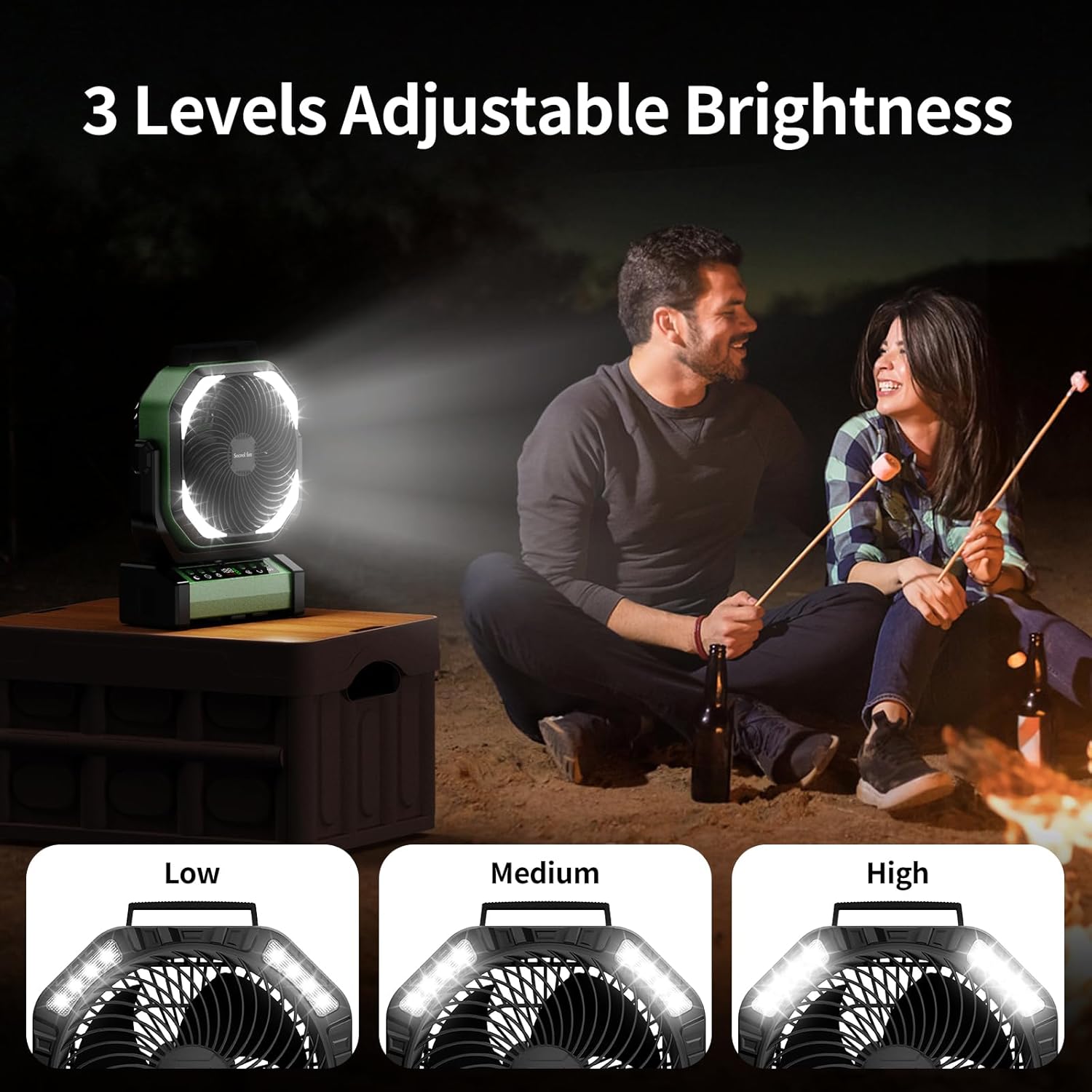
The integrated LED lights offer three brightness levels for various lighting needs.
5. Timer Function
Press the Timer button (clock icon) to set the fan to automatically turn off after 1, 2, 4, or 8 hours. The selected time will be displayed.
6. Night Mode (Display Off)
For undisturbed sleep, press the Night Mode button (moon icon) to turn off the digital display while the fan continues to operate.
7. Emergency Power Bank Function
The fan can act as an emergency power bank. Connect your mobile device to the USB-A output port (5V-2A) on the fan's base using your device's charging cable. The fan will charge your device.

The fan's 20000mAh battery can also serve as an emergency power bank to charge other devices.
Placement Options
The Socool D22 Camping Fan offers versatile placement options:
- Free Standing: Place on any flat surface.
- Hook Hanging: Utilize the hidden hook at the bottom to hang the fan from tents, umbrellas, or other structures. The hook supports 360° rotation and 180° flip.
- Portable Handle: Use the soft silicone handle at the top for easy carrying.

The fan can be used free-standing, hung by its hook, or carried with its handle.
Maintenance
- Cleaning: Disconnect the fan from power before cleaning. Use a soft, damp cloth to wipe the exterior surfaces. Do not use abrasive cleaners or immerse the fan in water.
- Storage: Store the fan in a cool, dry place when not in use. Ensure the battery is partially charged (around 50%) before long-term storage to prolong battery life.
Troubleshooting
| Problem | Possible Cause | Solution |
|---|---|---|
| Fan does not turn on. | Low battery or no power. | Charge the fan using the USB-C cable. Ensure the power button is pressed. |
| Fan speed is weak. | Low battery or low speed setting. | Charge the fan. Increase the fan speed using the '+' button. |
| Light does not work. | Light function is off or low battery. | Press the Light button to turn on/adjust brightness. Charge the fan. |
| Remote control not working. | Remote battery depleted or out of range. | Replace remote battery. Ensure remote is within 20 feet of the fan. |
| Oscillation not working. | Oscillation function is off. | Press the Oscillation button to activate 45° or 90° mode. |
Specifications
| Feature | Detail |
|---|---|
| Brand | Socool fan |
| Model Name | D22 Camping Tent Fan |
| Color | Green |
| Electric Fan Design | Table Fan |
| Power Source | Battery Powered |
| Product Dimensions | 4"D x 10"W x 12"H |
| Special Features | Lightweight & Emergency Power Supply, Oscillating, Portable & Adjustable Tilt, Remote Controlled |
| Recommended Uses | Air Circulation, Cooling, Ventilating |
| Noise Level | 30 Decibels |
| Wattage | 15 watts |
| Air Flow Capacity | 191 Cubic Feet Per Minute |
| Speed | 1970 RPM |
| Voltage | 5 Volts |
| Switch Type | Remote Control & Button Control |
| Included Components | D22 Camping Fan, Manual, Remote, USB-C Cable |
| Indoor/Outdoor Usage | Indoor, Outdoor |
| Reusability | Rechargeable |
| Number of Power Levels | 9 (referring to fan speeds) |
| Manufacturer | Shenzhen Luansheng Electronic Technology Co., Ltd. |
| Item Weight | 4.16 pounds |
| Batteries | 1 Lithium Polymer battery required (included) |
| Mounting Type | Free Standing, Hook Hanging, Tabletop |
Product Videos
Function Overview of Socool D22 Camping Fan
This video provides a detailed introduction to the various functions of the Socool D22 Camping Fan, including speed adjustment, oscillation, light settings, and remote control operation.
Warranty and Support
For warranty information or technical support, please refer to the warranty card included with your product or contact Socool fan customer service. Keep your purchase receipt for warranty claims.
Ask a question about this manual
Ask about setup, troubleshooting, compatibility, parts, safety, or missing instructions. Manuals+ will review the question and use this page’s manual context to help answer it.