
Lucatech LH 317
Lucatech Wired Earphones with Microphone User Manual
Model: LH 317
Introduction
Thank you for choosing Lucatech Wired Earphones with Microphone. This manual provides detailed instructions on how to set up, operate, and maintain your earphones to ensure optimal performance and longevity. Please read this manual carefully before using the product.
Product Overview
The Lucatech LH 317 earphones are designed for high-quality audio and convenient communication. They feature a 3.5mm jack for wide compatibility, an inline microphone, and a multi-function button for easy control.

Figure 1: Lucatech White Wired Earphones with Microphone, showing the earbuds, inline control, and 3.5mm jack.
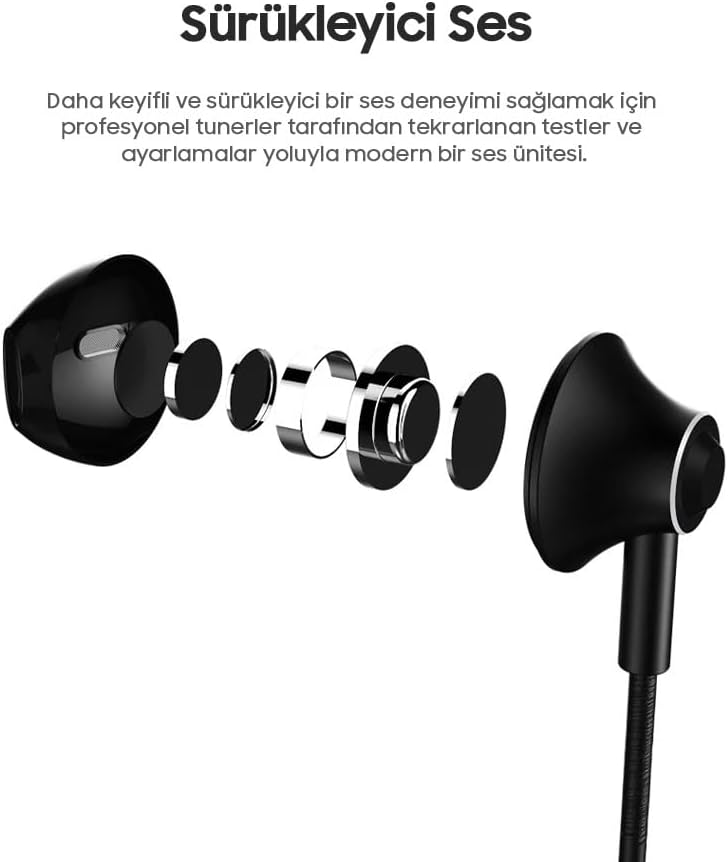
Figure 2: Close-up view of the white earbud and the inline control unit, highlighting the sleek design.
Setup
These earphones are designed for plug-and-play simplicity.
- Compatibility Check: Ensure your device has a standard 3.5mm audio jack. These earphones are compatible with all devices featuring a 3.5mm jack input.
- Connect to Device: Insert the 3.5mm jack firmly into your device's audio port.
- Adjust Volume: Adjust the volume on your device or using the inline control buttons (if applicable for your device).
Operating Instructions
The inline control unit provides convenient access to various functions.

Figure 3: Detailed diagram of the inline control unit, showing the volume buttons (A), HD microphone (B), and multi-function button (C).
- Volume Control (A): Use the '+' and '-' buttons to adjust the audio volume.
- Multi-function Button (C): This button controls various functions, primarily for Android devices.
- Answer/End Call: Press once to answer an incoming call. Press once again to end an ongoing call.
- Play/Pause Music: Press once to play or pause music.
- Next Track: Press twice quickly to skip to the next song.
- Previous Track: Press three times quickly to go back to the previous song.
- HD Microphone (B): The integrated microphone allows for clear voice transmission during calls, live streams, and online meetings.
Audio Quality
Experience immersive and balanced sound with your Lucatech earphones.
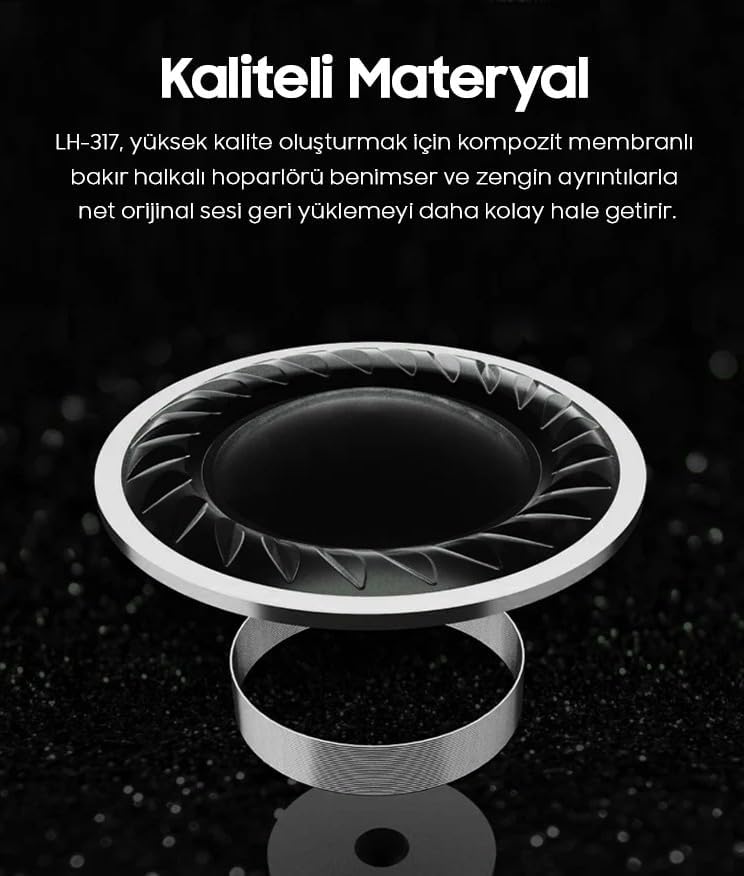
Figure 4: Diagram showing the internal sound unit designed for a more enjoyable and immersive audio experience, achieved through professional tuning and adjustments.
These earphones are engineered to deliver rich bass and high-quality sound, making your music listening experience more enjoyable. The 14.2mm composite diaphragm copper ring speaker unit provides a natural and balanced sound effect with reduced impedance and distortion.

Figure 5: Illustration of the composite membrane copper ring speaker, designed to produce high-quality, clear, and original sound with rich details.
Care and Maintenance
- Cleaning: Gently wipe the earphones with a soft, dry cloth. Do not use harsh chemicals or abrasive materials.
- Storage: Store the earphones in a clean, dry place when not in use. Avoid extreme temperatures.
- Cable Care: The earphones feature a 1.2m environmentally friendly braided cable designed to prevent tangling and stretching. Avoid sharp bends or excessive pulling on the cable.
- Water Exposure: These earphones are not waterproof. Avoid exposure to water or excessive moisture.

Figure 6: The 1.2m braided cable, designed for durability and to prevent tangling, offering a pleasant texture.
Troubleshooting
| Problem | Possible Cause | Solution |
|---|---|---|
| No sound or low volume |
|
|
| Microphone not working |
|
|
| Function button not responding |
|
|
Specifications
- Brand: Lucatech
- Model: LH 317
- Connectivity Technology: Wired
- Form Factor: In-Ear
- Color: White (This specific model)
- Weight: Approximately 14 grams
- Cable Length: 1.2 meters (braided)
- Microphone: Yes, HD Microphone included
- Compatibility: All devices with 3.5mm jack input. Function button optimized for Android phones.
- Speaker Unit: 14.2mm composite diaphragm copper ring speaker
Warranty and Support
Your Lucatech earphones come with a standard manufacturer's warranty. Please refer to the warranty card included in your product packaging for specific terms and conditions.
For technical support, troubleshooting assistance, or warranty claims, please contact Lucatech customer service through the retailer where you purchased the product or visit the official Lucatech website for contact information.
Ask a question about this manual
Ask about setup, troubleshooting, compatibility, parts, safety, or missing instructions. Manuals+ will review the question and use this page’s manual context to help answer it.