1. Introduction
Thank you for choosing the CURECURE Auto Tumbler Heat Press Machine, Model F300S. This innovative device is designed to simplify your sublimation projects, allowing you to personalize a wide range of drinkware with ease and precision. Featuring an intuitive LED control panel, automatic operation, and essential safety features, this machine is perfect for both beginners and experienced crafters.
This manual provides detailed instructions for setup, operation, maintenance, and troubleshooting to ensure you get the best results from your heat press machine. Please read all instructions carefully before use.
2. Safety Instructions
- Always operate the machine on a stable, flat, and heat-resistant surface.
- Ensure adequate ventilation during operation.
- Burn Hazard: Hot Surface. Do Not Touch. Always use heat-resistant gloves when handling hot items or touching the heating element.
- Do not leave the machine unattended while it is operating.
- Keep out of reach of children and pets.
- Do not use the machine in a hazardous or wet location.
- Unplug the machine from the power outlet when not in use, before cleaning, or when installing/removing accessories.
- The machine features an Auto Shut-off function, which will power down the unit if not operated within 30 minutes.
- An Emergency Stop function is available to immediately halt operation in case of unexpected issues.
- Do not disassemble or repair the machine yourself. Contact customer support for assistance.
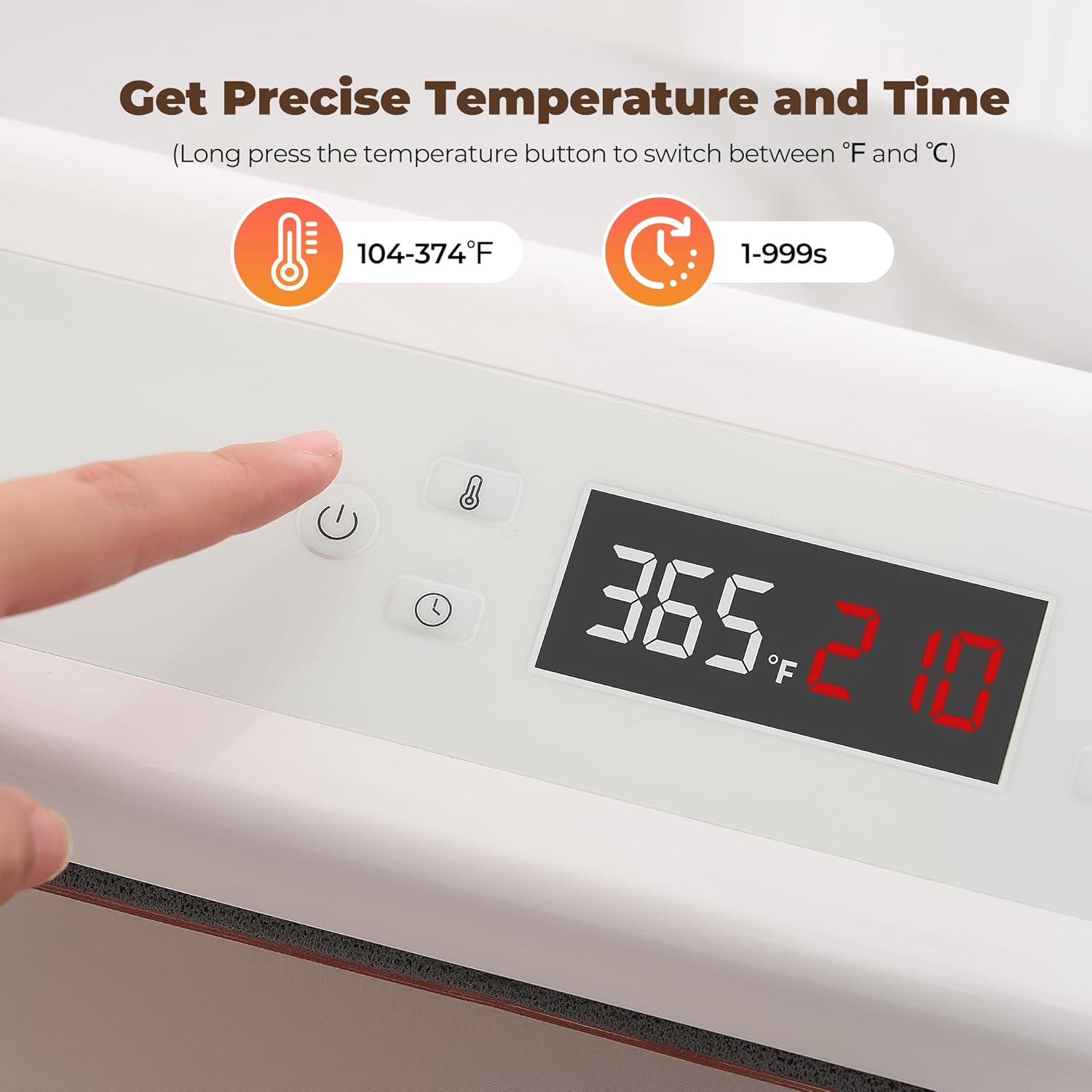
Image: The control panel of the CURECURE Auto Tumbler Heat Press Machine, showing the 'Burn Hazard: Hot Surface. Do Not Touch' warning label.
3. Package Contents
Upon unpacking, please ensure all items listed below are present and in good condition:
- CURECURE Auto Tumbler Heat Press Machine (Model F300S)
- Power Cord
- Instruction Manual
- Heat-resistant Gloves (may vary in color/style)
- Heat Transfer Tape (may be included for initial use)
4. Specifications
| Brand | CURECURE |
| Model Number | F300S |
| Manufacturer | CURECURE |
| Material | Alloy Steel, Metal |
| Color | White |
| Product Dimensions | 11.6"L x 8.86"W x 6.5"H (29.5 x 22.5 x 16.5 cm) |
| Item Weight | 9.6 Pounds (4.35 kg) |
| Upper Temperature Rating | 400 Degrees Fahrenheit (204°C) |
| Temperature Range | 104°F - 374°F (40°C - 190°C) |
| Time Range | 1 - 999 seconds |
| Rated Voltage/Frequency | 100V-120V AC / 60Hz |
| Rated Power | 550W |
| Max. Accommodated Diameter | 3.35 inches (8.5 cm) |
| Max. Accommodated Capacity | 30oz (887ml) |
| Max. Accommodated Height | 10.6 inches (25 cm) |
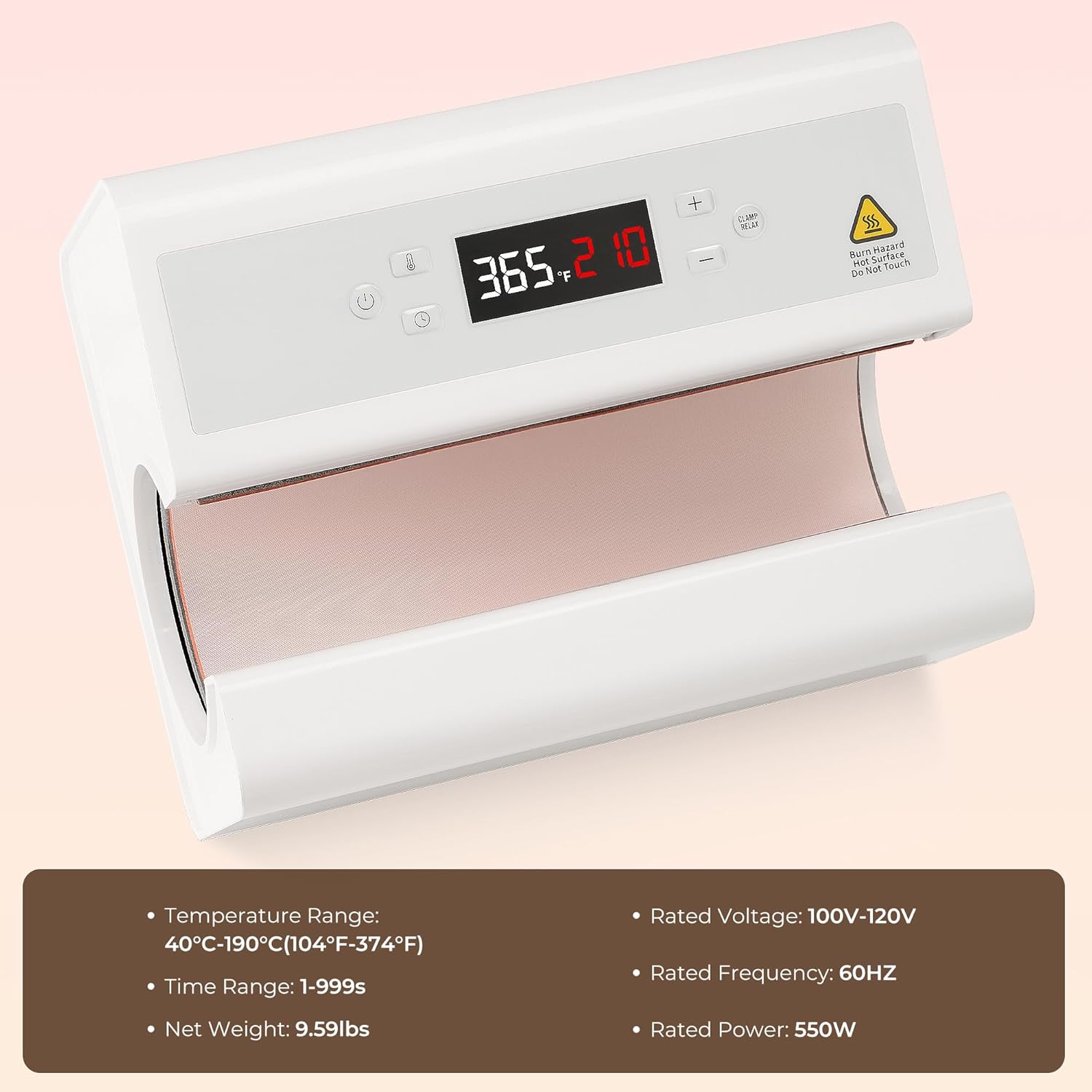
Image: The CURECURE Auto Tumbler Heat Press Machine displaying its control panel and a list of key specifications.
5. Setup
- Unpack the heat press machine and all accessories from the packaging.
- Place the machine on a stable, flat, and heat-resistant surface in a well-ventilated area.
- Connect the power cord to the machine's power inlet and then plug it into a standard 100V-120V AC outlet.
- Press the power button on the control panel to turn on the machine. The LED screen will illuminate, and the machine will begin to heat up to a default temperature.
The machine is designed for ease of use, requiring minimal setup before you can begin your projects.
6. Operating Instructions
Follow these steps for successful sublimation transfers:
6.1. Preparing Your Design and Tumbler
- Print your desired sublimation design onto sublimation paper using a sublimation printer. Ensure the design is mirrored.
- Clean the surface of your tumbler, mug, or water bottle thoroughly to remove any dust or oils.
- Carefully wrap the printed sublimation paper around your drinkware, ensuring it is tight and smooth, with no wrinkles or bubbles.
- Secure the sublimation paper in place using heat-resistant tape. Ensure the tape does not cover any part of the design you wish to transfer.
6.2. Setting Temperature and Time
The LED control panel allows for precise adjustments:
- Temperature Setting: Short press the temperature button (thermometer icon) to enter temperature setting mode. Use the '+' and '-' buttons to adjust the temperature. Long press the temperature button for 6 seconds to switch between Fahrenheit (°F) and Celsius (°C).
- Time Setting: Short press the time button (clock icon) to enter time setting mode. Use the '+' and '-' buttons to adjust the time in seconds.
- Refer to your sublimation paper/ink manufacturer's recommendations for optimal temperature and time settings. Common settings are around 356°F (180°C) for 210 seconds, but this can vary.

Image: Close-up of the LED control panel, illustrating temperature and time adjustment buttons and display.
6.3. Performing the Heat Press
- Once the machine reaches the set temperature, it will beep to indicate readiness.
- Wearing heat-resistant gloves, carefully insert the prepared tumbler into the heating element.
- Press the 'Operation Button' (often labeled 'Clamp/Relax' or similar) to engage the automatic clamping mechanism. The machine will apply even pressure and begin the countdown.
- After the set time elapses, the machine will beep again and automatically release the pressure.
- Wearing heat-resistant gloves, carefully remove the hot tumbler from the machine.
- Allow the tumbler to cool completely before removing the sublimation paper and tape. This prevents ghosting and ensures vibrant colors.

Image: A visual guide demonstrating the simple 4-step operation: prepare cup, set temperature/time, insert cup and press, then reveal the finished product.
6.4. Video Demonstration
Watch this official seller video for a visual guide on how to use the CURECURE Auto Tumbler Heat Press Machine:
Video: Official demonstration of the CURECURE Auto Tumbler Heat Press Machine (Model F300S) in action, showing the automatic pressing process.
Another helpful video from a seller demonstrating the process of making a personalized water cup:
Video: A seller demonstrates how to create a personalized water cup using a similar automatic heat press machine, highlighting the ease of use.
7. Maintenance
- Always unplug the machine and allow it to cool completely before cleaning.
- Wipe the exterior of the machine with a soft, damp cloth. Do not use abrasive cleaners or solvents.
- Gently clean the heating element with a soft, dry cloth. Avoid scratching the surface.
- Store the machine in a dry, dust-free environment when not in use.
8. Troubleshooting
If you encounter any issues, please refer to the following common problems and solutions:
| Problem | Possible Cause | Solution |
|---|---|---|
| Uneven transfer/faded colors | Incorrect temperature/time, uneven pressure, poor paper adhesion, low-quality sublimation materials. | Adjust temperature/time according to material specifications. Ensure paper is tightly secured. Check for even pressure. Use high-quality sublimation paper and ink. Rotate the tumbler halfway through the press if needed. |
| Machine not heating up | Power cord not properly connected, power switch off, machine malfunction. | Check power cord connection. Ensure power switch is on. If problem persists, contact customer support. |
| Design ghosting | Tumbler moved during cooling, paper shifted. | Allow tumbler to cool completely before removing paper. Ensure paper is securely taped. |
9. Warranty and Support
The CURECURE Auto Tumbler Heat Press Machine comes with a standard manufacturer's warranty. Please refer to the warranty card included in your package for specific terms and conditions.
For any product-related issues, after-sales service, or other relevant problems, please contact us via email:
support@akeydiy.net
Please provide the following information when contacting support:
- Order ID
- Problem Description