
Carrborg V1
CARRBORG V1 Global 4G Walkie Talkie User Manual
Model: V1
1. Introduction
The CARRBORG V1 Global 4G Walkie Talkie provides unlimited range communication utilizing 4G-LTE cellular networks. This device is designed for instant, high-quality voice transmission across global distances, ensuring clear and reliable communication. It features secure, encrypted communications and a robust backend management system for administrators.
2. Package Contents
Verify that all items listed below are included in your package. If any items are missing or damaged, please contact customer support.
- 2 x POC Radios
- 2 x SIM Cards
- 2 x USB Chargers
- 2 x USB Type-C Cables
- 2 x Screwdrivers
- 2 x Back Clips
- 2 x Headphones
- 2 x Lanyards
- 1 x User Guide (this manual)
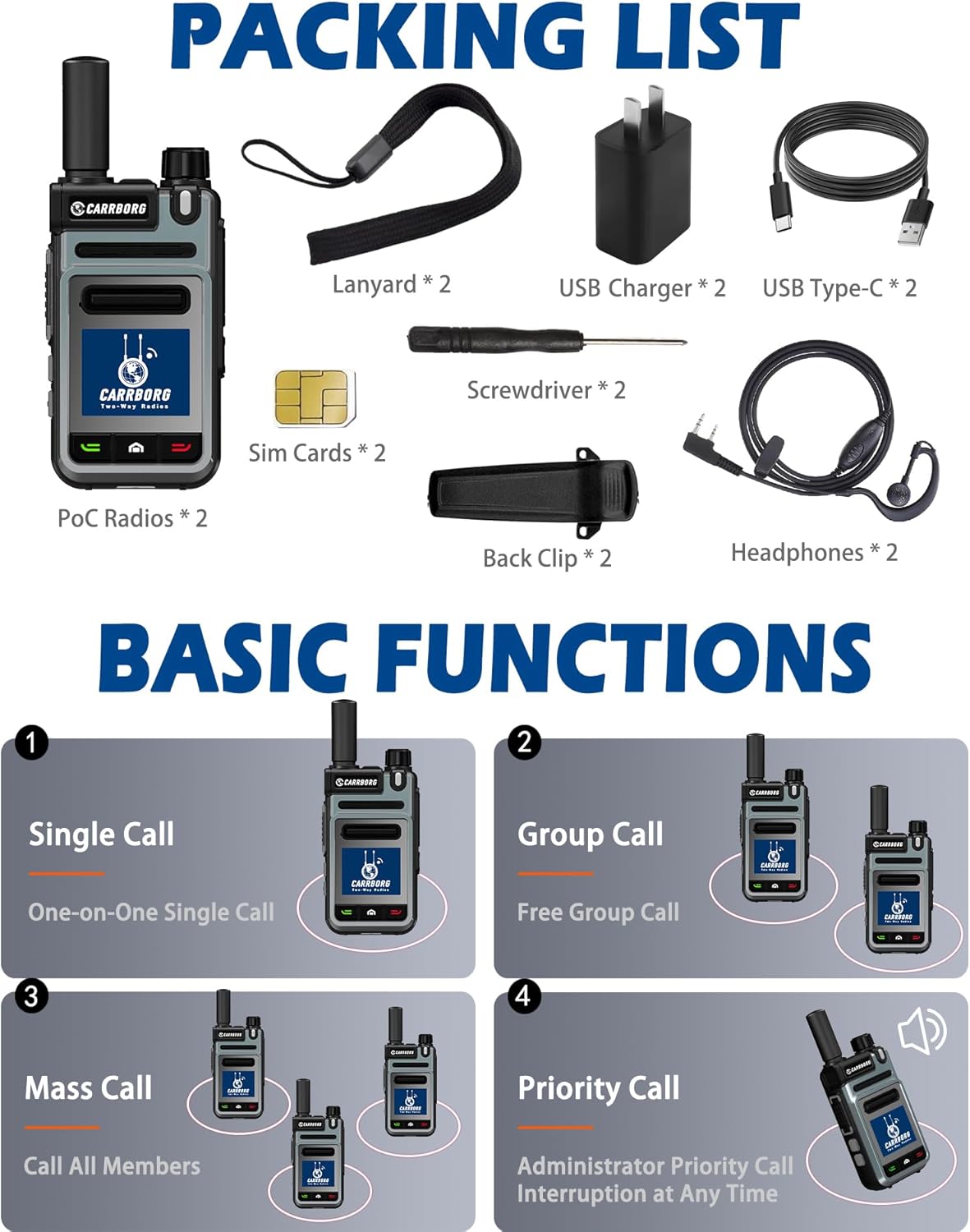
Figure 2.1: Included components in the CARRBORG V1 package.
3. Product Overview
Familiarize yourself with the various parts and controls of your CARRBORG V1 walkie talkie.

Figure 3.1: CARRBORG V1 Walkie Talkie Component Diagram.
- Antenna: For signal reception and transmission.
- Power On/Off Volume +/-: Rotary knob to power the device on/off and adjust volume.
- Indicator Light: Displays device status (e.g., charging, transmitting, receiving).
- Headset Data Port: Connects to headphones or other accessories.
- PTT (Push-to-Talk) Button: Press and hold to transmit voice.
- Mic (Microphone): Captures your voice during transmission.
- Speaker: Outputs received audio.
- Up Button: Navigates menus or adjusts settings upwards.
- Down Button: Navigates menus or adjusts settings downwards.
- Display: Shows operational information, menus, and status.
- Menu Key: Accesses the device menu.
- Confirm Key: Confirms selections in menus.
- Member Button: Likely for accessing group or member lists.
- Back Button: Returns to the previous screen or menu.
- Screen Off Button: Turns off the display to save power.
4. Setup
4.1. Battery Installation and Charging
The CARRBORG V1 comes with a pre-installed Lithium Polymer battery. Before first use, fully charge the device.
- Connect the USB Type-C cable to the charging port on the radio.
- Connect the other end of the USB cable to the provided USB charger.
- Plug the USB charger into a standard wall outlet.
- The indicator light will show charging status. Once fully charged, the indicator light will change (refer to device display or specific light behavior for full indication).
4.2. SIM Card Activation
Your device includes a pre-installed SIM card with lifetime free data service for communication. No manual activation is typically required for initial use.
- Ensure the SIM card is securely seated in its slot. A screwdriver is provided if access to the SIM card slot is required.
- The device will automatically connect to the 4G-LTE network upon power-on if a signal is available.
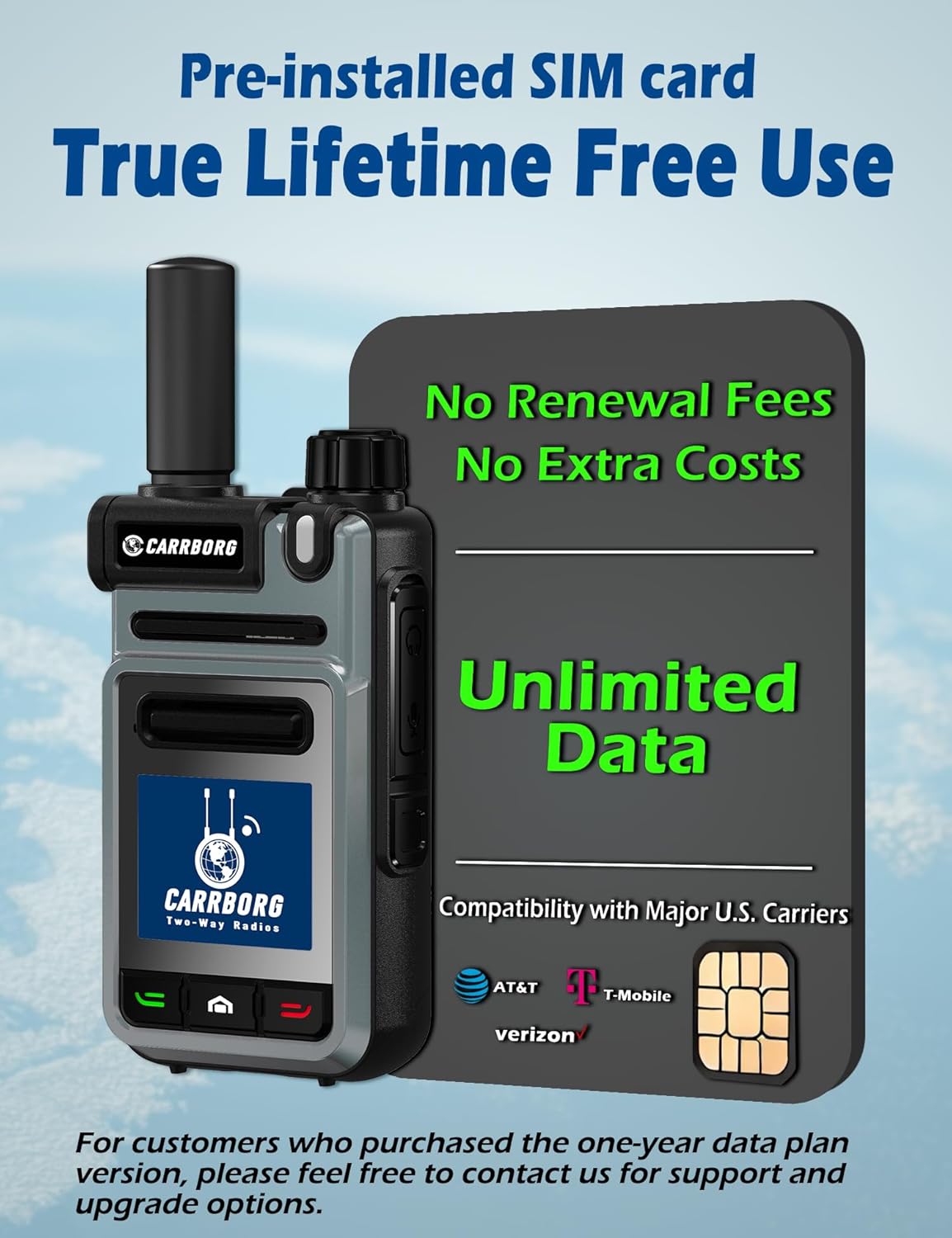
Figure 4.1: Pre-installed SIM card for lifetime free data service.
5. Operating Instructions
5.1. Powering On/Off
- To power on, rotate the Power On/Off Volume knob clockwise until the device turns on.
- To power off, rotate the Power On/Off Volume knob counter-clockwise until the device turns off.
5.2. Adjusting Volume
Rotate the Power On/Off Volume knob to adjust the speaker volume. Clockwise increases volume, counter-clockwise decreases volume.
5.3. Basic Call Functions
The CARRBORG V1 supports various call types for flexible communication.
Figure 5.1: Basic Call Functions.
- Single Call (One-on-One): For private communication between two specific users.
- Group Call: For communication within a pre-defined group of users.
- Mass Call: To broadcast a message to all members connected to the system.
- Priority Call: Allows an administrator to interrupt ongoing conversations for urgent messages.
To transmit, press and hold the PTT (Push-to-Talk) button, speak clearly into the microphone, and release the button when finished.
6. Key Features
- Global Communication (POC): Utilizes 4G-LTE cellular networks for unlimited range and global coverage. This ensures instant communication and high-quality voice transmission without cross-talk, regardless of distance, wherever cellular signal is available.
- Lifetime Free Data Service: The device includes a SIM card compatible with major US carriers (AT&T, T-Mobile, Verizon) offering lifetime free data service for communication. This eliminates monthly fees for basic communication functionality. For customers who purchased a one-year data plan version, contact support for upgrade options.
- Secure Communications: Unlike public cellular calls, these radios provide secure, encrypted communications using AES and end-to-end encryption standards. Only authorized individuals within your designated group can hear transmissions.
- Backend Management Features: Administrators can manage all members and groups directly from a computer. This includes setting up groups, adding or removing members, naming groups, and adjusting members' speaking privileges.
- High-Definition Voice: Equipped with high-quality speakers and INC Noise Reduction Technology to eliminate noise and clarify voice transmissions, ensuring clear audio even in challenging environments.

Figure 6.1: Global Communication via 4G Network.

Figure 6.2: High-Definition Voice Technology.
7. Pairing Additional Radios
Each set of CARRBORG V1 radios is typically pre-configured for immediate use upon arrival. If you purchase additional radios and wish to integrate them into an existing communication group, follow these steps:
- Contact CARRBORG customer support.
- Provide the serial numbers of the new radios you wish to pair.
- Provide your initial account information if requested.
- CARRBORG support will handle the configuration to integrate the new radios into your existing groups.
All CARRBORG devices are compatible for group communication once properly configured.
8. Specifications
| Feature | Detail |
|---|---|
| Model Number | V1 |
| Dimensions | 135 x 50 x 35 mm |
| Total Weight | 175g |
| SIM Type | Micro SIM Cards |
| Operating Temperature Range | -10°C to +55°C |
| Storage Temperature Range | -40°C to +85°C |
| Public Network Power | 23dBm ~ 30dBm@-104dBm |
| Receive Sensitivity | -106dBm |
| Audio Output Power | 2W at 10% Distortion |
| Battery Type | Lithium Polymer (included) |
| Battery Life (Standby) | Up to 2 days (120 hours) |
| Battery Life (Talk/Listen) | Up to 48 hours |
| Frequency Range | 700 MHz - 2.6 GHz |
| Number of Channels | 999 |
| Talking Range Maximum | 5000 Miles (network dependent) |
| Water Resistance Level | Not Water Resistant |

Figure 8.1: CARRBORG V1 Technical Specifications.
9. Maintenance
- Cleaning: Use a soft, dry cloth to clean the exterior of the radio. Do not use harsh chemicals or solvents.
- Battery Care: To prolong battery life, avoid fully discharging the battery frequently. Charge the device regularly. Store in a cool, dry place if not used for extended periods.
- Storage: Store the radio in a dry environment, away from extreme temperatures and direct sunlight.
- Water Exposure: This device is not water resistant. Avoid exposure to water or high humidity.
10. Troubleshooting
| Problem | Possible Cause | Solution |
|---|---|---|
| No power | Battery discharged; Power knob off. | Charge the battery; Rotate power knob clockwise to turn on. |
| Cannot transmit or receive | No 4G cellular signal; SIM card issue; Not in the correct group. | Move to an area with better cellular coverage; Check SIM card seating; Verify group settings with administrator. |
| Poor audio quality | Weak signal; Obstructions; Volume too low/high. | Move to an open area; Adjust volume; Ensure microphone/speaker are not obstructed. |
| Cannot pair new radios | Requires administrator configuration. | Contact CARRBORG customer support with serial numbers for configuration. |
11. Warranty and Support
11.1. Warranty Information
The CARRBORG V1 Global 4G Walkie Talkie comes with a 1-Year Manufacturer Warranty. This warranty covers defects in materials and workmanship under normal use. It does not cover damage caused by misuse, accidents, unauthorized modifications, or exposure to water.
11.2. Customer Support
CARRBORG is committed to providing prompt responses and satisfying after-sales services. If you encounter any problems with your POC radio or have questions regarding its operation, features, or pairing additional devices, please do not hesitate to contact us.
For support, please refer to the contact information provided with your purchase or visit the official CARRBORG website.
Ask a question about this manual
Ask about setup, troubleshooting, compatibility, parts, safety, or missing instructions. Manuals+ will review the question and use this page’s manual context to help answer it.