
engugu ls911847
Delighteal T26 Pro Language Translator Earbuds User Manual
Model: T26 Pro | Brand: engugu
Introduction
Welcome to the user manual for your Delighteal T26 Pro Language Translator Earbuds. These earbuds are designed to provide seamless communication across language barriers, offering high-precision real-time translation, excellent audio quality, and smart connectivity. This manual will guide you through the setup, operation, maintenance, and troubleshooting of your device to ensure optimal performance.

Figure 1: Delighteal T26 Pro Language Translator Earbuds (White)
This image displays the white Delighteal T26 Pro earbuds, their compact charging case, a USB-C charging cable, and a smartphone screen illustrating the AI app's interface for translation and other functions.
Key Features
- Real-Time Translation: Supports high-precision real-time translation in 114 languages.
- Advanced AI Technology: Integrates AI for recording, writing, translating, listening, and speaking functions with up to 98% accuracy.
- Multi-Function AI App: Companion app includes recording, translation, AI chat, picture generation, and simple music generation.
- Superior Audio Quality: Built-in 16mm dynamic speakers deliver 360° Hi-Fi stereo sound with noise reduction.
- Seamless Bluetooth Connection: Utilizes advanced Bluetooth 5.4 for quick and stable pairing.
- Extended Battery Life: Up to 4.5 hours of use time, with a total of 15 hours playtime including the charging case.
- Comfortable Fit: Designed for comfortable wear during extended use.
- Water Resistant: IPX5 waterproof and dustproof rating.
Setup Guide
1. Charging the Earbuds and Case
Before first use, ensure both the earbuds and the charging case are fully charged. Use the provided Type-C charging cable to connect the case to a power source.
- Connect the Type-C cable to the charging port on the case.
- Plug the other end into a USB power adapter (not included) or a computer USB port.
- The indicator light on the case will show charging status. A full charge typically takes about 2 hours for the case.
- Place the earbuds into the charging case. They will begin charging automatically.

Figure 2: Battery Duration and Charging
This image illustrates the battery life of the earbuds and charging case, indicating 15 hours of total playtime with the case, 2 hours for case charging time, and 4.5 hours of earbud use time.
2. Downloading the Companion App
The full functionality of the T26 Pro Language Translator Earbuds requires the dedicated AI companion app, compatible with both Android and iOS devices.
- Scan the QR code provided in the packaging or search for "Delighteal Translator" (or similar, as per product instructions) in your device's app store (Google Play Store for Android, Apple App Store for iOS).
- Download and install the app.
- Open the app and follow any on-screen prompts for initial setup or permissions.
3. Pairing the Earbuds with Your Device
The earbuds connect via Bluetooth 5.4 for a stable and efficient connection.
- Ensure the earbuds are charged and placed in the charging case.
- Open the charging case lid. The earbuds will automatically enter pairing mode.
- On your smartphone or tablet, go to Bluetooth settings and turn Bluetooth on.
- Search for available devices. You should see "Delighteal T26 Pro" or a similar name appear in the list.
- Select the earbuds to pair. A voice prompt will confirm successful connection.
- Once paired, open the Delighteal AI app. The app will automatically detect the connected earbuds.

Figure 3: Smart Pairing Connection Steps
This diagram shows the six steps for smart pairing: Download App, Headphones Pairing, Connect Bluetooth, Open App, Set Target Language, and Start Conversation. It highlights the broad compatibility with 98% of devices (Android & iOS).
Operating Instructions
1. Basic Earbud Controls
The earbuds feature touch controls for various functions:
- Play/Pause Music: Single tap on either earbud.
- Next Track: Double tap on the right earbud.
- Previous Track: Double tap on the left earbud.
- Answer/End Call: Single tap on either earbud.
- Reject Call: Press and hold either earbud for 2 seconds.
- Activate Voice Assistant: Triple tap on either earbud (e.g., Siri, Google Assistant).
2. Using the Translation Function
The core feature of these earbuds is real-time language translation, managed through the companion AI app.
- Open the Delighteal AI App: Ensure your earbuds are connected.
- Select Languages: In the app, choose your native language and the target language for translation. The app supports 114 languages.
- Choose Translation Mode: The app typically offers various modes such as:
- Conversation Mode: For real-time, two-way communication. Each person speaks into their earbud (or the phone's mic) and hears the translation in their chosen language.
- Interpreter Mode: One person speaks, and the app translates and plays the audio through the other person's earbud or the phone speaker.
- Text/Picture Translation: Use the app to translate text from images or typed input.
- Start Translation: Follow the app's on-screen instructions to initiate translation. Typically, you press and hold a button in the app or on the earbud (if configured) to speak, and release to hear the translation.

Figure 4: AI Voice Conversation
This image demonstrates real-time voice input and system response through the AI app, showing speech bubbles on a smartphone screen, indicating interactive communication.
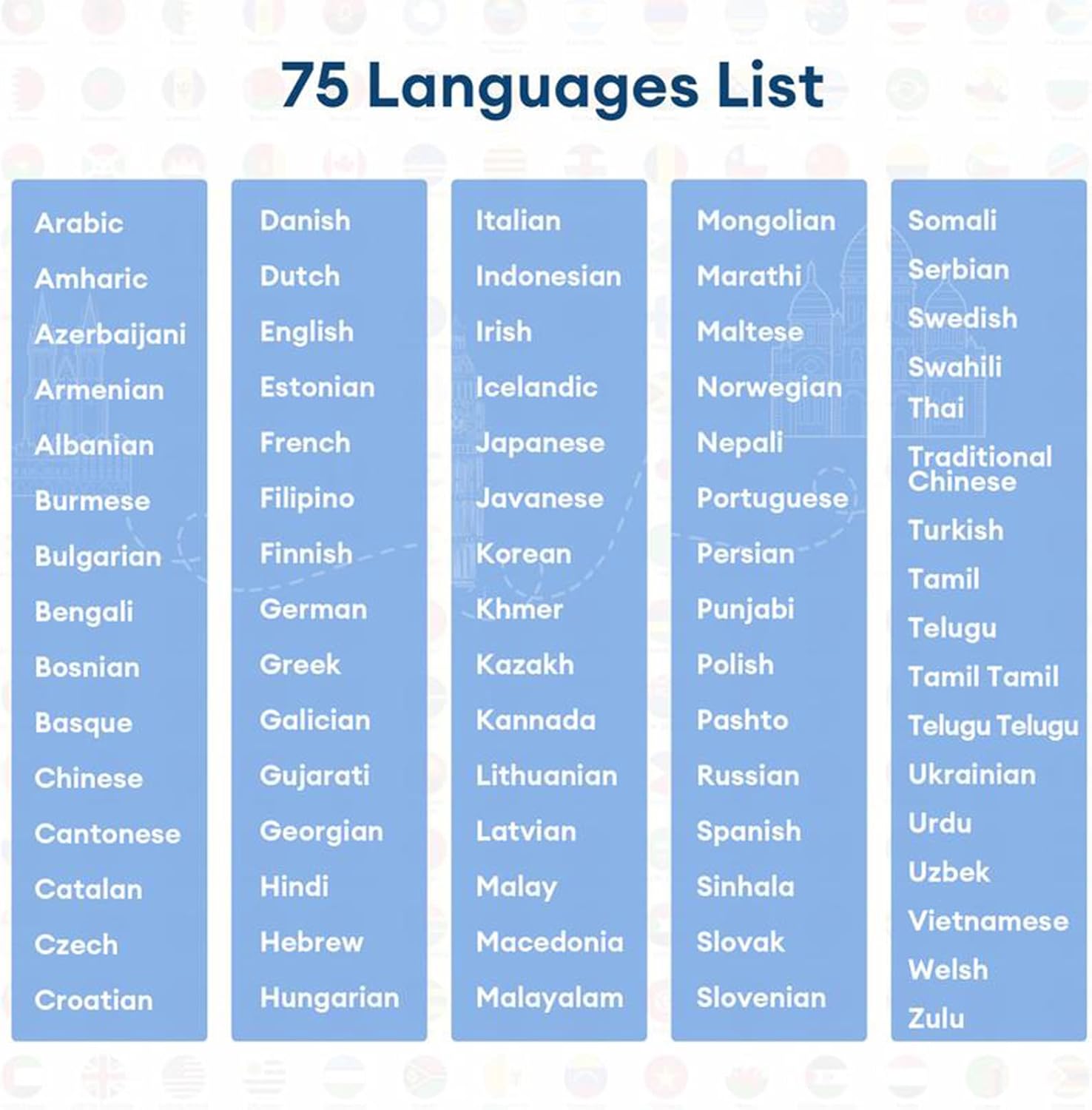
Figure 5: Supported Languages List
This image displays a comprehensive list of 75 languages supported by the translator earbuds, organized in columns for easy readability.
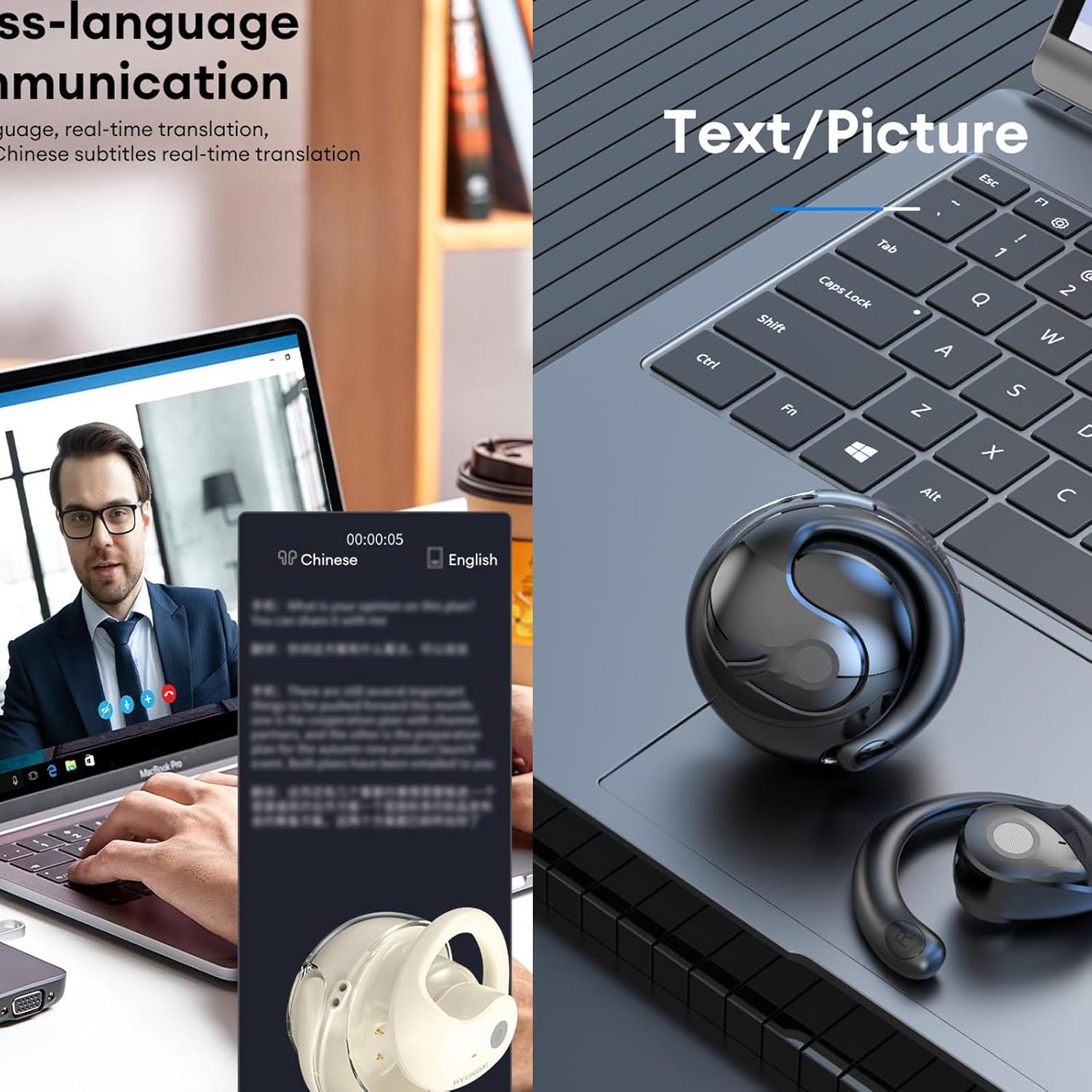
Figure 6: Text/Picture Translation
This image highlights the earbuds' capability for cross-language communication, including real-time translation of text and pictures displayed on a laptop and smartphone screen.
3. Music Playback and Calls
Beyond translation, the earbuds function as high-quality wireless headphones.
- Music: Once paired, simply play music from your connected device. The 16mm dynamic speakers provide clear, Hi-Fi stereo sound.
- Calls: Use the touch controls to manage incoming and outgoing calls. The built-in microphone ensures clear communication.
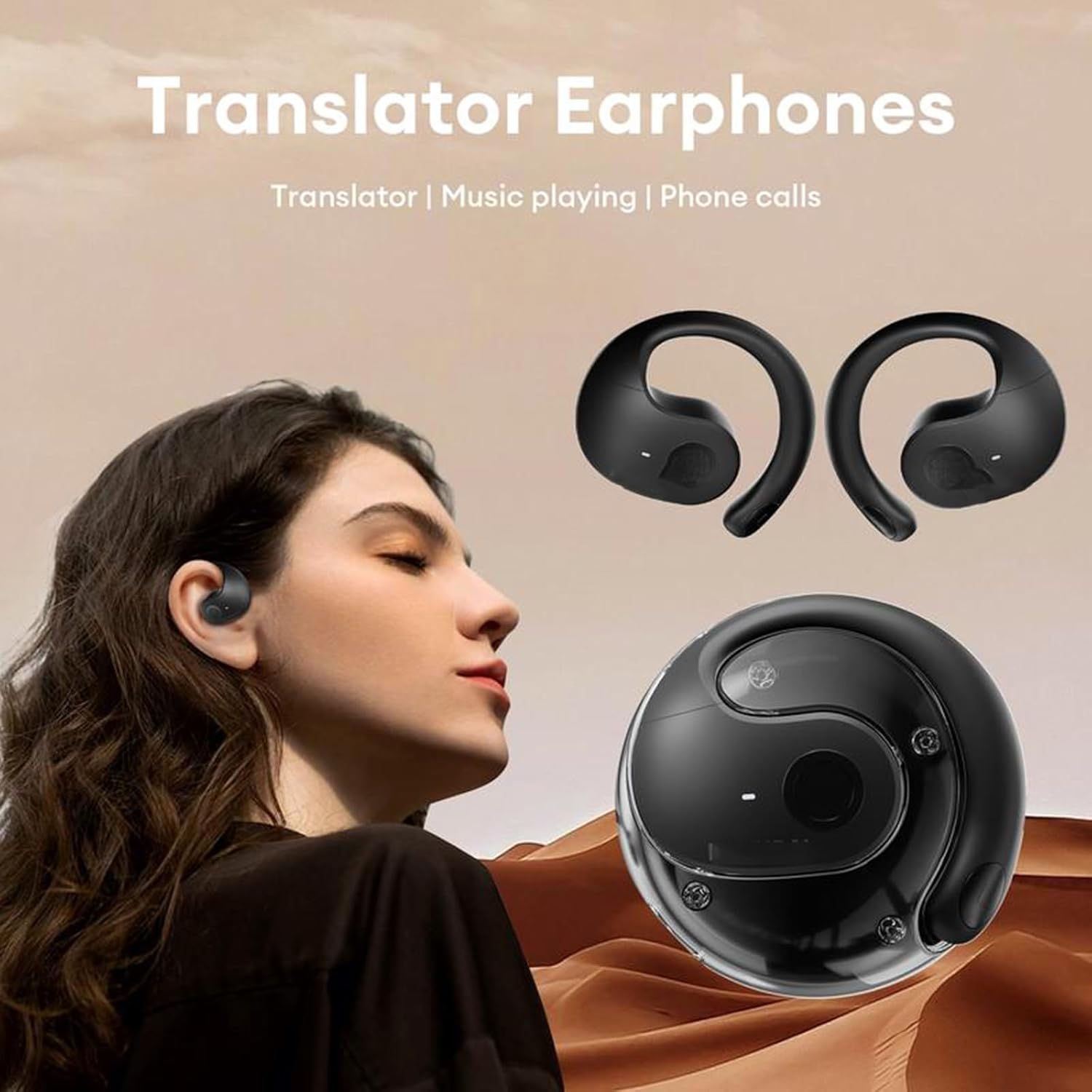
Figure 7: Translator Earphones Functionality
This image emphasizes the multi-functionality of the earbuds, highlighting their use for translation, music playback, and phone calls, with a person wearing them comfortably.
Maintenance and Care
Proper care will extend the lifespan and maintain the performance of your earbuds.
- Cleaning: Regularly clean the earbuds and charging case with a soft, dry, lint-free cloth. Do not use abrasive cleaners or solvents.
- Water Resistance: The earbuds have an IPX5 rating, meaning they are resistant to splashes and sweat. Do not submerge them in water or expose them to strong jets of water. Dry them thoroughly if they get wet.
- Storage: When not in use, store the earbuds in their charging case to protect them and keep them charged. Store in a cool, dry place away from direct sunlight and extreme temperatures.
- Battery Care: To preserve battery health, avoid fully discharging the earbuds or case frequently. Charge them regularly, even if not in constant use.
Troubleshooting
If you encounter issues with your Delighteal T26 Pro Language Translator Earbuds, refer to the following common solutions:
| Problem | Possible Cause | Solution |
|---|---|---|
| Earbuds not pairing/connecting. | Bluetooth off, earbuds not in pairing mode, interference, already connected to another device. |
|
| No sound from earbuds. | Low battery, not connected, volume too low, app issue. |
|
| Translation not working or inaccurate. | Incorrect language selection, poor internet connection, app glitch, background noise. |
|
| Earbuds not charging. | Cable issue, dirty charging contacts, faulty power source. |
|
Specifications
| Feature | Detail |
|---|---|
| Model Name | Translation Earbuds (T26 Pro) |
| Model Number | ls911847 |
| Brand | engugu (Delighteal) |
| Wireless Version | Bluetooth 5.4 |
| Speaker Specifications | 16mm Dynamic Driver |
| Transmission Distance | ≥10M |
| Waterproof/Dustproof Rating | IPX5 |
| Earbud Use Time | Approx. 4.5 hours |
| Total Playtime (with case) | Approx. 15 hours |
| Charging Time (case) | Approx. 2 hours |
| Compatible Devices | Smartphones, Tablets (Android & iOS) |
| Control Method | Remote (Touch Controls) |
| Included Components | Earbuds, Wireless Charging Case, Type-C Charging Cable, User Manual |
Warranty and Support
For warranty information and customer support, please refer to the contact details provided on the product packaging or the official engugu website. Keep your purchase receipt as proof of purchase for any warranty claims.
For technical assistance or further inquiries, please contact engugu customer service through their official channels.