
Introduction
This manual provides detailed instructions for the installation, operation, and maintenance of your Jerqry Car Stereo Radio, specifically designed for Toyota RAV4 models from 2003 to 2005. Please read this manual thoroughly before using the product to ensure proper functionality and safety.

Image: The Jerqry Car Stereo Radio seamlessly integrated into the dashboard of a Toyota RAV4, showcasing the Apple CarPlay interface.
Setup and Installation
The Jerqry Car Stereo Radio is designed for direct fitment in Toyota RAV4 models from 2003, 2004, and 2005. Professional installation is recommended. Ensure all vehicle power is disconnected before beginning installation.
Package Contents:
- 1x Car Radio for Toyota RAV4 2003 2004 2005
- 1x RCA Cable
- 1x Backup Camera
- 2x USB Cable
- 1x Original USB Cable
- 1x Power Cable
- 1x Crowbar (for trim removal)
- 1x GPS Antenna
- 1x External MIC
- 1x Reversing Line
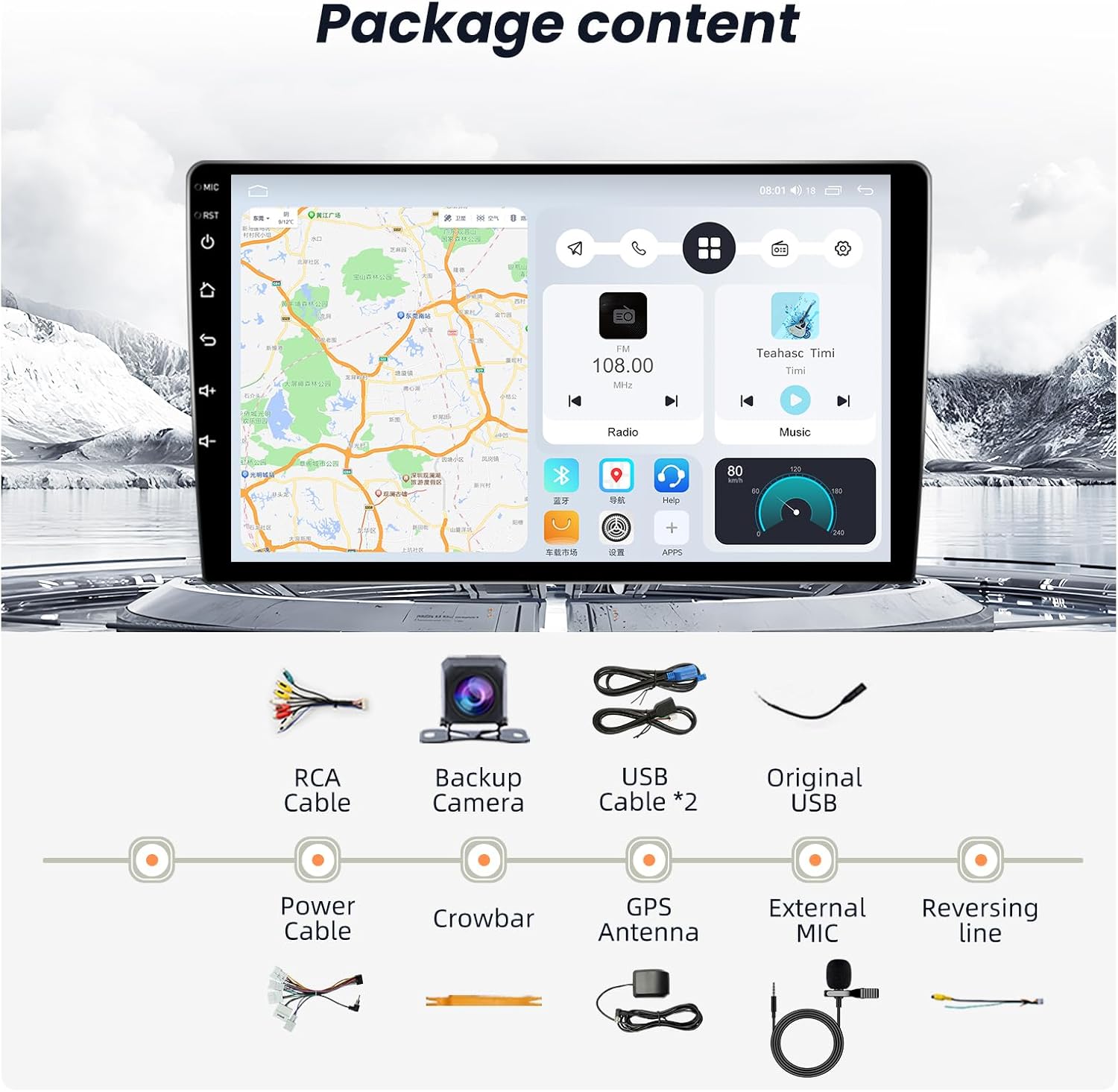
Image: All accessories included in the Jerqry Car Stereo Radio package, such as cables, camera, and tools.
Installation Overview:
The unit replaces the original factory radio. Carefully remove the existing unit and connect the new stereo using the provided cables. Ensure all connections are secure before reassembling the dashboard. The included crowbar can assist in safely removing trim panels.

Image: A visual comparison of the Toyota RAV4 dashboard, illustrating the appearance with the original radio and with the new Jerqry Car Stereo Radio installed.
Operating Instructions
1. Wireless CarPlay & Android Auto:
Connect your smartphone wirelessly to access navigation, music, calls, and messages directly on the stereo's display. This feature supports both Apple CarPlay and Android Auto for seamless integration.

Image: Visual representation of wireless CarPlay and Android Auto connectivity, showing phone screens mirroring to the car stereo.
2. IPS Touchscreen & UI Themes:
The 9-inch HD 2.5D capacitive IPS touch screen offers clear visuals from various angles. Customize your interface by selecting from multiple built-in UI themes.
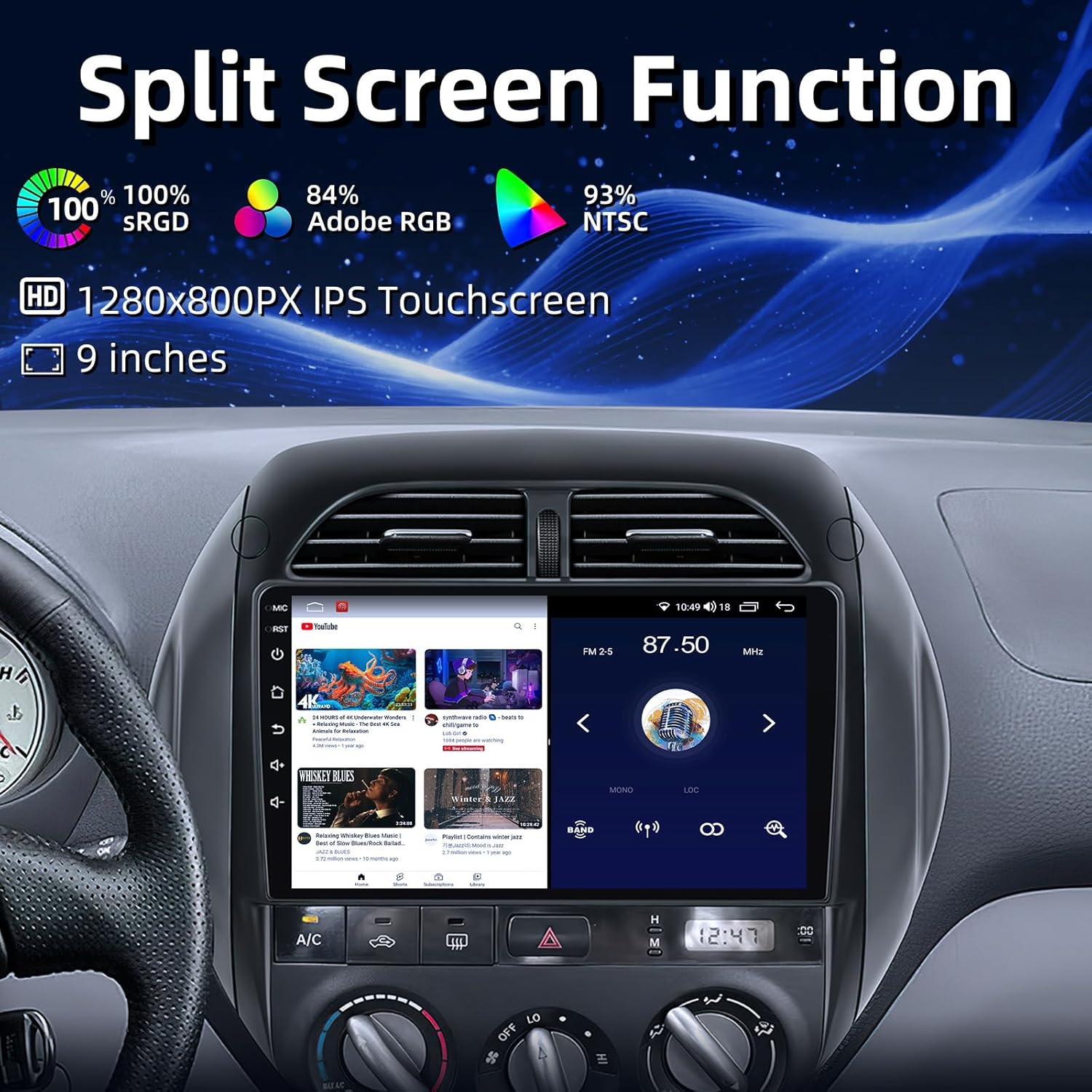
Image: The car stereo's IPS touchscreen displaying the split-screen function, highlighting its 1280x800 resolution and color capabilities.
3. Bluetooth 5.0:
Utilize Bluetooth 5.0 for stable hands-free calling and high-quality music streaming. Pair your device through the Bluetooth settings menu.
4. FM Radio:
Access FM radio stations for news, music, and entertainment. The unit supports FM/AM radio with station presets.
5. GPS Navigation:
The built-in GPS system provides real-time route planning and navigation. Supports both online navigation with 5G WiFi and offline navigation by downloading maps.
6. 1080P AHD Backup Camera:
The included backup camera provides a 1080P AHD image with night vision and a 170-degree ultra-wide angle. The display automatically switches to the rear view when reversing.
7. Steering Wheel Control (SWC):
Control essential functions like song/channel switching, volume adjustment, and call answering directly from your vehicle's steering wheel controls.

Image: The car stereo interface demonstrating compatibility with steering wheel controls for safe operation.
8. 5G WiFi Connectivity:
Connect to the internet via 5G WiFi for real-time traffic updates, online navigation, and downloading applications.
9. Split Screen Function:
Multitask efficiently by running two applications simultaneously on the screen, such as navigation and music playback.
10. DSP Sound:
The head unit features a 15-band equalizer for audio customization, along with subwoofer and HiFi support for enhanced sound quality.
Video: A demonstration of the Jerqry Car Stereo Radio's features, including WiFi connection, Bluetooth 5.0 pairing, CarPlay functionality, DSP sound settings, FM/AM radio tuning, split-screen multitasking, GPS navigation, and UI customization options.
Maintenance
To ensure the longevity and optimal performance of your car stereo, follow these maintenance guidelines:
- Cleaning: Use a soft, dry cloth to clean the screen and exterior. Avoid abrasive cleaners or solvents.
- Software Updates: Periodically check for and install software updates to enhance performance and add new features. Updates can typically be found via the system settings or the manufacturer's website.
- Temperature: Avoid exposing the unit to extreme temperatures for extended periods.
Troubleshooting
If you encounter issues with your car stereo, refer to the following common troubleshooting steps:
| Problem | Possible Cause | Solution |
|---|---|---|
| No power | Loose power connection, blown fuse | Check power cables and vehicle fuses. Ensure secure connections. |
| No sound | Volume too low, incorrect audio source, loose speaker wires | Increase volume, select correct audio input, check speaker connections. |
| Touchscreen unresponsive | Software glitch, screen calibration issue | Restart the unit. If issue persists, perform a factory reset (refer to settings). |
| GPS not working | Poor satellite signal, outdated maps, GPS antenna issue | Ensure clear view of sky, update maps, check GPS antenna connection. |
| Bluetooth connection issues | Device not discoverable, interference, incorrect pairing process | Ensure Bluetooth is enabled on both devices, unpair and re-pair, move closer to the unit. |
If these steps do not resolve the issue, please contact customer support.
Specifications
- Brand: Jerqry
- Vehicle Service Type: Car (Toyota RAV4 2003-2005)
- Screen Size: 9 Inches
- Special Features: Bluetooth, Touchscreen, USB, WIFI, GPS, Backup Camera, Steering Wheel Control
- Connectivity Technology: Bluetooth, USB, Wi-Fi
- Map Type: Worldwide
- Mounting Type: Dashboard Mount
- Operating System: Android 13
- Memory Storage Capacity: 32 GB (4Core+64G ROM variant also available)
- Display Type: LCD, Capacitive Touch Screen
- Supported Satellite Navigation System: GPS
- Item Weight: 1.72 Kilograms
- UPC: 745746891719
Warranty and Support
This product comes with a standard manufacturer's warranty. For specific warranty details, please refer to the documentation included with your purchase or contact Jerqry customer support.
Customer Support:
For any questions, technical assistance, or support needs, please contact us:
- Email: Jerqry@gmail.com
- Availability: 24-Hour Customer Support

Image: Jerqry customer support team ready to assist with inquiries.