
engugu ls911610
engugu T26 Pro Language Translator Headphones User Manual
Model: ls911610
Introduction
Thank you for choosing the engugu T26 Pro Language Translator Headphones. This device is designed to provide seamless communication through high-precision real-time translation, alongside offering an excellent audio experience for music and calls. Utilizing cutting-edge AI technology, the T26 Pro offers five essential functions: recording, writing, translating, listening, and speaking, with a translation accuracy of up to 98%. This manual will guide you through the setup, operation, maintenance, and troubleshooting of your new device.
Product Overview
Key Features
- Real-Time Translation: Supports high-precision real-time translation in 75 languages, eliminating language barriers.
- Advanced AI Technology: Offers recording, writing, translating, listening, and speaking functions with up to 98% accuracy.
- Multi-Function AI App: Includes features like recording, translation, AI chat, picture generation, and simple music generation.
- Superior Sound Quality: Built-in 16mm dynamic speakers deliver 360° Hi-Fi stereo sound with enhanced noise reduction.
- Seamless Bluetooth Connection: Advanced Bluetooth 5.4 for quick and easy pairing with devices, ensuring fluid communication.
- Extended Battery Duration: Up to 4.5 hours of use time, with a total of 15 hours playtime including the charging case.
Components
The engugu T26 Pro package includes:
- T26 Pro Language Translator Earbuds (Left and Right)
- Charging Case
- USB Charging Cable
- User Manual (this document)

Image: The T26 Pro Language Translator Headphones, showing the earbuds and their compact charging case, along with the charging cable and a smartphone displaying the companion app interface.
Setup
Follow these steps to set up your T26 Pro Language Translator Headphones for the first time.
- Download the App: Scan the QR code in the included quick start guide or search for the official "engugu Translator" app on your smartphone's app store (compatible with Android and iOS).
- Charge the Device: Before first use, ensure the earbuds and charging case are fully charged. Connect the charging case to a power source using the provided USB cable. The indicator light on the case will show charging status.
- Power On and Pairing: Open the charging case. The earbuds will automatically power on and enter pairing mode. The indicator lights on the earbuds will flash, indicating they are ready to pair.
- Connect Bluetooth: On your smartphone, go to Bluetooth settings and select "T26 Pro" from the list of available devices. Once connected, a voice prompt will confirm successful pairing.
- Open the App: Launch the "engugu Translator" app on your smartphone.
- Set Target Language: Within the app, select your native language and the target language for translation.
- Start Conversation: You are now ready to use the translation features.

Image: A visual guide illustrating the six steps for smart pairing and connection: Download App, Headphones Pairing, Connect Bluetooth, Open App, Set Target Language, and Start Conversation.
Operating Instructions
Real-Time Translation
The T26 Pro excels in real-time language translation. Once connected to the app and languages are set, simply speak into the earbuds' microphone. The app will process your speech and provide a translated output, which can be heard through the earbuds and displayed on your phone screen. This feature supports 75 languages for seamless cross-cultural communication.

Image: A user interacting with the AI voice conversation feature, demonstrating real-time translation of spoken queries and responses displayed on a smartphone screen.
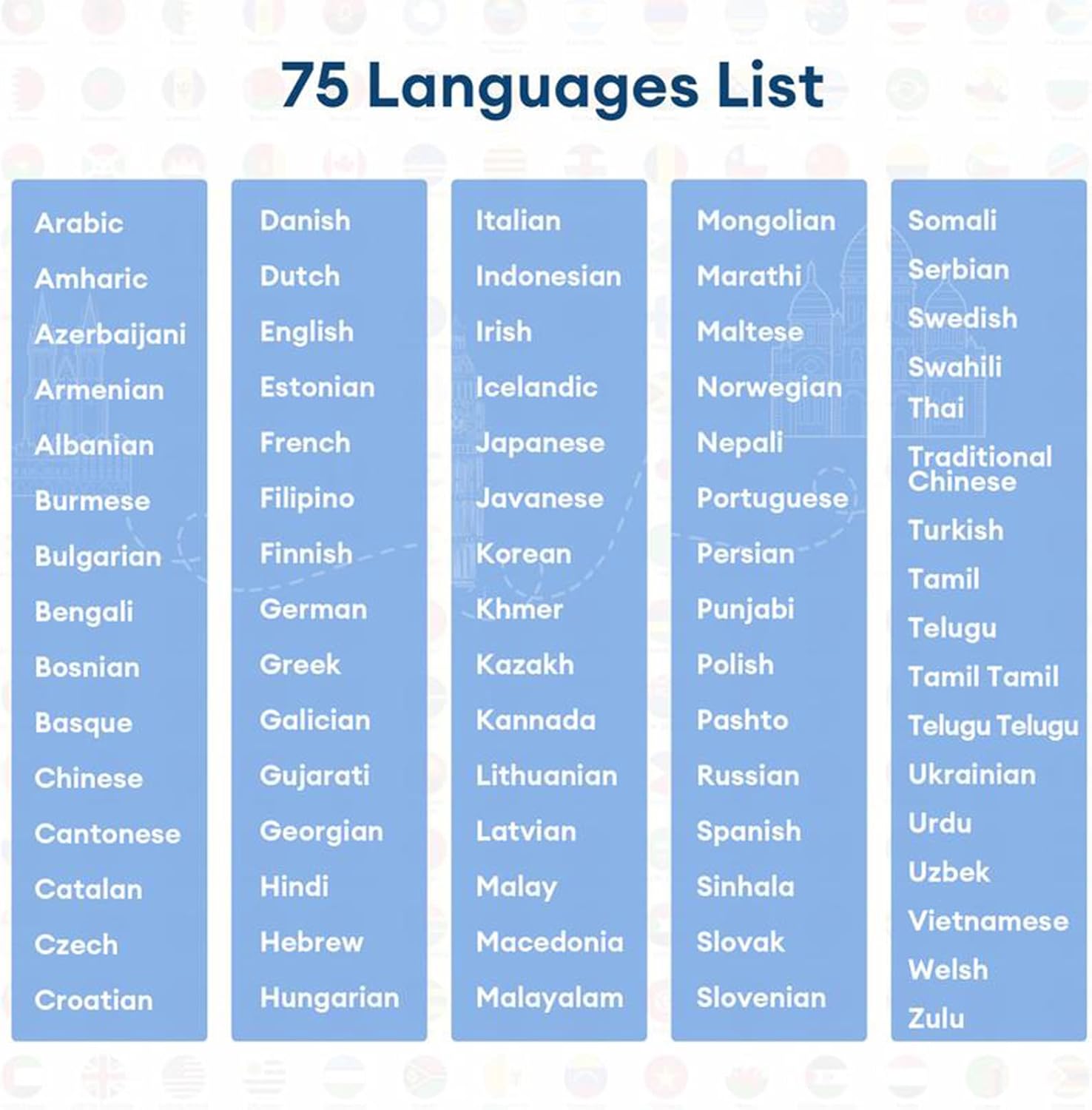
Image: A comprehensive list of 75 supported languages for translation, categorized alphabetically for easy reference.
AI Chat and Text/Picture Translation
The integrated AI app offers an AI chat function for interactive conversations. Additionally, the device supports text and picture translation, allowing you to translate written content or text captured through your phone's camera.

Image: A collage demonstrating the AI Chat interface, recording transcription with 98% accuracy, and the ability to record on-site meetings directly from the app.
Recording and Transcription
The T26 Pro can record conversations and transcribe them with up to 98% accuracy. This is particularly useful for meetings, lectures, or interviews, providing a written record of spoken content. The app allows for full-scene recording translation and real-time speaker identification.

Image: A visual representation highlighting the T26 Pro's capability to record and transcribe audio with 98% accuracy, supporting phone calls and major online meetings.
Music Playback and Phone Calls
Beyond translation, the T26 Pro functions as high-quality Bluetooth headphones. Enjoy your favorite music with Hi-Fi stereo sound and clear vocals, enhanced by noise reduction technology. You can also make and receive phone calls directly through the earbuds, providing a hands-free communication experience.
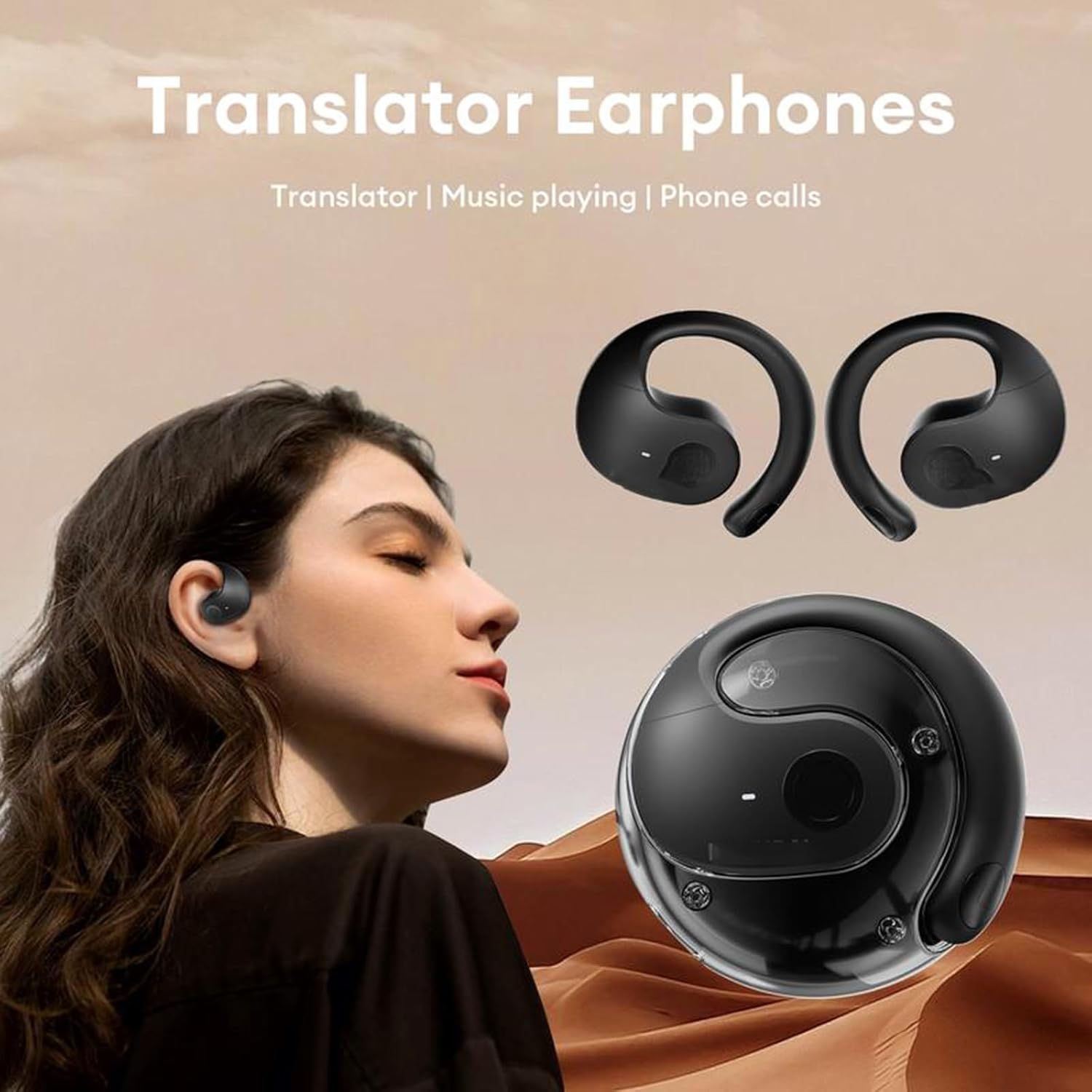
Image: A person wearing the T26 Pro earbuds, with text indicating their functions as "Translator Earphones" for "Translator | Music playing | Phone calls."
Maintenance
- Cleaning: Use a soft, dry, lint-free cloth to clean the earbuds and charging case. Do not use abrasive cleaners, alcohol, or chemical solvents.
- Storage: When not in use, store the earbuds in their charging case to protect them and keep them charged. Store in a cool, dry place away from direct sunlight and extreme temperatures.
- Battery Care: To prolong battery life, avoid fully discharging the battery frequently. Charge the device regularly, even if not in use for extended periods.
- Water Resistance: The earbuds are water resistant. However, they are not waterproof. Avoid submerging them in water or exposing them to heavy rain. Dry them thoroughly if they get wet.
Troubleshooting
| Problem | Possible Cause / Solution |
|---|---|
| Earbuds not pairing or connecting to phone. |
|
| Translation is inaccurate or not working. |
|
| One earbud has no sound. |
|
| Poor sound quality. |
|
| App not responding or crashing. |
|
Specifications
| Feature | Detail |
|---|---|
| Model Name | Language Translator |
| Item Model Number | ls911610 |
| Brand | engugu |
| Connectivity Technology | Wireless (Bluetooth) |
| Bluetooth Version | 5.4 |
| Bluetooth Range | 10 Meters (approx. 33 feet) |
| Audio Driver Type | Dynamic Driver |
| Audio Driver Size | 16 Millimeters |
| Frequency Range | 20 Hz - 20,000 Hz |
| Control Method | Touch |
| Ear Placement | Over Ear |
| Form Factor | Over Ear |
| Noise Control | Passive Noise Cancellation |
| Water Resistance Level | Water Resistant |
| Battery Life (Earbuds) | Approx. 4.5 hours (Use time) |
| Total Playtime (with Case) | Approx. 15 hours |
| Charging Time | Approx. 2 hours (for case) |
| Compatible Devices | Bluetooth-enabled devices |
| Country of Origin | China |

Image: A visual representation of the T26 Pro's battery life, indicating 15 hours of long battery playtime with the charging case, 2 hours charging time, and 4.5 hours of use time for the earbuds.
Warranty and Support
The engugu T26 Pro Language Translator Headphones come with a standard manufacturer's warranty. Please refer to the warranty card included in your product packaging for specific terms and conditions.
For technical support, warranty claims, or any questions regarding your device, please contact engugu customer service through the contact information provided on the product packaging or the official engugu website.
Online Resources: For the latest updates, FAQs, and additional support, please visit the official engugu support page.
no relevant documents