
1. Important Safety Information
Please read all instructions carefully before installation and use. Retain this manual for future reference.
- Keep packaging materials, especially plastic bags, away from children to prevent suffocation.
- Ensure the blinds are securely installed according to the instructions to prevent them from falling.
- Do not attempt to disassemble or modify the motor or any components of the blinds. Unauthorized modifications may void the warranty and pose safety risks.
- Use only the specified type and number of batteries for the remote control and motor.
- Keep hands and loose clothing clear of the blinds during operation to avoid entanglement.
2. Product Overview
The MANSNIX Smart Blinds are motorized blackout roller shades designed to provide privacy, light control, and energy efficiency for your home. These shades feature a durable polyester fabric that offers 100% blackout capability, UV protection, and thermal insulation. With motorized operation, you can control your blinds via remote control, a mobile app (with an optional Smart Bridge), or voice commands through compatible smart home systems like Alexa and Google Assistant.
Key Features:
- 100% Blackout Fabric: Provides complete light blockage and privacy.
- Motorized Operation: Smooth and quiet (<35dB) electric motor for effortless control.
- Multiple Control Options: Remote control, mobile app, and voice control (with optional Smart Bridge).
- Smart Home Integration: Compatible with Alexa and Google Assistant via Smart Bridge.
- Scheduling: Program blinds to open and close automatically.
- Cordless Design: Enhances safety for homes with children and pets.
- Energy Efficient: UV protection and thermal insulation help regulate indoor temperature.
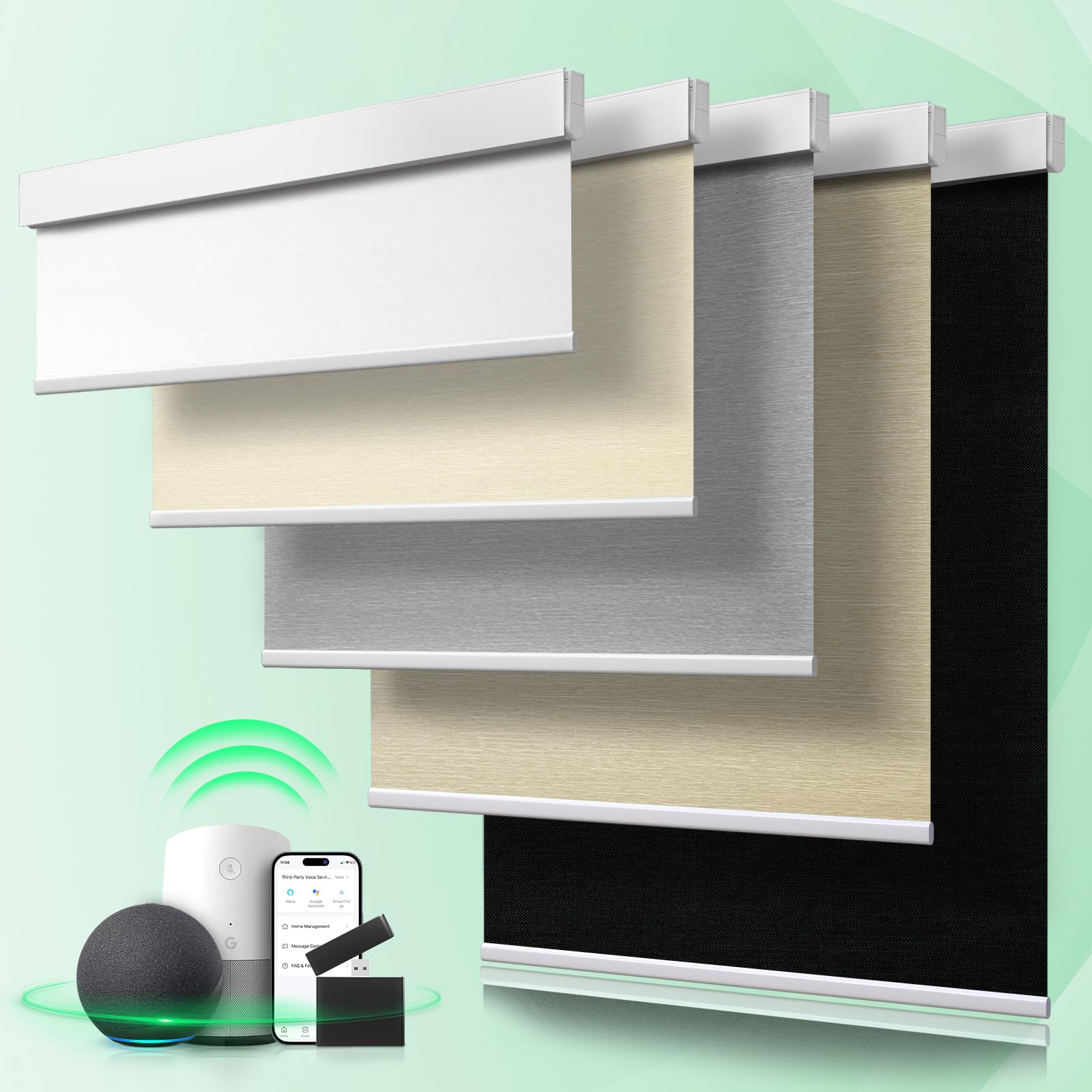
Image: MANSNIX Smart Blinds Blackout Motorized Roller Shade.

Image: Illustration of the 100% blackout capability of the blinds.

Image: The cordless design ensures safety and ease of use.
3. Installation
3.1 Measurement Guide
Accurate measurements are crucial for proper fit and function. Please follow these guidelines:
- Inside Mount: For installation inside the window frame.
- Measure the exact width of the window opening at three points (top, middle, bottom) and use the smallest measurement.
- Order width should be your window width minus 1/4 inch to ensure a proper fit.
- Minimum window depth required is 1.8 inches.
- Order height should be less than or equal to 72 inches.
- Outside Mount: For installation outside the window frame, covering the entire opening.
- Measure the desired width you want the blinds to cover.
- Order width should be your window width plus at least 4 inches (2 inches on each side) for maximum light blockage.
- Order height should be less than or equal to 72 inches.

Image: Detailed measurement guidelines for both inside and outside window mounts.

Image: Illustration of the adjustable height range (0-72 inches) and examples in different rooms.
3.2 Mounting Instructions
For a visual and detailed step-by-step guide on mounting your MANSNIX Smart Blinds, please refer to the official installation video below.
Video: This video provides a comprehensive guide on how to install your MANSNIX Smart Blinds, covering all necessary steps for secure and proper mounting.
4. Setup and Pairing
4.1 Remote Control Pairing
To pair your remote control with the blinds and set the operational limits:
- Select the desired channel on your remote control.
- Long press the 'admin' mode switch on the remote for approximately 2 seconds. The motor will briefly rotate back and forth once, indicating successful pairing.
- Use the remote's up/down buttons to move the blind to your desired upper travel point. Press the 'stop' button to set the upper limit.
- Repeat the process for the lower travel point, moving the blind to the desired lowest position and pressing 'stop' to set the lower limit.
Video: This video demonstrates how to pair your remote control with the blinds and set the upper and lower travel limits for precise shade positioning.
4.2 Smart Bridge & App/Voice Control Setup
To unlock advanced features like mobile app control and voice commands (Alexa, Google Assistant), an optional Smart Bridge (model B0CY3KMPSV) is required. This accessory allows seamless integration with your smart home ecosystem.
- Install and power on your MANSNIX Smart Bridge according to its separate instructions.
- Pair the Smart Bridge with your blinds using its single-button setup process.
- Download the compatible mobile application (e.g., Tuya App) from your device's app store.
- Follow the in-app instructions to add your Smart Bridge and connected blinds to the application.
- For voice control, link the mobile application to your Alexa or Google Assistant account through their respective apps.

Image: This diagram illustrates the smart control options, including the optional Smart Bridge for app and voice control integration with platforms like Alexa and Google Assistant.
Video: This video guides you through the process of connecting your MANSNIX Smart Blinds to your smartphone app and integrating them with voice assistants like Alexa.
5. Operating Your Smart Blinds
Once installed and set up, your MANSNIX Smart Blinds offer various convenient operating methods.
Video: This video provides an overview of the motorized blackout shades, highlighting their features and ease of use, including smart control options.
5.1 Using the Remote Control
The included remote control allows direct operation of your blinds:
- Up/Down Buttons: Press to raise or lower the blinds.
- Stop Button: Press to halt the blinds at any desired position.
- Channel Selection: If you have multiple blinds and a multi-channel remote, select the desired channel to control specific blinds or groups.

Image: The single-channel remote control is designed for one-to-one pairing and simple operation of a single blind.

Image: The 15-channel remote control allows simultaneous operation of up to 15 blinds, ideal for multiple window installations.
5.2 Using the Mobile App
With the optional Smart Bridge and mobile app, you can control your blinds from anywhere:
- Open the app and select the blinds you wish to control.
- Use the virtual controls to raise, lower, or stop the blinds.
- Create groups of blinds for simultaneous control.

Image: This image demonstrates the mobile application interface for controlling your smart blinds, offering convenient operation from your device.
5.3 Voice Control
If integrated with Alexa or Google Assistant via the Smart Bridge, use simple voice commands:
- "Alexa, turn off the blinds in the study."
- "Hey Google, open the living room shades."
- Customize commands and routines within your smart home app.
5.4 Scheduling
Utilize the mobile app to create schedules for automated blind operation:
- Set specific times for blinds to raise or lower daily or on selected days.
- Automate blinds to prevent harsh sunlight from heating rooms or to retain warmth during colder periods.
- Create a 'lived-in' look for your home while you are away for added security.
6. Maintenance
6.1 Cleaning
The polyester fabric of your MANSNIX Smart Blinds is designed for durability and easy care:
- For routine cleaning, gently dust the fabric with a soft cloth or use a vacuum cleaner with a brush attachment on a low setting.
- For minor spots, lightly dab with a damp cloth and mild soap, then wipe clean with a dry cloth. Avoid harsh chemicals.
- If wrinkles appear, a cool iron or a hair dryer on a low setting can be used to gently flatten the fabric. Hold the iron or dryer a few inches away from the fabric and move it continuously.

Image: This image shows the multi-layered fabric construction and includes a note on how to address wrinkles using a hair dryer or ironing machine.
6.2 Battery Replacement
The motorized blinds operate on AA batteries. When the batteries are low, you may notice slower operation or uneven rolling. To replace the batteries:
- Carefully locate the battery compartment cover on the motor unit.
- Remove the cover. It may be necessary to unmount the blind from its brackets for easier access.
- Replace all old batteries with new AA batteries, ensuring correct polarity.
- Securely reattach the battery compartment cover.
- After replacement, you may need to re-calibrate the upper and lower limits if they were affected.
Image: This diagram highlights the smart battery motor, indicating its low noise level and the use of AA batteries, which provide approximately 4-6 months of operation on a 6-hour charge.
7. Troubleshooting
If you encounter any issues with your MANSNIX Smart Blinds, please refer to the following common troubleshooting steps:
- Blinds Not Responding to Remote:
- Check if the remote control batteries are depleted. Replace if necessary.
- Ensure the remote is paired correctly with the blinds. Refer to Section 4.1.
- Verify there are no physical obstructions between the remote and the blind's receiver.
- Blinds Not Moving Smoothly or Unevenly:
- This can indicate low battery power. Replace the AA batteries in the motor unit (refer to Section 6.2).
- Check for any physical obstructions in the window frame or along the blind's path.
- Re-calibrate the upper and lower limits if they seem incorrect (refer to Section 4.1).
- Smart Features (App/Voice) Not Working:
- Ensure the optional Smart Bridge is properly installed, powered on, and connected to your home Wi-Fi network.
- Verify the Smart Bridge is paired with the blinds.
- Check the mobile application for connectivity issues or pending updates.
- Confirm that your smart home assistant (Alexa/Google) is correctly linked to the Smart Bridge's app.
- Motor Noise:
- The motor is designed for quiet operation (<35dB). If excessive noise occurs, check for loose mounting brackets or any obstructions causing friction.
8. Specifications
| Feature | Detail |
|---|---|
| Brand | MANSNIX |
| Model Number | M500 |
| Material | Polyester |
| Opacity | Blackout |
| Operation Mode | Automatic |
| Control Type | Motorized, Smart |
| Mounting Type | Inside Mount, Outside Mount |
| Recommended Uses | Indoor (Bedroom, Kids Room, Kitchen, Living Room, Nursery) |
| Additional Features | Eco-Friendly, Lightweight, Motorized, Weather Resistant, Wrinkle Resistant |
| Included Components | Batteries included, Shade included |
| Motor Noise Level | <35dB |
| Battery Life (Approx.) | 4-6 months (on 6-hour charge) |
9. Warranty and Support
Warranty: Warranty information for your MANSNIX Smart Blinds is typically provided with your purchase documentation. Please refer to the specific warranty card included in your product packaging or contact the manufacturer directly for detailed terms and conditions.
Customer Support: For technical support, troubleshooting assistance, or any other inquiries regarding your MANSNIX Smart Blinds, please contact MANSNIX customer service. You can usually find contact information through the retailer's platform where you purchased the product or on the official MANSNIX website.


