1. Product Overview
The UTRYUP Under Desk Elliptical Machine is designed for low-impact exercise, suitable for various users including seniors, office workers, and individuals undergoing rehabilitation. Its compact and quiet operation allows for convenient use in diverse environments.
- Low-Impact, Joint-Friendly Design: Promotes circulation, strengthens muscles, and burns calories without stressing joints.
- 2-in-1 Motion Simulation & Adjustable Speeds: Offers manual and automatic modes with 12 adjustable speed levels and bidirectional pedal motion (forward and backward).
- Ultra-Quiet Operation: Powered by a silent motor, operating at less than 15 DB, ideal for shared spaces.
- Compact, Portable & Ready to Use: Lightweight design with an integrated carrying handle for easy movement and storage. No assembly required.
- User-Friendly Features with Remote Control: Includes a remote control, foot straps, and an LCD display showing time, speed, and calories burned.
- Massage Anti-Slip Pedals: Features raised massage dots to enhance blood circulation and promote joint flexibility, with shock-absorbing design.

Image 1.1: The UTRYUP Under Desk Elliptical Machine, showcasing its compact design, control panel, remote, and included foot straps.
2. Safety Precautions
To ensure safe operation and prevent injury or damage, please adhere to the following precautions:
- Medical Devices: Avoid using this device with other electronic medical devices, such as pacemakers.
- Surgical Implants: Do not use if you have steel plates or other surgical fixtures in your body.
- Stable Surface: Always place the elliptical on a flat, stable surface during use.
- Footwear: For maximum comfort and safety, it is recommended to use the pedals barefoot or with socks.
- Supervision: Children and individuals with reduced physical capabilities should be supervised when using the device.
3. Package Contents
Upon opening the package, verify that all the following components are included:
| Item | Quantity |
|---|---|
| Elliptical Machine | 1 |
| Power Cord | 1 |
| AAA Batteries | 2 |
| Remote Controller | 1 |
| Foot Straps | 2 |
| Lubricant | 1 |
| User Manual | 1 |

Image 3.1: All items included in the UTRYUP Under Desk Elliptical Machine package.
4. Setup
The UTRYUP Under Desk Elliptical Machine comes fully assembled and ready for immediate use. No complex setup is required.
- Placement: Choose a flat, stable surface under your desk, beside your couch, or in any desired location. Ensure there is enough space for comfortable leg movement.
- Power Connection: Connect the power cord to the elliptical machine and then to a standard electrical outlet.
- Remote Batteries: Insert the two AAA batteries into the remote controller.
- Foot Straps (Optional): If desired, attach the foot straps to the pedals for added security, especially during more vigorous exercise.

Image 4.1: Proper placement of the elliptical machine for use under a desk.
5. Operating Instructions
The elliptical machine can be operated using the control panel on the device or the included remote control.
5.1 Control Panel and Remote Functions
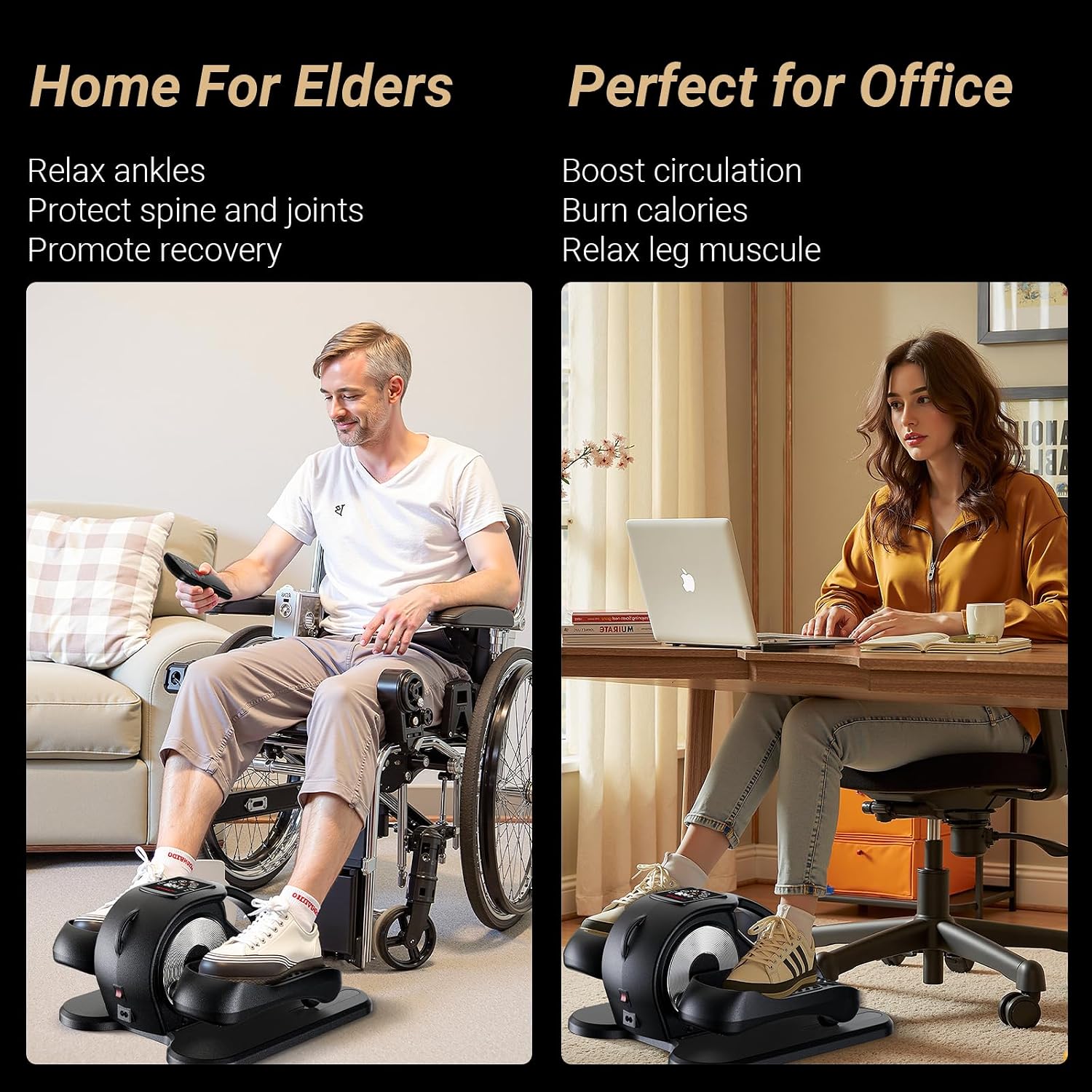
Image 5.1: The main control panel and remote control for the UTRYUP elliptical.
- LCD Display: Shows real-time feedback including time, speed, distance, count, and calories burned.
- POWER Button: Turns the machine ON/OFF.
- START/STOP Button: Initiates or pauses the exercise.
- SPEED Buttons (+/-): Adjusts the speed level (1-12 levels).
- DIRECTION Button: Switches between forward and backward pedal motion.
- MODE Button: Toggles between manual (HR) and automatic (AUTO) modes.
- FUNCTION Button: Cycles through display metrics (Time, Distance, Speed, Count, Calorie).

Image 5.2: Detailed breakdown of remote and button functions.
5.2 Exercise Modes
- Manual Mode (HR): Allows you to manually control the speed and direction. Press the POWER button to enter this mode. Use the SPEED buttons to adjust from 1 to 12 levels.
- Automatic Mode (AUTO): The machine automatically adjusts speed and direction through pre-programmed routines (P1-P12). Press the MODE button to switch to this mode.

Image 5.3: Explanation of the two operational modes: Auto Mode and HR Mode.
5.3 Starting Your Workout
- Sit comfortably in a chair with the elliptical machine placed in front of you.
- Place your feet securely on the pedals. If using foot straps, adjust them for a snug fit.
- Press the POWER button on the control panel or remote to turn on the machine.
- Select your desired mode (Manual or Automatic) using the MODE button.
- If in Manual Mode, use the SPEED (+/-) buttons to set your preferred intensity.
- Press the START/STOP button to begin pedaling.
- You can change the direction of pedaling at any time using the DIRECTION button.
- The machine features a 15-minute auto shut-off for convenience and safety.

Image 5.4: Illustration of forward and reverse pedaling motion.
6. Maintenance
Regular maintenance ensures the longevity and optimal performance of your UTRYUP Under Desk Elliptical Machine.
- Cleaning: Wipe down the machine with a soft, damp cloth after each use to remove dust and sweat. Avoid using abrasive cleaners or solvents.
- Lubrication: Apply the provided lubricant to moving parts as needed to maintain smooth operation and prevent squeaking. Refer to the specific lubrication points in the diagram below (if available in a physical manual) or apply to pedal axles.
- Storage: Store the machine in a cool, dry place away from direct sunlight and extreme temperatures when not in use.
- Inspection: Periodically check all screws and bolts to ensure they are tight. Do not overtighten.
7. Troubleshooting
If you encounter any issues with your UTRYUP Under Desk Elliptical Machine, please refer to the following common solutions:
| Problem | Possible Cause | Solution |
|---|---|---|
| Machine does not power on. | Power cord not properly connected; no power from outlet. | Ensure power cord is securely plugged into the machine and a working electrical outlet. Test the outlet with another device. |
| Remote control not working. | Dead or incorrectly inserted batteries; obstruction between remote and machine. | Replace AAA batteries in the remote. Ensure batteries are inserted with correct polarity. Remove any obstructions. |
| Unusual noise during operation. | Lack of lubrication; loose components. | Apply lubricant to moving parts. Check and tighten any loose screws or bolts. |
| Pedals feel stiff or jerky. | Lack of lubrication; debris in mechanism. | Apply lubricant. Inspect pedals and mechanism for any foreign objects and remove them. |
8. Specifications
| Feature | Detail |
|---|---|
| Model Name | UT-E38 |
| Brand | UTRYUP |
| Color | Black |
| Product Dimensions (D x W x H) | 17" x 9.4" x 15.5" |
| Material | Alloy Steel |
| Resistance Mechanism | Magnetic |
| Maximum Weight Recommendation | 55 Pounds |
| Number of Resistance Levels | 12 |
| Item Weight | 6.8 Kilograms |
| Manufacturer | UTRYUP |
9. Warranty and Support
The UTRYUP Under Desk Elliptical Machine comes with a 1-Year Manufacturer Warranty.
For warranty claims, technical support, or any inquiries regarding your product, please contact UTRYUP customer service through the retailer where you purchased the product or visit the official UTRYUP website for contact information.
Online Resources:
- UTRYUP Store on Amazon: Visit UTRYUP Store