Introduction
Thank you for choosing the Kepswin 49800mAh Portable Power Bank S1008D. This device is designed to provide reliable and fast charging for your electronic devices on the go. Please read this manual carefully to ensure proper use and maintenance of your power bank.
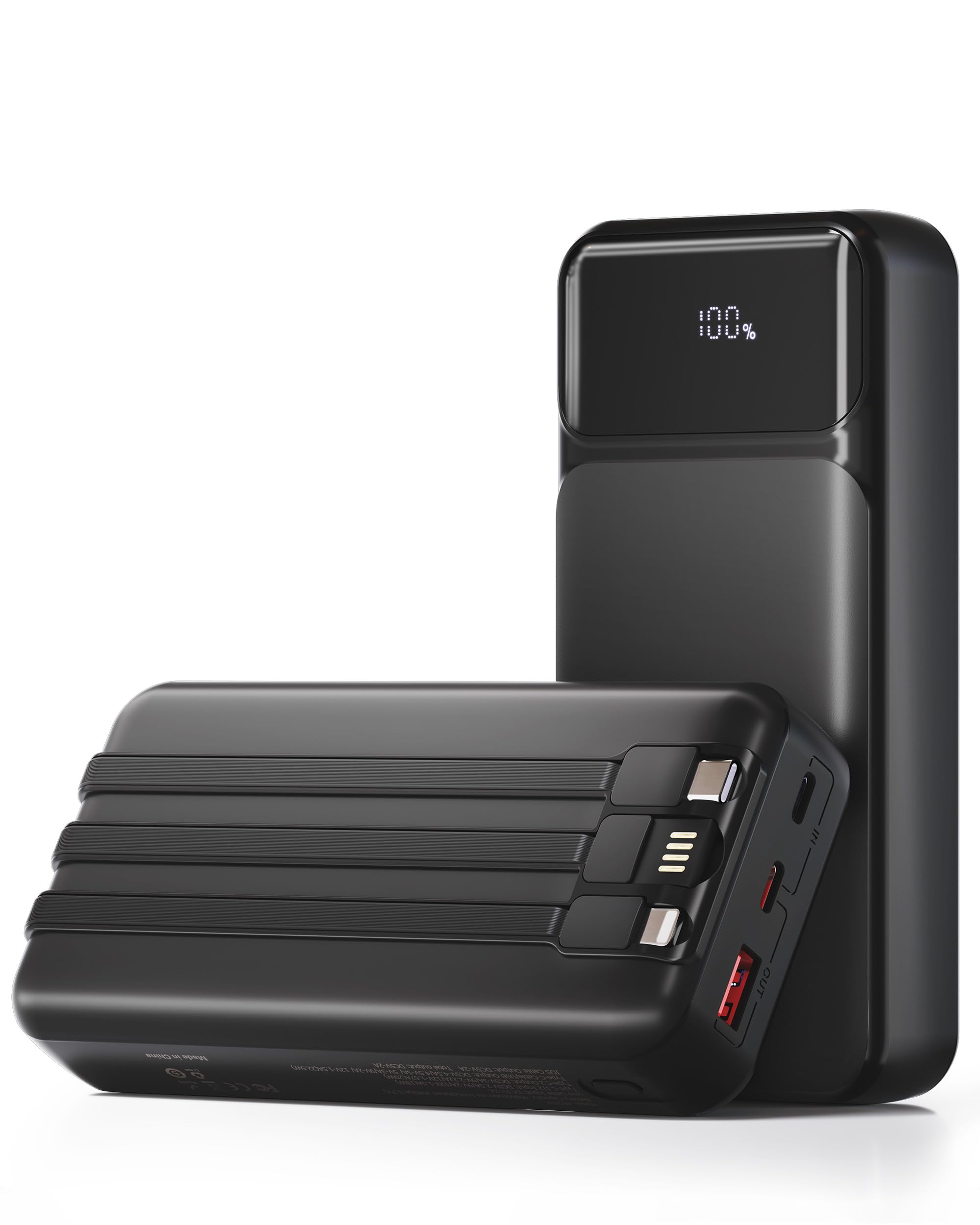
Image: The Kepswin 49800mAh Portable Power Bank S1008D, a sleek black device with an LED display.
Product Features
- High Capacity: 49800mAh ultra-large capacity to keep your devices powered throughout the day.
- Built-in Cables: Features 3 integrated cables (iOS, Type-C, USB-A) for wide compatibility.
- Multiple Charging Ports: Includes 3 additional charging ports (Type-C1/2, USB-A) for versatile connectivity.
- Fast Charging: Supports up to 22.5W fast charging, capable of charging an iPhone to 60% in 30 minutes.
- Smart LED Display: Accurate LED display shows the remaining battery charge percentage.
- Advanced Safety System: Built-in high-quality lithium polymer battery with UL, CE, FCC, RoHS, and UN38.3 certifications, offering temperature, overvoltage, overcurrent, and short circuit protection.
- Compact Design: Portable and compact, designed to fit easily in pockets or bags.

Image: Close-up view of the power bank highlighting its 4 outputs and 3 inputs, including built-in cables and ports.
Setup
- Unboxing: Carefully remove the power bank and included accessories from the packaging.
- Initial Charge: It is recommended to fully charge the power bank before its first use. Connect the provided USB-C charging cable to the power bank's input port and a suitable power adapter (not included). The LED display will show the charging progress.
- Check Battery Level: Press the power button on the side of the power bank to activate the LED display, which will show the current battery percentage.

Image: The power bank's LED digital display showing battery percentage with high accuracy.
Operating Instructions
Recharging the Power Bank
To recharge your Kepswin Power Bank, use the included USB-C cable. Connect one end of the USB-C cable to the power bank's input port and the other end to a USB wall adapter or a computer's USB port. The LED display will indicate the charging status. The power bank supports bidirectional fast charging.

Image: Illustration showing three different methods to recharge the power bank using its various input ports.
Charging Your Devices
The power bank offers multiple ways to charge your devices:
- Using Built-in Cables: Pull out the appropriate built-in cable (iOS, Type-C, or USB-A) and connect it directly to your device.
- Using USB Ports: For devices requiring other cable types, use your own cable and plug it into one of the available USB-A or USB-C output ports on the power bank.
The power bank can charge up to 4 devices simultaneously. The smart AI chip ensures efficient and safe charging for all connected devices.

Image: The power bank connected and charging a laptop, smartphone, tablet, and wireless earbuds simultaneously.
Video: A demonstration of the Kepswin Power Bank's built-in cables and fast charging capabilities for various devices.
Maintenance
- Cleaning: Use a soft, dry cloth to clean the surface of the power bank. Avoid using harsh chemicals or abrasive materials.
- Storage: Store the power bank in a cool, dry place away from direct sunlight, extreme temperatures, and moisture.
- Battery Care: To prolong battery life, fully charge the power bank at least once every three months if not in regular use.
- Avoid Drops: Protect the device from drops and impacts, which can damage internal components.
Troubleshooting
| Problem | Possible Cause | Solution |
|---|---|---|
| Device not charging | Low power bank battery; Loose cable connection; Incompatible device. | Recharge power bank; Ensure cables are securely connected; Verify device compatibility. |
| Power bank not recharging | Faulty charging cable or adapter; Damaged input port. | Try a different USB-C cable and power adapter; Contact customer service if issue persists. |
| Slow charging | Using a non-fast charging port/cable; Multiple devices charging simultaneously. | Ensure using 22.5W output port/cable; Charge fewer devices at once for faster individual charging. |
| LED display not working | Power button not pressed; Device malfunction. | Press the power button firmly; Contact customer service. |
Specifications
- Model Number: S1008D
- Battery Capacity: 49800 Milliamp Hours
- Output: Up to 22.5W (USB-A), PD 20W (Type-C output)
- Input: 18W (Type-C)
- Built-in Cables: iOS, USB-C, USB-A
- Additional Ports: 2x Type-C (1 In/Output), 1x USB-A (Output)
- Product Dimensions: 7.1 x 3.2 x 1.1 inches
- Item Weight: 1.06 pounds
- Certifications: UL, CE, FCC, RoHS, UN38.3
Safety Information
Your Kepswin Power Bank is equipped with a powerful safety system that provides temperature protection, overvoltage protection, overcurrent protection, and short circuit protection to ensure safe use.
- Do not expose the power bank to extreme temperatures (above 60°C/140°F) or direct sunlight.
- Avoid dropping or subjecting the power bank to heavy impacts.
- Do not disassemble, repair, or modify the device.
- Keep out of reach of children.
- Airline Travel: Due to its high capacity, this power bank may exceed airline carry-on restrictions for lithium batteries. Always check with your specific airline before flying.

Image: Diagram illustrating the AI Smart Chip and various multi-layer safety protections including overvoltage, overdischarge, overheating, overcurrent, overcharge, and short circuit protection.
Warranty and Support
Your Kepswin Power Bank comes with a 365-Day Quality Guarantee. For any questions or concerns, please contact our 24-hour friendly customer service. Refer to the included User Manual for additional details.
What You Get:
- 1 x 49800mAh Portable Charger Power Bank with 3 built-in Cables and 3 Ports
- 1 x USB-C Cable for Recharging portable iPhone charger
- 1 x User Manual