
1. Introduction
Thank you for choosing the raydrop KC-RD10 2.5L Cool Mist Ultrasonic Humidifier. This device is designed to enhance your indoor environment by providing a comfortable humidity level, reducing dryness, and offering an option for essential oil diffusion. Its top-fill design, quiet operation, and integrated color lights make it suitable for various rooms, including bedrooms, nurseries, and living spaces. Please read this manual thoroughly before use to ensure proper operation, maintenance, and safety.

Image 1.1: The raydrop KC-RD10 humidifier, highlighting its multifunctional capabilities including oil diffuser, 2.5L capacity, and night light.
2. Important Safety Instructions
To reduce the risk of fire, electric shock, or injury, always follow these basic safety precautions:
- Read all instructions before using the humidifier.
- Place the humidifier on a firm, flat, waterproof surface at least 12 inches (30 cm) away from walls and appliances.
- Do not immerse the base in water or other liquids.
- Always unplug the humidifier before filling, cleaning, or moving it.
- Do not operate the humidifier with a damaged cord or plug.
- Keep the humidifier out of reach of children and pets.
- Use only clean, cool tap water or distilled water. Do not use hot water.
- Do not add essential oils directly into the water tank; use the designated essential oil tray if available.
- Do not block the mist outlet.
- If the humidifier emits an unusual odor or sound, discontinue use immediately and contact customer support.
3. Package Contents
Carefully unpack your humidifier and ensure all items are present:
- raydrop KC-RD10 Humidifier Unit
4. Product Overview
Familiarize yourself with the main components of your humidifier:

Image 4.1: Front view of the raydrop KC-RD10 humidifier, showing the water tank, base, and control panel.
The humidifier features a transparent water tank, a sturdy base housing the ultrasonic plate, a 360° rotatable mist nozzle, and an intuitive touch control panel.
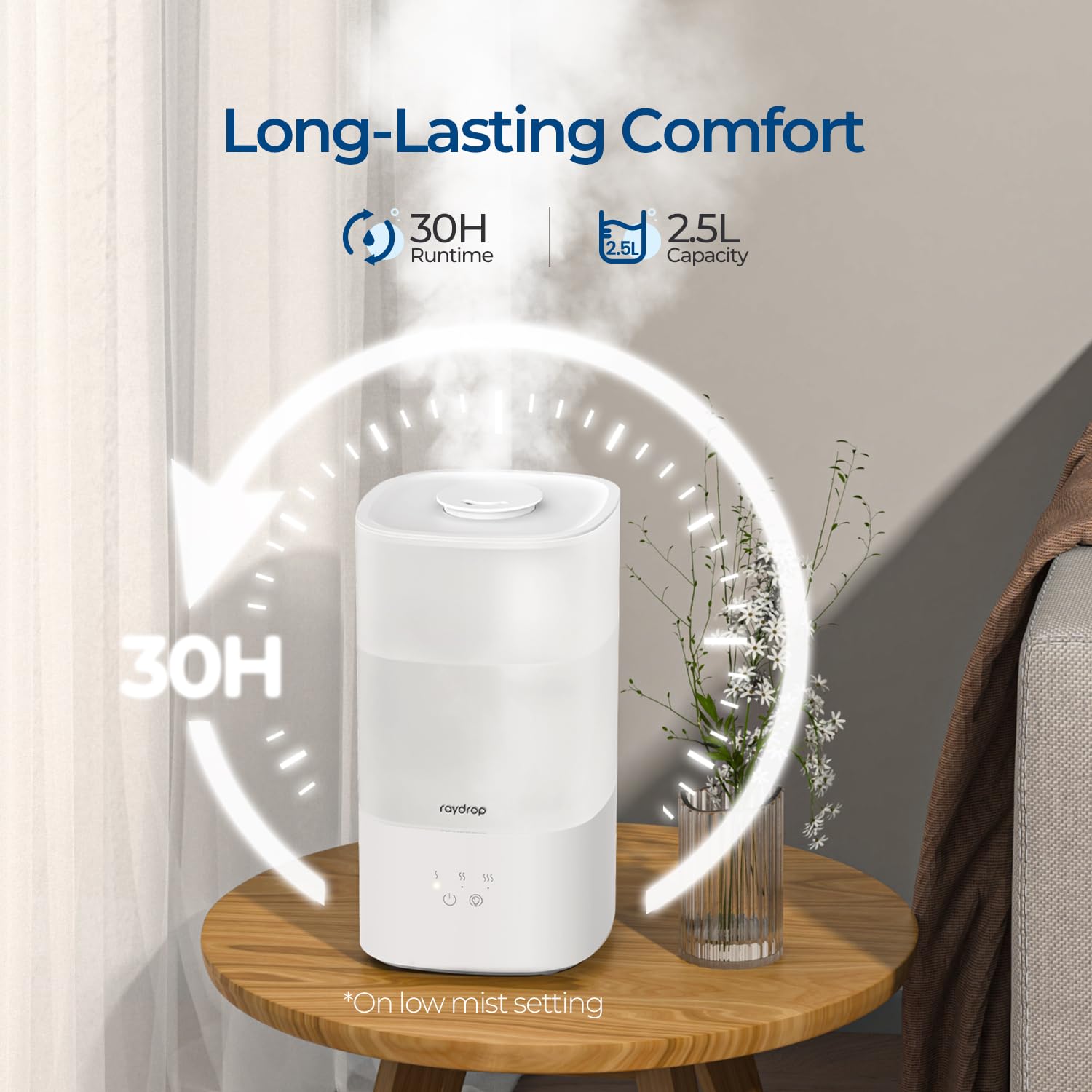
Image 4.2: The humidifier operating, illustrating its long-lasting comfort with up to 30 hours of continuous mist on a low setting from its 2.5L capacity.

Image 4.3: A diagram showing the easy touch control panel, the 360° rotatable nozzle, and the three adjustable mist levels (low, medium, high).
5. Setup and First Use
5.1 Placement
Place the humidifier on a flat, stable, and waterproof surface. Ensure it is at least 12 inches (30 cm) away from walls, furniture, and electronic devices. Do not place it directly on carpet or a towel, as this may block the air inlet.
5.2 Filling the Water Tank
- Ensure the humidifier is unplugged from the power outlet.
- Remove the top cover of the humidifier.
- Pour cool, clean tap water directly into the water tank. Do not exceed the maximum fill line indicated on the tank. Distilled water is recommended to minimize mineral buildup.
- If using essential oils, add a few drops to the designated essential oil tray (if present), not directly into the water tank.
- Replace the top cover securely.

Image 5.1: A hand demonstrating the top-fill method for the humidifier and adding essential oils, illustrating the ease of use.
5.3 Power Connection
Plug the power cord into a standard electrical outlet. The humidifier is now ready for operation.
6. Operating Instructions
6.1 Power On/Off
Press the power button (⏻) on the control panel to turn the humidifier on or off.
6.2 Mist Level Adjustment
After turning on the humidifier, press the mist level button (SSS) repeatedly to cycle through the three mist output levels: Low, Medium, and High. The corresponding indicator light will illuminate.

Image 6.1: Illustration of the three mist adjustment levels and their corresponding runtimes (30H, 18H, 11H).
6.3 Color Light Function
Press the light button (💡) to activate the cycling 7-color light feature. Press again to turn off the lights. The indicator light will auto-dim during operation to avoid disturbing sleep.

Image 6.2: The humidifier displaying its night light feature, alongside icons for BPA-free material, auto shut-off, and quiet operation (28dB).
6.4 Essential Oil Diffusion
If your model includes an essential oil tray, add a few drops of your preferred essential oil to the tray. Do not add essential oils directly into the water tank, as this can damage the unit.
6.5 Auto Shut-Off
The humidifier is equipped with an automatic shut-off feature that activates when the water level is too low, ensuring safety and preventing damage to the unit.
7. Maintenance and Cleaning
Regular cleaning is crucial for optimal performance and hygiene. Always unplug the humidifier before cleaning.
7.1 Daily Maintenance
- Empty the water tank and base daily.
- Wipe the tank and base with a clean, dry cloth.
- Allow all parts to air dry completely before reassembly or storage.
7.2 Weekly Cleaning (Deep Cleaning)
To remove mineral buildup and disinfect, perform a deep clean weekly:
- Unplug the humidifier and disassemble all removable parts (top cover, mist tube, water valve, sponge filter).
- Fill the water tank and base with a solution of equal parts white vinegar and water. Let it soak for 15-20 minutes.
- Use a soft brush or cloth to clean the inside of the tank, the base, and the ultrasonic plate.
- Rinse all parts thoroughly with clean water until the vinegar smell is gone.
- Wipe all surfaces dry and allow them to air dry completely before reassembling.

Image 7.1: A hand cleaning the wide opening of the humidifier, demonstrating the ease of access for thorough cleaning.

Image 7.2: An exploded view of the humidifier's modular components, illustrating how parts can be separated for deep cleaning.

Image 7.3: A visual guide detailing the step-by-step process for disassembling and cleaning the humidifier's internal components.
8. Troubleshooting
If you encounter issues with your humidifier, refer to the following common problems and solutions:
| Problem | Possible Cause | Solution |
|---|---|---|
| No mist or low mist output | Low water level; mineral buildup on ultrasonic plate; mist outlet blocked; fan malfunction. | Refill water tank; clean ultrasonic plate with vinegar solution; ensure mist outlet is clear; contact customer support if fan is not working. |
| Unusual odor | Stagnant water; dirty water tank or base; new unit odor. | Empty and clean the water tank and base thoroughly; use fresh water daily; initial odors should dissipate after a few uses. |
| Water leakage | Water tank not properly seated; damaged water tank; overfilling. | Ensure the water tank is correctly placed; check for cracks or damage; do not overfill past the max line. |
| Humidifier turns off unexpectedly | Low water level (auto shut-off activated); power interruption. | Refill the water tank; check power connection. |
| White dust around humidifier | Hard water used. | Use distilled or demineralized water to reduce mineral output. Clean the area regularly. |
If the problem persists after attempting these solutions, please contact customer support.
9. Specifications
| Feature | Specification |
|---|---|
| Model Name | KC-RD10 |
| Brand | raydrop |
| Capacity | 2.5 Liters |
| Operation Mode | Automatic |
| Product Dimensions | 27.5D x 14.5W x 14.5H Centimeters |
| Item Weight | 0.9 Kilograms (900 g) |
| Power Source | Corded Electric |
| Room Type | Living Room, Bedroom, Nursery |
| Special Features | Cool Mist, Ultrasonic, Top Fill, Color Lights, Auto Shut-Off, Essential Oil Diffuser |
| Noise Level | Below 28 dB |
10. Warranty and Customer Support
The raydrop KC-RD10 Humidifier comes with a 5-year warranty, ensuring peace of mind regarding your purchase. This warranty covers manufacturing defects and issues arising from normal use.
For warranty claims, technical assistance, or any questions regarding your product, please contact raydrop customer support through your retailer or the official raydrop website. Please have your model number (KC-RD10) and proof of purchase ready when contacting support.