
Introduction
Thank you for choosing the HIENA PRO HYN-T06 5-in-1 Grooming Kit. This manual provides essential information for the safe and effective use of your new grooming device. Please read these instructions carefully before first use and retain them for future reference.
Safety Information
- Always unplug the device before cleaning.
- Do not use near water or immerse the device in water.
- Keep out of reach of children.
- Exercise caution when using the trimmer near sensitive areas such as the face, eyes, nose, and ears.
- Do not use the device if the blades are damaged, as this may cause injury.
- Use only the provided charging cable and adapter.
Package Contents
Your HIENA PRO HYN-T06 5-in-1 Grooming Kit includes the following items:

Image: The complete HIENA PRO HYN-T06 grooming kit, showing the main trimmer unit, various attachment heads (trimmer, nose, shaver, eyebrow), guide combs (1.5mm, 2mm, 3mm, 4mm), cleaning brush, USB charging cable, and a travel case.
- Main Trimmer Unit with Digital Display
- Precision Trimmer Head (T-shaped blade)
- Nose Hair Trimmer Head
- Electric Shaver Head
- Eyebrow Scraper Head
- 5 Guide Combs (1.5mm, 2mm, 3mm, 4mm, and one additional comb)
- Cleaning Brush
- USB Charging Cable
- Travel Case
Product Overview
The HIENA PRO HYN-T06 is a versatile 5-in-1 grooming kit designed for various personal grooming needs. It features a powerful motor, sharp blades, and a digital display for battery status.
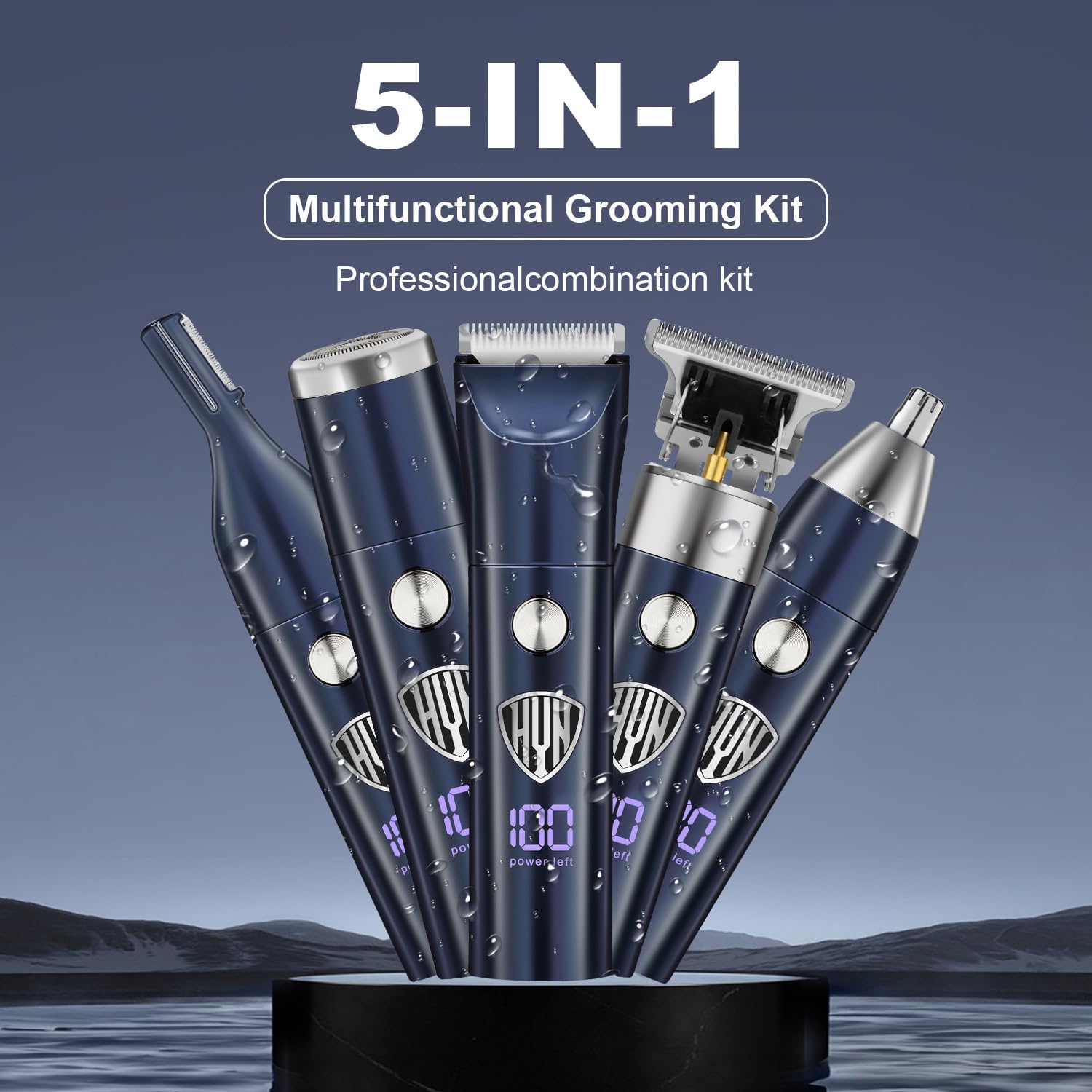
Image: Five individual grooming tools, each with a digital display, standing upright, illustrating the 5-in-1 multifunctional design of the kit.
Key Features:
- 5 Interchangeable Heads: Precision Trimmer, Nose Hair Trimmer, Electric Shaver, Eyebrow Scraper, and Body Trimmer.
- Precision Blades: T-shaped blades for fine trimming and 360° multi-directional trimming for nose and ear hair.
- Quiet & Durable Motor: Ensures efficient trimming with low noise.
- Long Battery Life: Up to 60 minutes of continuous use on a 2-hour charge.
- Smart LCD Display: Shows battery capacity for convenient monitoring.
- USB Charging: Flexible charging options via computer, car charger, or power bank.
Setup
1. Charging the Device
Before first use, fully charge the grooming device. The LCD display will show the battery percentage.

Image: The HIENA PRO trimmer being charged via a USB cable, with its digital display indicating "100 power left" and "60 Minutes Working Time".
- Connect the USB charging cable to the charging port on the bottom of the trimmer.
- Plug the other end of the USB cable into a compatible USB power source (e.g., computer, car charger, wall adapter).
- The LCD display will illuminate and show the charging progress. A full charge takes approximately 2 hours.
- Once fully charged, disconnect the device from the power source.
2. Attaching and Detaching Heads
The grooming kit comes with multiple interchangeable heads for different functions.

Image: A visual guide demonstrating the four main detachable heads: Electric Shaver, Nose Hair Trimming, Eyebrow Scraper, and Trim Hairs, along with an example of body trimming.
- To attach a head: Align the desired head with the main trimmer unit and gently push it down until it clicks into place.
- To detach a head: Hold the main unit firmly and twist the attached head slightly counter-clockwise, then pull it upwards to remove.
3. Attaching Guide Combs
Guide combs are used with the precision trimmer head to achieve desired hair lengths.
- Ensure the precision trimmer head is attached to the main unit.
- Select the desired guide comb (e.g., 1.5mm, 2mm, 3mm, 4mm).
- Align the comb with the trimmer blade and slide it onto the head until it securely snaps into place.
- To remove, gently lift the comb from the back and slide it off.
Operating Instructions
General Operation
- Press the power button once to turn the device ON. The LCD display will show the current battery level.
- Press the power button again to turn the device OFF.
Using the Precision Trimmer Head

Image: A detailed view of the T-head trimmer blade, highlighting its design for finishing the edges of hairstyles and precise trimming.
This head is ideal for beard trimming, sideburns, and creating sharp lines.
- Attach the precision trimmer head.
- For specific lengths, attach a guide comb. For close trimming or detailing, use without a comb.
- Turn on the device.
- Hold the trimmer against the skin, moving it slowly against the direction of hair growth.
Using the Nose Hair Trimmer Head

Image: A man using the nose hair trimmer attachment, demonstrating its use for easy nose and ear hair trimming with 360° multi-directional capability.
Designed for safe and comfortable trimming of nose and ear hair.
- Attach the nose hair trimmer head.
- Turn on the device.
- Gently insert the trimmer tip into your nostril or ear canal. Do not insert too deeply.
- Move the trimmer in a circular motion to cut unwanted hair.
Using the Electric Shaver Head

Image: A man using the electric shaver head to trim his beard and sideburns, illustrating its easy shaving capability.
Use for a smooth finish on beards, sideburns, or bald heads.
- Attach the electric shaver head.
- Turn on the device.
- Hold the shaver flat against your skin and move it in short, gentle strokes.
Using the Eyebrow Scraper Head
This head is suitable for precise shaping of eyebrows.
- Attach the eyebrow scraper head.
- Turn on the device.
- Carefully guide the blade along the desired eyebrow line to remove stray hairs.
Body Trimming

Image: Visual examples of body trimming for chest hair, leg hair, armpit hair, and groin hair using the HIENA PRO grooming kit.
The precision trimmer head can also be used for body hair removal.
- Attach the precision trimmer head.
- Depending on the desired length, use a guide comb or trim directly for a closer cut.
- Turn on the device.
- Carefully move the trimmer over the desired body area, ensuring the skin is taut.
Maintenance
Cleaning
Regular cleaning ensures optimal performance and hygiene.
- Ensure the device is turned off and unplugged before cleaning.
- Detach the head you wish to clean.
- Use the provided cleaning brush to remove any loose hairs from the blades and inside the head.
- The blades can be rinsed under running water. Ensure they are completely dry before reattaching or storing. Do not rinse the main unit.
- Wipe the main unit with a dry or slightly damp cloth.
Lubrication
For best performance and blade longevity, lubricate the trimmer blades periodically.
- After cleaning and drying the precision trimmer head, apply a small drop of clipper oil (not included) to the blades.
- Turn on the trimmer for a few seconds to distribute the oil evenly.
- Wipe off any excess oil.
Storage
Store the grooming kit in a cool, dry place, away from direct sunlight and moisture. Use the provided travel case to keep all components organized and protected.
Troubleshooting
- Device not turning on: Ensure the device is fully charged. Check the USB cable and power source.
- Poor trimming performance: Clean the blades thoroughly to remove any hair buildup. Lubricate the blades. Ensure the correct head and guide comb are properly attached.
- Device heats up during use: This can occur during prolonged use. Ensure blades are clean and lubricated. If overheating is excessive, discontinue use and allow the device to cool down.
If you encounter issues not listed here, please refer to the support information provided.
Specifications
| Feature | Detail |
|---|---|
| Model Number | HYN-T06 |
| Product Dimensions | 4.92 x 1.38 x 1.18 inches |
| Item Weight | 3.42 ounces |
| Battery Type | 1 Lithium Ion battery (included) |
| Charging Time | 2 Hours |
| Operating Time | Up to 60 Minutes |
| Manufacturer | HIENA PRO |
Warranty and Support
For warranty information or customer support, please refer to the documentation included with your purchase or contact HIENA PRO customer service through the retailer where the product was purchased. Keep your proof of purchase for warranty claims.