
PNI PNI-WT09
PNI WT09 Irrigation Programmer User Manual
Model: PNI-WT09
Introduction
The PNI WT09 Irrigation Programmer is designed to automate your garden watering, providing convenience and efficiency. This device features an LCD display for easy programming of automatic and manual irrigation schedules, allowing adjustment of time, duration, and irrigation days. It is equipped with a single water outlet.

Image: Front view of the PNI WT09 Irrigation Programmer, showing the LCD screen, the central orange control dial, and the plus, minus, and OK buttons.
Key Features:
- Versatile watering options for automatic and manual control.
- Customizable schedules for specific times, durations, and days.
- Clear LCD display for easy programming and monitoring.
- Sturdy construction designed for outdoor conditions.
Setup and Installation
Package Contents:
- PNI WT09 Irrigation Timer
- USB Cable (for power, if applicable, though product description says battery powered)
- Support bracket
1. Battery Installation:
The PNI WT09 is powered by 4 AAA alkaline batteries. To install the batteries:
- Locate the battery compartment on the back of the device.
- Slide the battery cover open.
- Insert 4 AAA alkaline batteries, ensuring correct polarity (+/-).
- Close the battery cover securely.
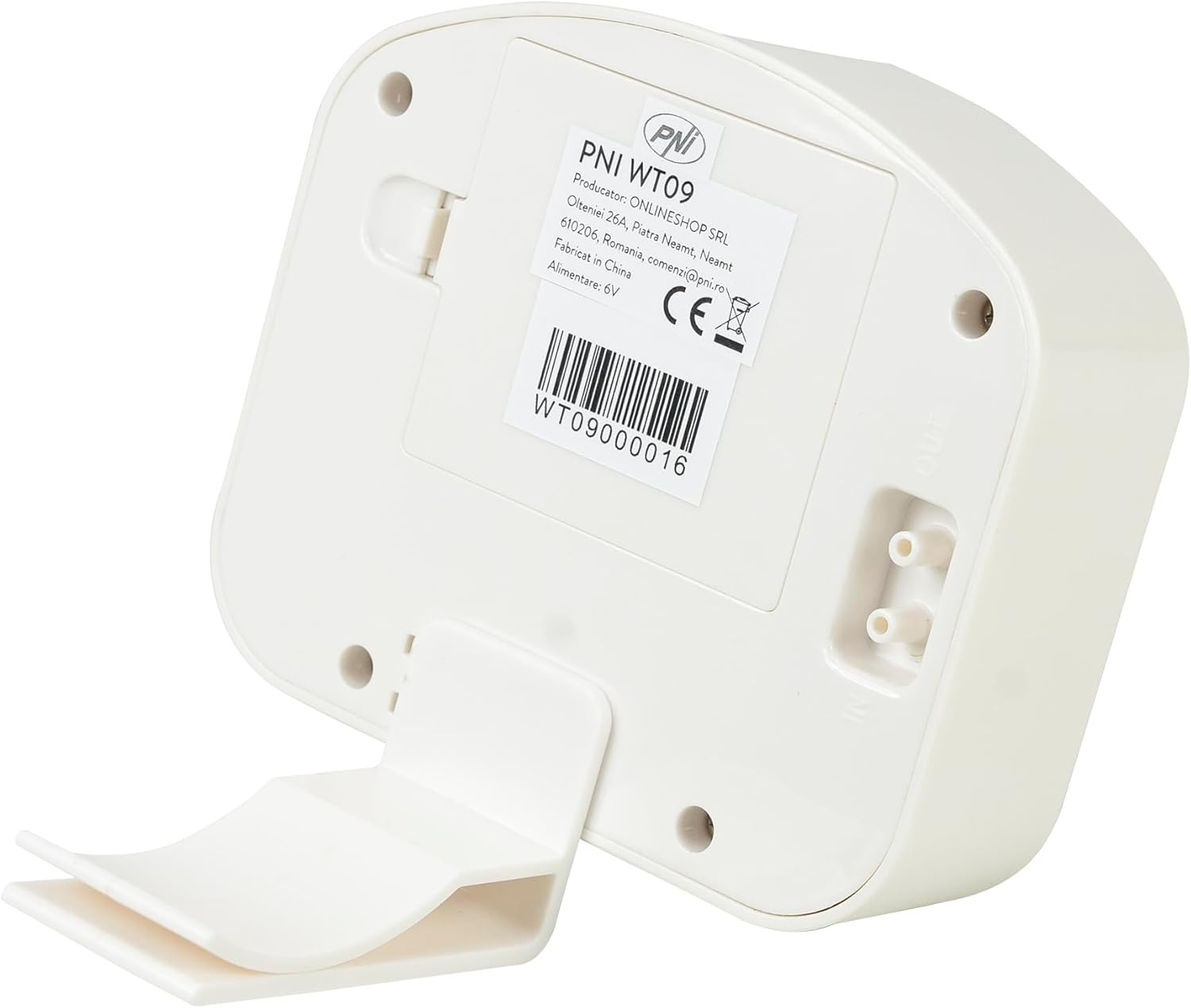
Image: Rear view of the PNI WT09 Irrigation Programmer with the battery compartment cover removed, showing the slots for four AAA batteries.
2. Connecting to Water Source:
The programmer features a 3/4" female thread input connector and a 3/4" male output connector.
- Screw the 3/4" female input connector of the PNI WT09 onto your outdoor faucet or garden hose. Ensure a tight, leak-free connection.
- Connect your garden hose or irrigation system to the 3/4" male output connector at the bottom of the programmer.

Image: The PNI WT09 Irrigation Programmer connected to a garden hose, demonstrating its typical setup for use.
3. Mounting (Optional):
The device includes a support bracket for stable placement or mounting.

Image: Side view of the PNI WT09 Irrigation Programmer, showing the integrated support stand extended from the back.
Operating Instructions
The PNI WT09 features a central rotary dial and three buttons (+, -, OK) for navigation and setting adjustments.
1. Setting the Clock:
- Turn the central dial to "SET CLOCK".
- Use the + and - buttons to adjust the current time.
- Press OK to confirm and move to the next setting (e.g., minutes, then days of the week).
2. Setting Start Time:
- Turn the central dial to "START TIME".
- Use the + and - buttons to set the desired start time for watering.
- Press OK to confirm.
3. Setting Watering Duration ("HOW LONG"):
- Turn the central dial to "HOW LONG".
- Use the + and - buttons to set the duration of each watering cycle (e.g., minutes).
- Press OK to confirm.
4. Setting Watering Frequency ("HOW OFTEN"):
- Turn the central dial to "HOW OFTEN".
- Use the + and - buttons to set how often watering occurs (e.g., every X hours, or specific days of the week).
- Press OK to confirm.
5. Automatic Watering Mode:
After setting the clock, start time, duration, and frequency, turn the dial to "AUTO". The programmer will now operate according to your programmed schedule.
6. Manual Watering:
To initiate manual watering outside of the programmed schedule:
- Ensure the dial is set to "AUTO" or "OFF".
- Press the + button while in "AUTO" mode (as indicated by "FOR RAIN DELAY PRESS +" on the dial, which often doubles for manual start or rain delay). Follow on-screen prompts to set manual duration.
- Press OK to start manual watering.
7. Rain Delay Function:
To temporarily suspend watering due to rain:
- While in "AUTO" mode, press the + button. The display should show options for rain delay.
- Use the + and - buttons to select the desired delay period (e.g., 24, 48, 72 hours).
- Press OK to activate the rain delay. Watering will resume automatically after the delay period.
8. Turning Off:
To stop all watering and turn off the programmer, turn the central dial to "OFF".
Maintenance
Battery Replacement:
When the battery indicator on the LCD display is low, replace all 4 AAA alkaline batteries promptly to ensure continuous operation. Refer to the "Battery Installation" section for steps.
Cleaning:
Wipe the exterior of the programmer with a soft, damp cloth. Do not use abrasive cleaners or immerse the device in water.
Winterization:
Before the first frost, disconnect the irrigation programmer from the faucet and hose. Remove the batteries. Store the device indoors in a dry, protected area to prevent damage from freezing temperatures.
Troubleshooting
| Problem | Possible Cause | Solution |
|---|---|---|
| No display or dim display | Dead or low batteries; incorrect battery installation. | Replace batteries with new alkaline AAA batteries. Ensure correct polarity. |
| Water not flowing | Faucet is off; programmer is in "OFF" mode; low water pressure; clogged filter. | Ensure faucet is fully open. Turn dial to "AUTO" or initiate manual watering. Check water pressure. Clean any debris from the filter screen at the input connector. |
| Water leaking from connections | Loose connections; worn washer; damaged threads (especially if exposed to direct sunlight). | Tighten all connections. Check rubber washers inside connectors and replace if worn. Avoid prolonged direct sunlight exposure if possible, as it can degrade plastic components over time. |
| Program not running as scheduled | Incorrect time/date setting; rain delay active; programmer in "OFF" or "MANUAL" mode. | Verify clock, start time, duration, and frequency settings. Check if rain delay is active. Ensure dial is set to "AUTO". |
Specifications
| Feature | Detail |
|---|---|
| Model | PNI-WT09 |
| Power Source | 4 x AAA Alkaline Batteries |
| Input Connector | 3/4" Female Thread |
| Output Connector | 3/4" Male Thread |
| Number of Outputs | 1 |
| Maximum Pressure Supported | 80 PSI |
| Dimensions (L x W x H) | 115 x 45 x 105 mm (4.53 x 1.77 x 4.13 inches) |
| Weight | 284 g (12.4 ounces) |
| Color | White/Orange |

Image: Rear view of the PNI WT09 Irrigation Programmer, showing the product label with model number, manufacturer details, and certifications.
Product Serial Number: WT09000016
Warranty and Support
Warranty Information:
Warranty terms and conditions are typically provided with your purchase documentation. Please refer to the warranty card or information included in your product packaging for details regarding coverage and duration.
Customer Support:
For technical assistance, troubleshooting, or inquiries regarding your PNI WT09 Irrigation Programmer, please contact PNI customer support:
- Email: comenzi@pni.ro
- Manufacturer: ONLINESHOP SRL
- Address: Olteniei 26A, Piatra Neamt, Neamt, 610206, Romania
Ask a question about this manual
Ask about setup, troubleshooting, compatibility, parts, safety, or missing instructions. Manuals+ will review the question and use this page’s manual context to help answer it.