
IDCS 570113-001
IDCS Datacard Entrust Professional Cleaning Kit User Manual
Model: 570113-001
Introduction
This manual provides comprehensive instructions for the proper use and maintenance of the IDCS Datacard Entrust Professional Cleaning Kit (Model 570113-001). This kit is designed to ensure optimal performance and longevity of your Entrust Datacard CD810, CD800, SD260, SD360, and SD460 card printers by effectively removing dust, debris, and contaminants from critical components.
Kit Components
The IDCS Datacard Entrust Professional Cleaning Kit includes the following items:
- 10 Cleaning Sleeves
- 1 Cleaning Card Pack (10 cards)
- 1 Cleaning Swab Pack (5 swabs)

Image: Overview of the IDCS Datacard Entrust Professional Cleaning Kit, showing cleaning sleeves, cleaning cards, and a cleaning swab.
Setup and Preparation
Before beginning the cleaning process, ensure your printer is powered off and disconnected from its power source to prevent accidental operation or damage.

Image: A cleaning card pouch displaying the step-by-step directions for use.
Operating Instructions
Using the Cleaning Cards:
The cleaning cards are designed to clean the card path and print head. Follow these steps:
- Open Pouch: Open the pouch containing the head cleaning card.
- Insert Card: Swipe or insert the head cleaning card into the printer's card reader 3-6 times, similar to how you would use a credit card.
- Allow Drying: Allow the head cleaning card to dry completely.
- Repeat (if necessary): Swipe or reinsert the cleaning card into the card reader a second time to remove stubborn contaminants.
- Discard: Discard the used cleaning card after use.
Using the Cleaning Swabs:
The cleaning swabs are ideal for precise cleaning of the print head and other hard-to-reach areas within the printer.
- Identify Area: Locate the print head or other areas requiring manual cleaning.
- Gently Wipe: Use a cleaning swab to gently wipe the print head and other accessible components. Avoid applying excessive pressure.
- Inspect: Ensure all visible dust and debris are removed.
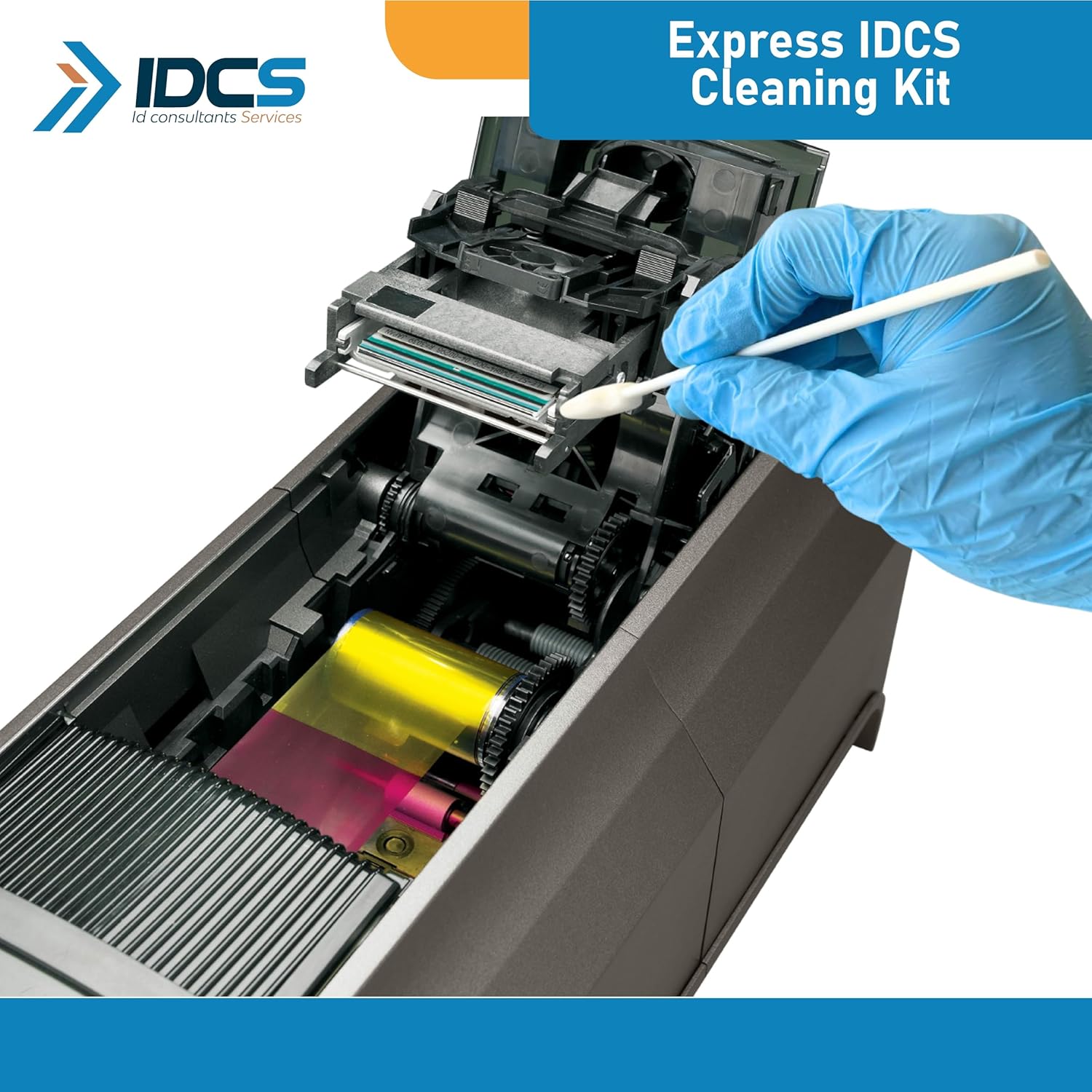
Image: A cleaning swab being used to clean the internal components of a card printer, demonstrating precise cleaning.
Maintenance Schedule
Regular cleaning is crucial for maintaining print quality and extending the lifespan of your printer's printhead. It is recommended to use the cleaning kit every 300-500 prints to protect the printhead and ensure consistent performance.
Troubleshooting Common Issues
If you experience issues with print quality or card feeding after cleaning, consider the following:
- Poor Print Quality: If print quality remains poor, repeat the cleaning card process. Ensure the cleaning card is not expired and is stored properly.
- Card Jams/Feeding Issues: Verify that no debris remains in the card path. Ensure cleaning cards are fully inserted and removed.
- Persistent Problems: If issues persist after thorough cleaning, consult your printer's specific user manual or contact technical support for further assistance.
Specifications
| Model Number | 570113-001 |
| Brand | IDCS |
| Compatibility | Entrust Datacard CD810, CD800, SD260, SD360, SD460 |
| Kit Contents | 10 Cleaning Sleeves, 10 Cleaning Cards, 5 Cleaning Swabs |
| Recommended Usage | Every 300-500 prints |
Warranty Information
Specific warranty details for the IDCS Datacard Entrust Professional Cleaning Kit are not provided in this manual. Please refer to the product packaging or contact IDCS directly for comprehensive warranty information.
Customer Support
For technical assistance, product inquiries, or support, please contact IDCS customer service through their official website or the contact information provided with your purchase. Always provide your product model number (570113-001) when seeking support.
Ask a question about this manual
Ask about setup, troubleshooting, compatibility, parts, safety, or missing instructions. Manuals+ will review the question and use this page’s manual context to help answer it.