
1. Introduction
The Lumina NRG IPL Hair Removal Device is an advanced at-home system designed for long-lasting hair reduction. Utilizing Intense Pulsed Light (IPL) technology, this device targets hair follicles to gradually reduce hair regrowth, offering a convenient alternative to traditional hair removal methods. It is suitable for both men and women seeking smooth skin on various body areas.

Image 1.1: The Lumina NRG IPL Hair Removal Device and its retail packaging.
2. Safety Information and Important Precautions
Before using the Lumina NRG IPL Hair Removal Device, please read all safety instructions carefully. Failure to follow these guidelines may result in injury or device malfunction.
2.1 General Safety Warnings
- Skin Tone Compatibility: This device is suitable for lighter to medium skin tones. It is not recommended for very dark skin tones, as excessive IPL light absorption may cause skin irritation.
- Avoid Use On: Do not use the device on tattoos, scars, moles, or recently tanned or sunburned skin.
- Medical Conditions: Avoid use if pregnant, breastfeeding, or taking medications that cause photosensitivity.
- Age Restriction: Not for use by individuals under 18 years of age.
- Skin Conditions: Do not use on areas with burns, abnormal skin conditions, or open wounds.
- Eye Protection: The IPL light is intense. It is strongly recommended to wear protective eyewear (not included) during operation to shield your eyes from the bright flashes.
- Device Integrity: Do not attempt to open, modify, or repair the device. Contact customer support for assistance.
- Water Exposure: Do not use the device near water or in wet environments.
2.2 Skin Sensitivity Test
Before your first full treatment, perform a skin sensitivity test on a small area of skin you intend to treat. Select a low intensity level and apply a flash. Wait 24 hours to check for any adverse reactions such as excessive redness, swelling, or blistering. If no adverse reaction occurs, you may proceed with treatment.
3. Product Overview
The Lumina NRG IPL device features advanced technology for effective and comfortable at-home hair reduction.
3.1 Key Features
- IPL Technology: Utilizes Intense Pulsed Light to target hair follicles.
- Painless Treatment: Designed for a comfortable experience.
- Dual Light Modes: Offers both manual and automatic flash modes for versatility.
- Multi-Level Intensity Settings: Adjustable intensity to suit different skin sensitivities and treatment areas.
- Skin Contact Sensor: Ensures safety by activating flashes only when the device is fully pressed against the skin.
- Wide Flash Window: Allows for quick full-body sessions.
- Corded Electric: Provides consistent power during use.

Image 3.1: Key features of the Lumina NRG IPL Hair Removal Device.

Image 3.2: The device's dual-light feature for efficient treatment.
4. Setup
- Prepare the Skin: Ensure the treatment area is clean, dry, and free of any lotions, oils, or deodorants. Shave the hair in the area to be treated. Do not wax or epilate, as IPL targets the hair root.
- Connect Power: Plug the power adapter into the device and then into a wall outlet. The device will power on, and indicator lights may illuminate.
- Wear Eye Protection: Put on appropriate UV-protective eyewear (not included) before operating the device.
5. Operating Instructions
The Lumina NRG IPL device offers various modes and intensity levels for customized treatment.
5.1 Selecting Intensity Level
- Press the power button to turn on the device.
- Use the intensity adjustment buttons (usually marked '+' and '-') to select a suitable energy level. Start with a lower level and gradually increase if comfortable.
- Refer to the skin tone chart (if provided in physical manual) to determine the appropriate starting intensity for your skin type.
5.2 Choosing a Mode
The device typically features different operating modes:
- Fast Mode: For quick and efficient treatments on larger areas.
- Normal Mode: For gentle, comfortable treatments.
- High Mode: Delivers powerful energy for optimal results on coarse hair.
- SRS Mode: Specific mode for targeting men's chest, armpits, and legs, adjusting based on body area and skin sensitivity.

Image 5.1: Overview of the device's operating modes.
5.3 Applying Treatment
- Place the device's flash window firmly against the skin in the desired treatment area. The skin contact sensor will ensure proper placement.
- For Manual Mode (single flash): Press the flash button to emit a single pulse of light. Lift the device and move to the next adjacent area.
- For Automatic Mode (continuous flash): Hold down the flash button, or select the auto mode setting. The device will automatically emit flashes as you glide it across the skin, maintaining full contact. This mode is ideal for larger areas like legs.
- Treat each area once per session. Avoid overlapping flashes on the same spot during a single session.
- After completing the treatment, press and hold the power button to turn off the device. Unplug it from the power outlet.
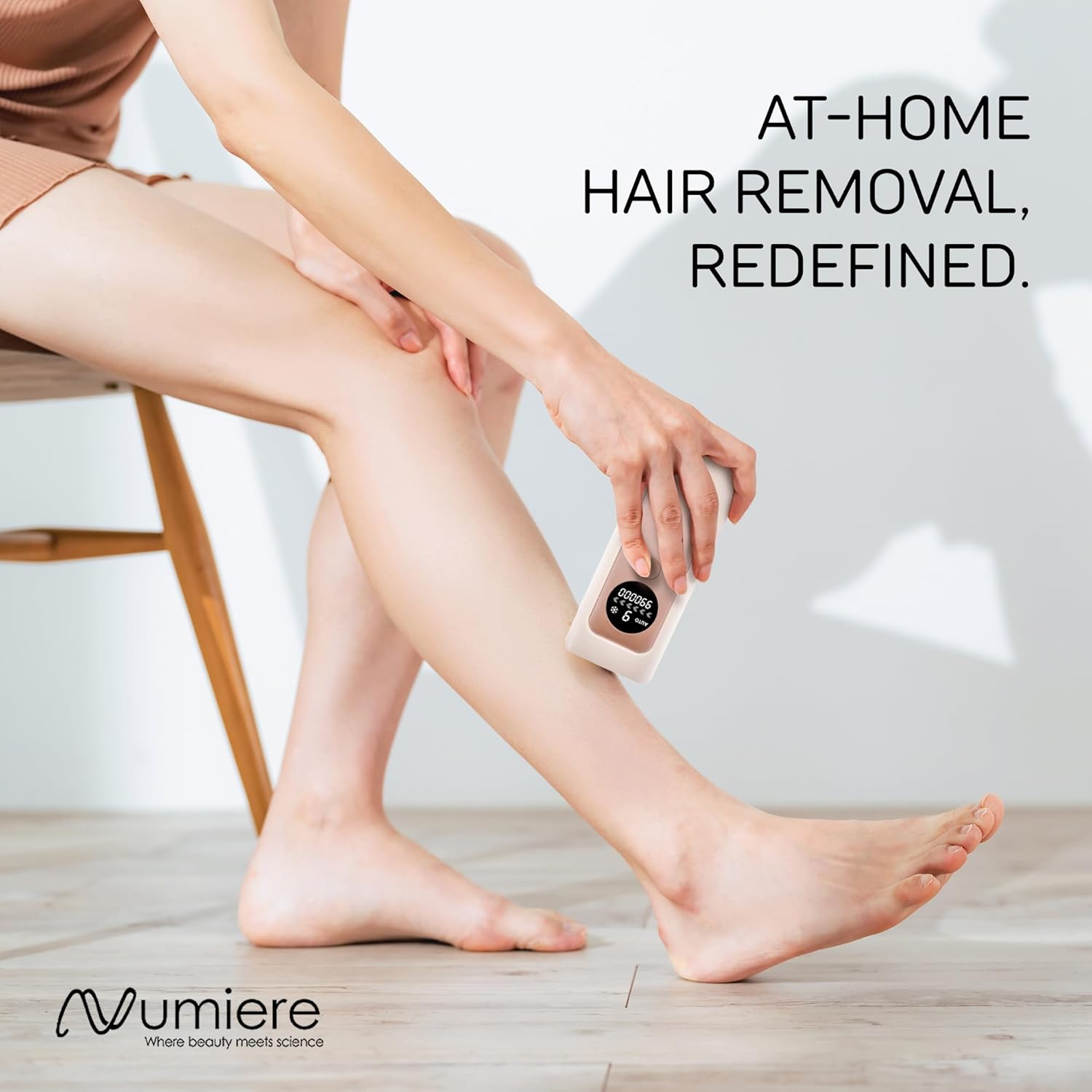
Image 5.2: Demonstrating proper device application on the leg.
5.4 Treatment Schedule
For optimal results, follow a consistent treatment schedule. Hair growth cycles vary, so regular use is key for progressive hair reduction.
- Initial Phase (Weeks 1-4): Use 2-3 times per week.
- Reduction Phase (Weeks 5-8): Use once per week.
- Maintenance Phase (After Week 8): Use once every 2-4 weeks or as needed to maintain results.
Individual results may vary. Visible hair reduction can be observed in as little as 2 weeks with consistent use, with significant reduction (e.g., 96.52% for bikini area) over time.
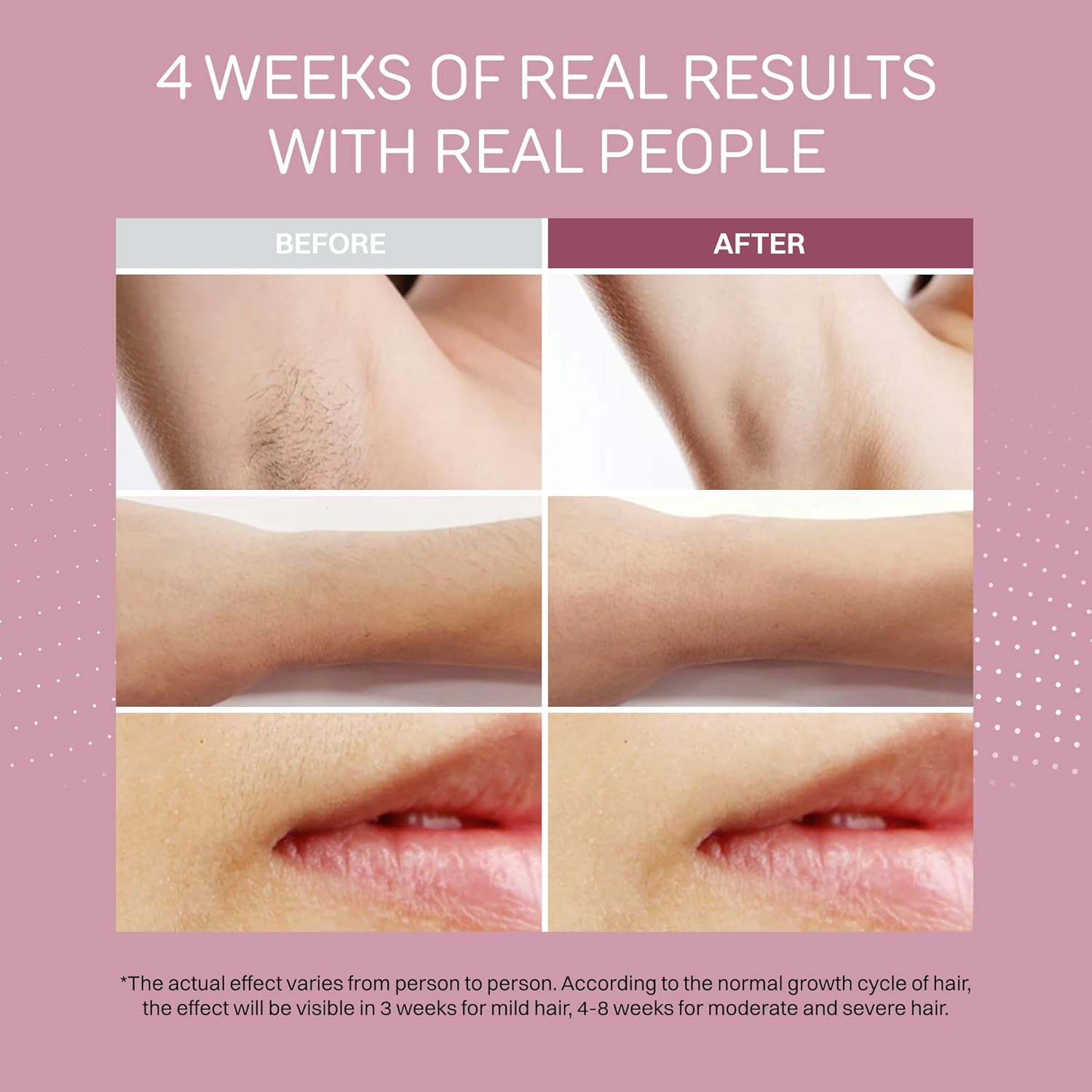
Image 5.3: Example of results after 4 weeks of consistent use.
6. Maintenance
Proper maintenance ensures the longevity and optimal performance of your device.
- Cleaning: After each use, ensure the device is turned off and unplugged. Use a soft, dry cloth to gently wipe the flash window and the device body. Do not use abrasive cleaners, alcohol, or harsh chemicals.
- Storage: Store the device in a cool, dry place, away from direct sunlight and moisture. Keep it out of reach of children.
7. Troubleshooting
| Problem | Possible Cause | Solution |
|---|---|---|
| Device does not turn on. | Not properly plugged in; power outlet issue. | Ensure the power adapter is securely connected to both the device and a working wall outlet. Try a different outlet. |
| Device does not flash. | Skin contact sensor not fully engaged; incorrect mode/intensity; device malfunction. | Ensure the flash window is in full contact with the skin. Check selected mode and intensity. If problem persists, contact customer support. |
| Skin irritation after use. | Intensity level too high; unsuitable skin tone; sensitive skin. | Reduce the intensity level. Ensure your skin tone is compatible with the device. Discontinue use if irritation persists. Consult a dermatologist if necessary. |
| No visible hair reduction. | Inconsistent use; insufficient intensity; hair color not suitable for IPL. | Follow the recommended treatment schedule consistently. Increase intensity if comfortable. IPL is most effective on dark hair and less effective on very light, red, or grey hair. |
8. Specifications
- Brand: Lumina NRG
- Model Name: Lumina NRG IPL Hair Removal Device
- Power Source: Corded Electric
- Special Features: Skin Protection System
- Recommended Uses: Back, Beard, Chest, Genital, Leg, Armpits, Face (below chin line)
- Package Dimensions: 9 x 4 x 2 inches
- Weight: 1.31 Pounds
- Manufacturer: Lumina NRG
9. Warranty and Support
For warranty information, product support, or service inquiries, please contact Lumina NRG customer service. Details regarding specific warranty periods and terms are typically provided with your purchase documentation or on the official Lumina NRG website.
You can visit the Lumina NRG store for more information: Lumina NRG Store


