
1. Introduction
This document provides guidance for the proper use and care of your Lazellz Dehumidifier Drain Plug and Cap. This accessory is designed to replace lost or damaged drain components on specific Danby dehumidifier models, ensuring proper drainage function. Please note that this manual focuses on the drain plug and cap itself. For comprehensive instructions regarding your dehumidifier's overall operation and specific drain port location, always refer to your original dehumidifier user manual.
2. Compatibility
The Lazellz Dehumidifier Drain Plug and Cap is specifically designed for compatibility with the following Danby dehumidifier models:
- ADR70A2G
- CDR2500E
- CDR4500E
- DAC10003D
- DDR25A2GB
If your dehumidifier model number is not listed, please contact Lazellz customer support for assistance.
3. Parts Included
Your package should contain the following components:
- One (1) Dehumidifier Drain Plug
- One (1) Dehumidifier Drain Cap
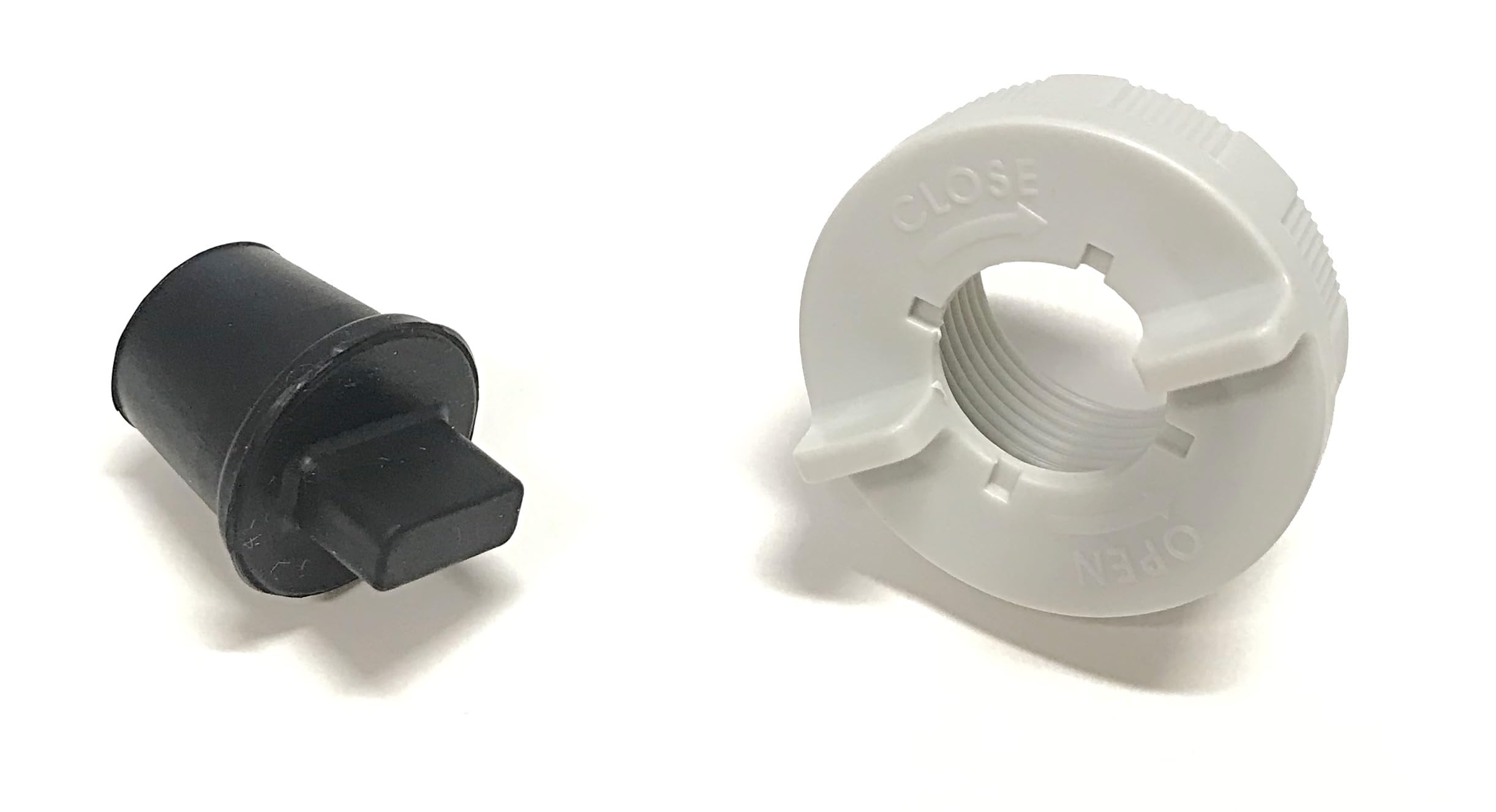
Image 1: Lazellz Dehumidifier Drain Plug and Cap. This image shows the two components included: the rubber drain plug and the twist-on cap.
4. Installation
The drain plug and cap are installed on the drain port located on the back of your dehumidifier unit. These parts are essential for preventing water leakage when the continuous drain function is not in use, or when the internal water collection bucket is being utilized.
Important: For detailed, model-specific instructions on locating and accessing the drain port on your dehumidifier, please consult your original Danby dehumidifier user manual. The following steps provide general guidance for installing the plug and cap.
- Locate the Drain Port: Refer to your dehumidifier's manual to identify the drain port on the back of the unit. This is typically a threaded opening.
- Insert the Drain Plug: Gently push the rubber drain plug firmly into the drain port opening. Ensure it creates a tight seal to prevent any water from escaping.
- Attach the Drain Cap: Once the plug is securely in place, twist the drain cap onto the threaded exterior of the drain port. Turn clockwise until it is hand-tight. Do not overtighten, as this may damage the threads or the cap.
Ensure both the plug and cap are properly seated and tightened to prevent leaks during dehumidifier operation.
5. Maintenance
To ensure the longevity and effective sealing of your drain plug and cap, follow these simple maintenance guidelines:
- Regular Inspection: Periodically inspect the rubber plug for any signs of wear, cracking, or deterioration. Check the cap for any damage to its threads.
- Cleaning: If the plug or cap becomes dirty, gently clean them with a soft cloth and mild soap and water. Rinse thoroughly and allow to air dry completely before reinstallation.
- Storage: If removing the parts for extended periods, store them in a clean, dry place away from direct sunlight and extreme temperatures to prevent material degradation.
6. Troubleshooting
If you encounter issues with your Lazellz Dehumidifier Drain Plug and Cap, consider the following:
- Leakage: If water is leaking from the drain port, first ensure the rubber plug is fully inserted and creating a tight seal. Then, confirm the cap is securely twisted onto the threads and hand-tight. Inspect both components for any visible damage that might compromise the seal.
- Difficulty Installing: Ensure you are attempting to install the parts on a compatible Danby dehumidifier model as listed in Section 2. Do not force the plug or cap if they do not fit easily.
- Damaged Parts: If either the plug or cap appears damaged, it should be replaced to ensure proper function and prevent leaks.
If troubleshooting steps do not resolve the issue, please contact Lazellz customer support.
7. Specifications
| Feature | Detail |
|---|---|
| Material | Rubber and Plastic |
| Product Dimensions (Approx.) | 17.8 cm (L) x 5.1 cm (W) x 10.2 cm (Th) |
| Compatible Devices | Danby Dehumidifiers (specific models listed) |
8. Support and Warranty
For any questions, concerns, or assistance with your Lazellz Dehumidifier Drain Plug and Cap, please contact our customer support team. While specific warranty details are not provided with this accessory, Lazellz is committed to customer satisfaction.
Contact Information:
- Website: www.lazellz.com (Note: This is a placeholder URL as no specific support link was provided.)
- Email: support@lazellz.com (Note: This is a placeholder email as no specific support email was provided.)
Please have your product details and dehumidifier model number ready when contacting support.